
The restaurant POS that runs the whole house
Register, tables, kitchen, your own delivery, inventory, finance and team. Everything talks to everything else, from the first order to the result of the month.
- No equipment to buy
- No CounterChef fee on payments
- One plan, every feature
- English and Spanish
Everything in one system
All your restaurant needs, in one place
Five parts that work together: an order from the dining room or your online menu reaches the kitchen, moves your stock and lands in your numbers, without anyone typing it twice.
- 01Floor and salesRestaurant POS · Closing the check · Seats and courses · Server app · Kitchen display
- 02Your own deliveryOnline ordering · Order board · Zones and fees · Barcode dispatch · Delivery drivers
- 03ManagementOwner dashboard · Menu · Recipe costing · Menu engineering · Inventory
- 04TeamTime clock · Scheduling · Checklists · Tips · Team
- 05GuestsLoyalty · Coupons and cashback · Promotions and gift cards · Customers and feedback
Part 1 · Floor and sales
From the first order to the paid check
Register, servers, kitchen and self-service screens speak the same language. The order is entered once and follows the table to the end.
Restaurant POS
One register for every kind of sale
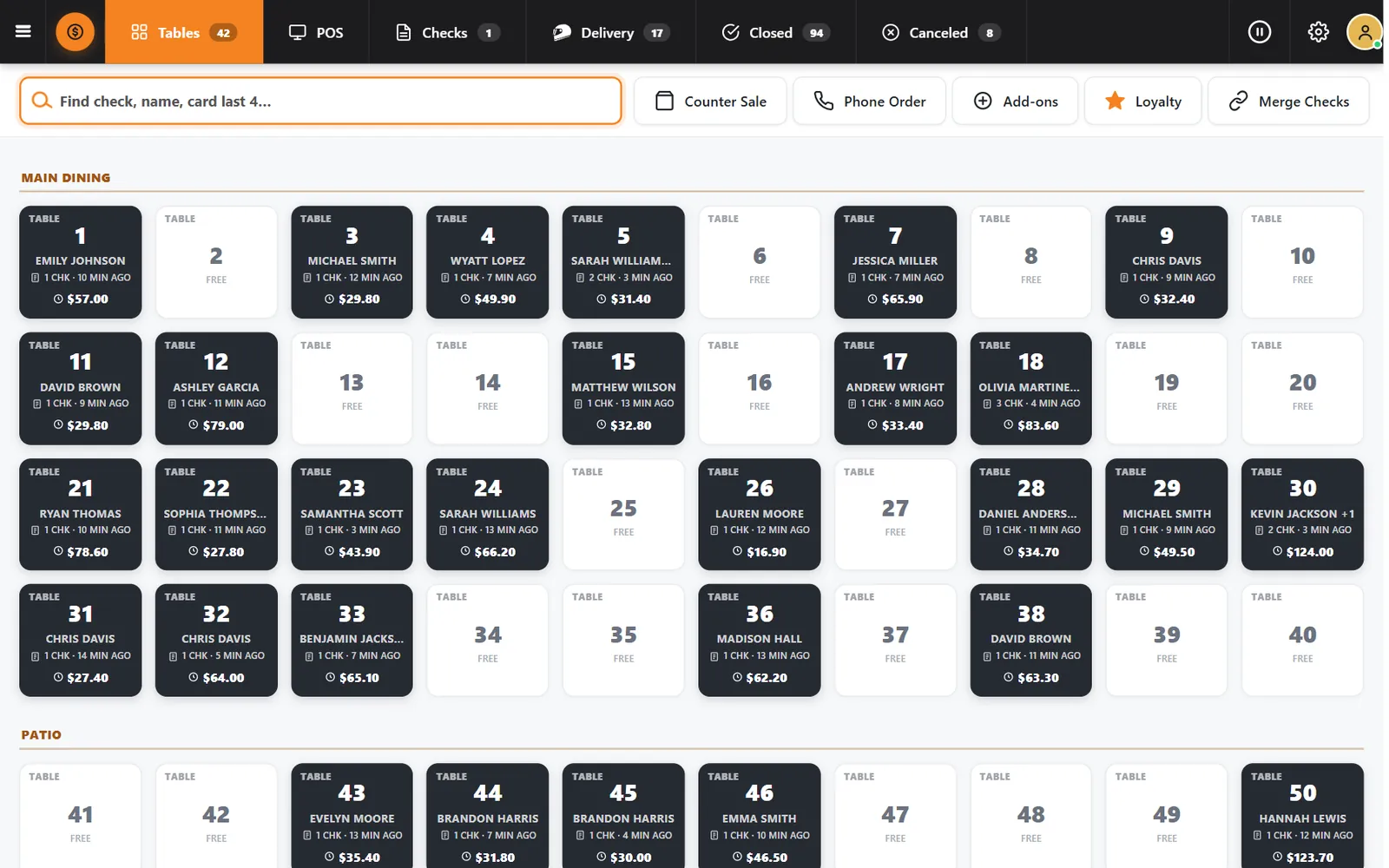
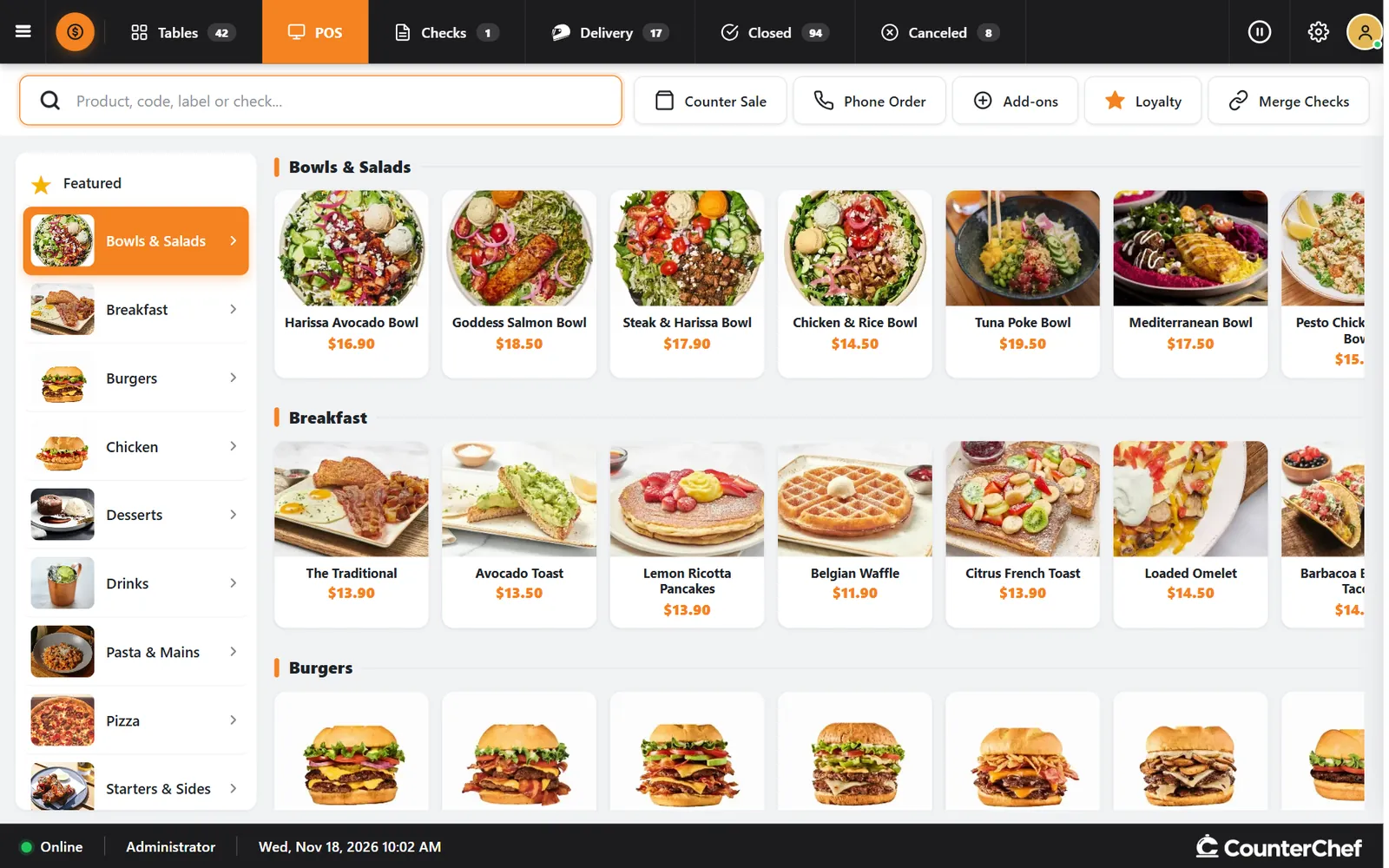
Tables, counter sales, phone orders, open checks and delivery sit in one place, so your team stops jumping between screens.
- Find any checkSearch by check, guest name or the last four digits of a card.
- Merge checksCombine checks when a party decides to pay together.
- Closed and canceledThe finished and canceled checks of the day stay one tap away.
Closing the check
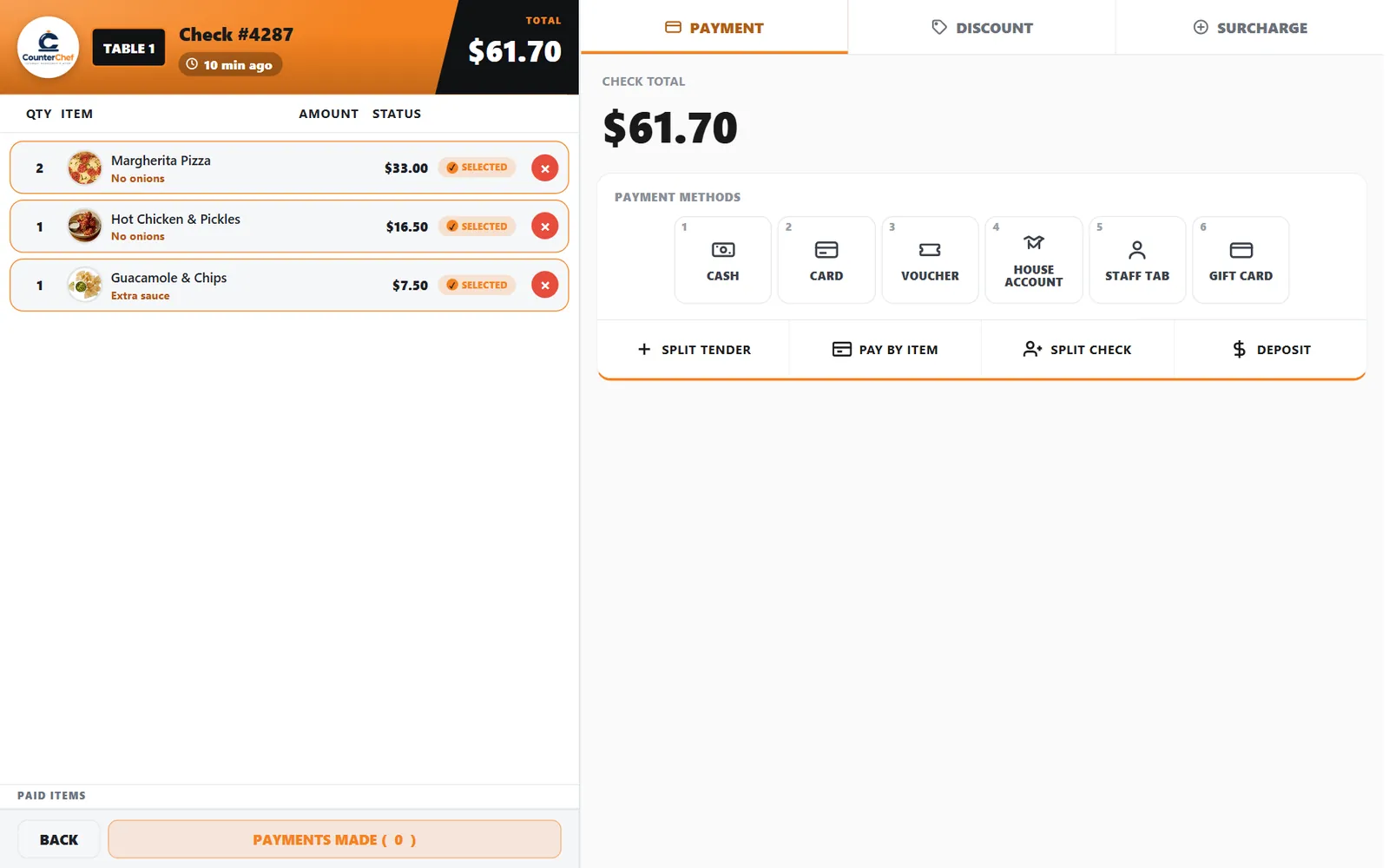
However the table wants to pay
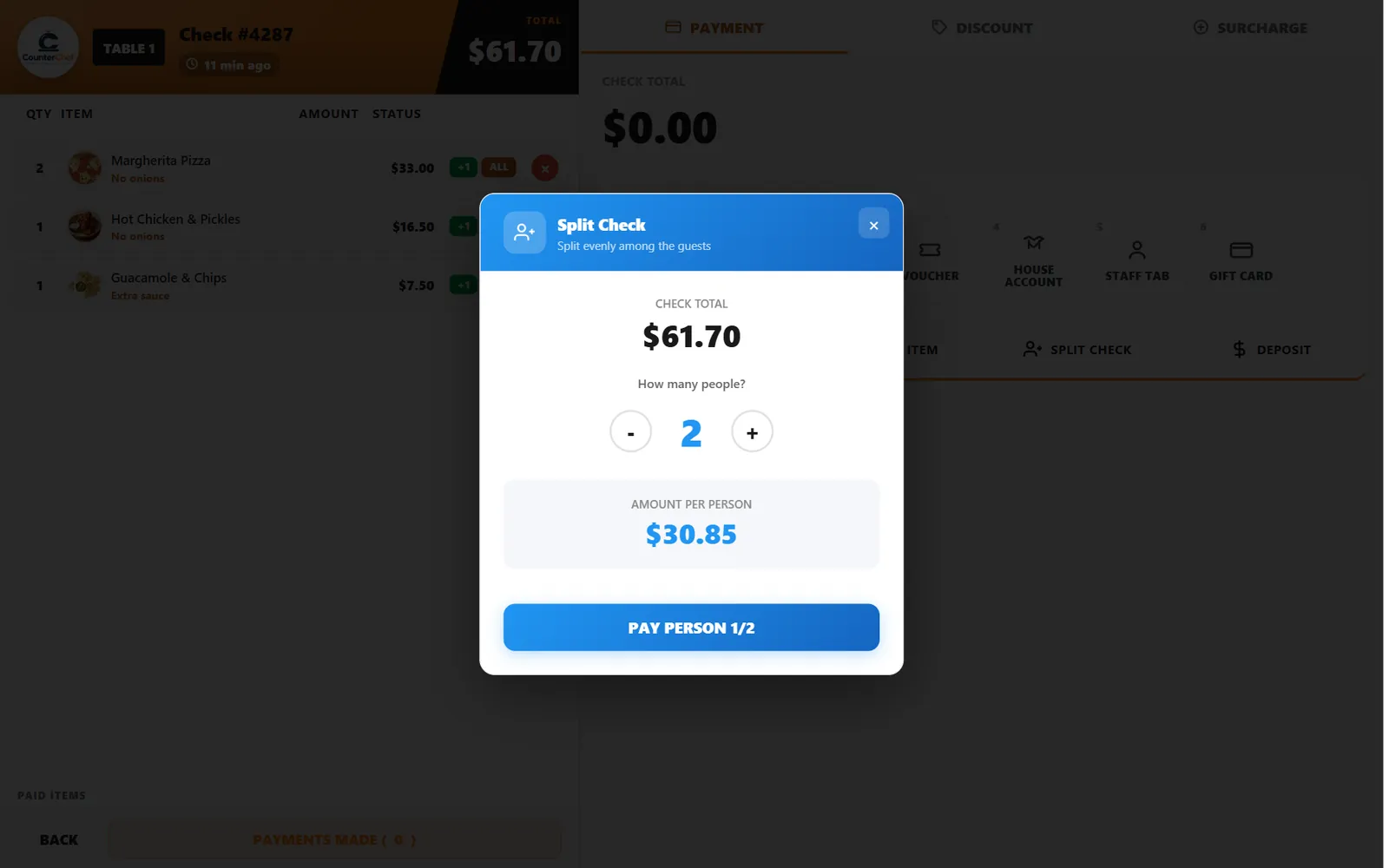
One table, several cards, no calculator. The check adapts to the group instead of the other way around.
- Split equallyDivide the check and take one person at a time.
- Pay by itemEach guest pays for what they had.
- Split tenderCombine payment methods on one check.
Seats and courses
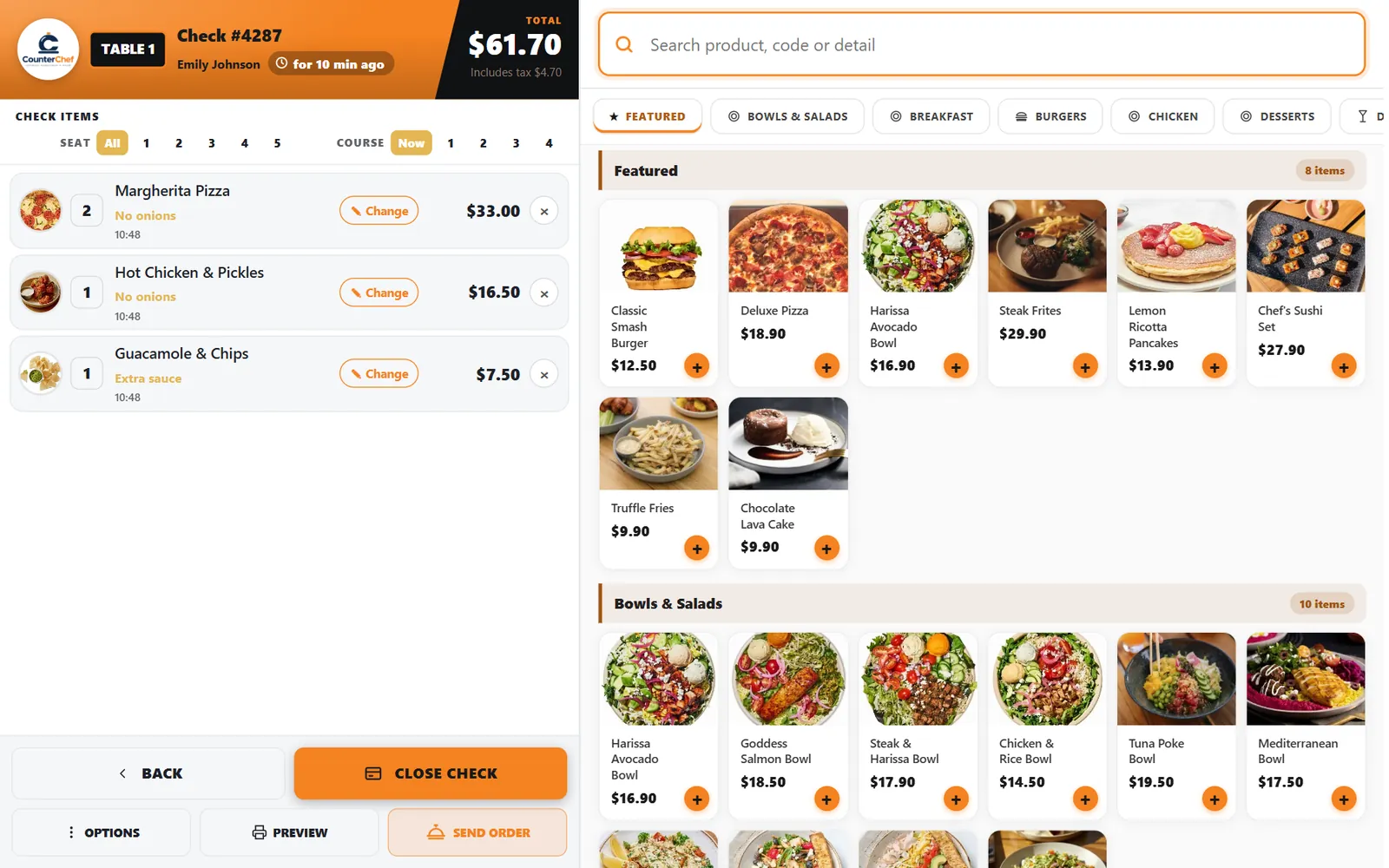
Tell the kitchen who gets what, and when
Assign every item to a seat and a course, hold what comes later and fire it when the table is ready.
- Seat numbersThe number you choose applies to the next items you add.
- Courses 1 to 4Group items in the order they should reach the table.
- NowSend an item to the kitchen right away.
Server app
Servers take the order at the table
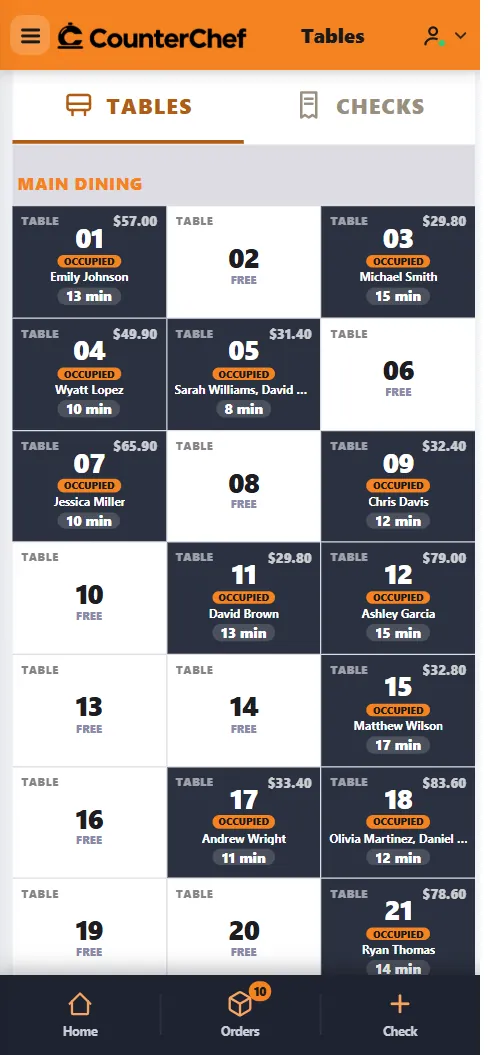
Servers open tables and checks on a phone and send orders without walking back to a terminal. No dedicated handheld to buy.
- Live table mapThe whole room on the phone.
- Open checksChecks that are not tied to a table have their own list.
- Orders in progressEach server sees what is moving.
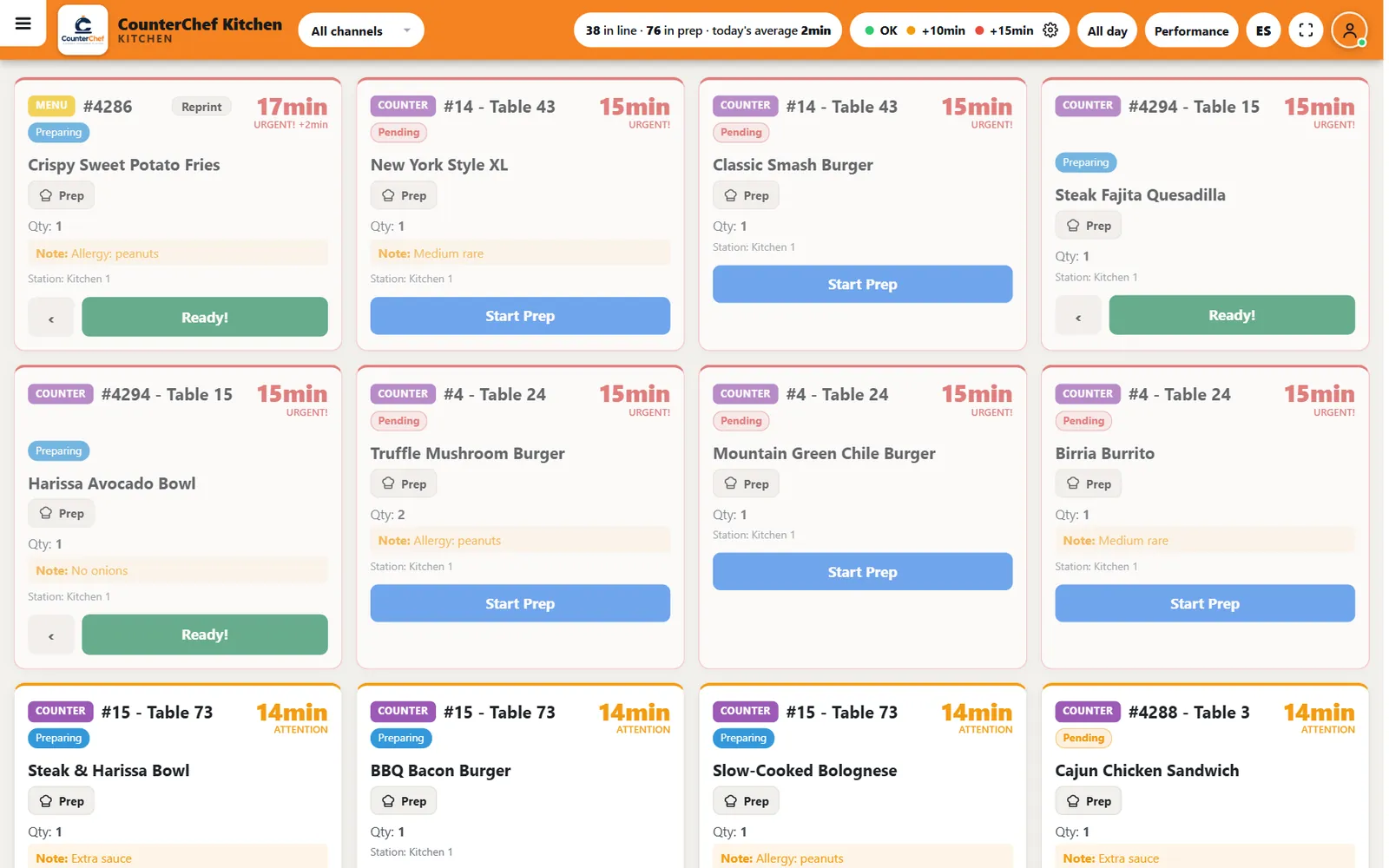
Kitchen display
A screen the whole line can read
Live tickets with timers, notes and stations replace the paper rail, in English or Spanish with one tap.
- Color timersSee at a glance what is running late.
- All day countsHow many of each item are in progress.
- PerformancePrep time results for the line.
Self-order kiosk
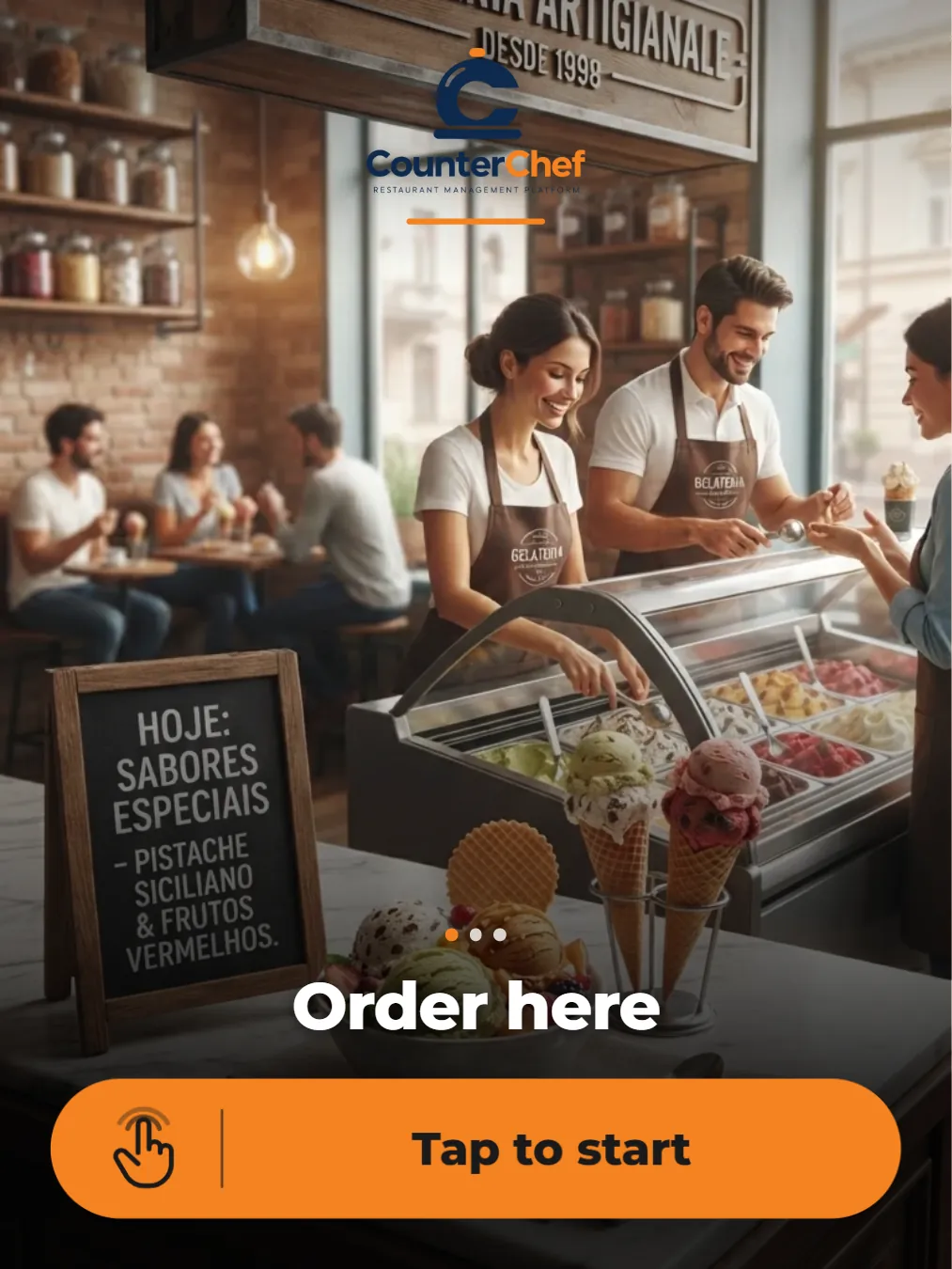
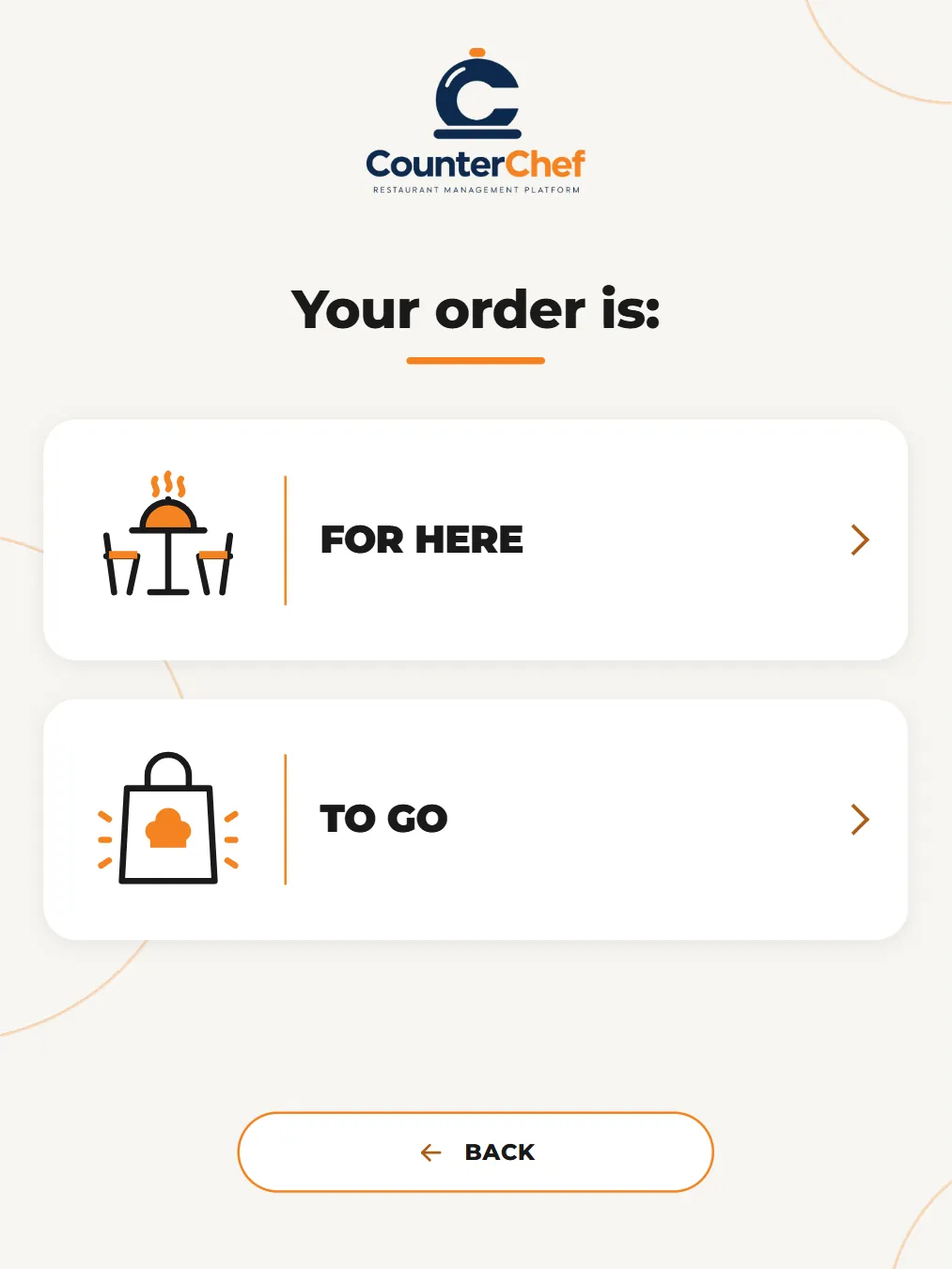
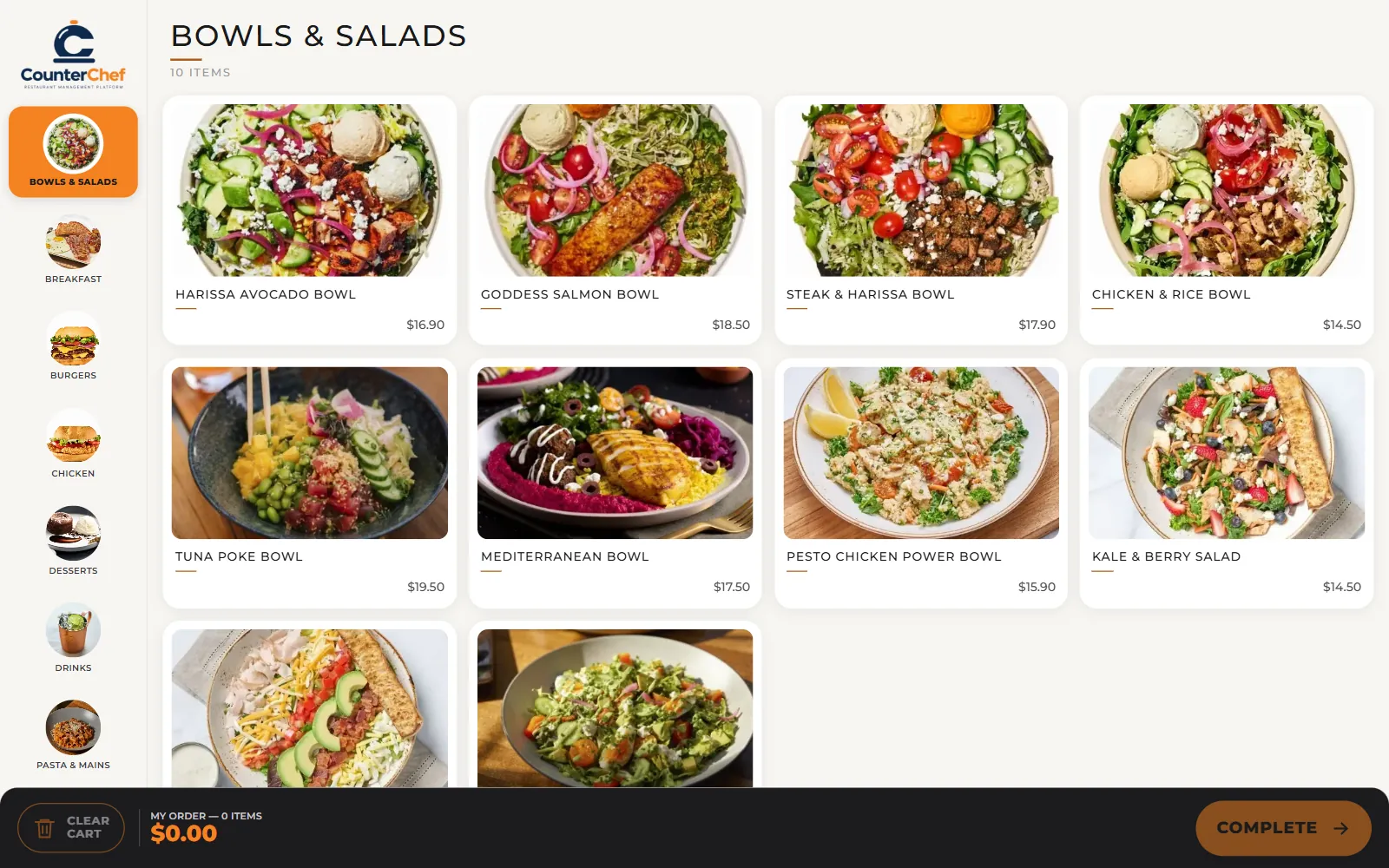
Turn a tablet into a kiosk
Guests choose for here or to go, tap through your menu with photos and finish with an order number.
- Attract screenSlides run until the next guest arrives.
- Idle resetIf nobody answers, the screen clears the order and starts over.
- PreviewTest the flow without sending anything to the kitchen.
QR codes and table tablet
The menu goes to the table
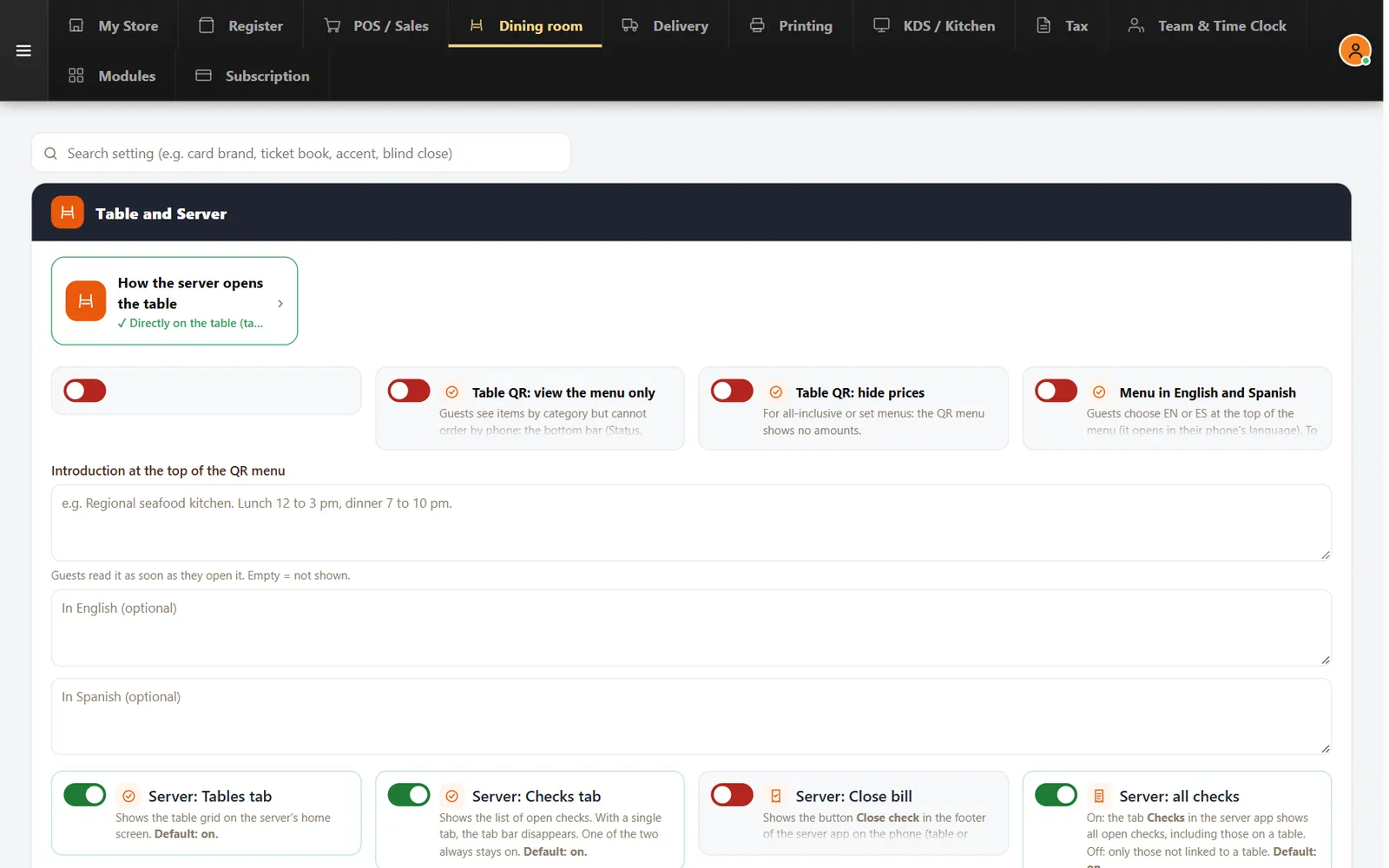
Print a code for each table or rest a tablet on it. Orders land on the check for that table.
- Order or view onlyTable menus can take orders or just show the food.
- English and SpanishGuests choose the language at the top of the menu.
- Table tabletGuests browse the menu and order from the screen.
Reservations and waitlist
Run the door from one list
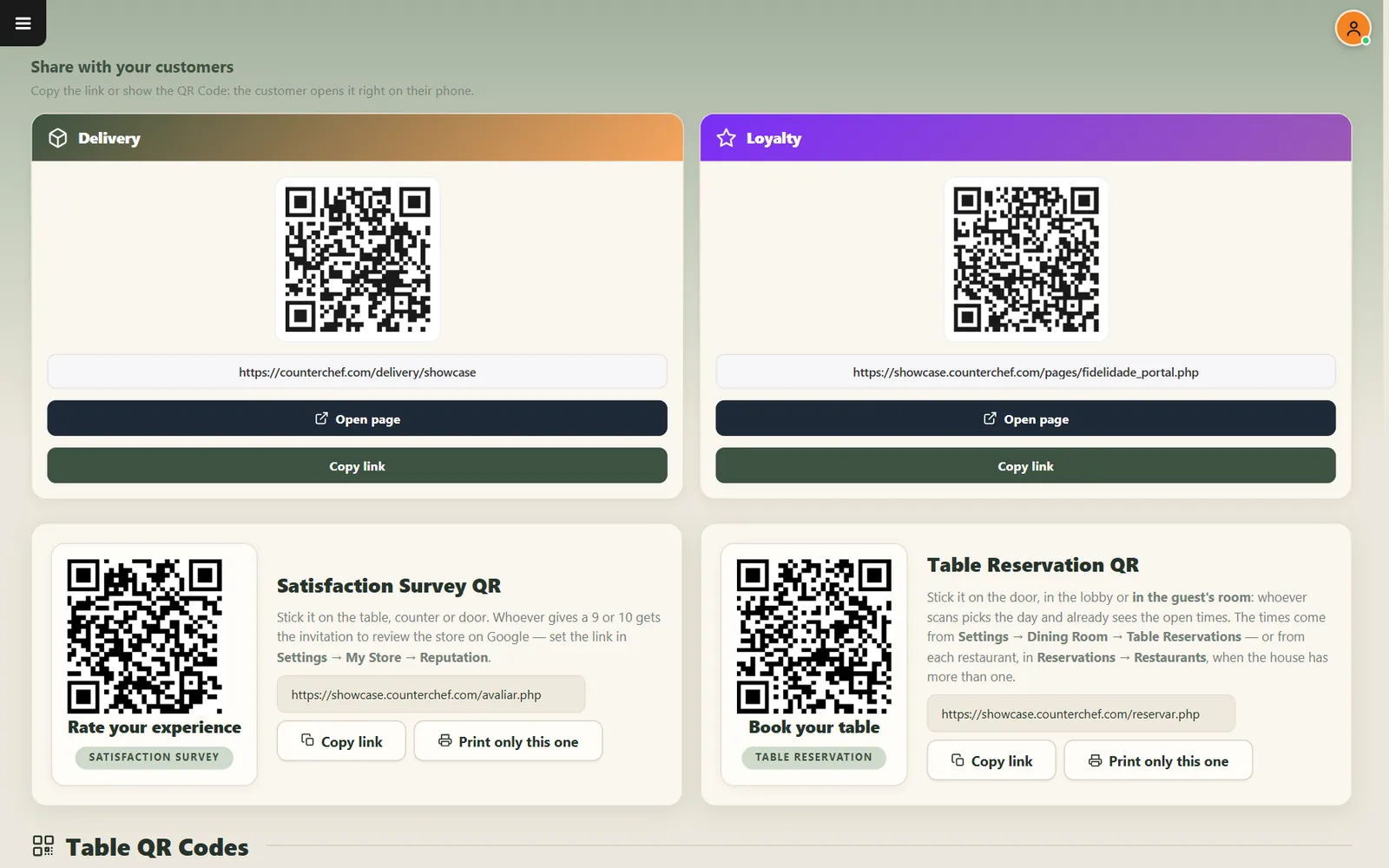
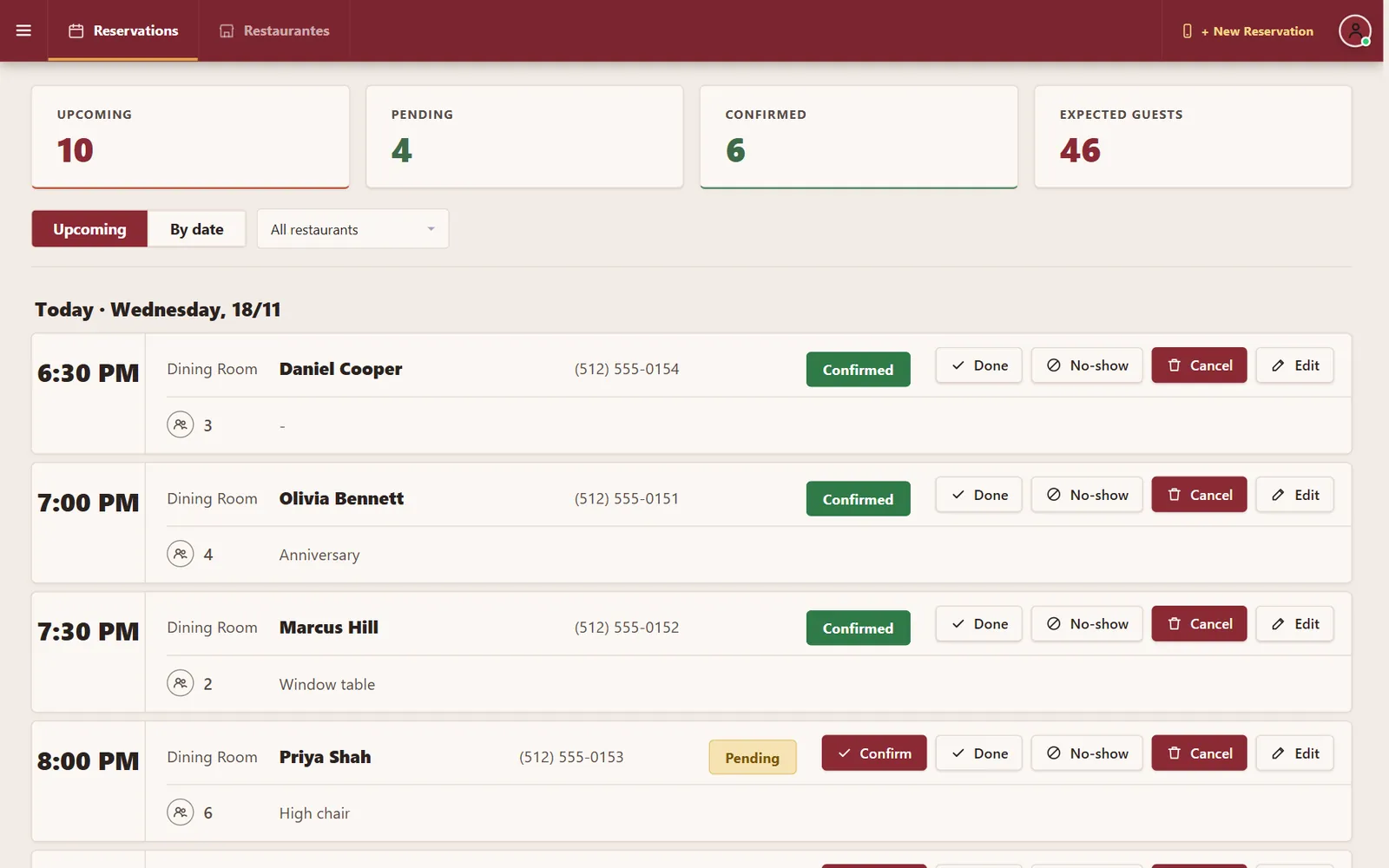
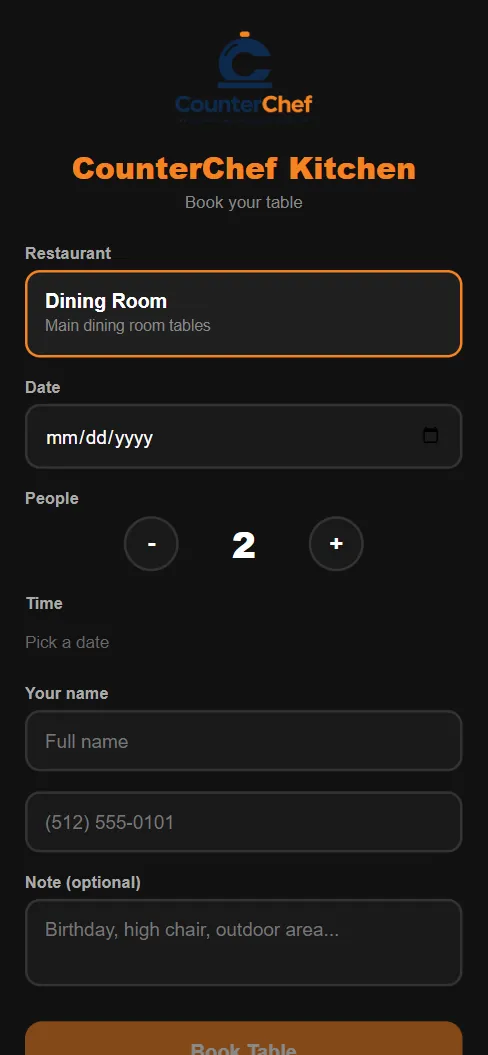
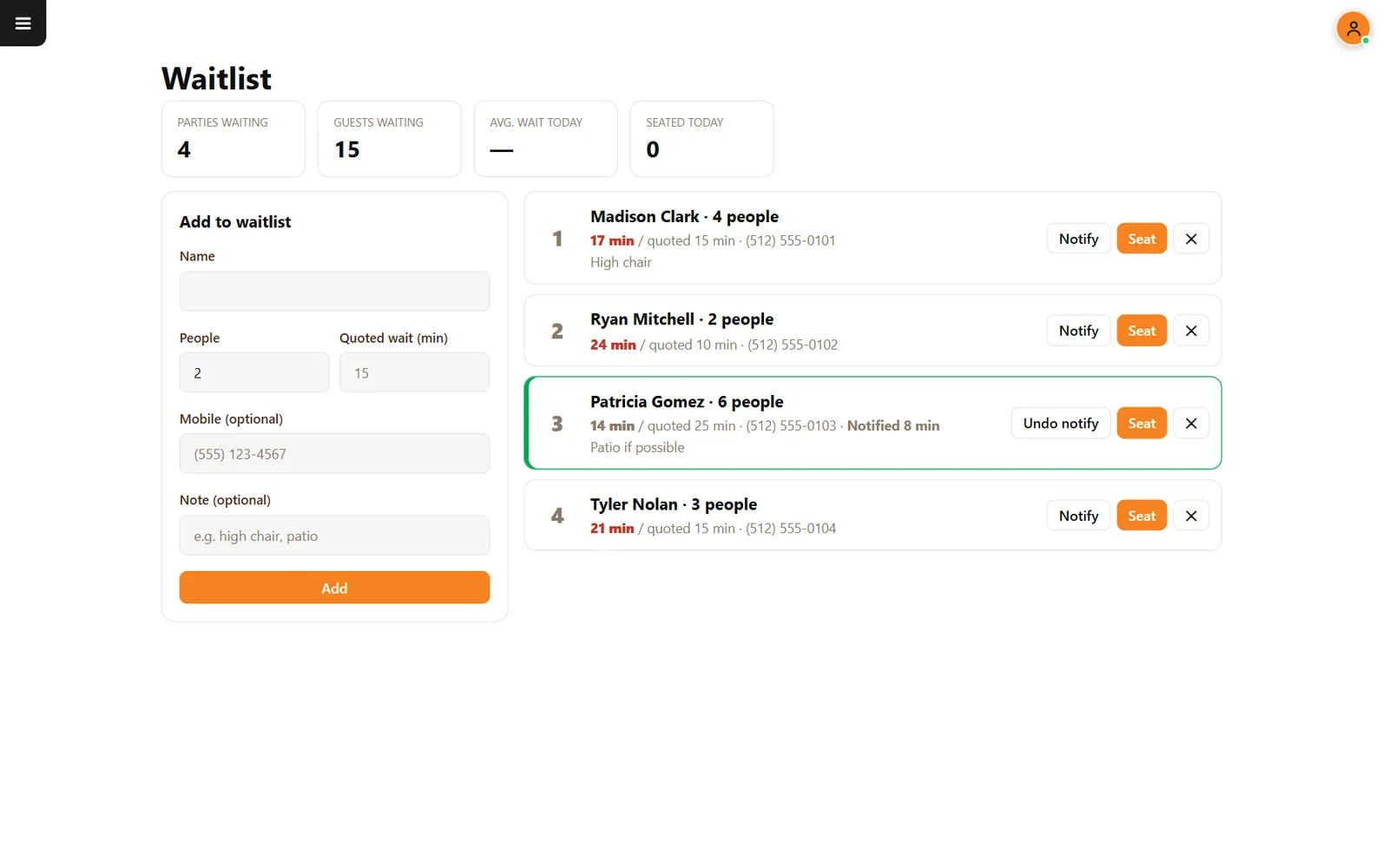
Guests book on your page, the host manages the day and walk-ins wait with a real count of the minutes.
- Your booking pageHours, interval and a maximum per time slot.
- Confirm, done or no-showEvery booking ends with a clear status.
- WaitlistSee who is waiting, what you quoted and how long it has been.
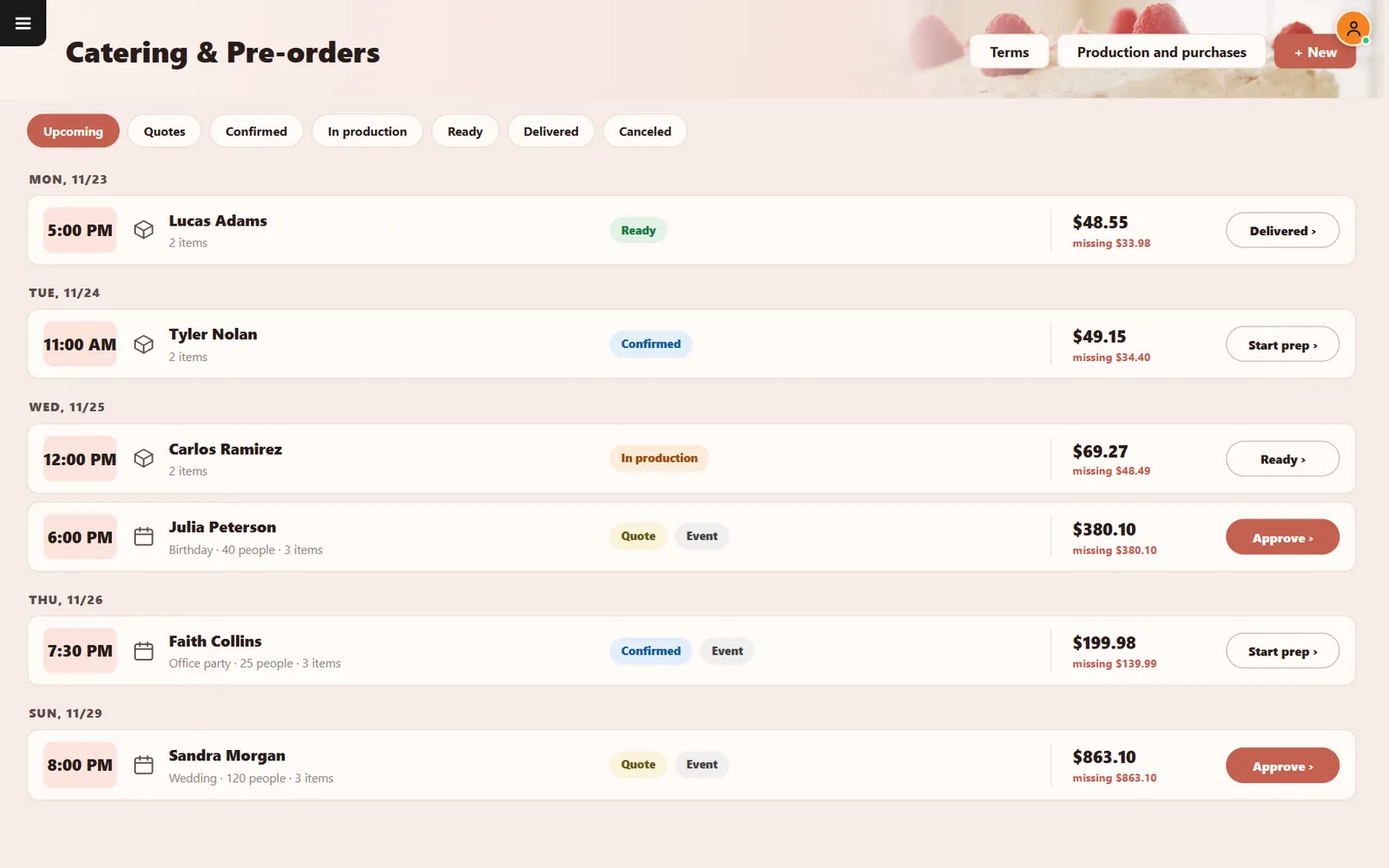
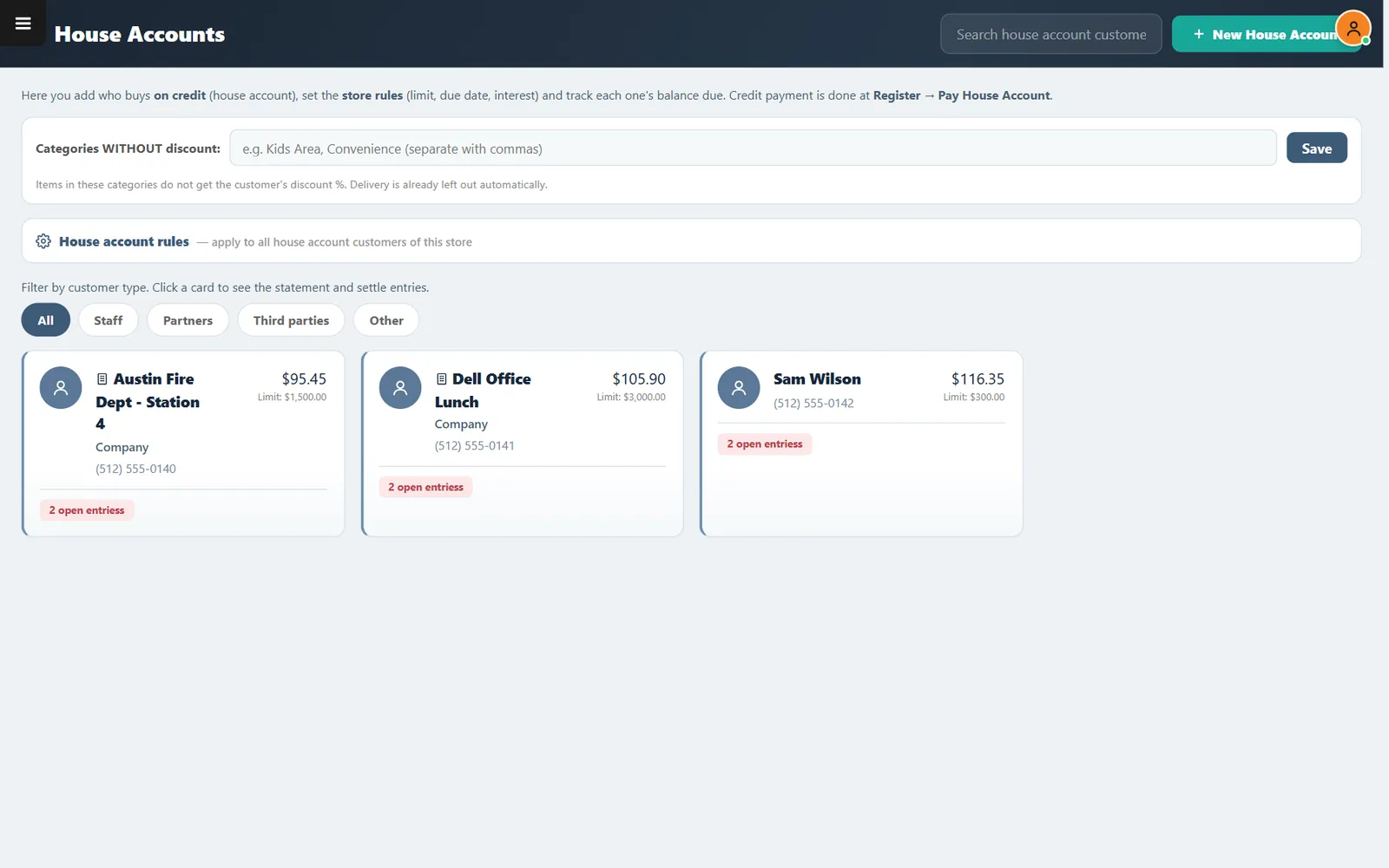
Catering and house accounts
Bigger orders, tracked to the last dollar
Quotes, events and balances stay in one place, and trusted customers can buy on account with limits.
- Quotes apart from jobsProposals stay separate from confirmed work.
- Missing amountSee the balance still due on every job.
- House account limitsSet the most an account can owe and when it is due.
Part 2 · Your own delivery
Your menu, your zones, your drivers
Take orders on your own online menu, charge by ZIP code, hand them to your drivers and settle up at the end of the period.
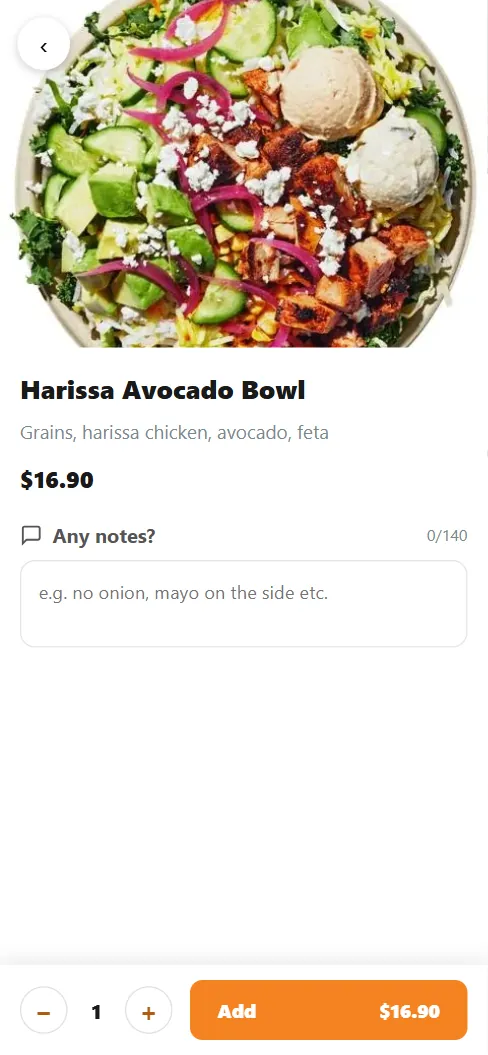
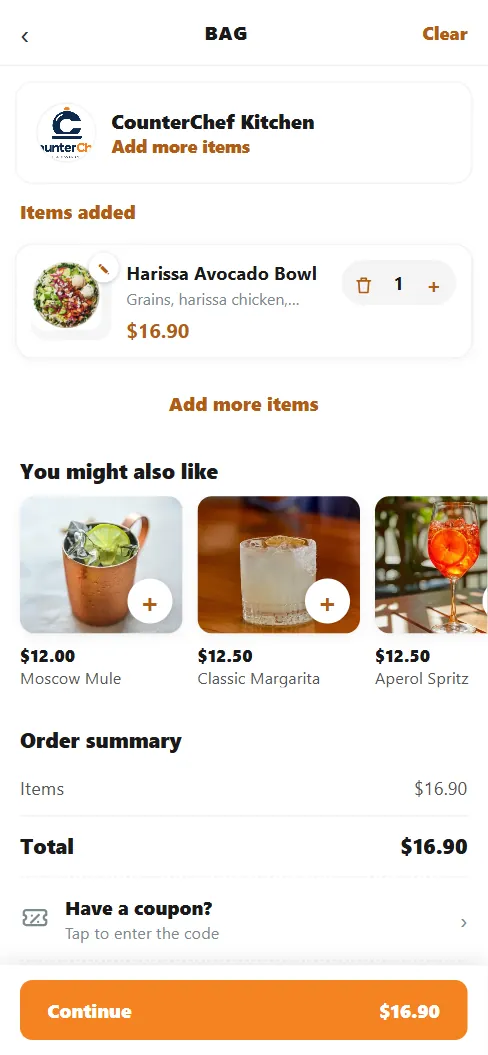
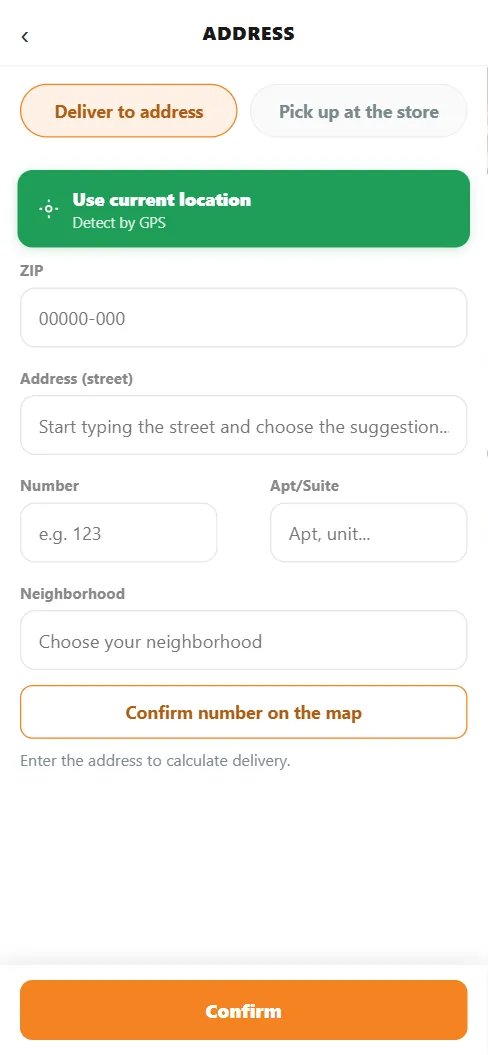
Online ordering
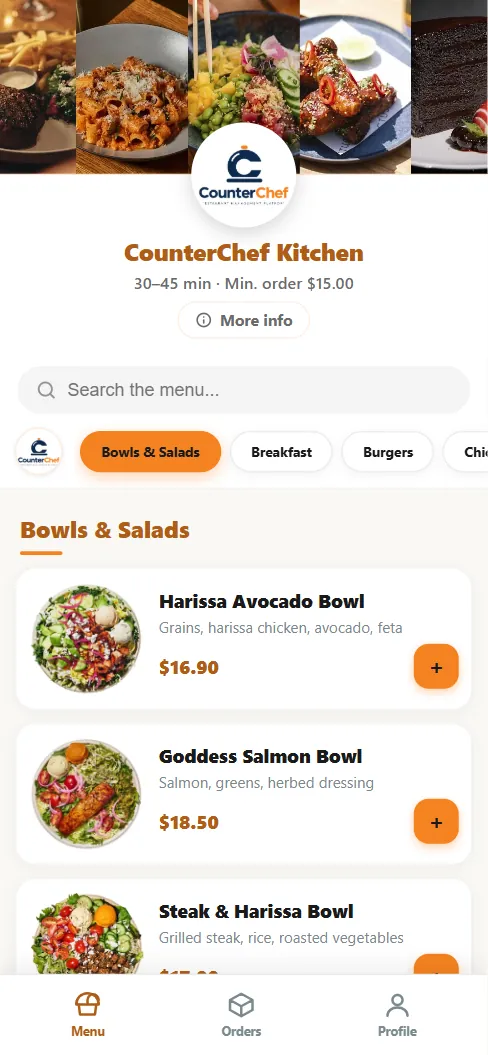
Guests order from your own menu
Photos, item notes, suggestions and coupons on the phone. The order reaches your register and kitchen without anyone retyping it.
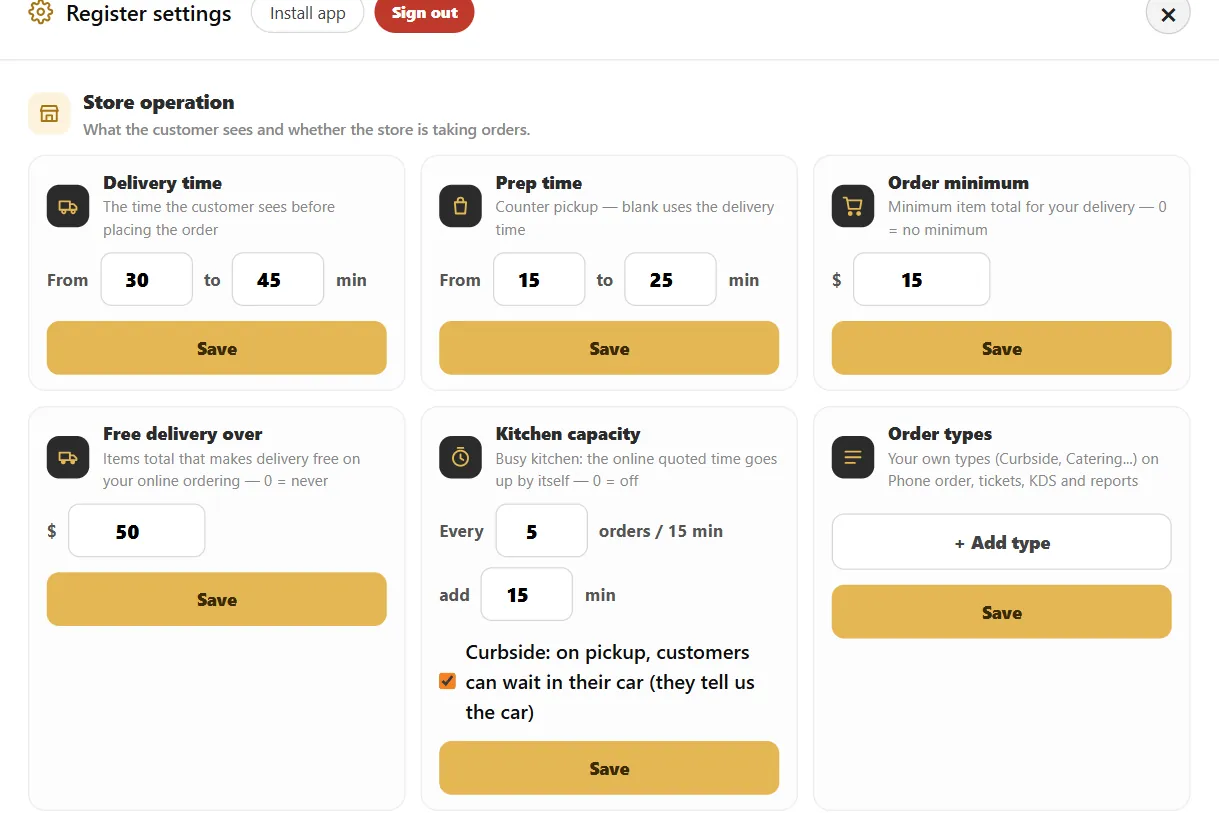
- Order minimumChoose the smallest item total you accept for delivery.
- Pause anytimeStop new online orders and resume when you say so.
- Pay on arrivalCash, credit or debit when the order arrives or at pickup.
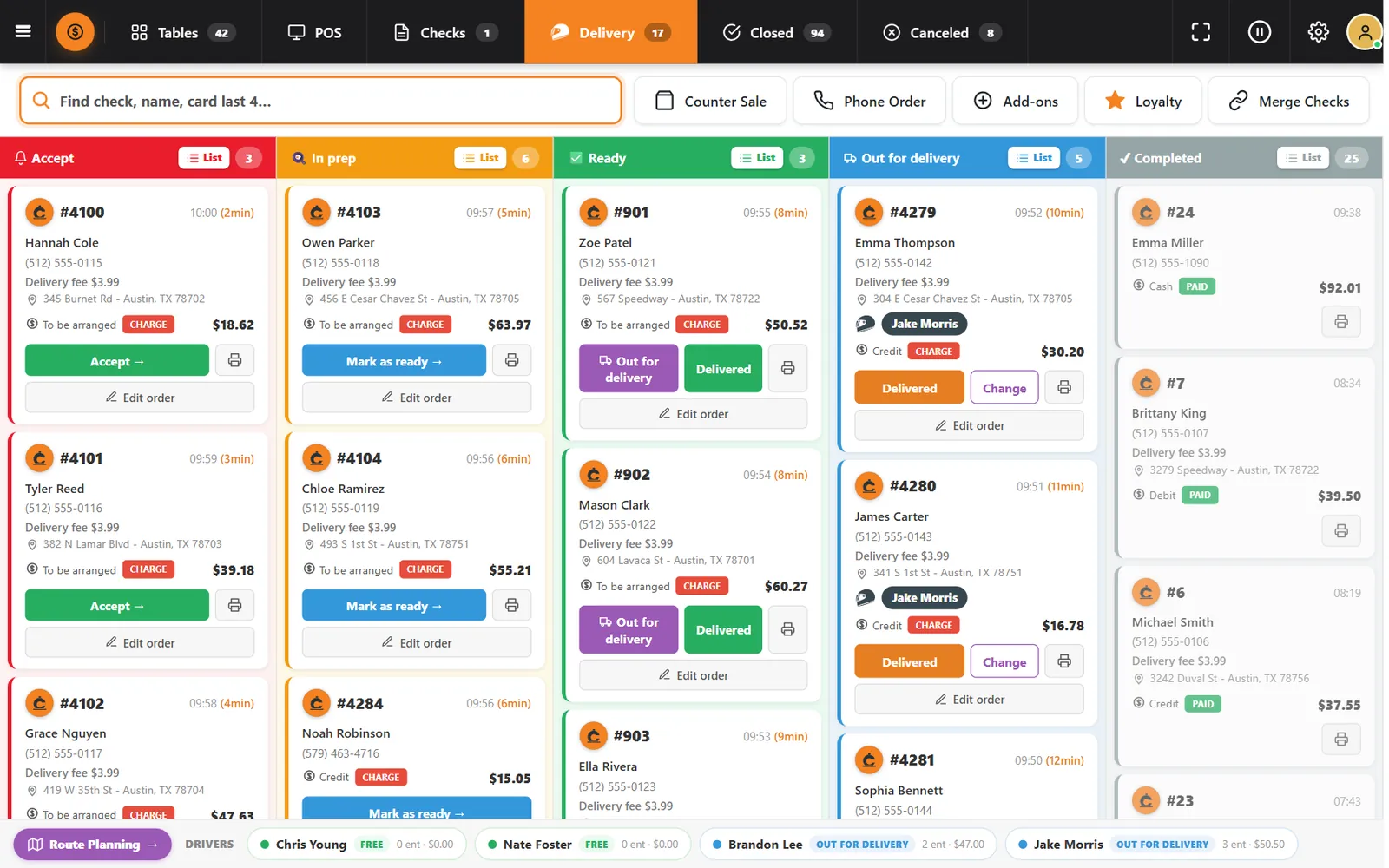
Order board
Every order, by stage, on one board
Accept, in prep, ready, out for delivery and completed. Anyone at the register can read the whole operation at a glance.
- Charge or paidA tag on each card shows if money is still due.
- Receive on the cardTake payment for a pickup order from its card.
- Driver stripEach driver, status, deliveries and amounts at the bottom.
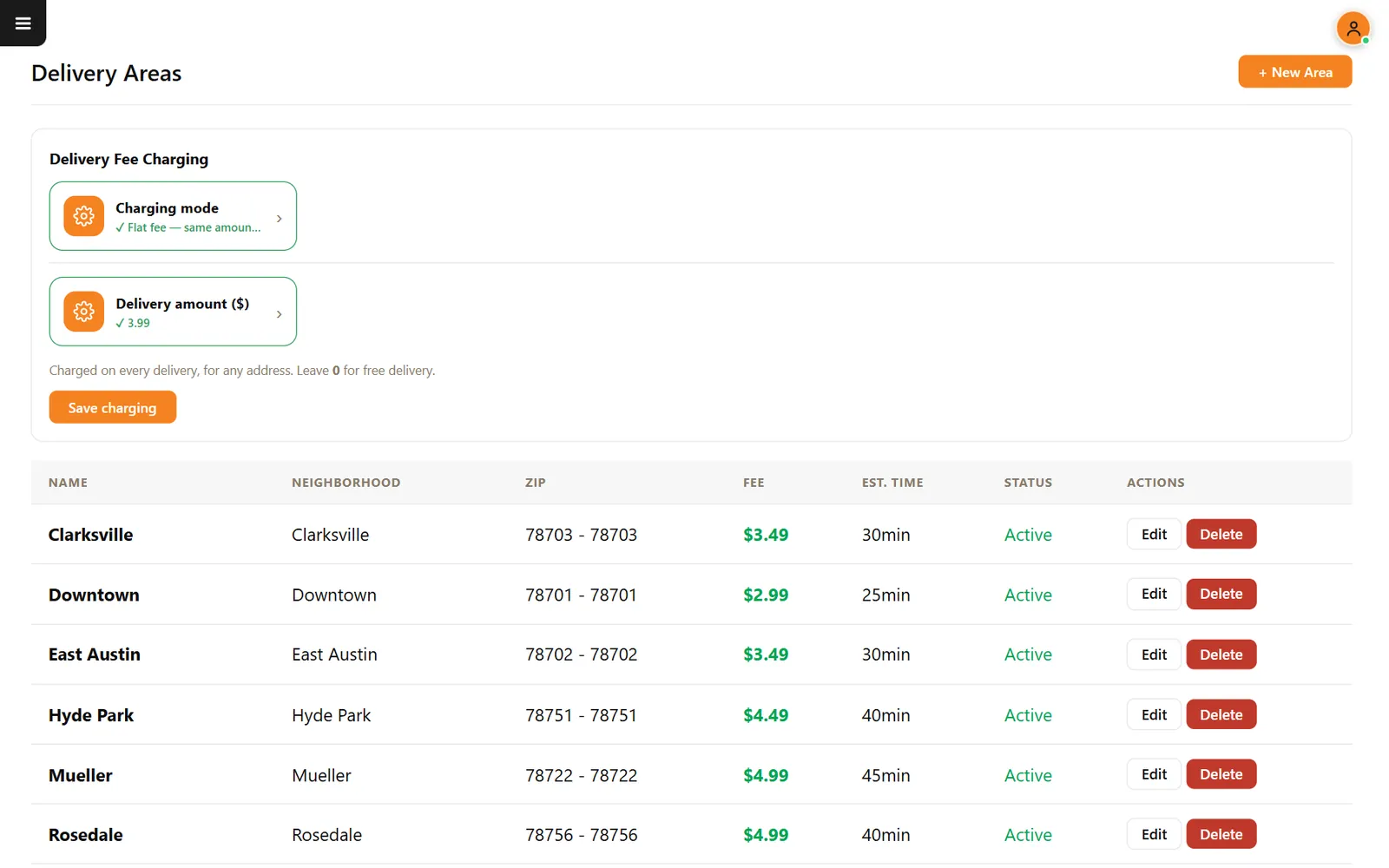
Zones and fees
Charge what each trip is worth
Every area has its own ZIP range, fee and estimated time, and your kitchen can protect itself during a rush.
- Areas by ZIP codeOne ZIP or a range, with its own fee and time.
- Free delivery amountThe fee drops to zero when items reach the amount you choose.
- Kitchen capacityThe promised time rises when too many online orders arrive.
Barcode dispatch
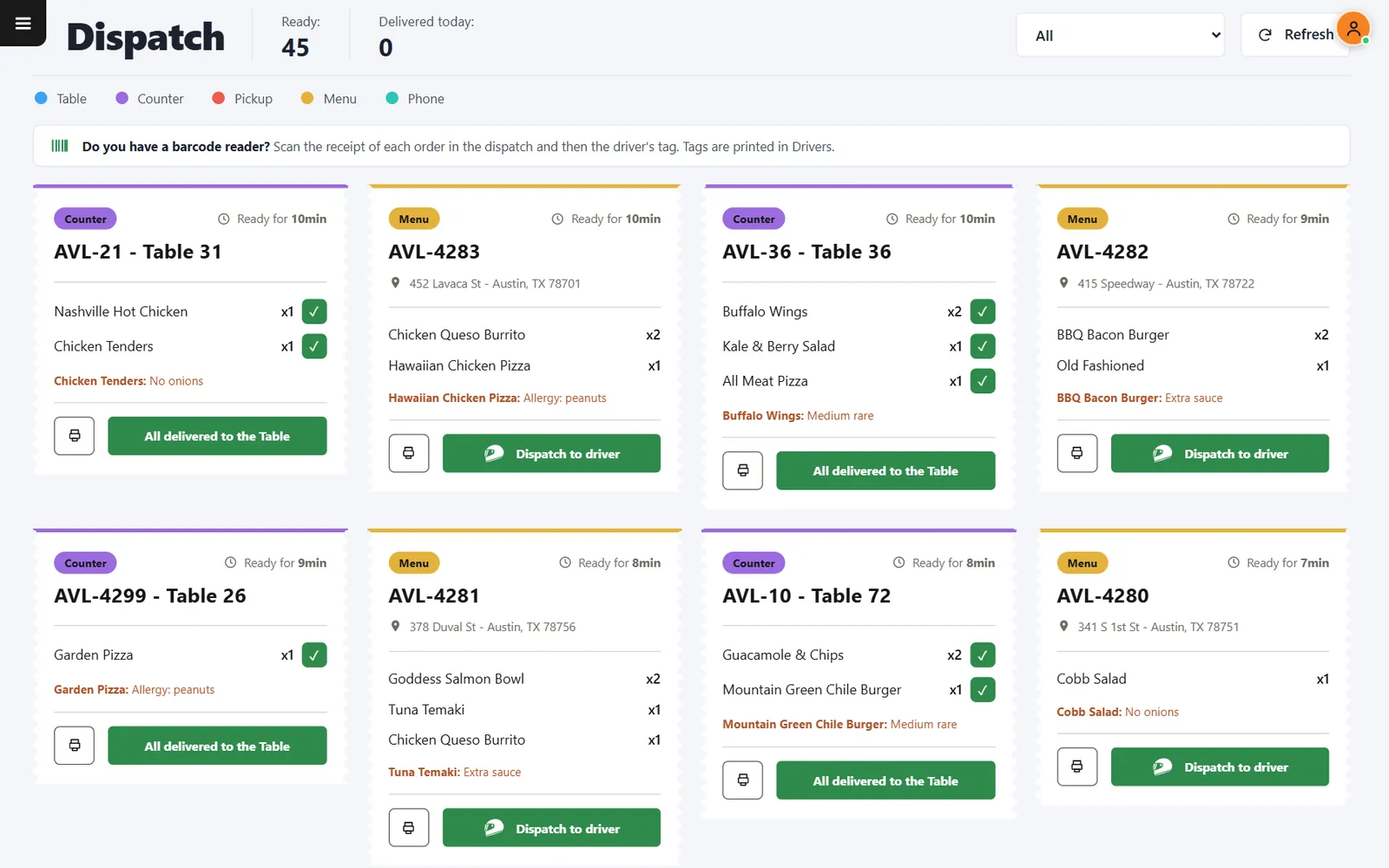
Scan the receipts, scan the driver
The whole run lands on the phone of that driver, in the order you scanned it. No scanner? Choose the driver on screen.
- Scan order is the routeThe stops follow the sequence of the scans.
- ReprintPrint the order receipt again, with its barcode.
- FilterNarrow the screen by order type.
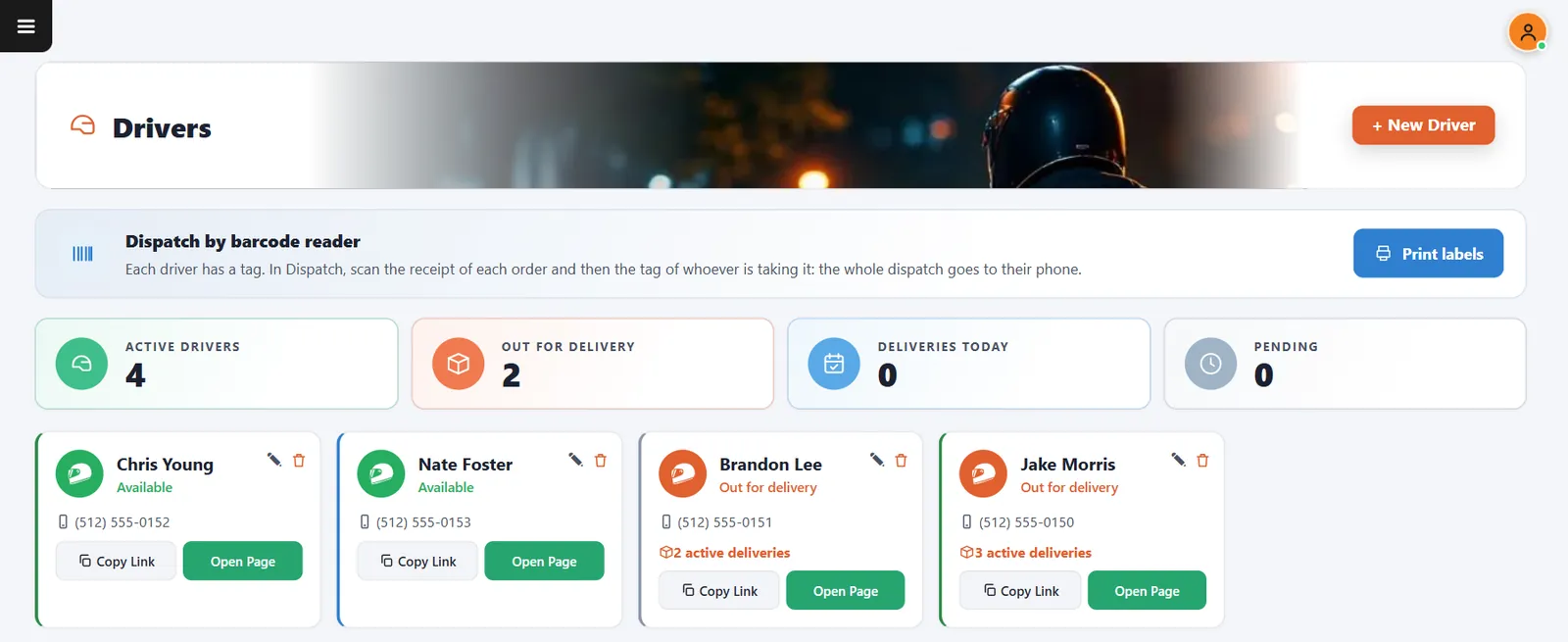
Delivery drivers
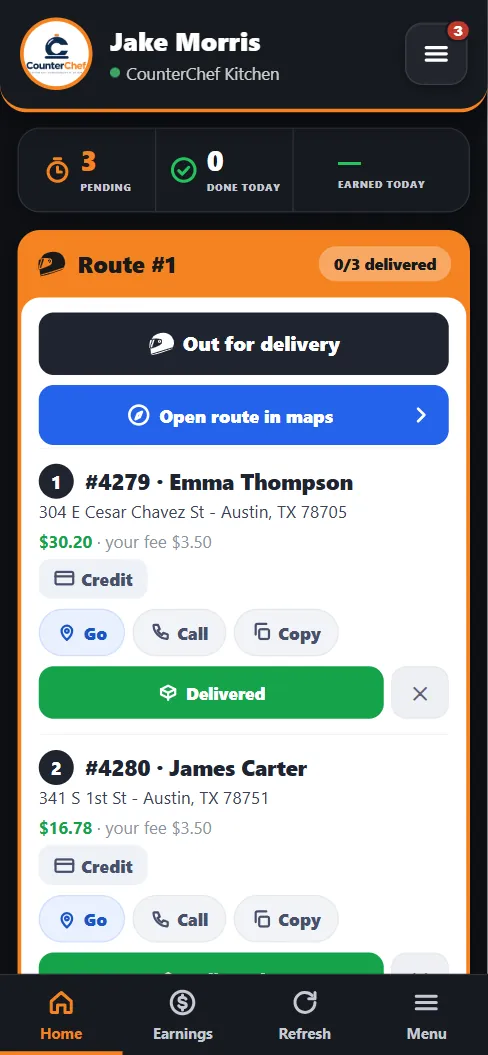
A personal page for every driver
Stops, addresses, amounts to collect and earnings in the phone browser. There is no app to install.
- Open route in mapsSend the stops, in order, to the map app.
- DeliveredClose each stop as it happens.
- EarningsDrivers see what they have earned.
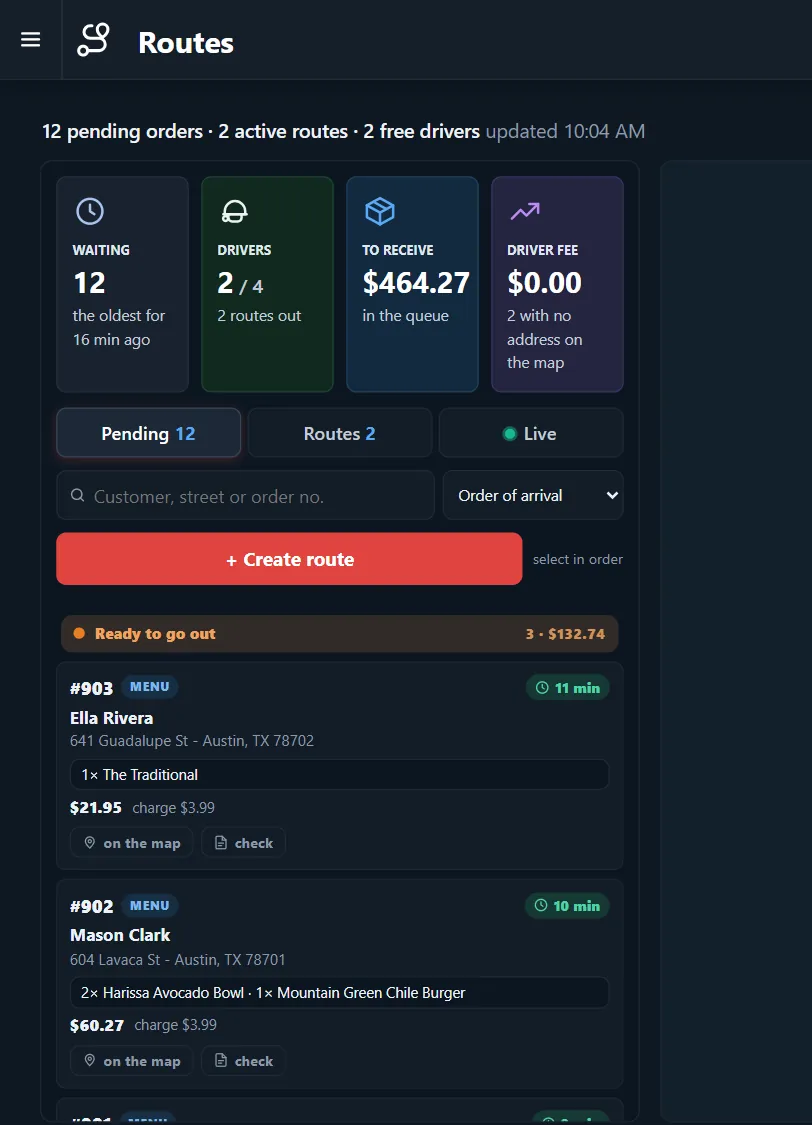
Routes and settlement
End the shift with the math already done
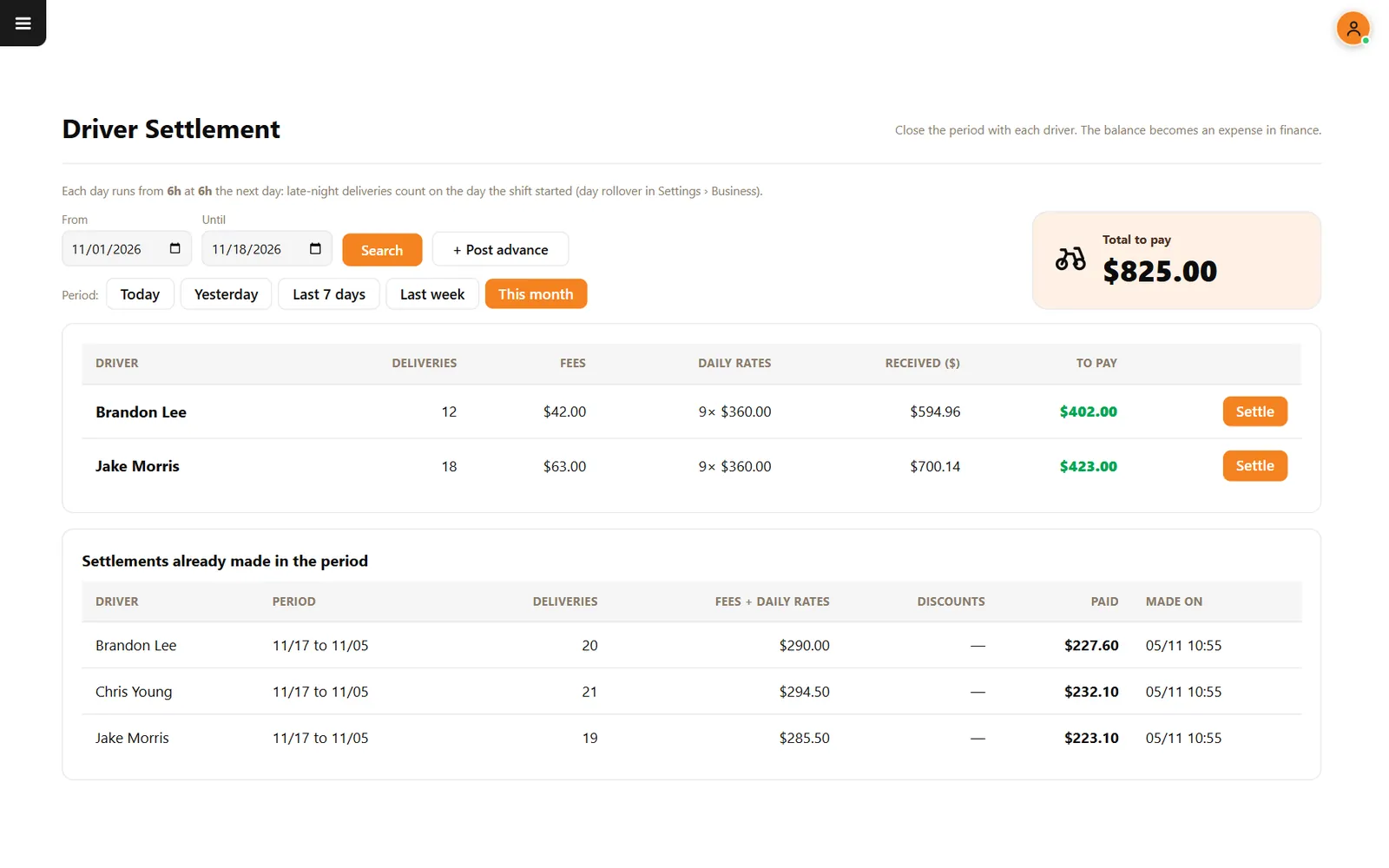
Build routes from pending orders, then see what each driver delivered, collected and is owed for the period.
- Routes by selectionPick orders in the sequence the driver should run them.
- AdvancesMoney paid early comes off the settlement.
- Business dayLate-night deliveries count on the day the shift started.
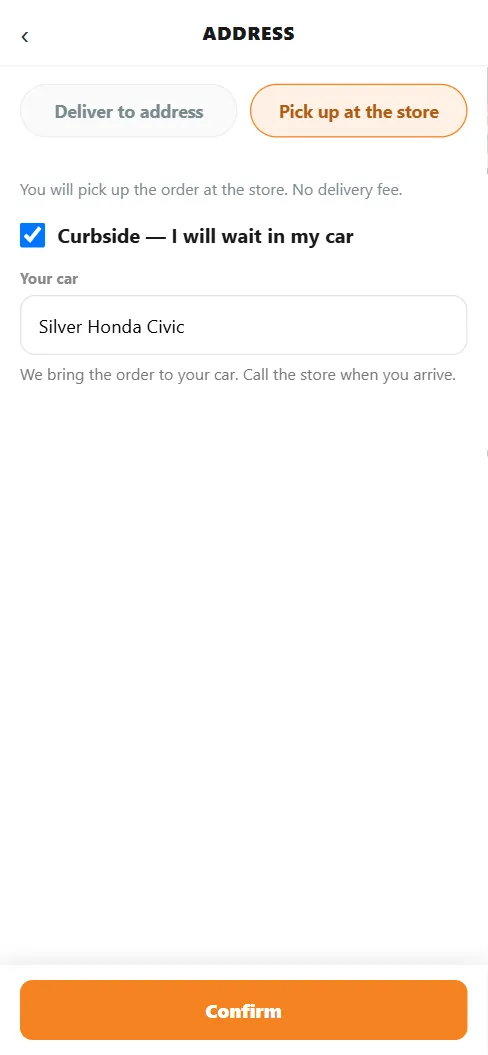
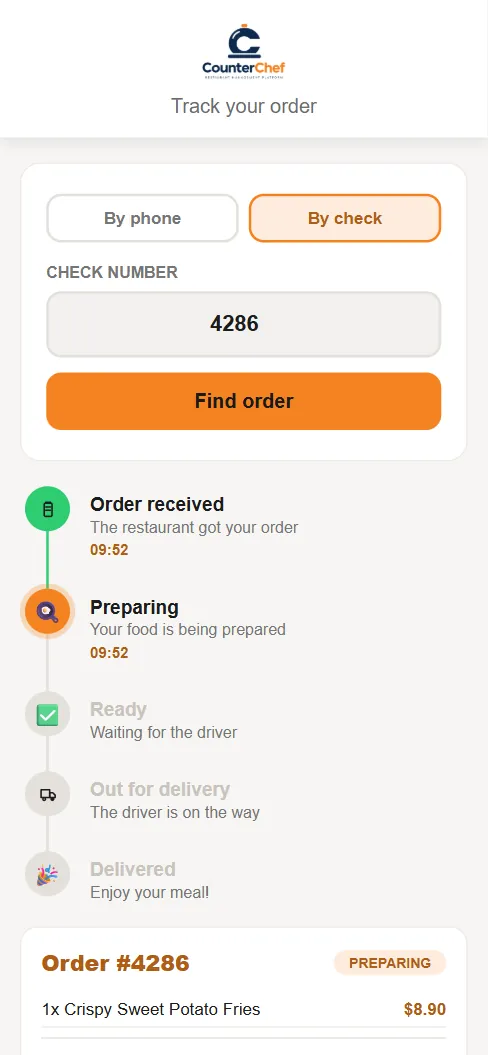
Pickup, curbside and tracking
Guests always know where the food is
Pickup orders carry no delivery fee, curbside guests describe their car and everyone can follow five clear steps.
- Pickup timeA separate prep range for counter pickup.
- CurbsideGuests say they will wait in the car and describe it.
- Order trackingFrom received to delivered, on one page.
Part 3 · Management
See what every plate really earns
Menu, recipes, stock, purchasing and finance connected to what you actually sold, without typing the same number twice.
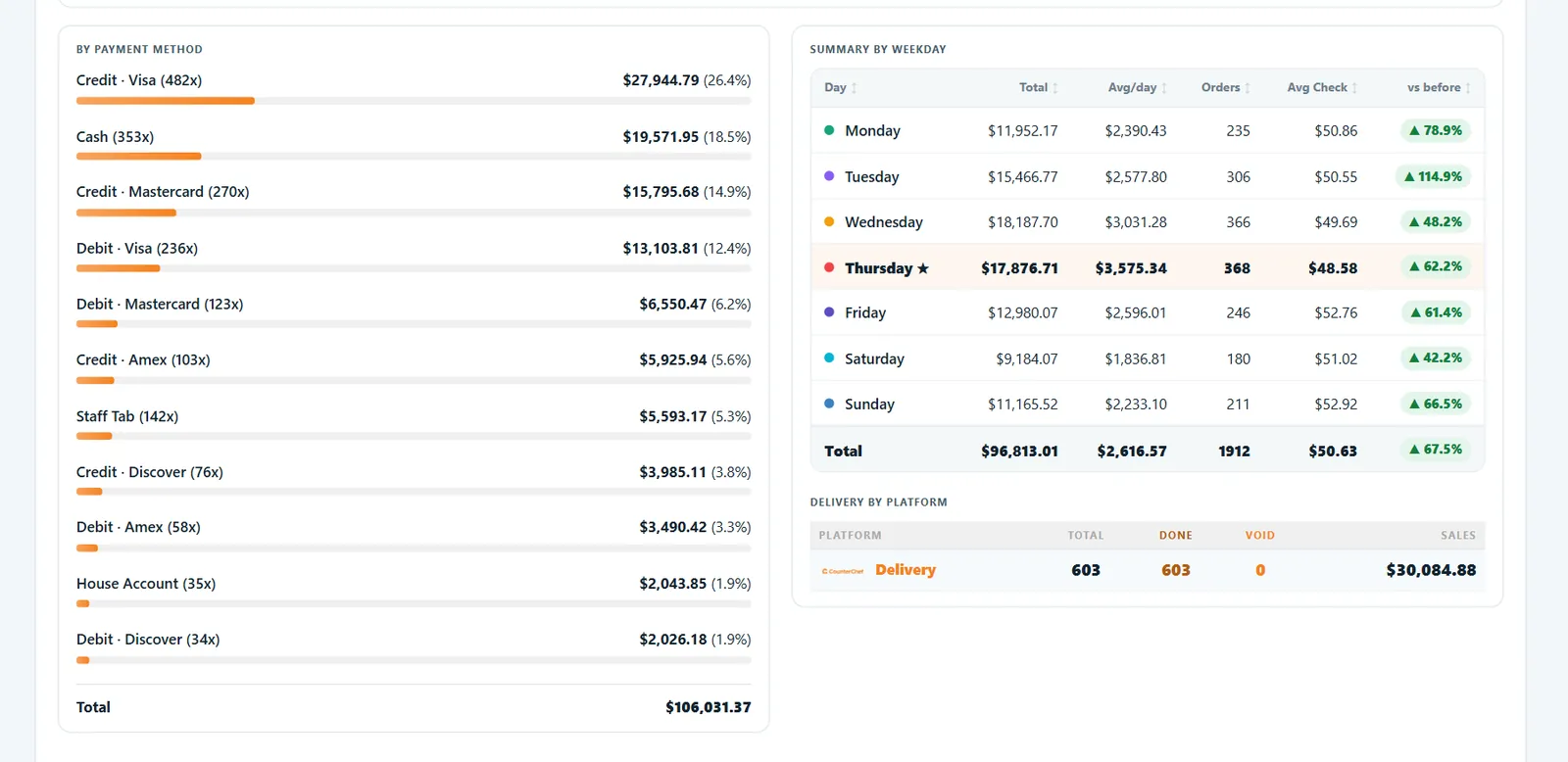
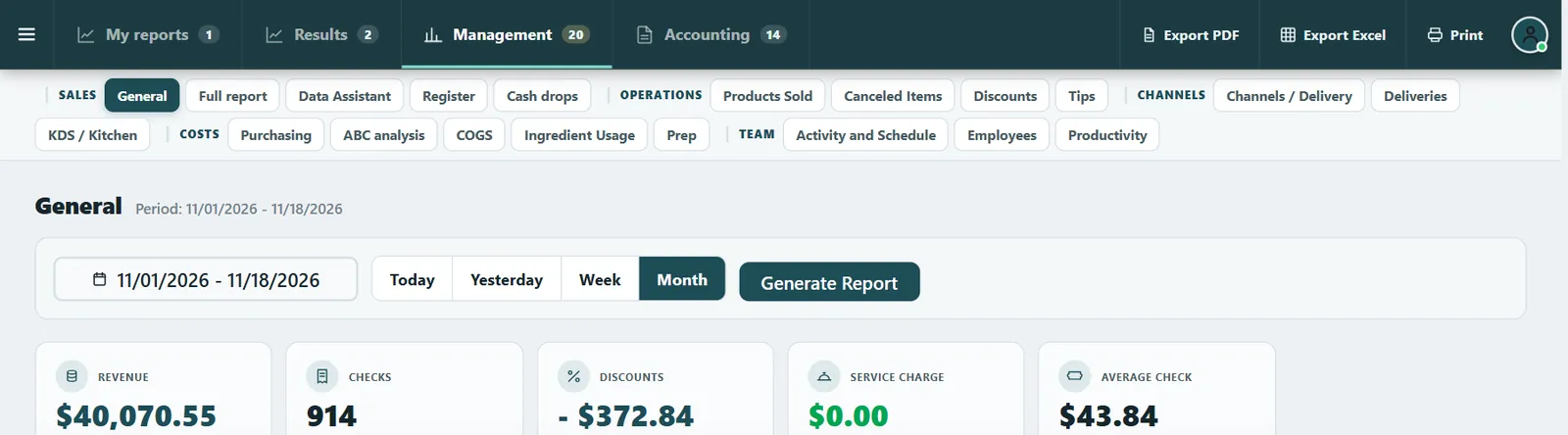
Owner dashboard
Know how the day is going, from anywhere
Sales by payment method and weekday against the previous period, with reports on everything from daily sales to kitchen speed.
- Day summaryThe day in one place.
- PDF and ExcelExport the reports you need.
- ProductivitySee how the team performed.
Menu
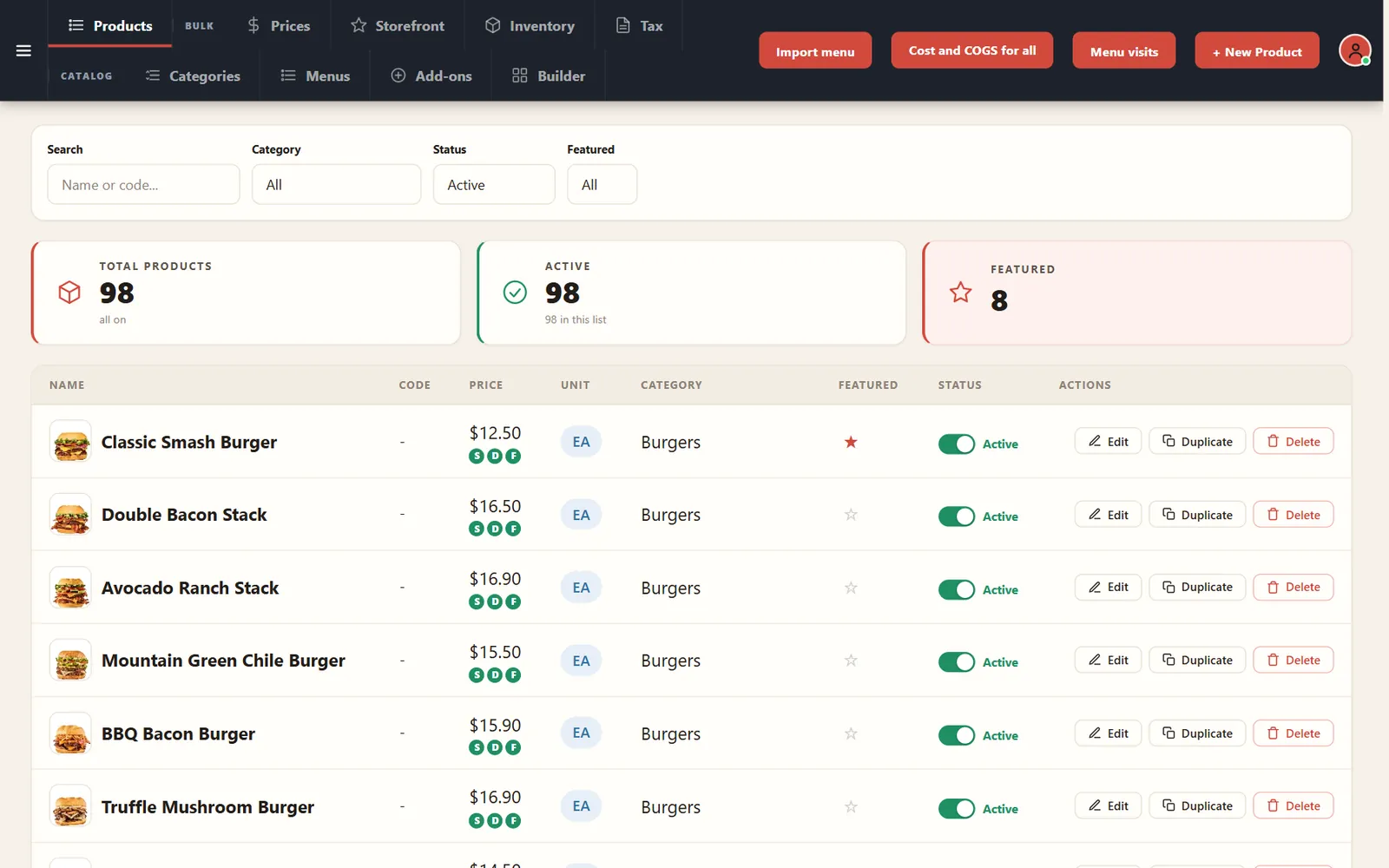
Change the menu once, everywhere
Items, photos, prices and categories feed the POS, the online menu and the kiosk.
- Import your menuBring it in instead of starting from zero.
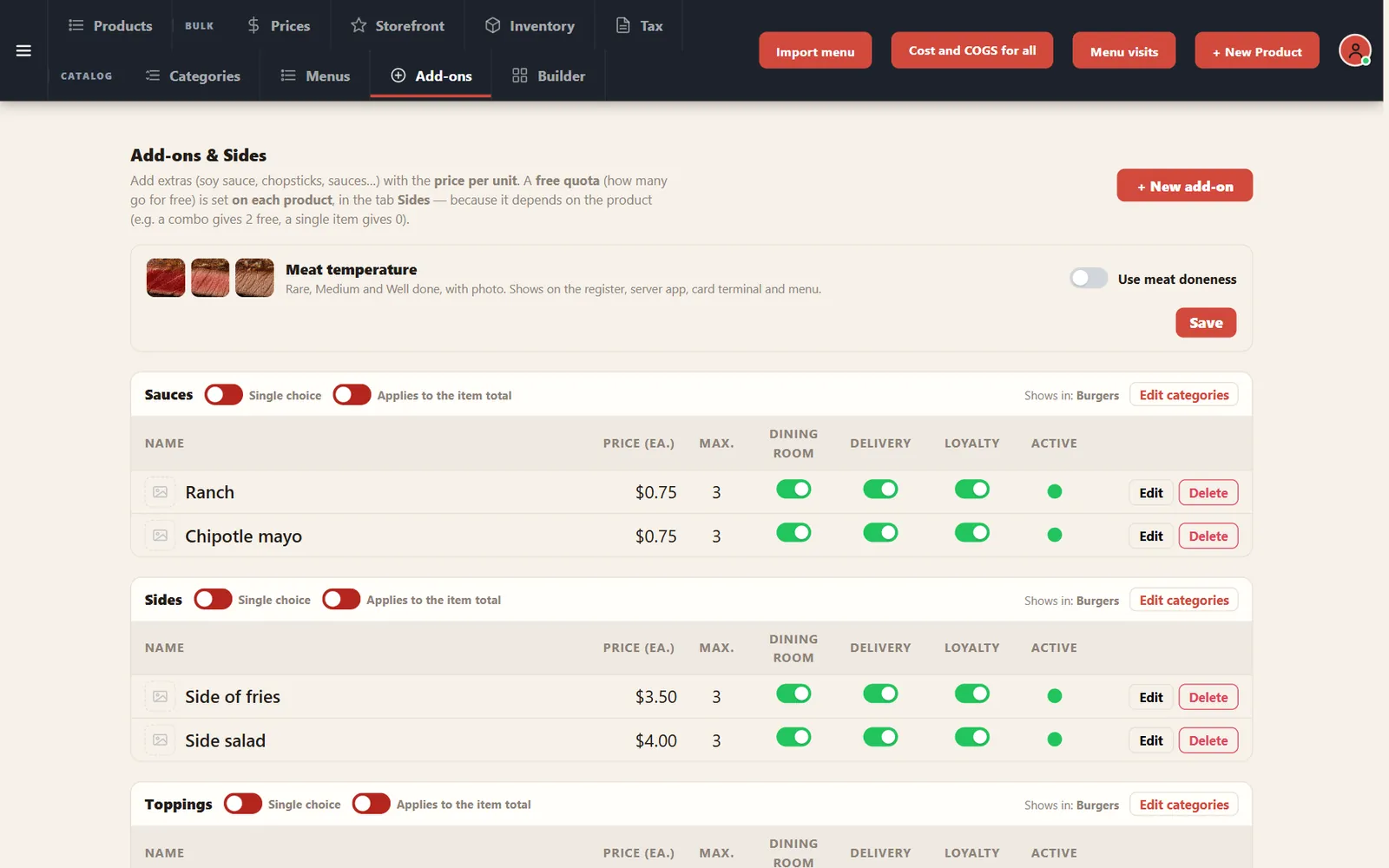
- Add-onsExtra cheese, free sauces and meat temperature.
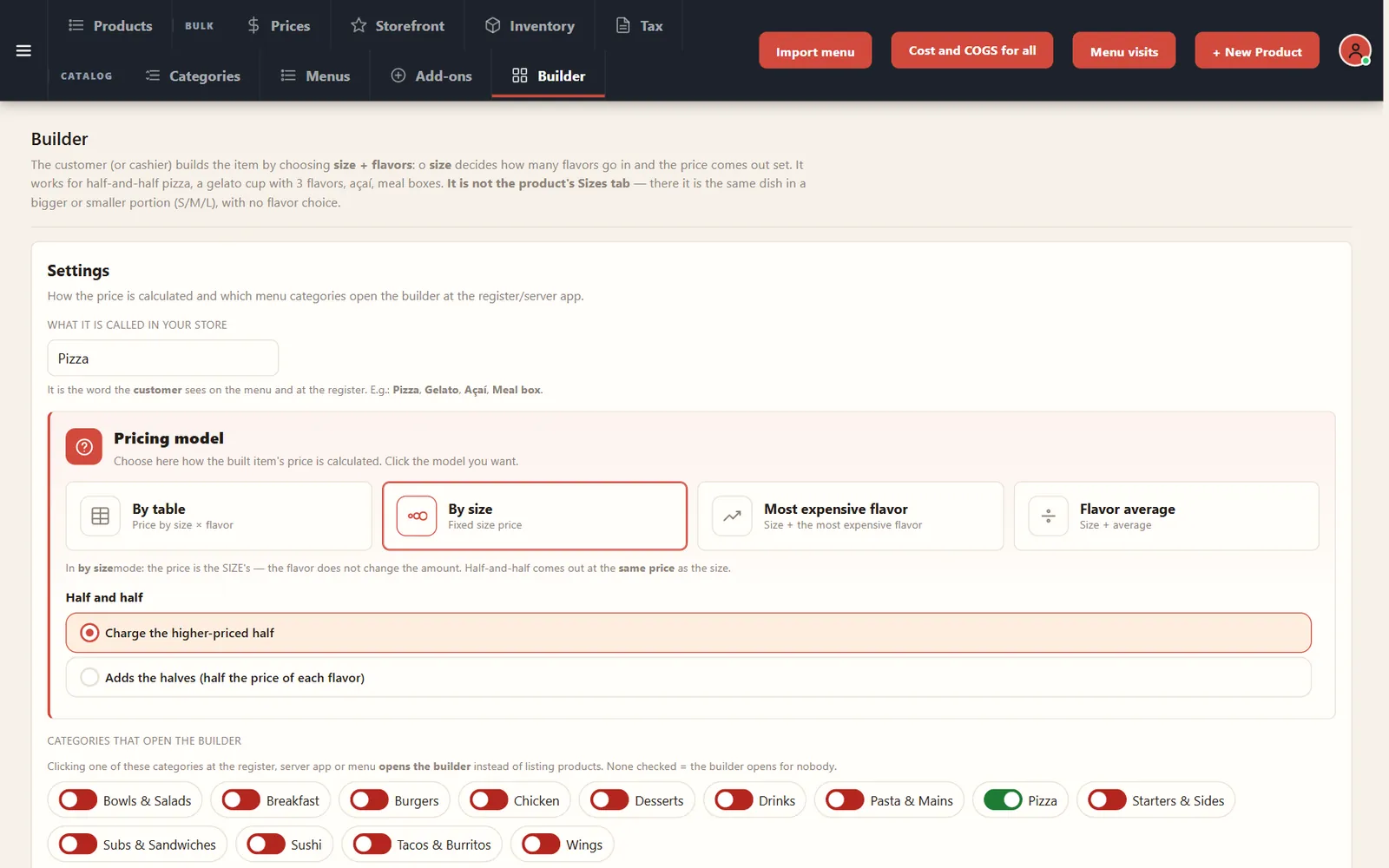
- Pizza builderSizes, flavors and half-and-half pricing rules.
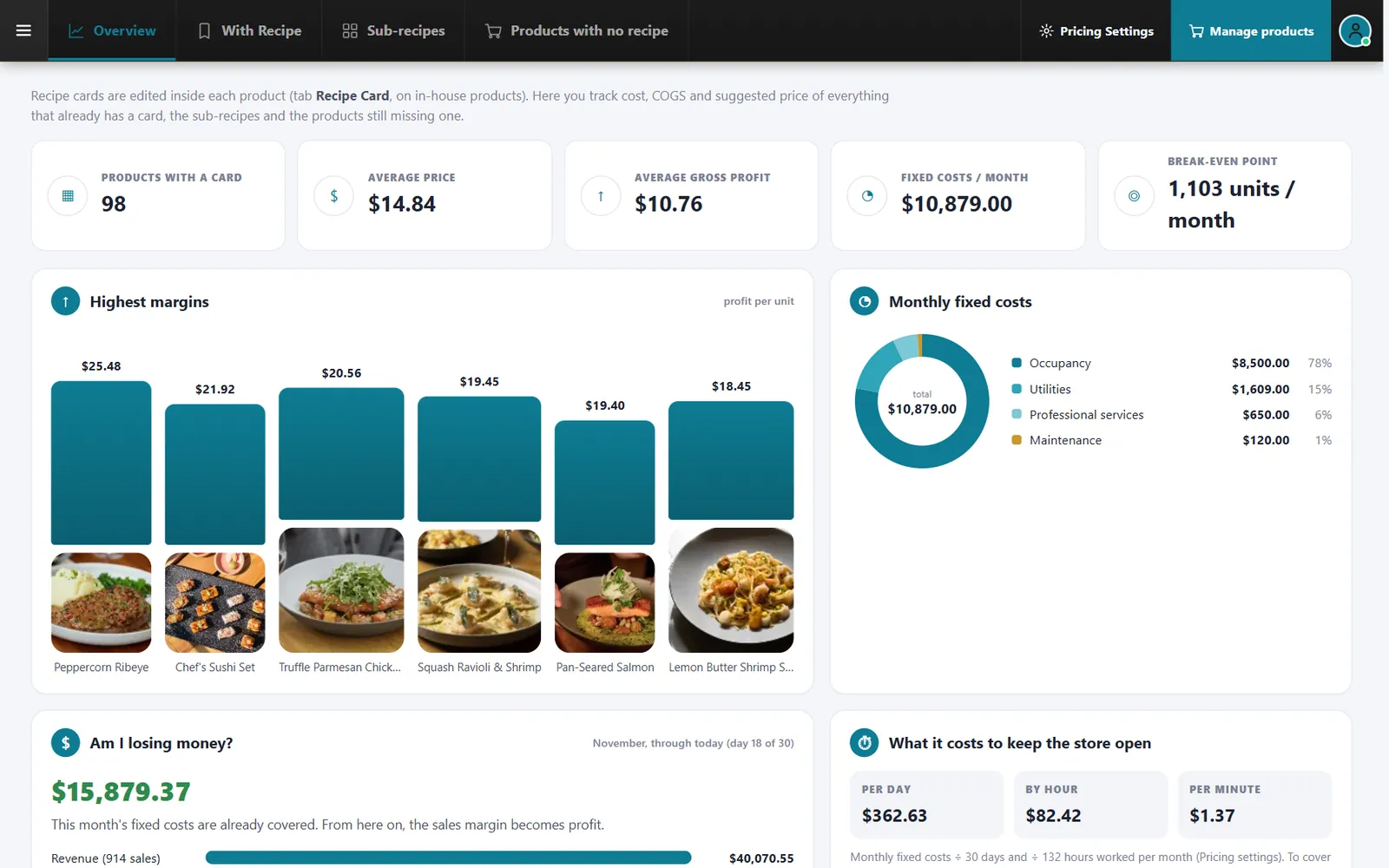
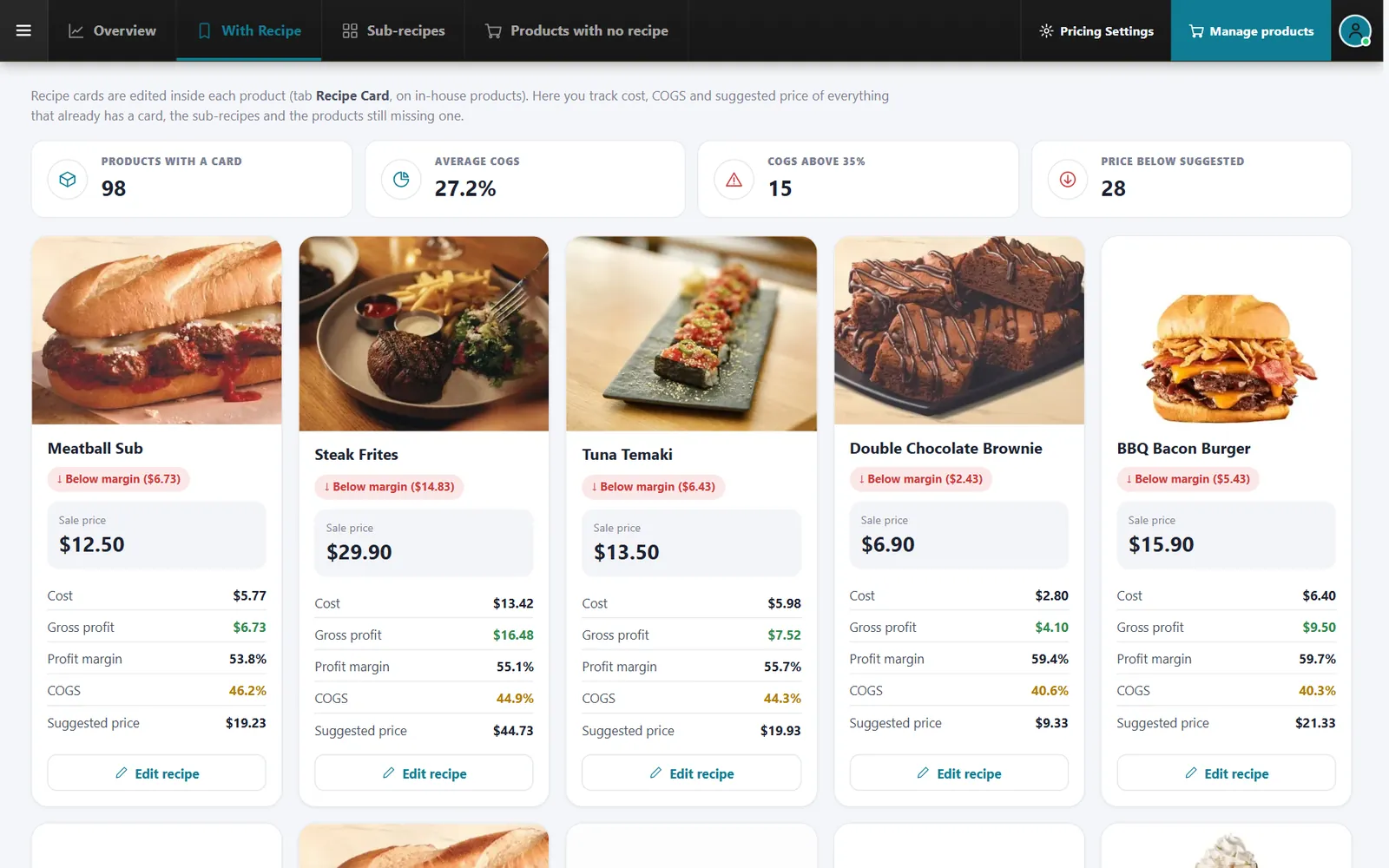
Recipe costing
Ingredient prices become the cost of each dish
Recipe cards connect to your menu and show gross profit, including what still has no recipe.
- Average gross profitProfit per item across your menu.
- Sub-recipesReuse sauces and prepped items inside dishes.
- Suggested pricesControl how they are calculated.
Menu engineering
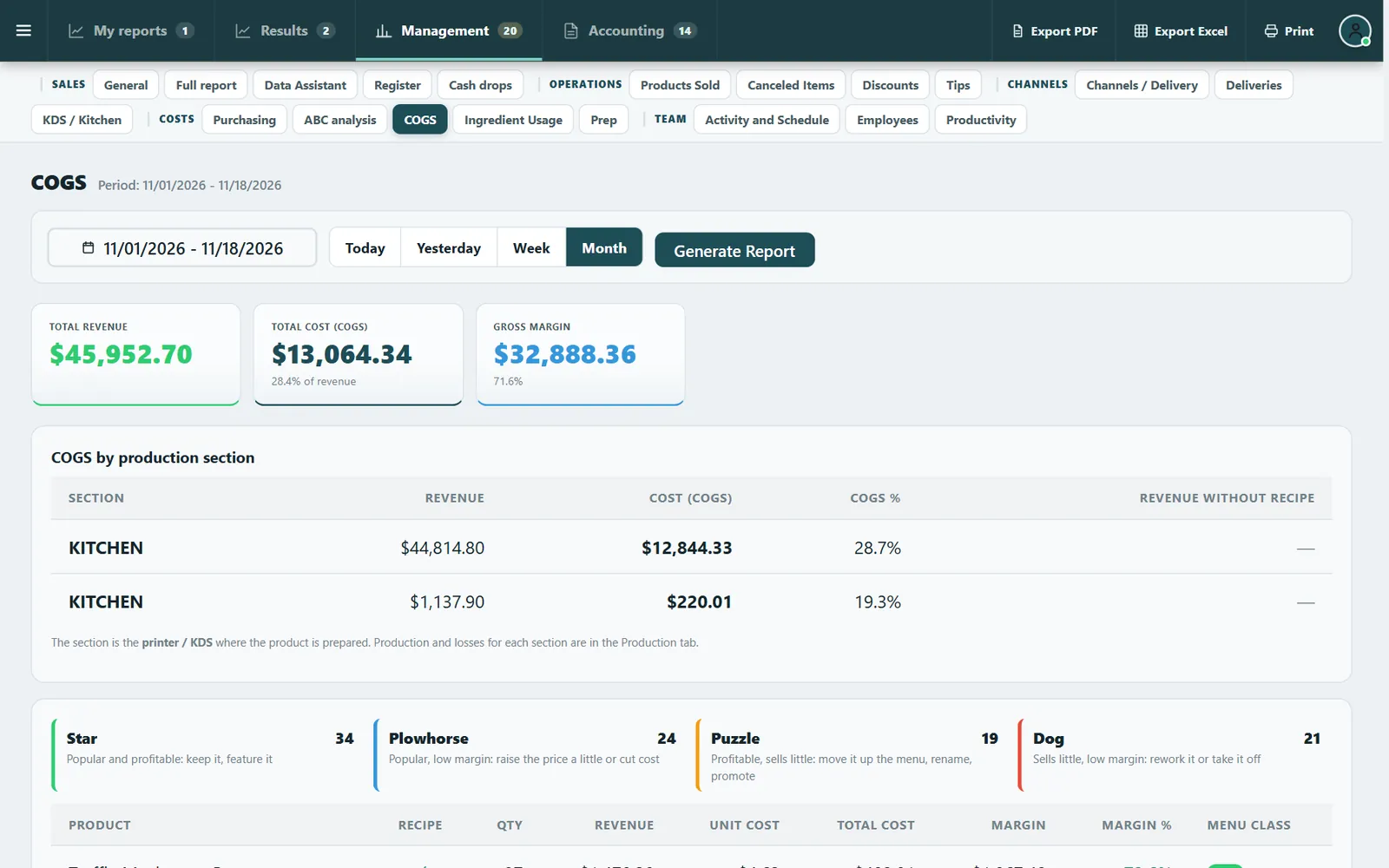
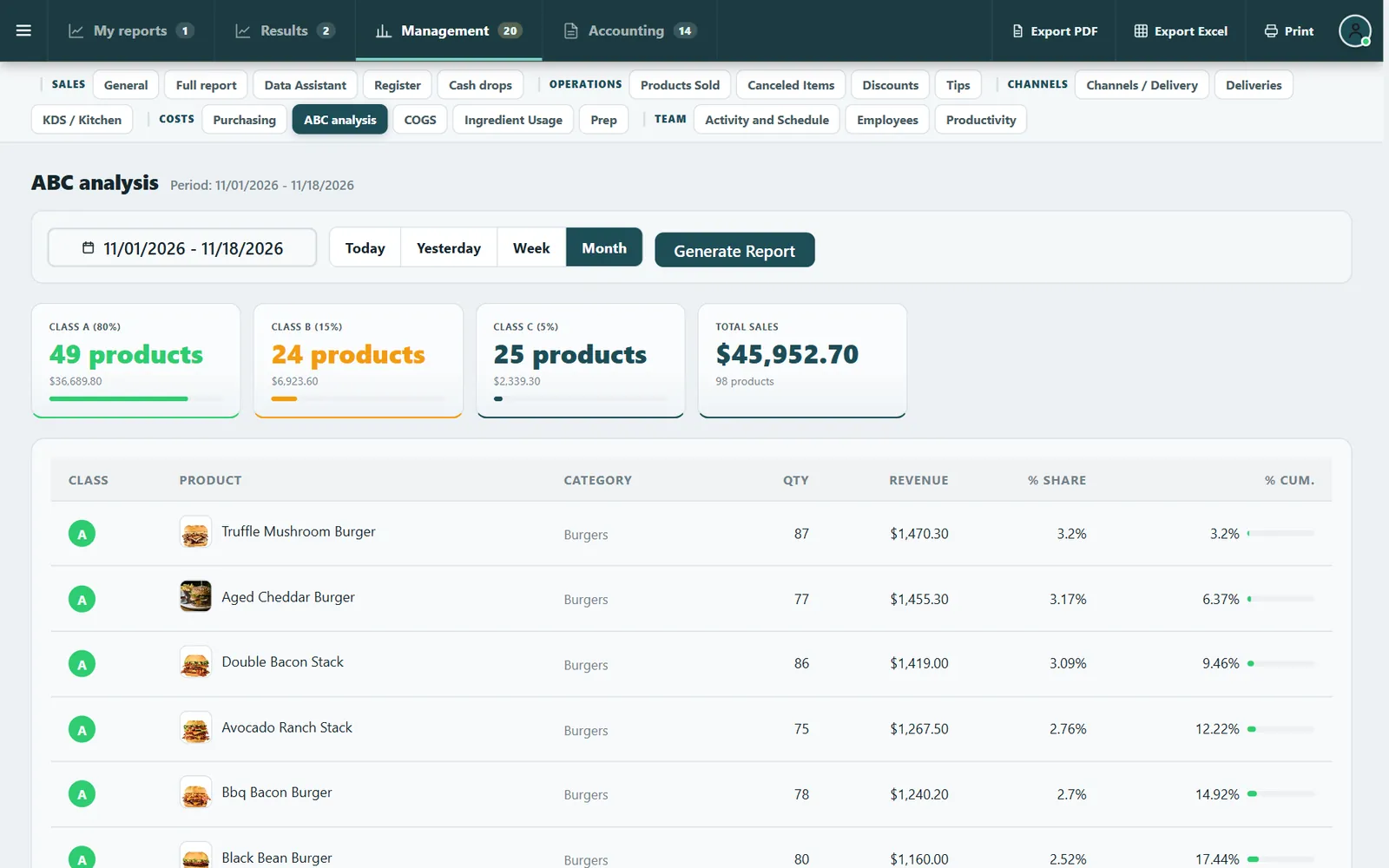
Know what to feature, reprice or remove
Your own sales and recipe costs sort every item, so menu decisions stop being guesses.
- StarPopular and profitable: keep it and feature it.
- Plowhorse and PuzzleFix the margin or help it sell.
- DogSlow and low margin: rework or remove it.
Inventory
See what you have and what it is worth
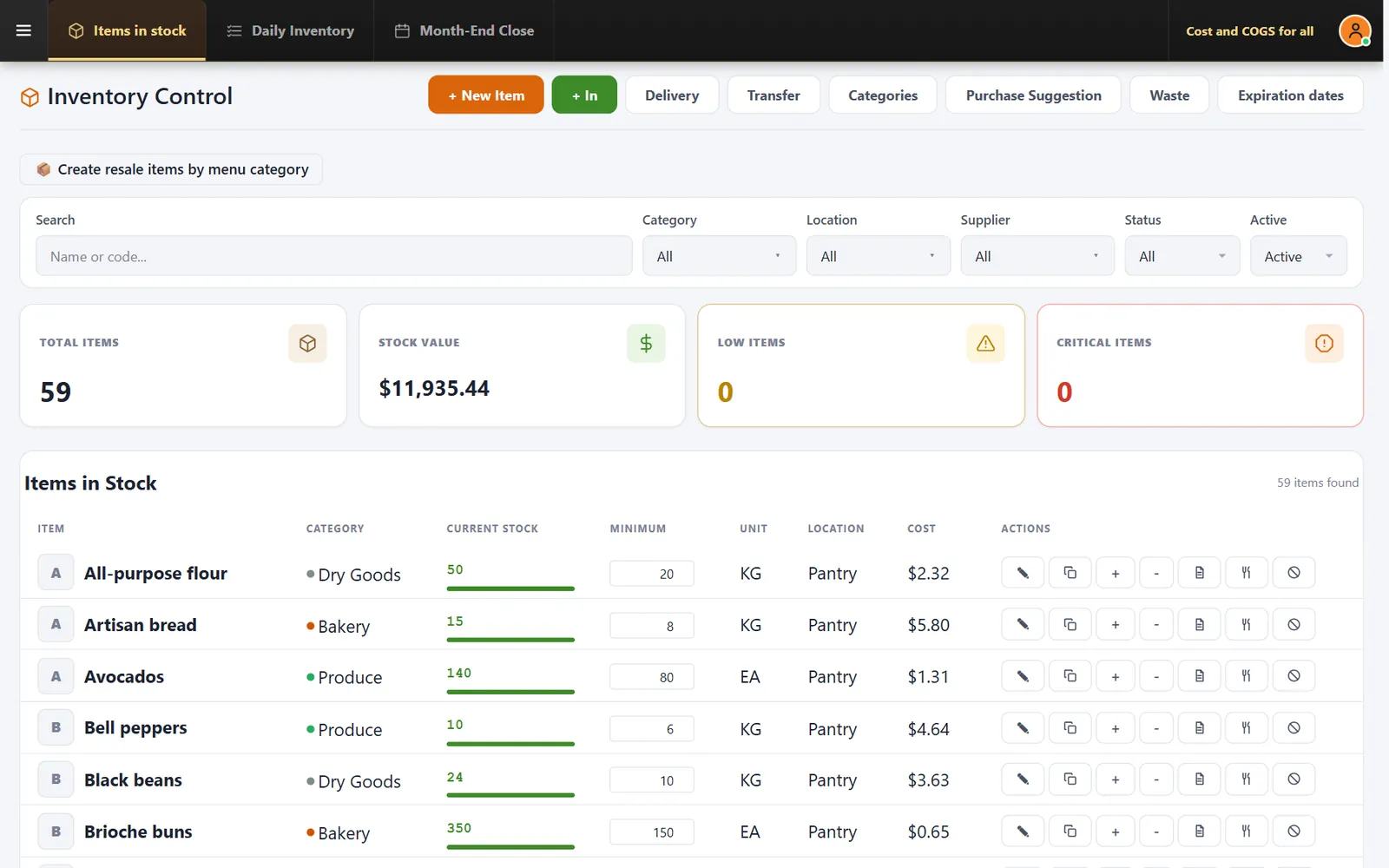
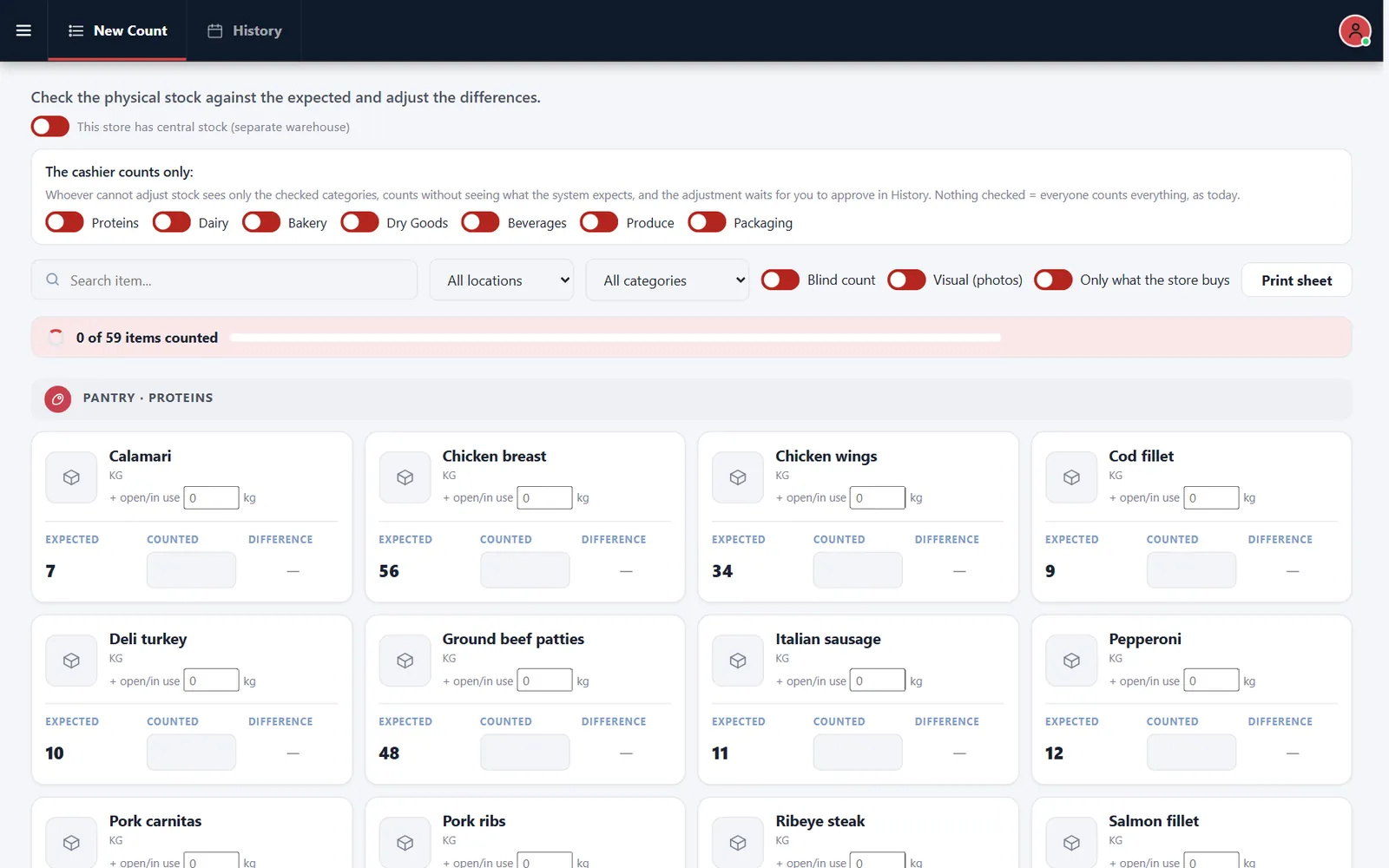
Stock levels, value, receiving, waste and transfers, with counts your team can do on a phone or tablet.
- Low and criticalCounters show what needs attention.
- Blind countHide the expected quantity while counting.
- Expiration datesTrack what must be used first.
Prep and labels
Cooks see how to make it, and it gets recorded
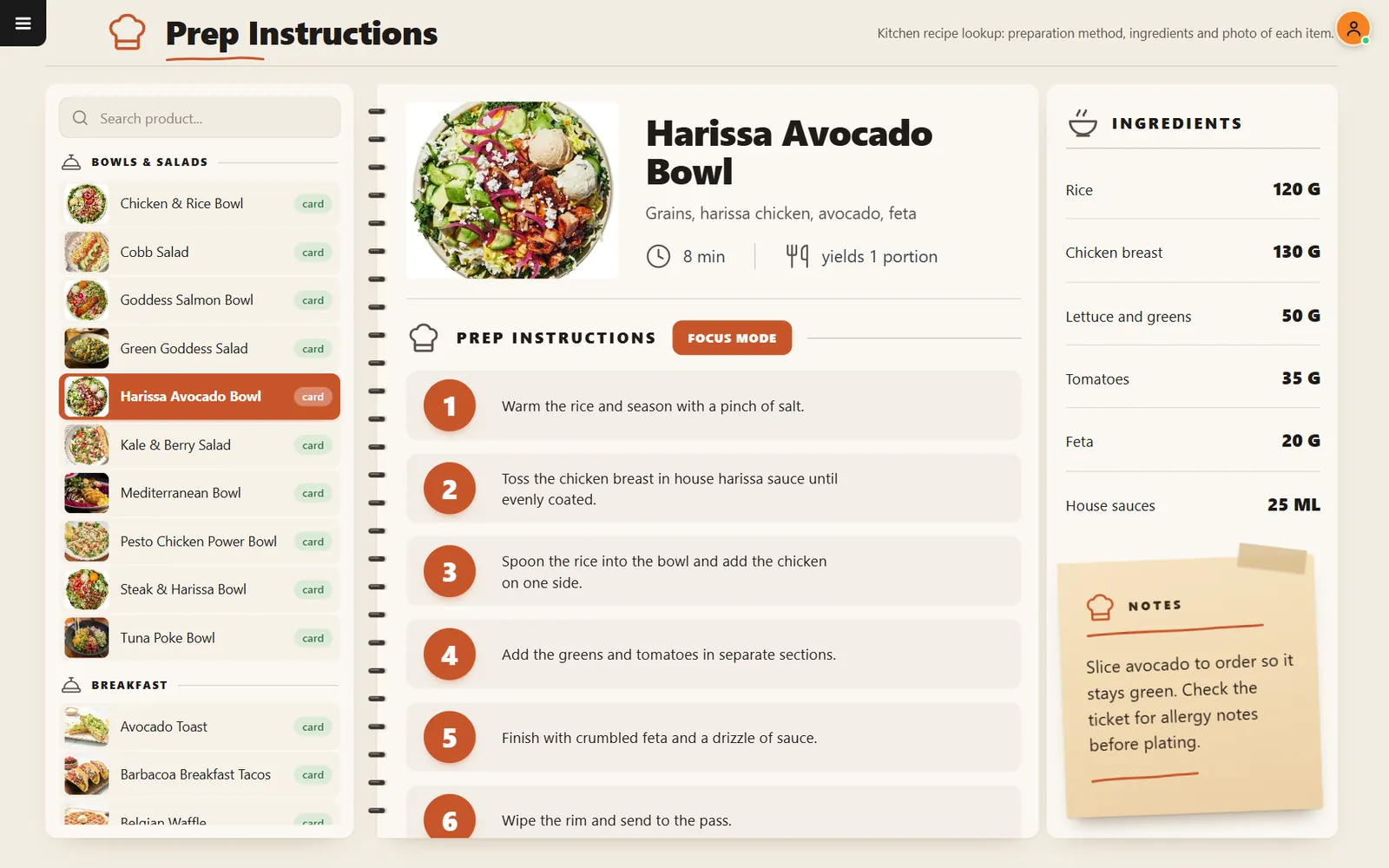
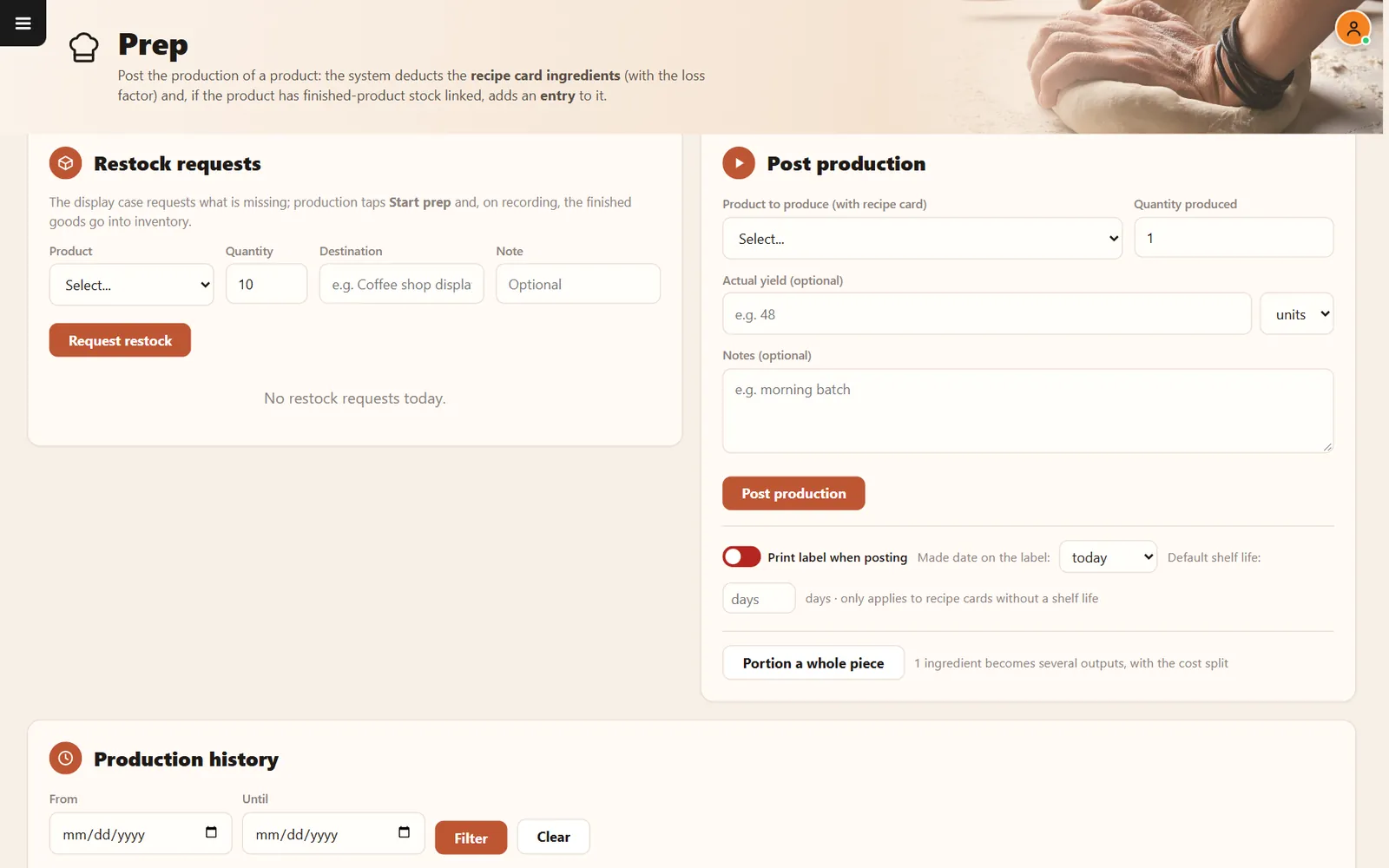
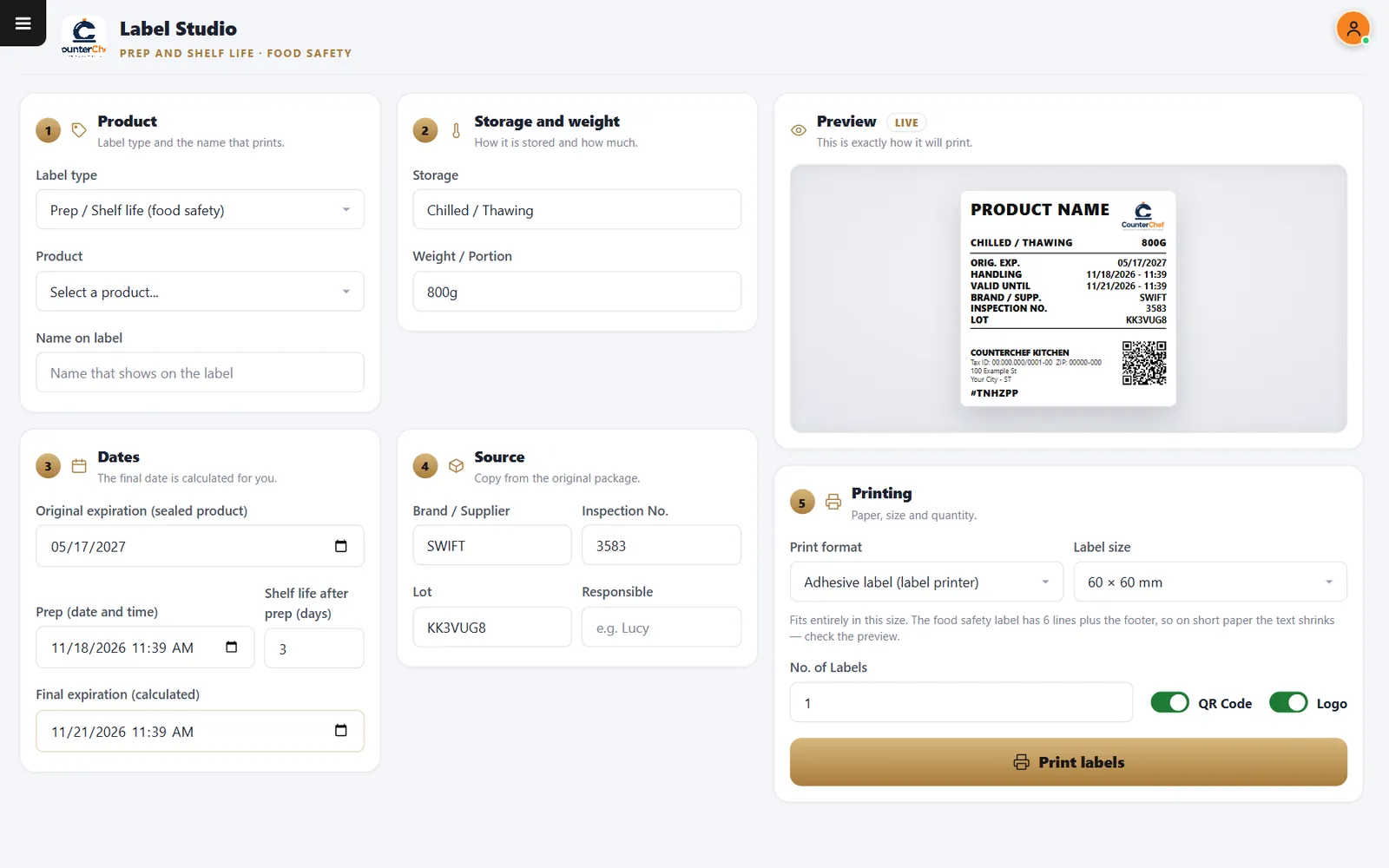
Recipes with photos and steps, prep production that deducts ingredients and labels with the date calculated for you.
- Focus modeShows the steps one at a time.
- Restock requestsThe display case asks production for more.
- Shelf-life labelsStorage, dates, lot and a QR code.
Purchasing
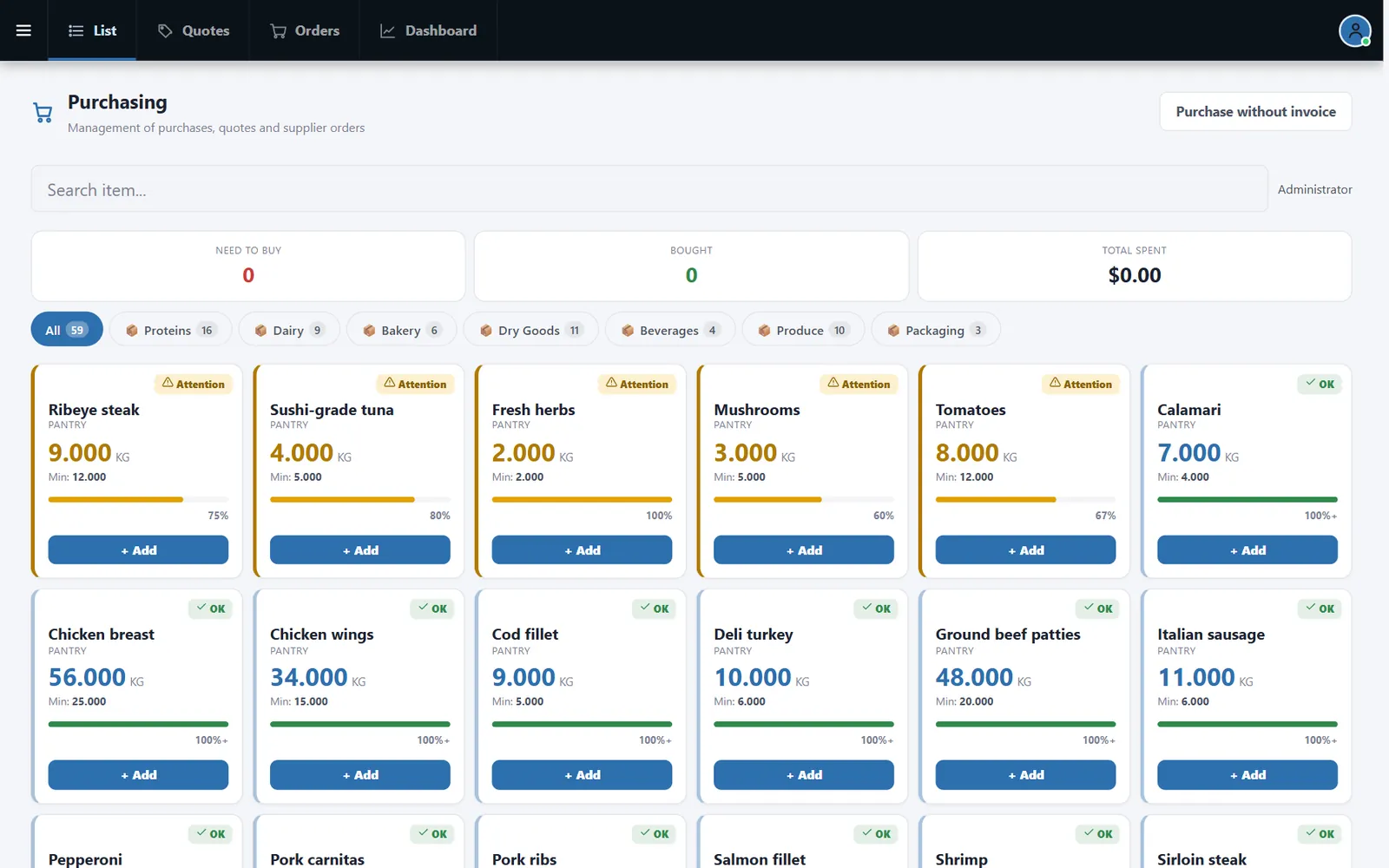
Stock levels become a clear buying list
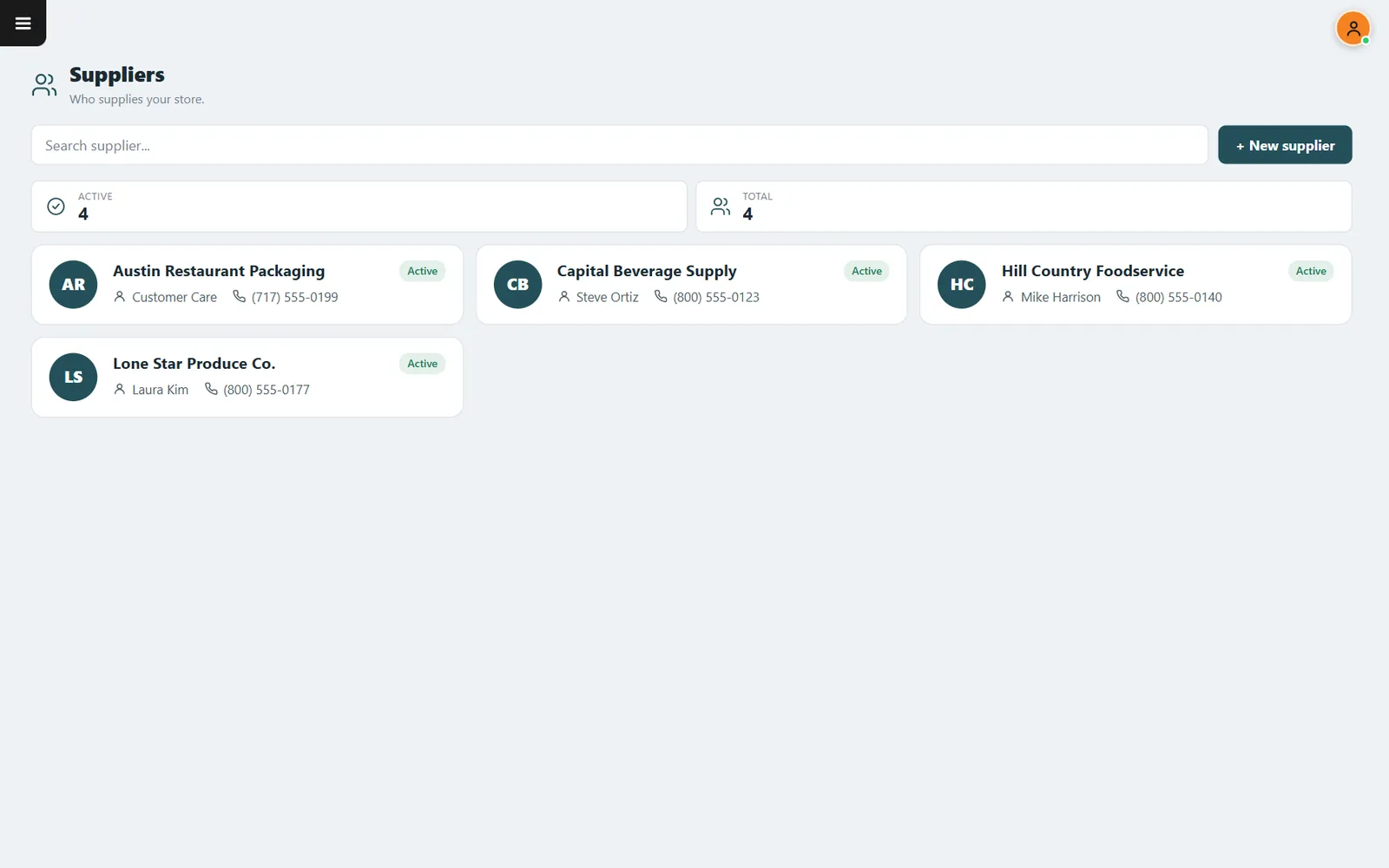
Compare stock with minimums, build the list, compare supplier quotes and keep every vendor in one place.
- Purchase suggestionsSee what to buy next.
- AttentionItems near the minimum stand out.
- SuppliersNames, contacts and phone numbers together.
Finance
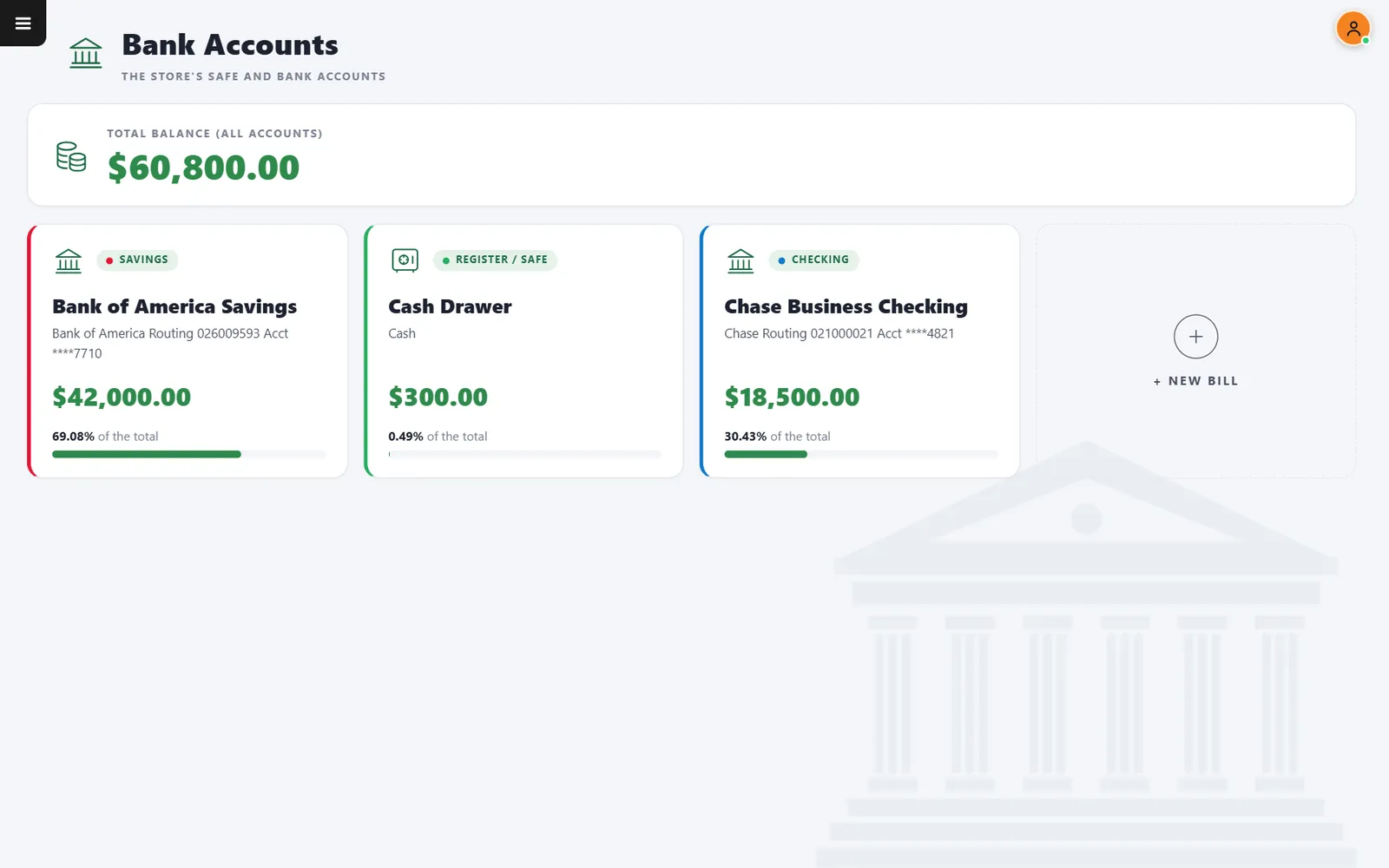
Bills and bank balances beside the sales that pay them
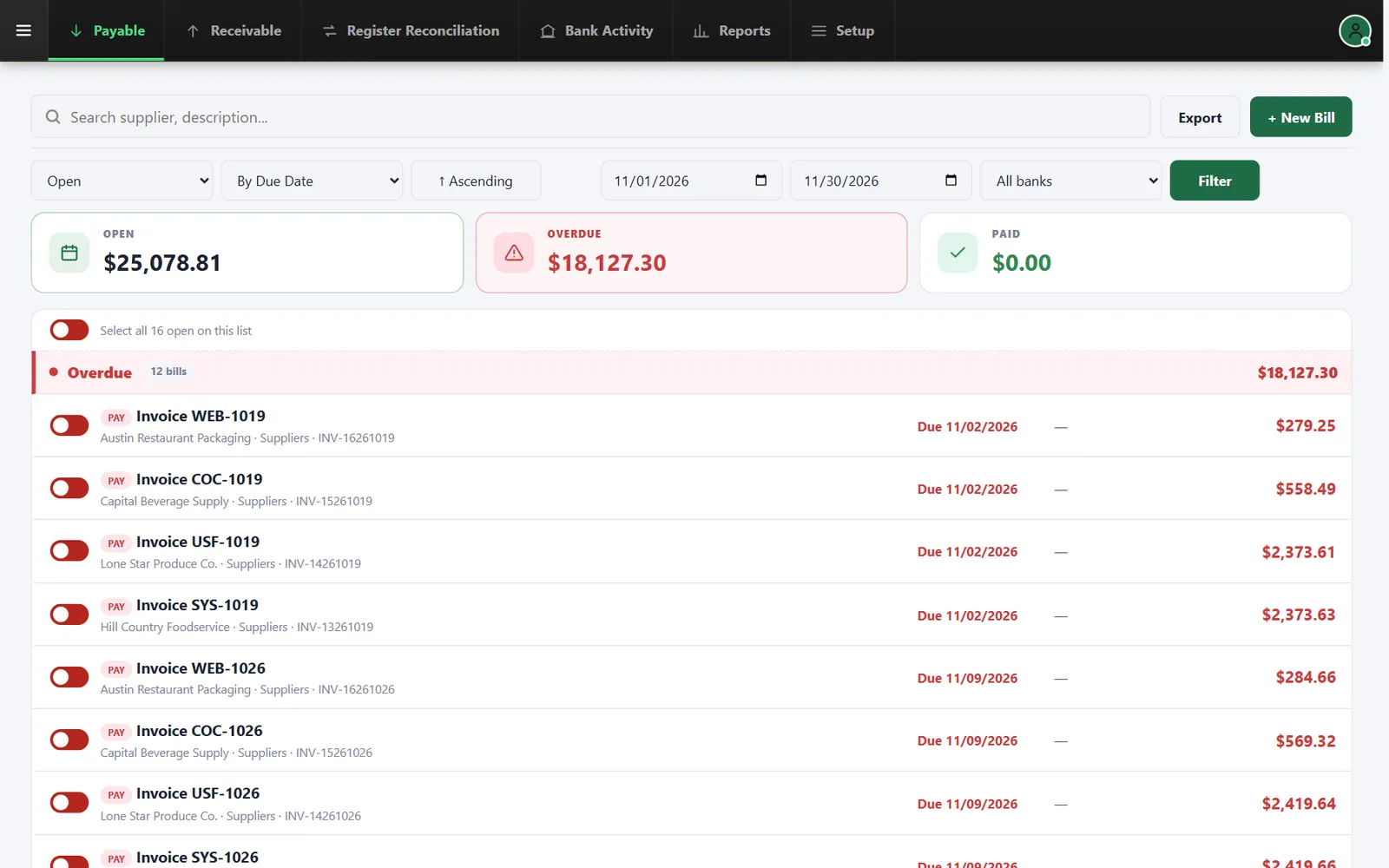
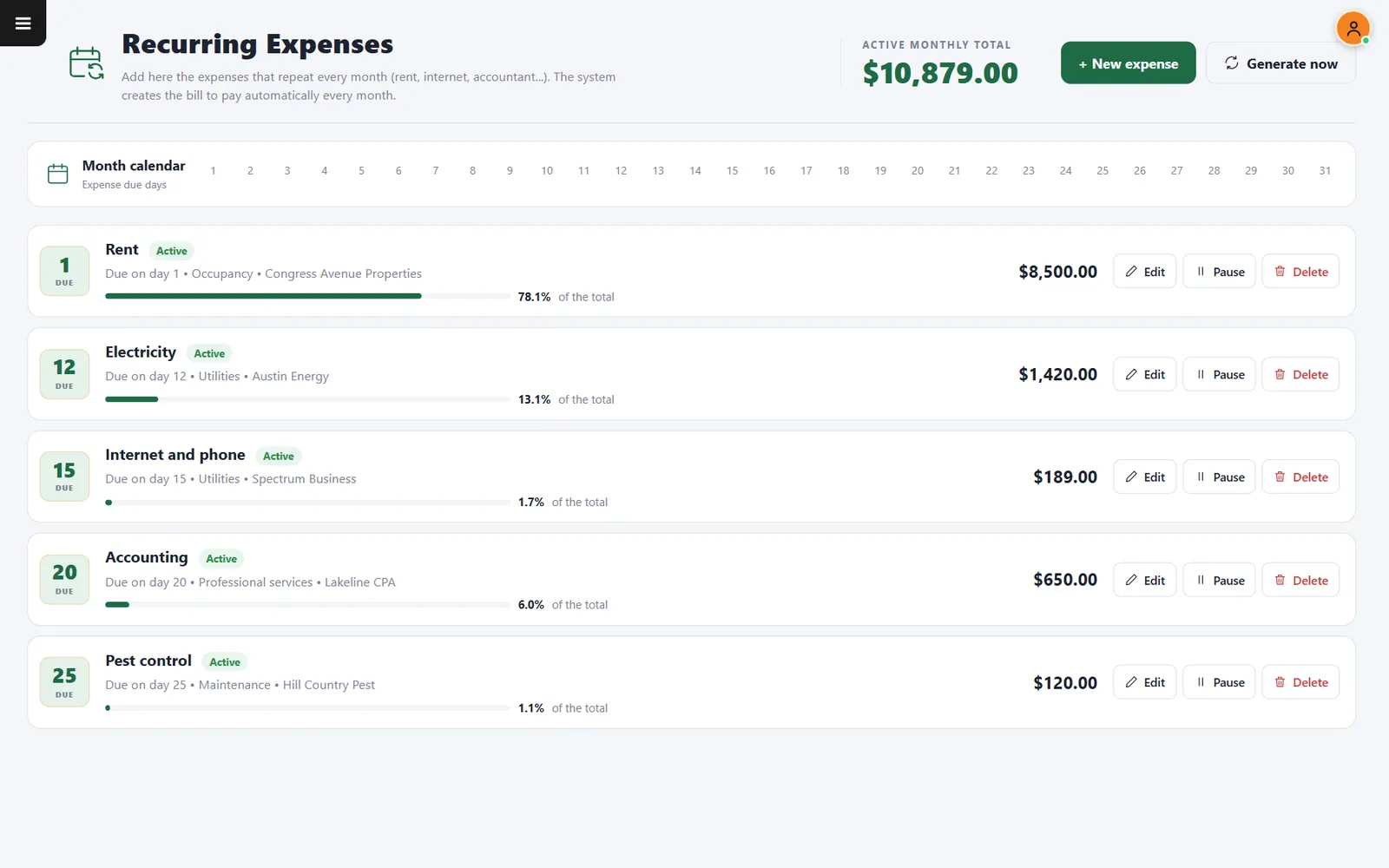
Payables, receivables, bank accounts, register reconciliation and recurring expenses in the same system.
- Accounts payableOpen, overdue and paid totals at the top.
- Register reconciliationCompare what was counted with what was expected.
- Recurring billsCreate the bills of the month in one step.
Sales tax
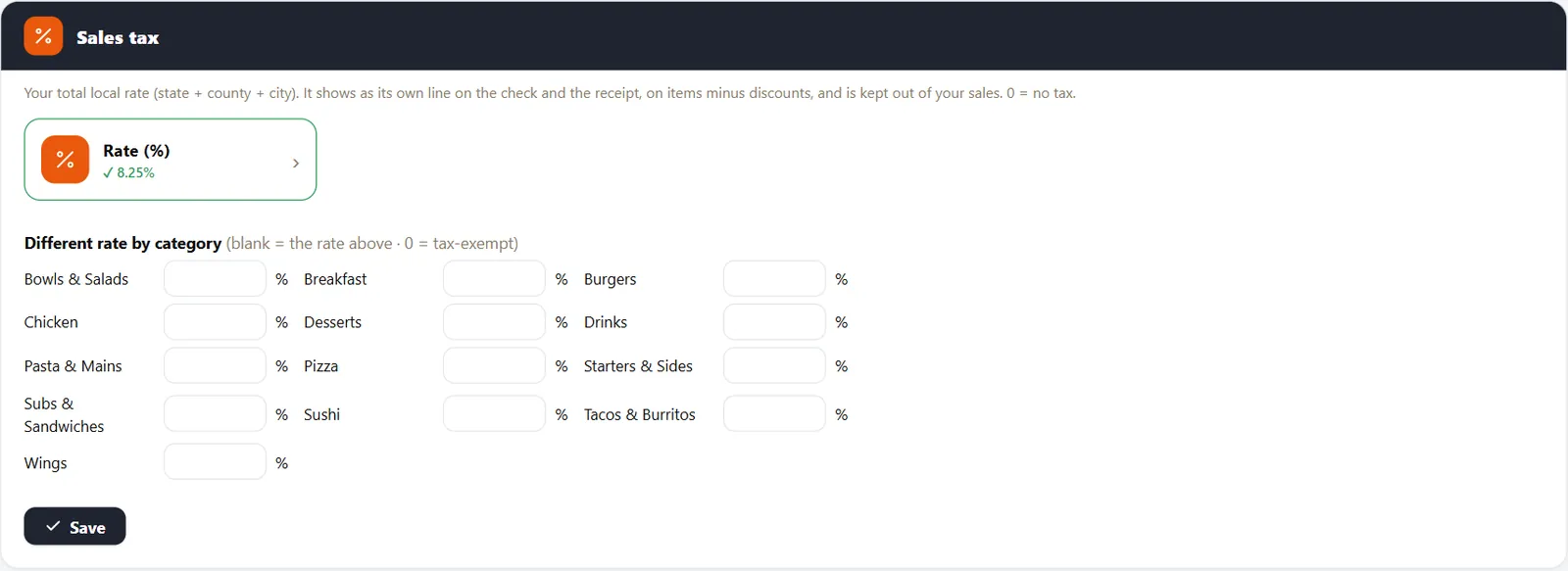
Enter your local rate once
Set the combined rate, override it for categories taxed differently and show it on its own line.
- Up to three decimalsSuch as 8.25 or 8.875.
- Rate by categoryLeave blank to use the store rate.
- Service chargeDecide whether an automatic charge is taxed.
Part 4 · Team
Keep every shift on track
Time clock, schedules, tips, checklists and access levels in the same place as the sales they relate to.
Time clock
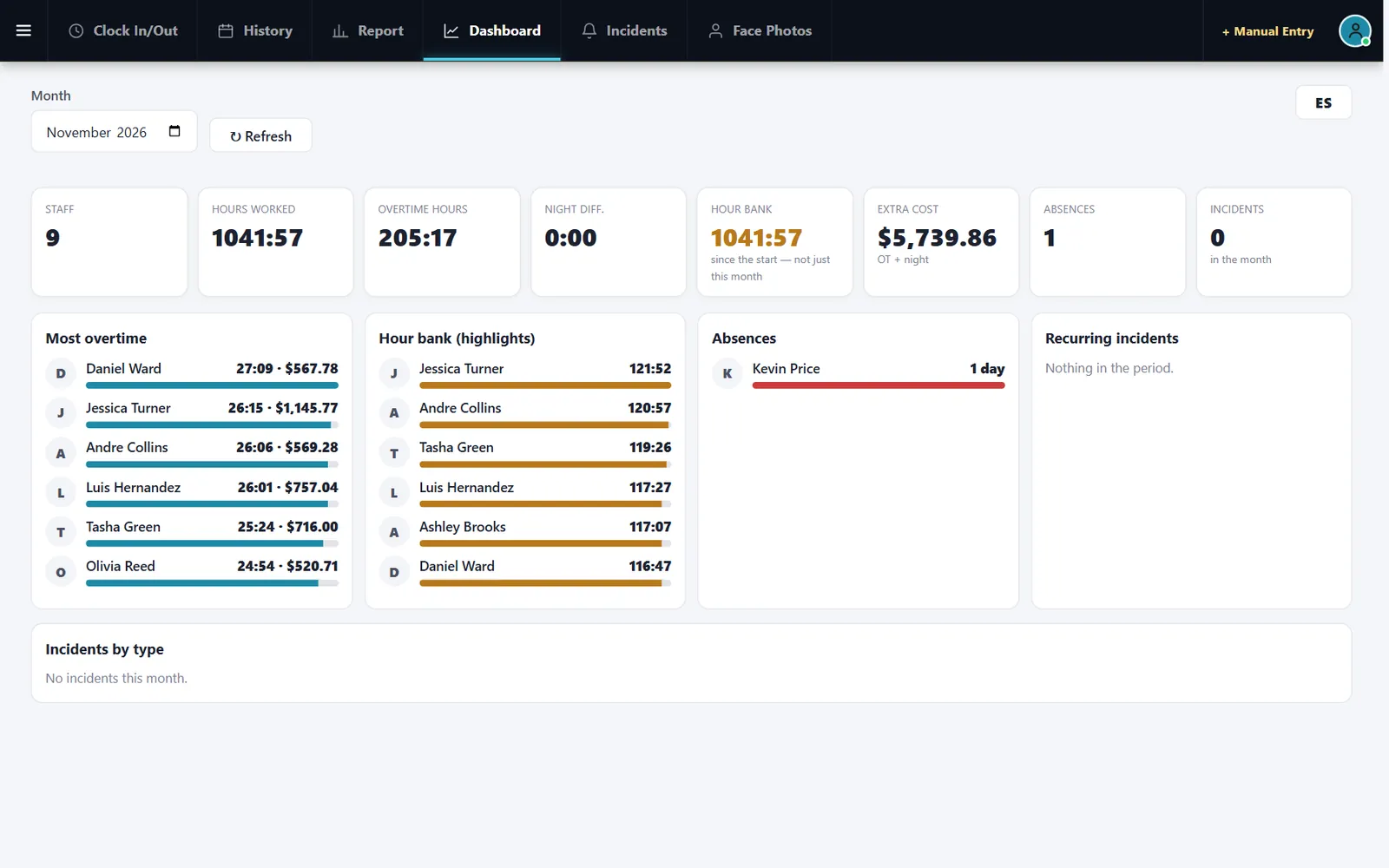
Staff punch in on the device you already use
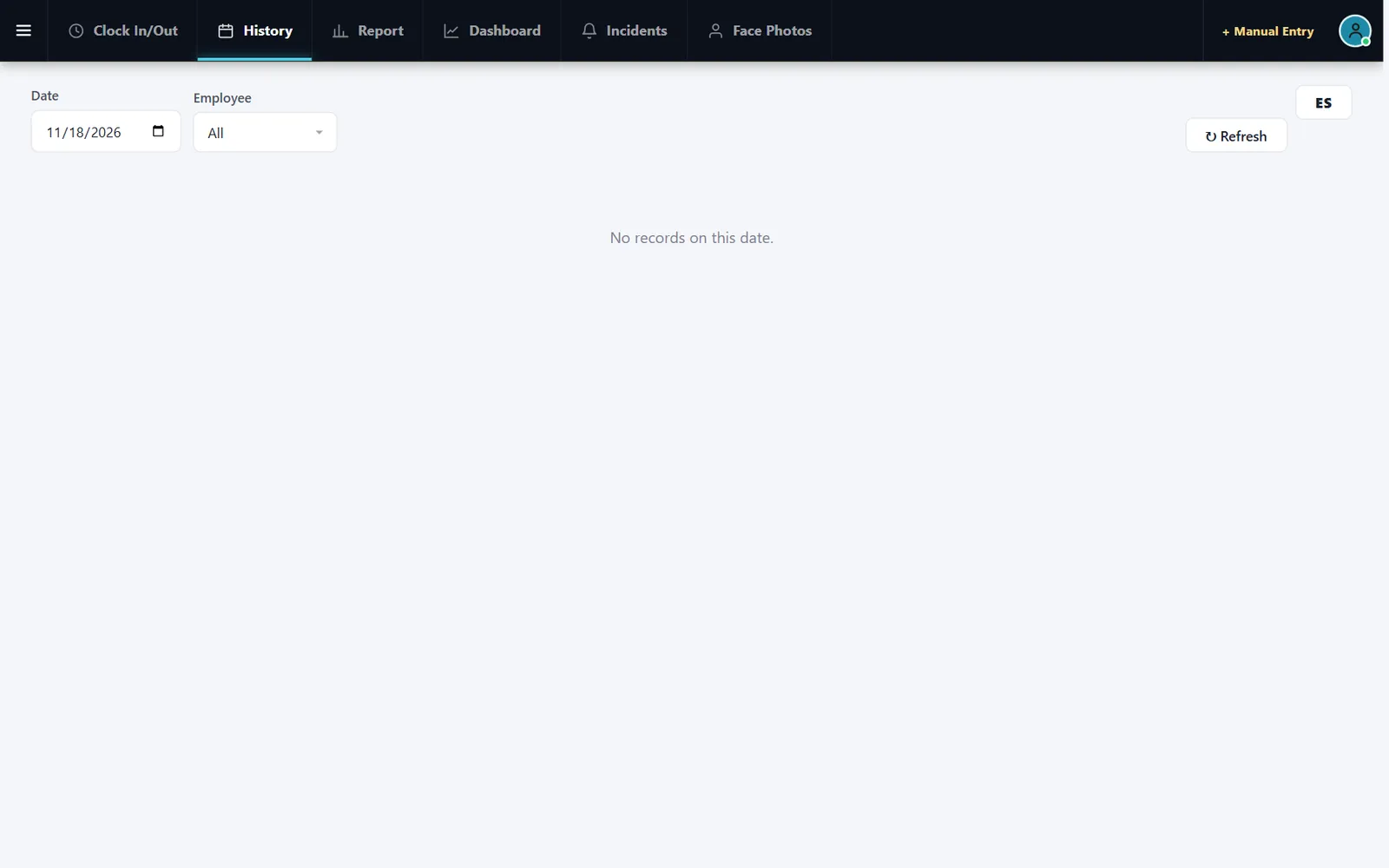
Employees clock in on a tablet or computer with face recognition, and managers review history and incidents.
- Face recognitionThe punch is tied to the person.
- IncidentsTrack what needs a manager.
- Spanish on screenThe punch screen also works in Spanish.
Scheduling
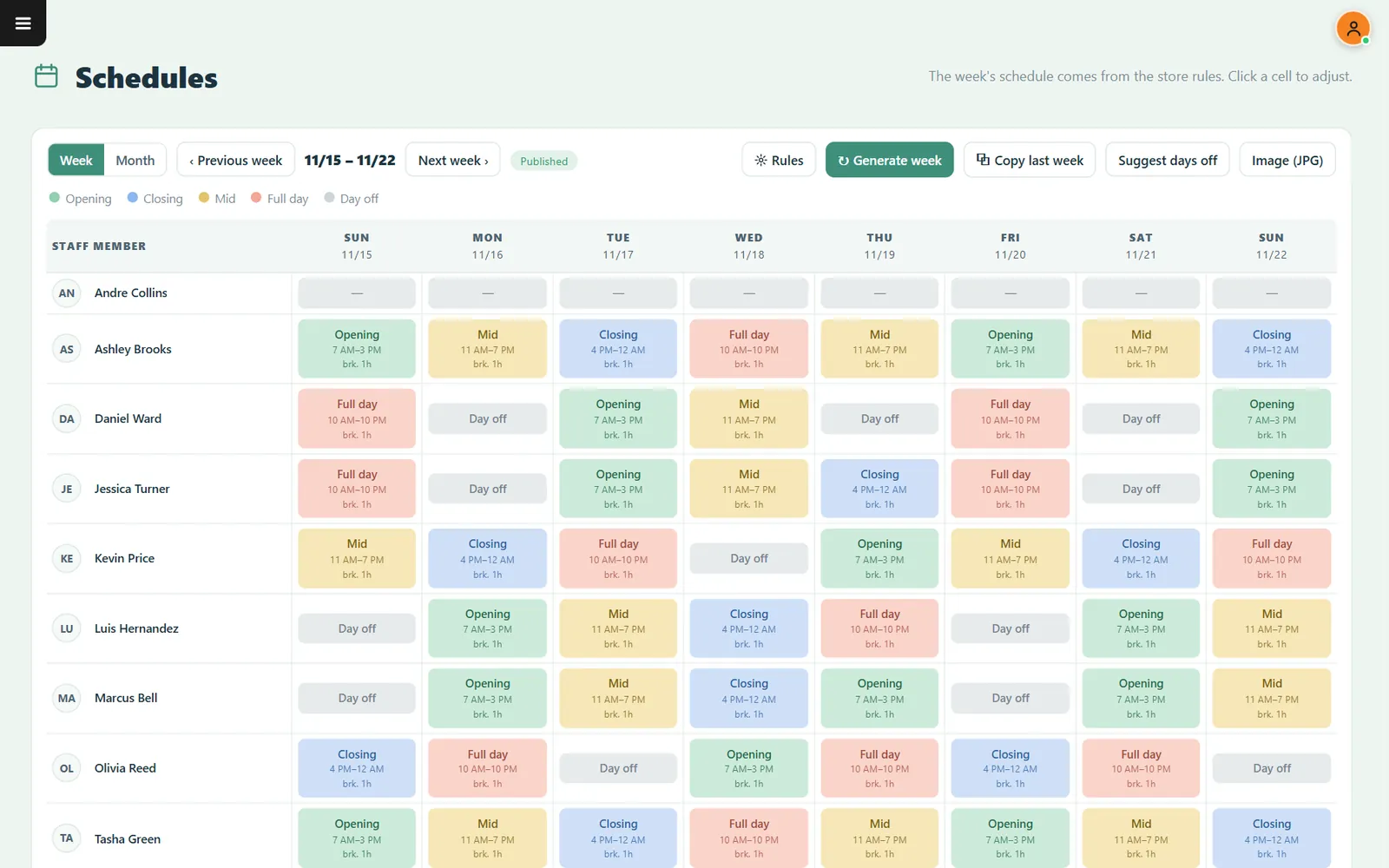
Generate the week, then adjust any shift
Build the weekly schedule from your store rules, copy what worked and share it as an image.
- Copy last weekStart from what worked.
- Suggest days offLet the system propose time off.
- PublishedEveryone knows the schedule is out.
Checklists
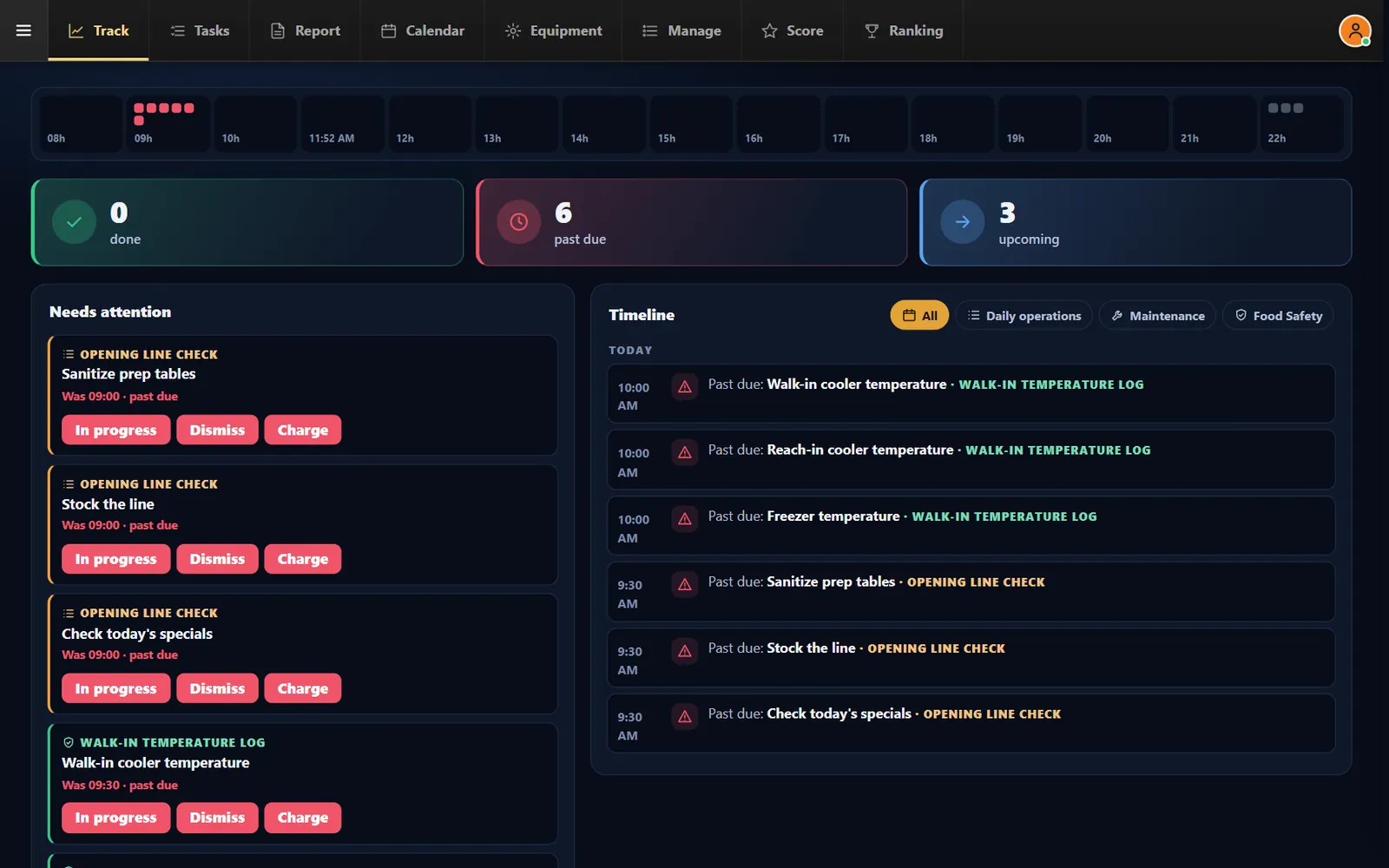
See what is done, what is late and who did it
Opening, closing and food safety routines with a score for the team.
- Temperature tasksRecord readings with limits.
- EquipmentKeep maintenance on the list.
- Score and rankingSee how the team is doing.
Tips
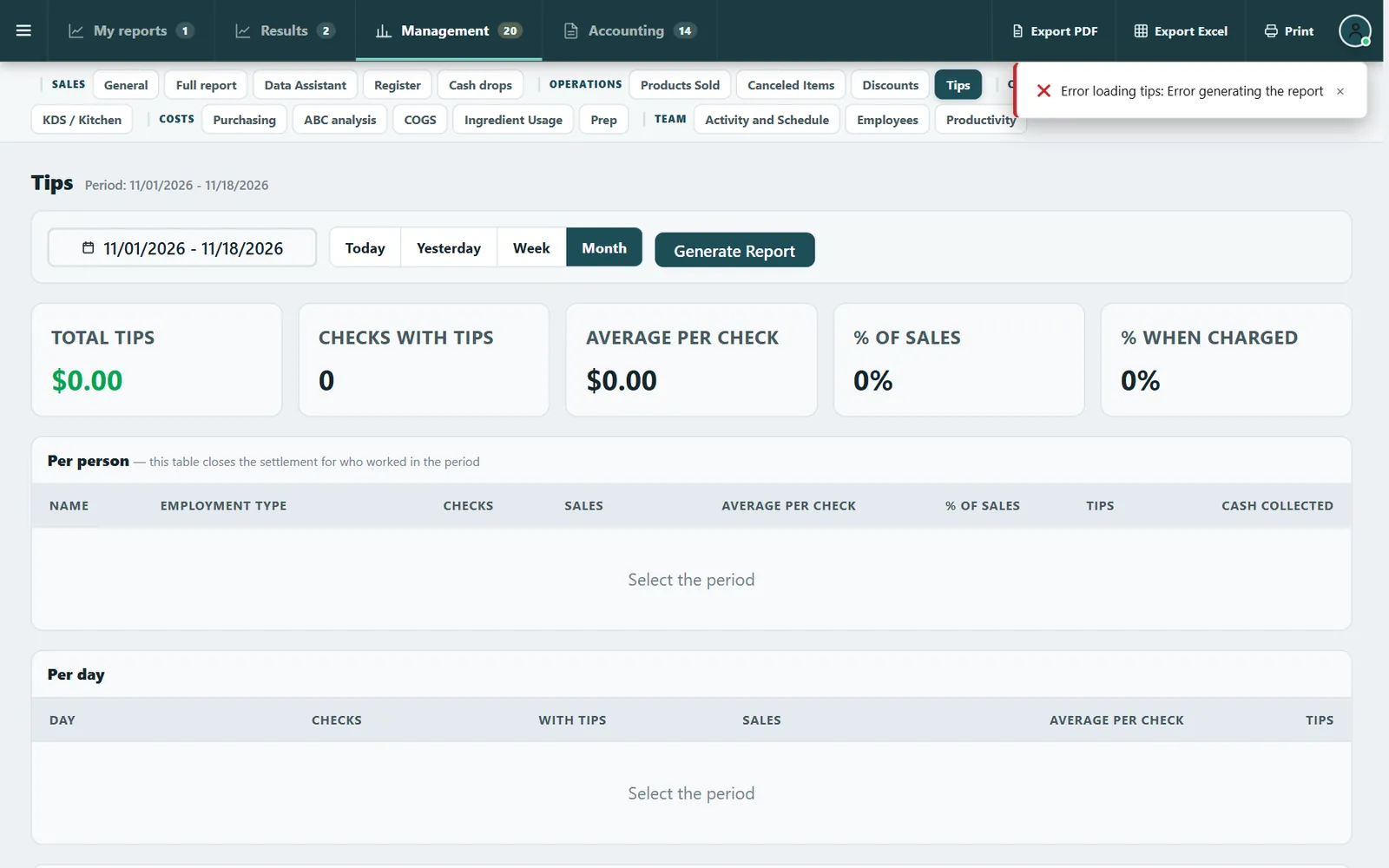
Choose the split once
Share tips by percentage or by hours worked from the time clock, and export the month for your payroll process.
- By percentageA set share on the days each person worked.
- By hours workedClocked hours multiplied by each person's points.
- Export CSVTake the month to your payroll process.
Team
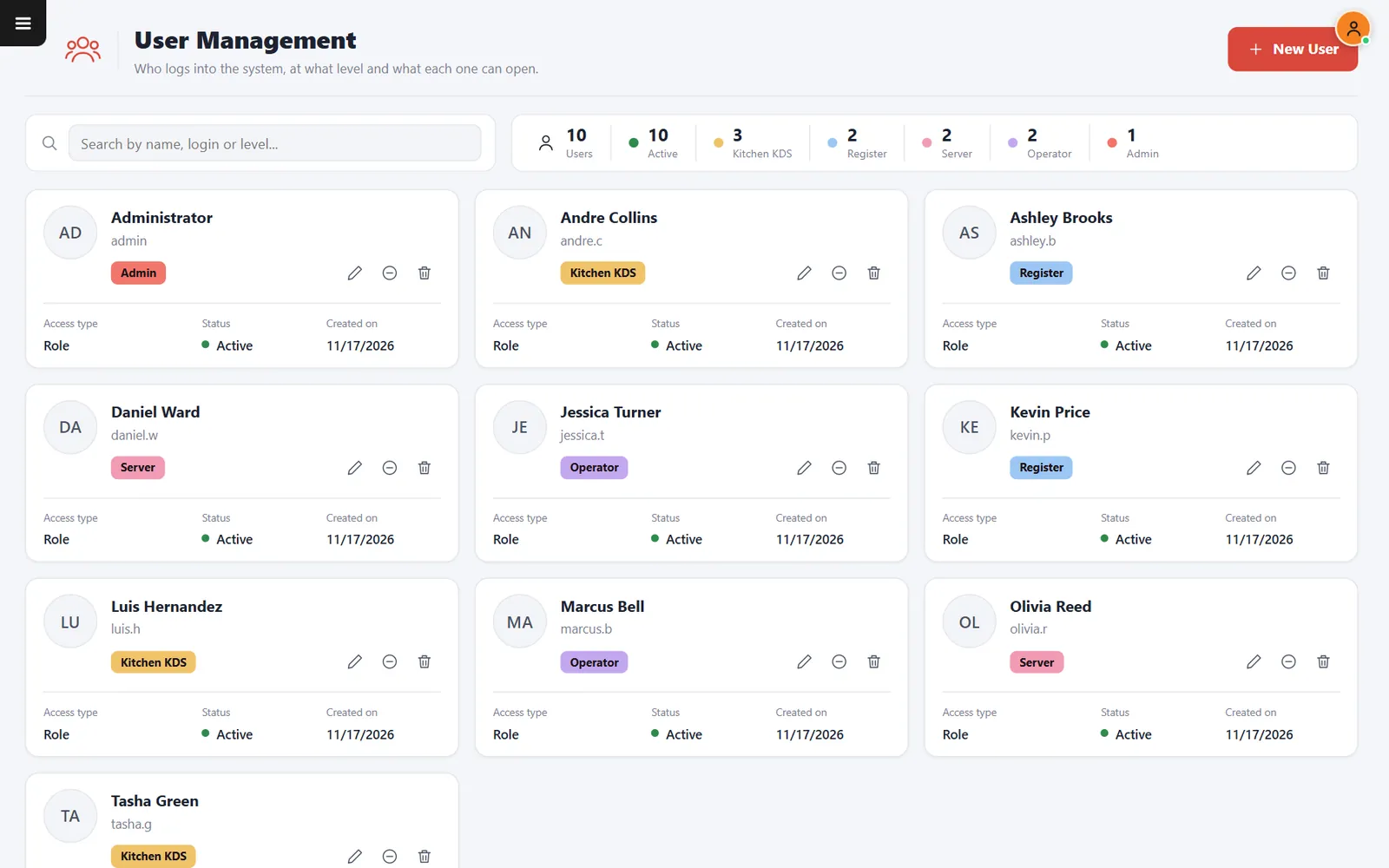
The right access for every role
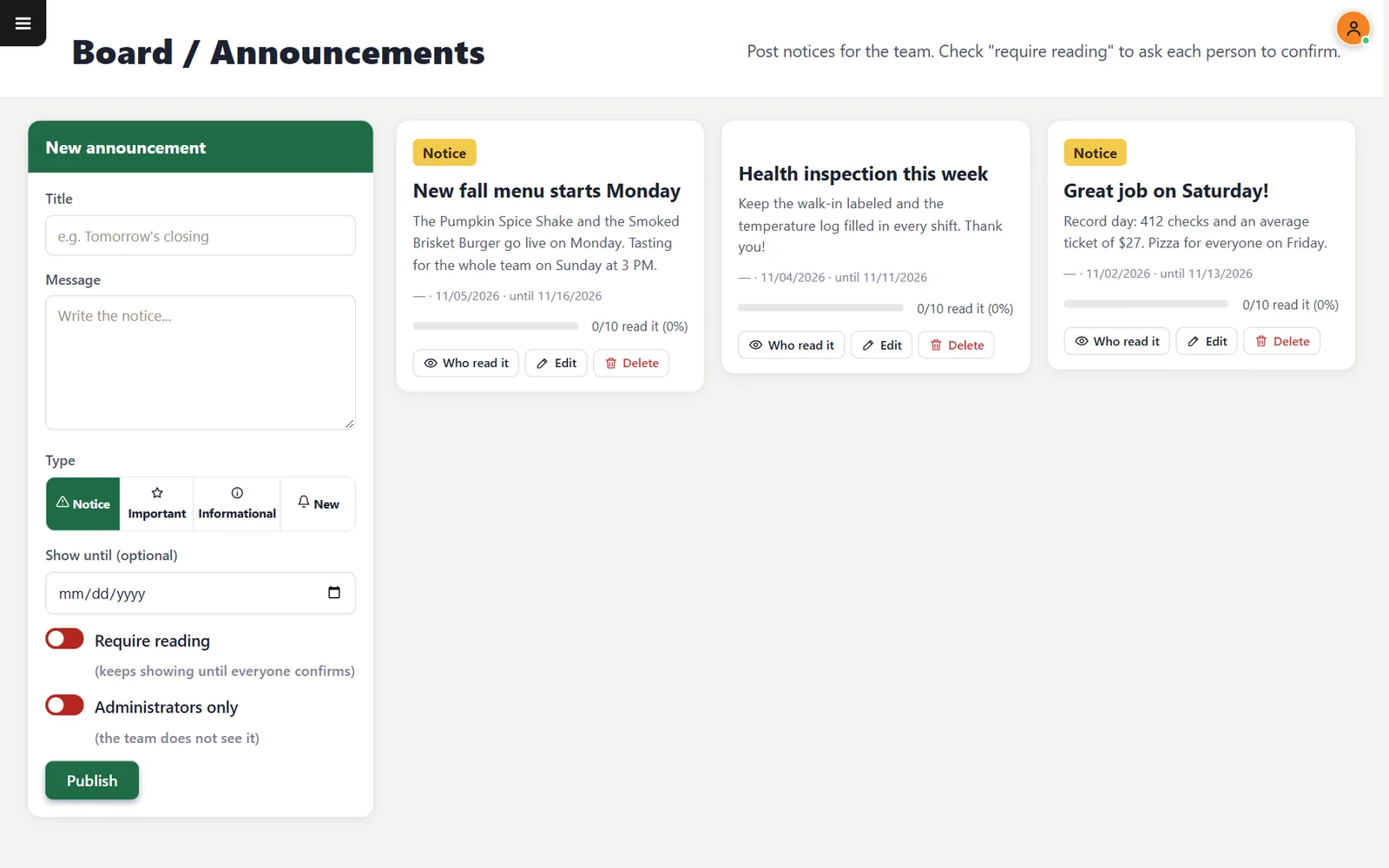
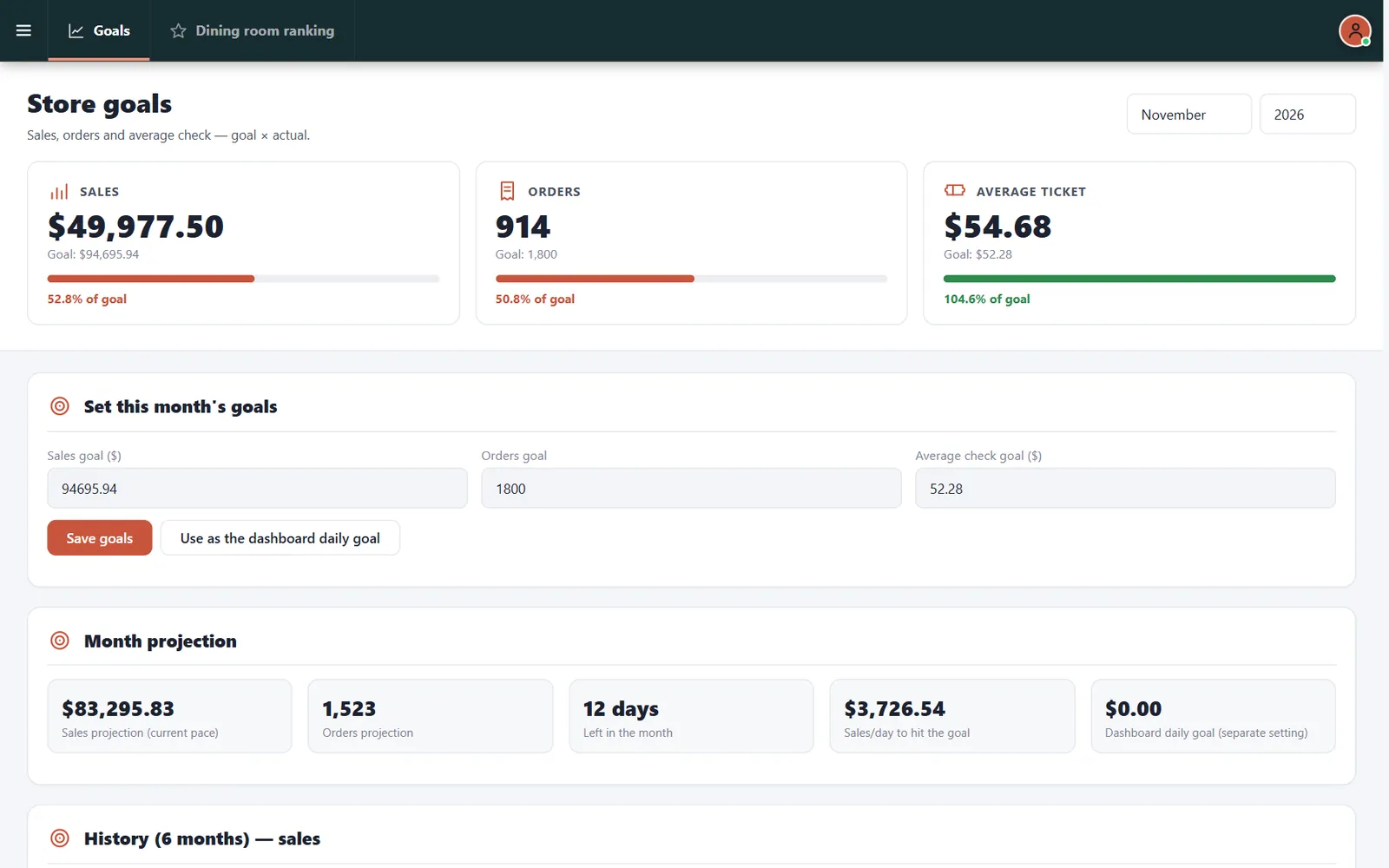
Logins, staff records, notices and sales goals in one place.
- Access levelsAdmin, Register, Server and Kitchen.
- Required readingA notice stays up until each person confirms it.
- GoalsSales, orders and average check.
Part 5 · Guests
Give guests a reason to come back
Know who buys from you, reward the regulars and hear what they think, all tied to real checks.
Loyalty
Points that follow the guest
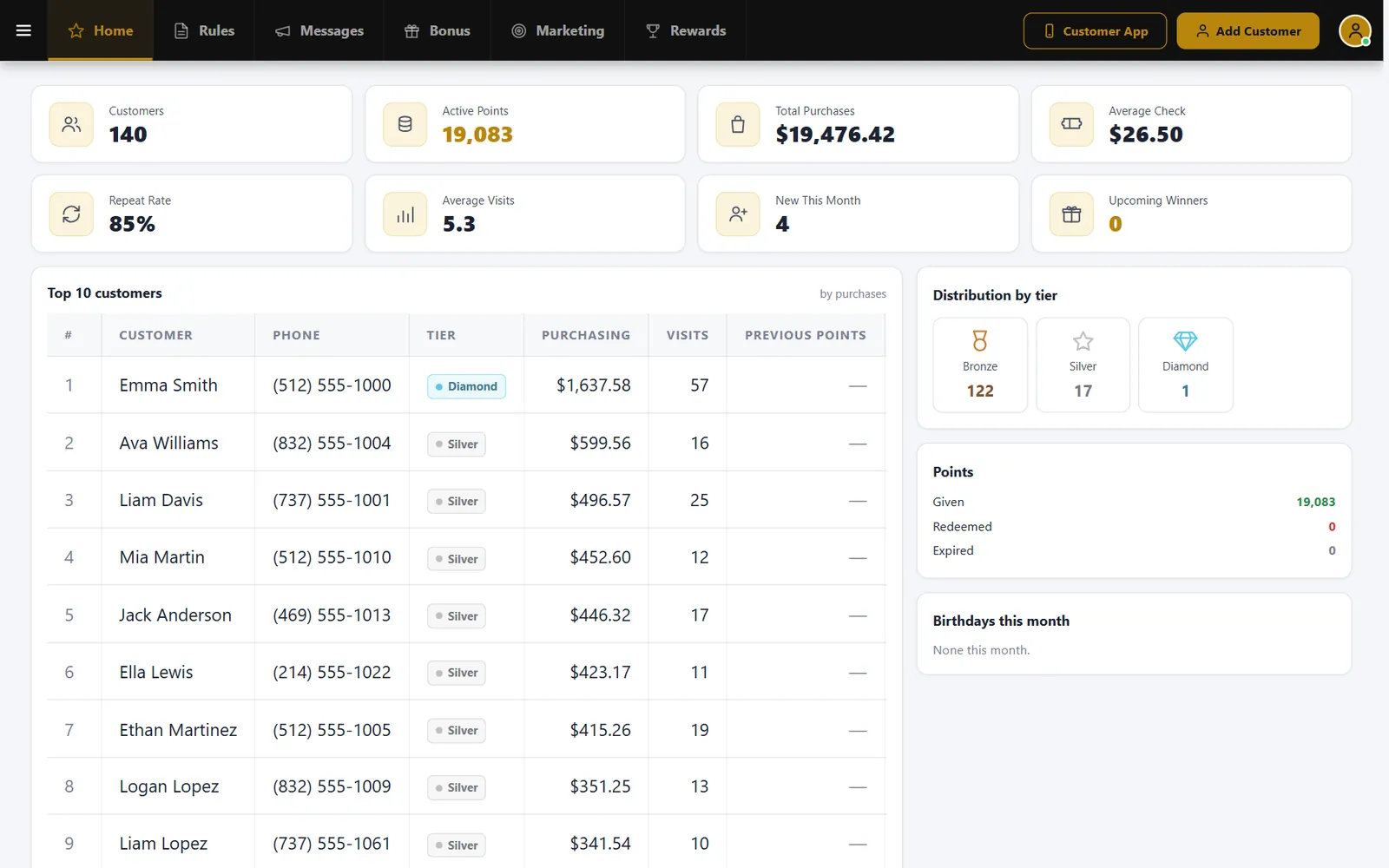
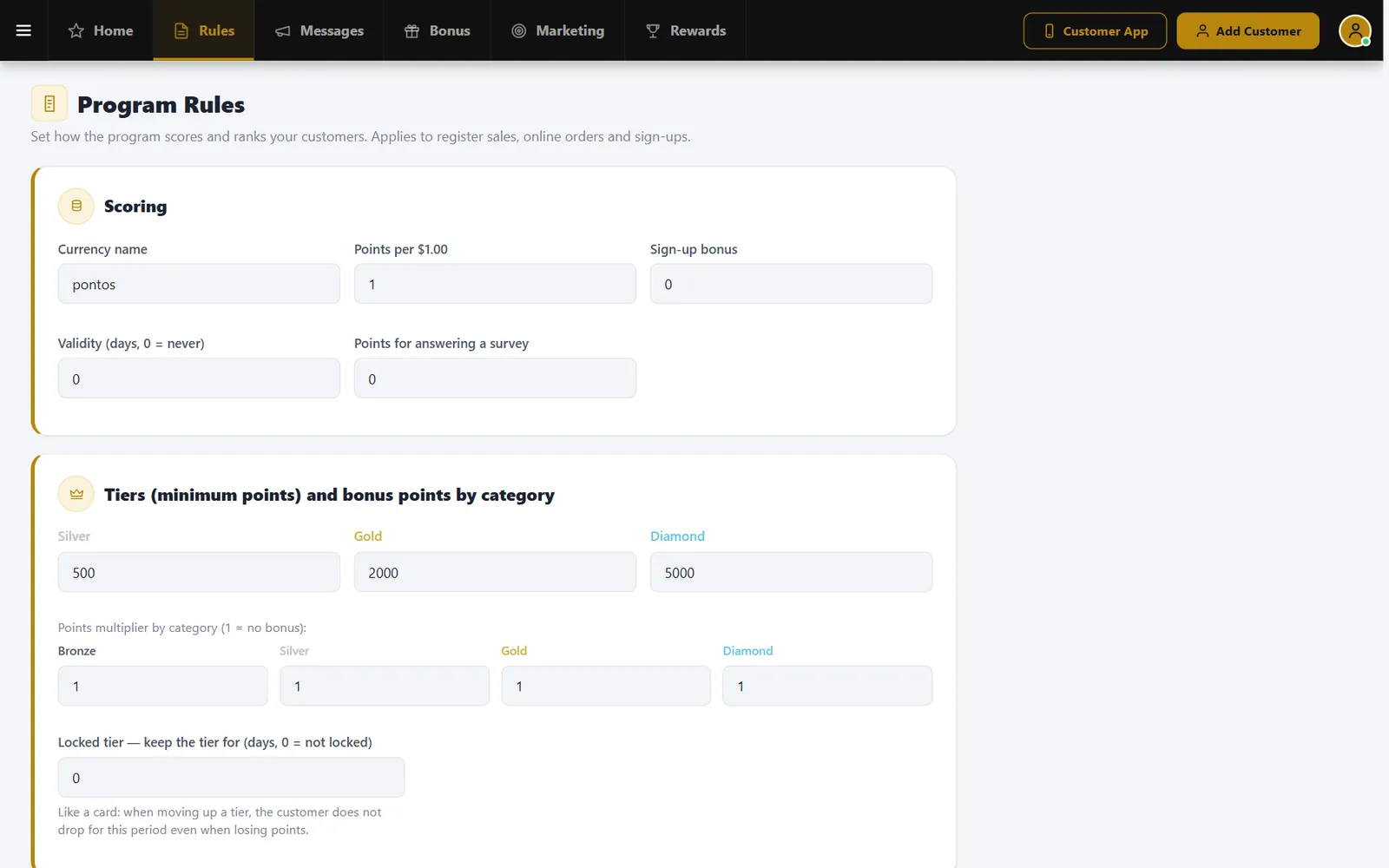
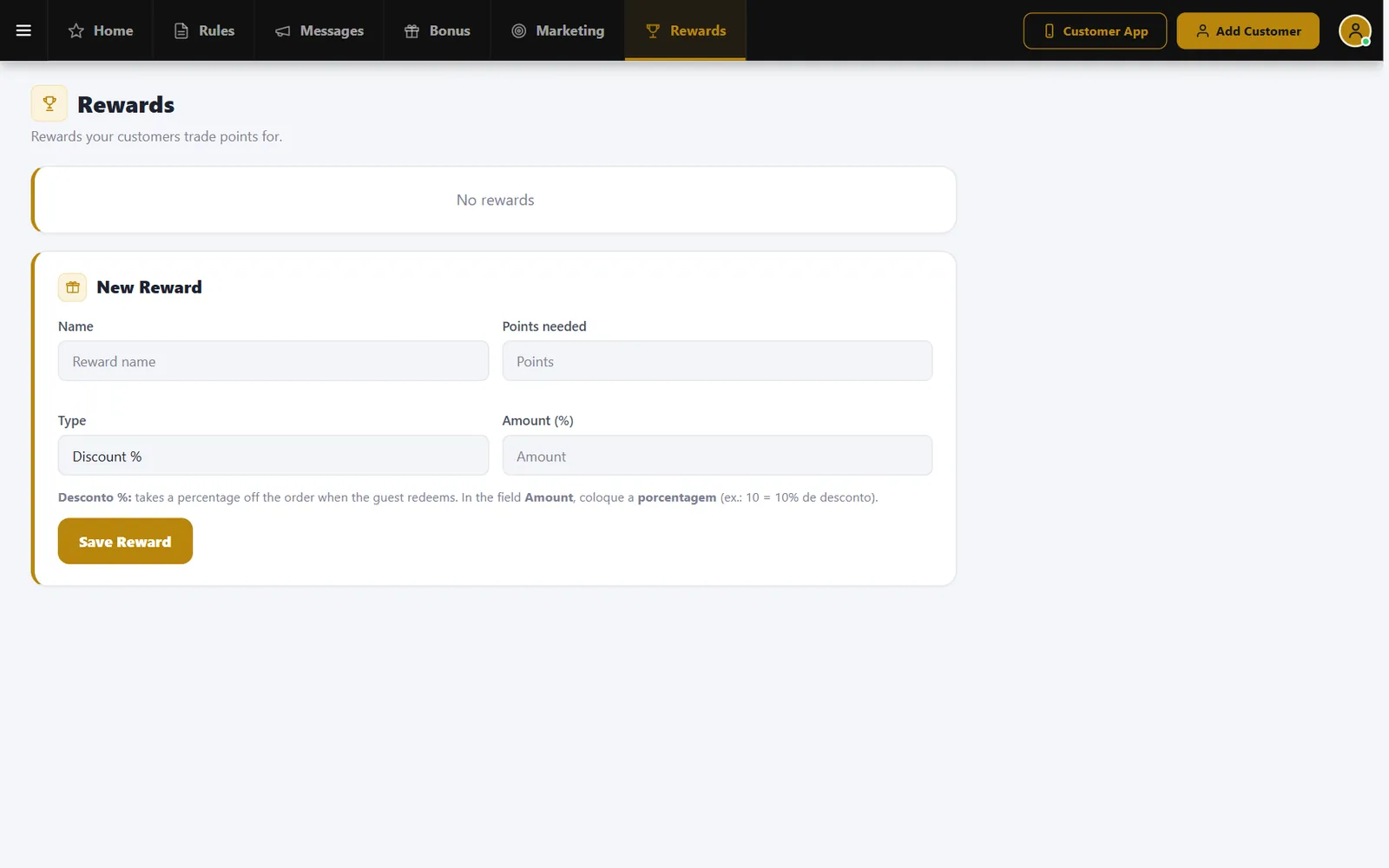
Run a points program with tiers and rewards, and see repeat rate, visits and your best customers.
- Four tiersBronze, Silver, Gold and Diamond by points.
- Multiplier by categoryGive more points where you choose.
- RewardsDecide what points can buy.
Coupons and cashback
Offers with rules you control
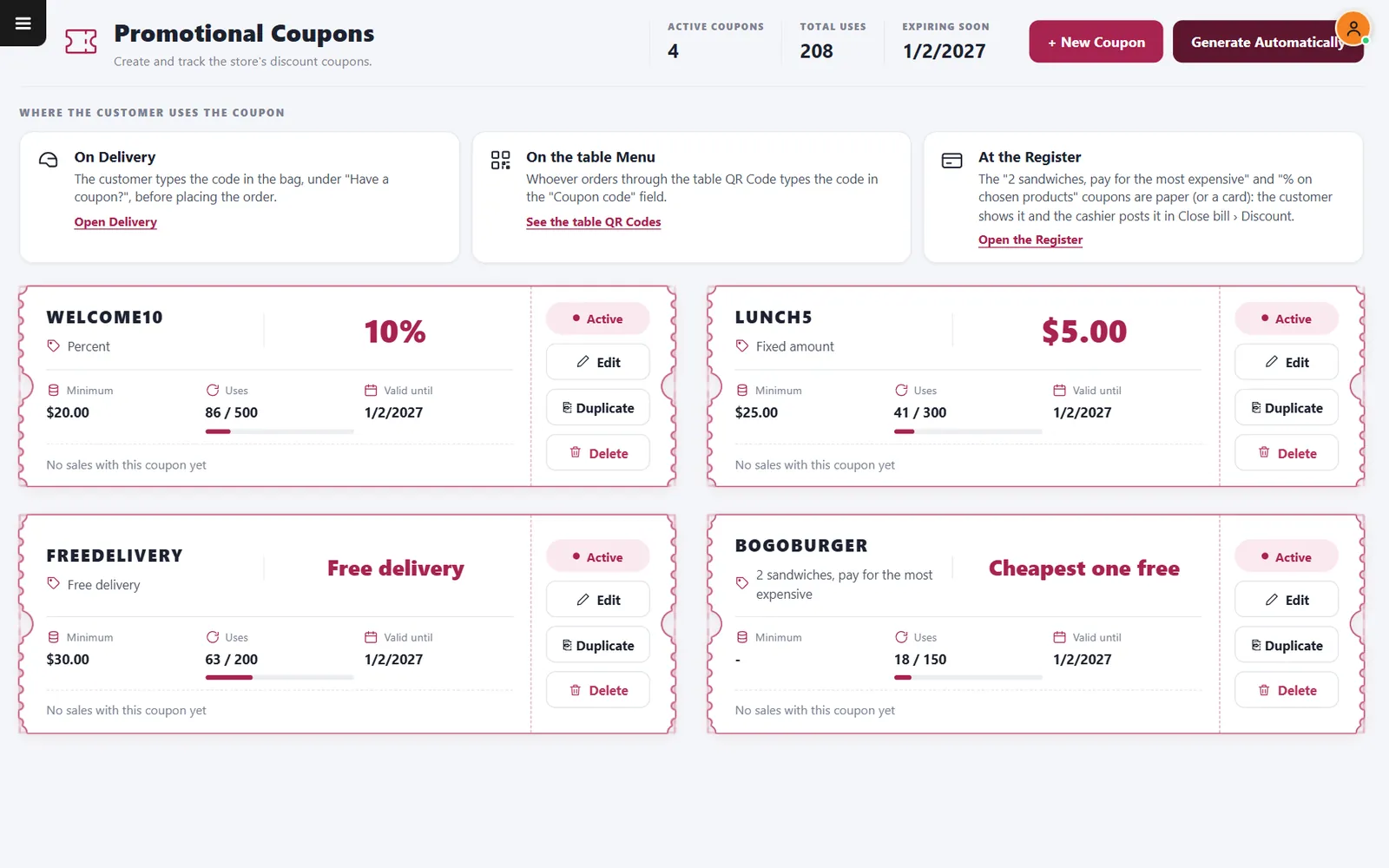
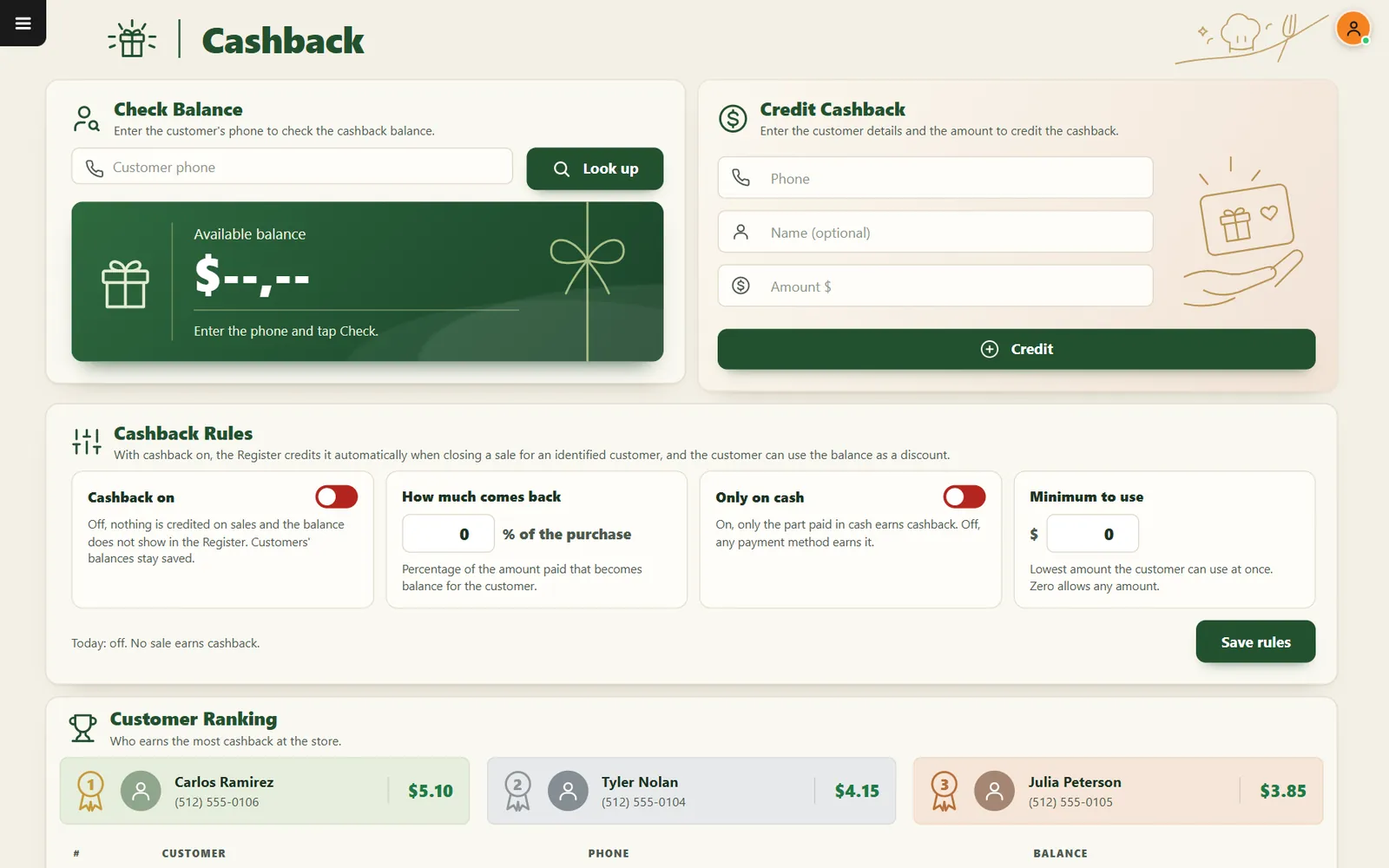
Percent, fixed amount, free delivery and two-for-one style coupons, plus a balance guests can use on the next visit.
- Coupon limitsMinimums, usage limits and end dates.
- DuplicateReuse a coupon that worked.
- CashbackCredit a percentage of each purchase.
Promotions and gift cards
Set the deal once and let the clock handle it
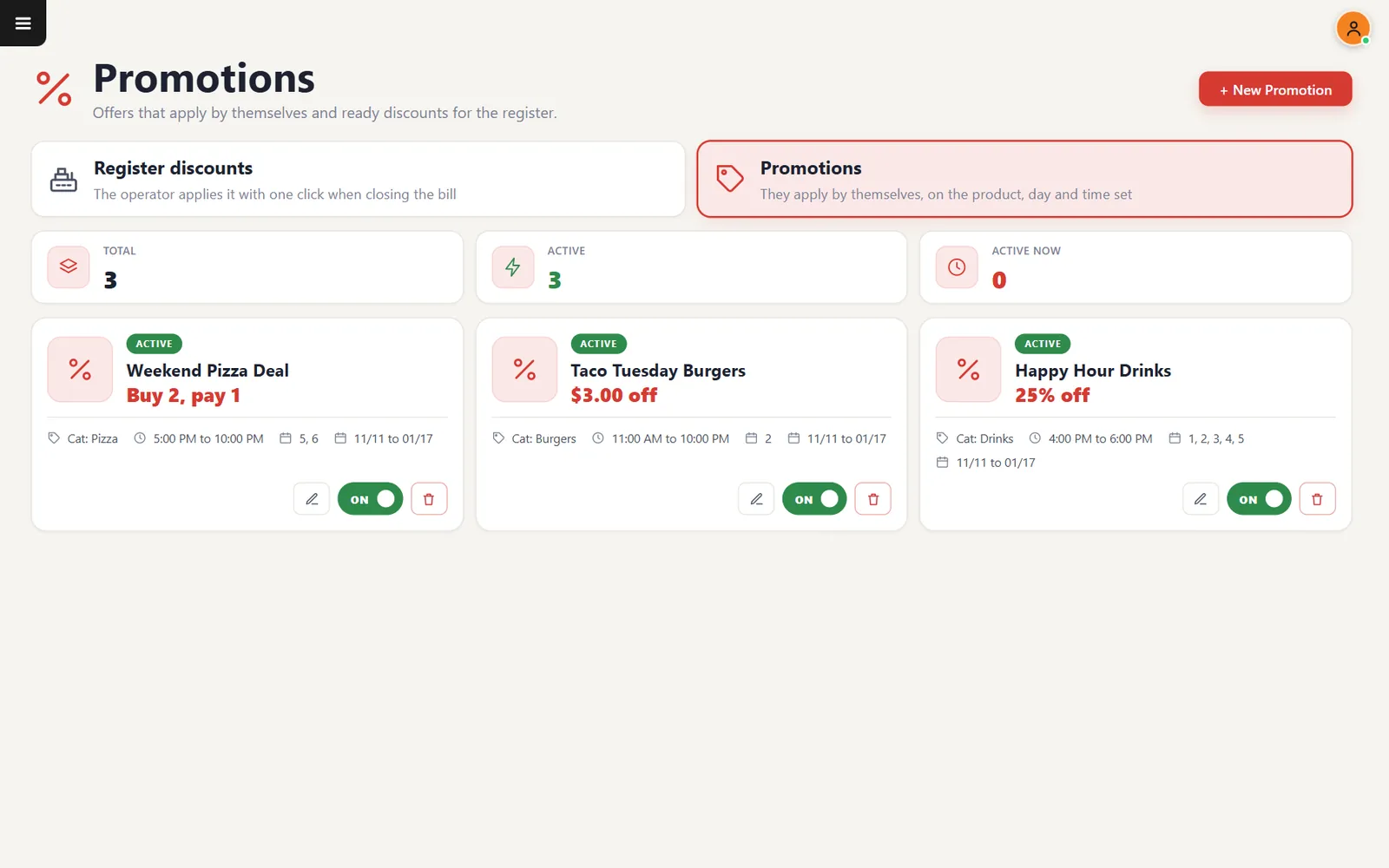
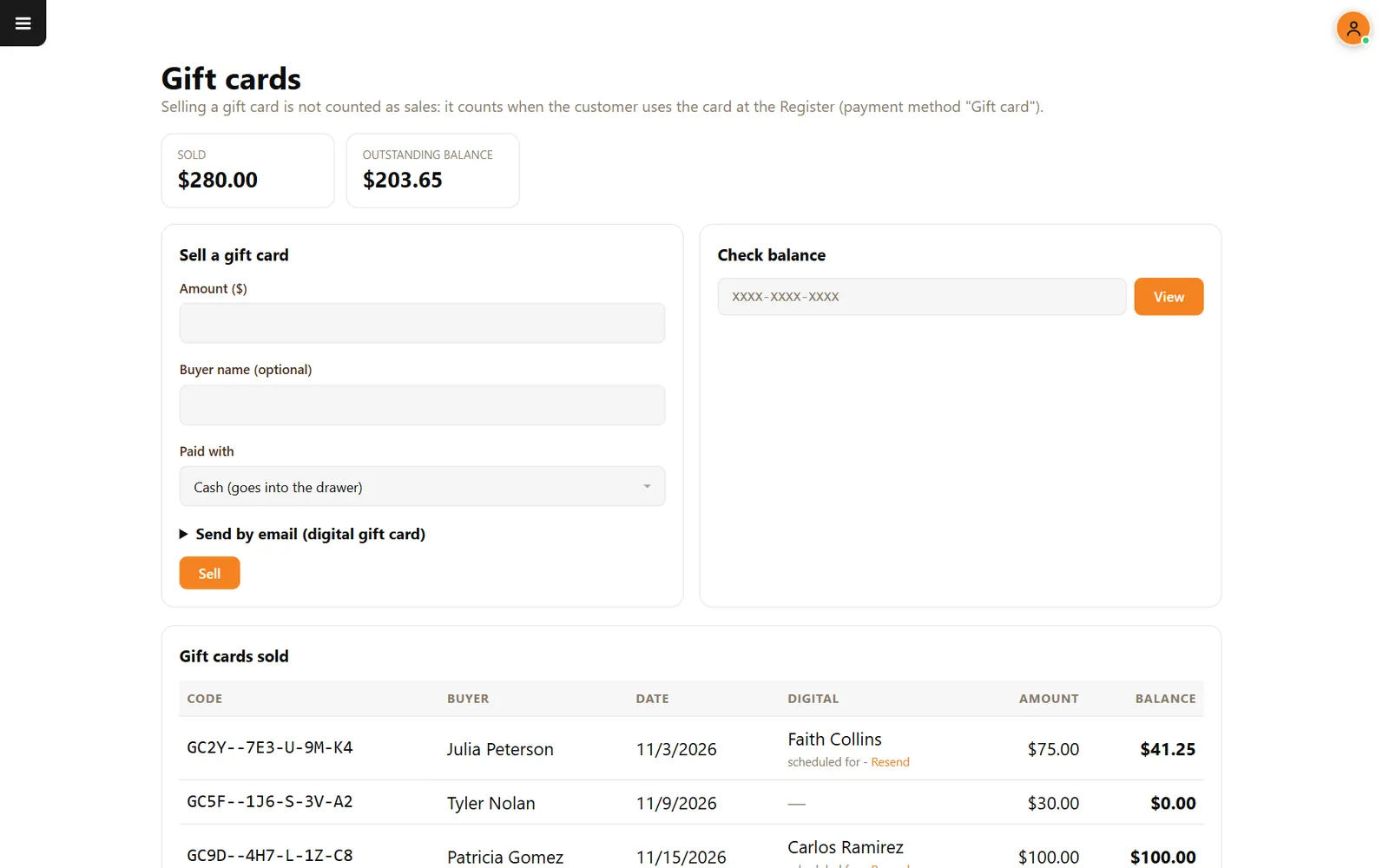
Schedule discounts by item, category, day and time, and sell gift cards at the register.
- Day and timeThe deal starts and stops on its own.
- Buy X, pay YOr a fixed deal price.
- Gift card balanceSee what guests can still spend.
Customers and feedback
Know your guests by name
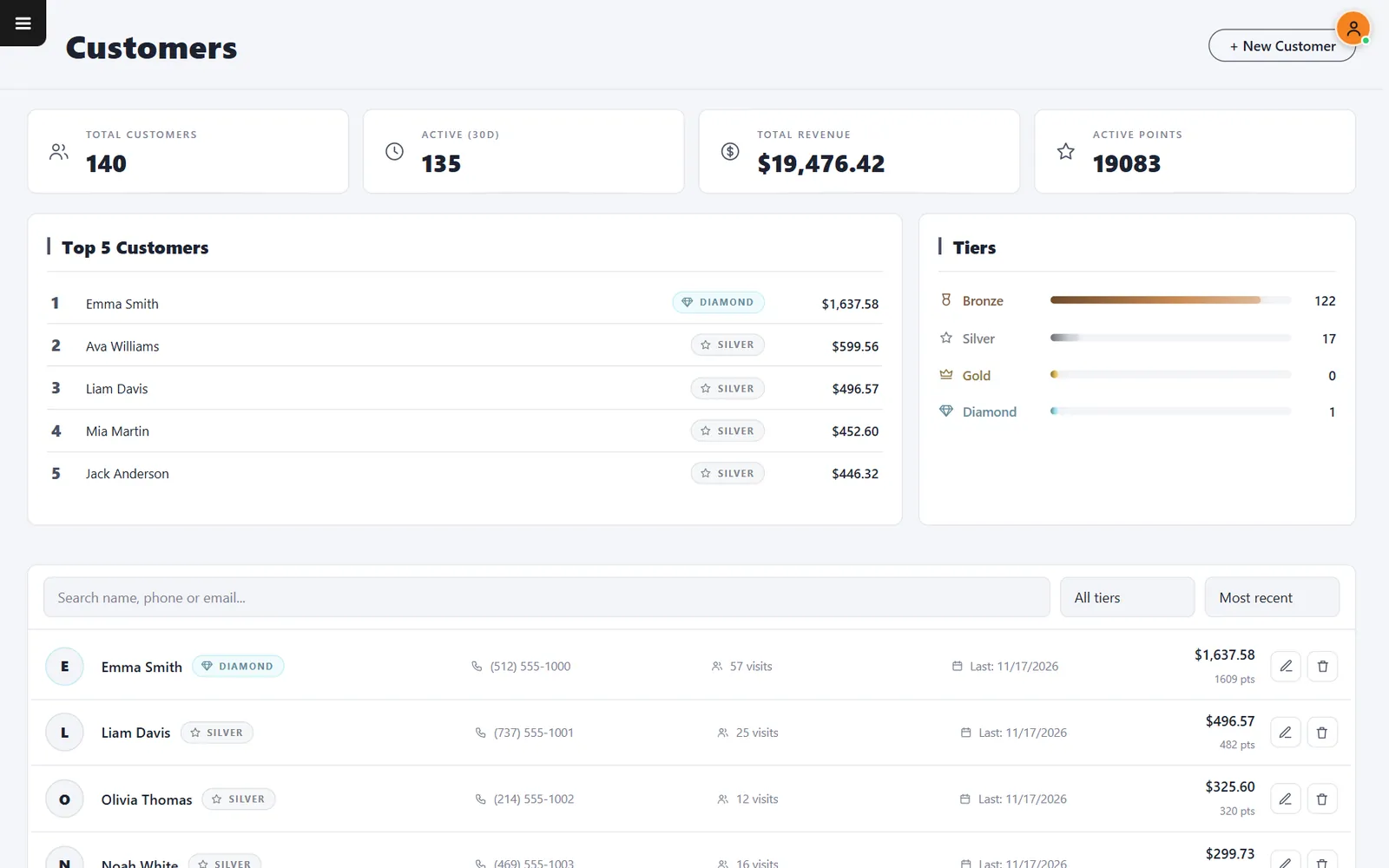
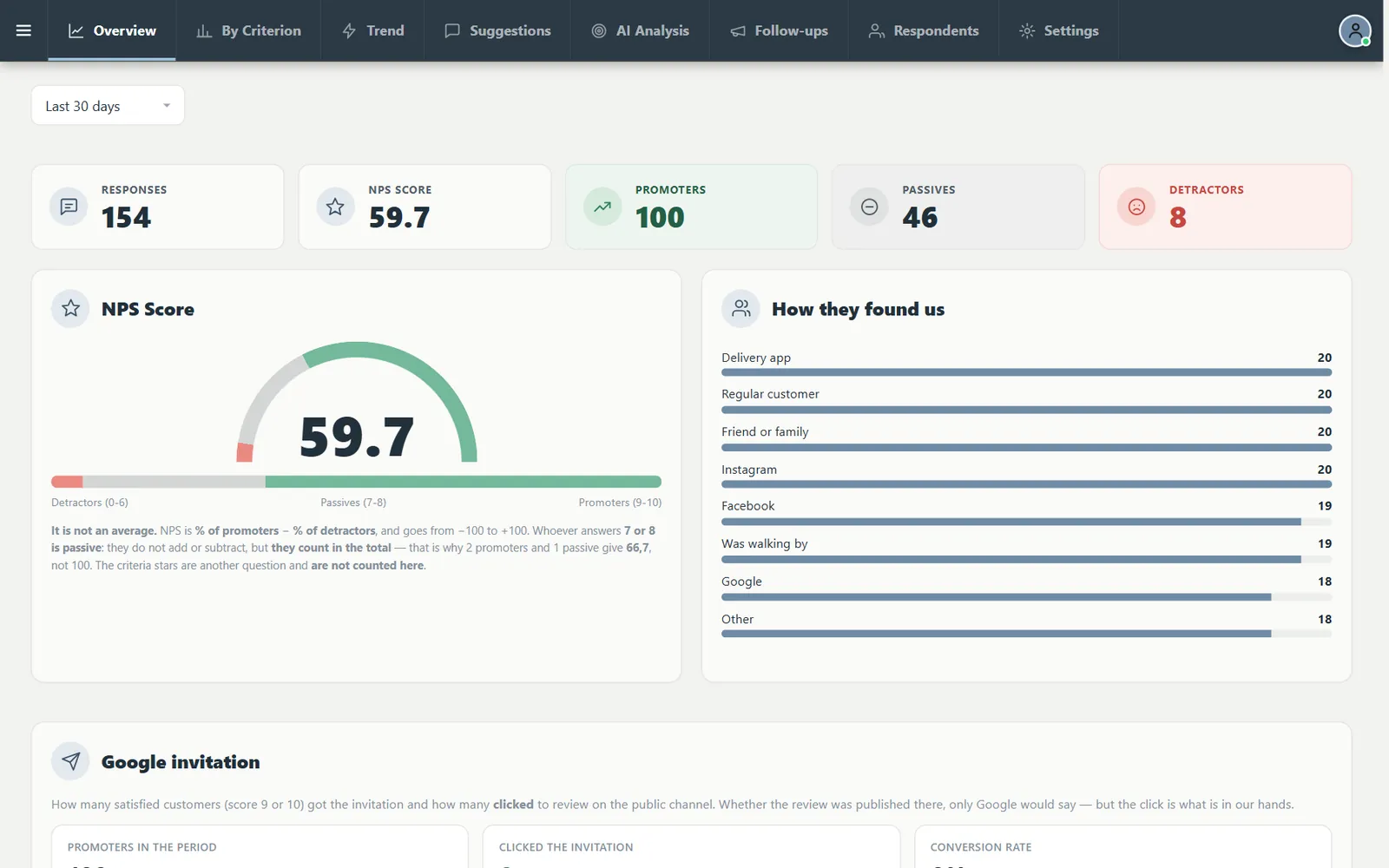
Every profile with visits, last visit and spending, next to a short survey that shows your score.
- Guest profilesSearch by name, phone or email.
- NPSPromoters minus detractors.
- Google invitationHappy guests are invited to review you.
Why owners look at CounterChef
Built to stay simple to buy and to run
- Use the devices you chooseiPad, Android tablet, iPhone or computer. You do not have to buy equipment from us.
- No fee from us on paymentsCounterChef adds no fee. Your processor, such as Stripe, charges its own.
- One plan, every featureKitchen display, delivery, inventory and team tools are part of the same plan.
- Delivery that stays yoursYour menu, your guests and your drivers, from the order to the settlement.
- English and SpanishThe kitchen display, guest QR menu and time clock switch languages.
- Your data kept separateEach restaurant runs on its own database, with encrypted connections and access by role.
For every kind of restaurant
Built for the way you serve
How to start
See it with your restaurant in mind
- Tell us how you runShare your restaurant, your number of locations and what you use today.
- Walk through the screensWe show the parts your team would actually use.
- Get straight answersHardware, card processing and what moving from your current system would involve.
Guides for owners
Run the numbers before they run you
Compare and plan
Do your homework with real numbers
Questions owners ask
What does CounterChef replace?
It brings the POS, kitchen display, online ordering, delivery operation, inventory, recipe costing, finance and team tools into one system.
Do I have to buy hardware?
No. CounterChef runs on iPad, Android tablet, iPhone and computer.
Does CounterChef take a percentage of my sales?
No. CounterChef does not charge a fee on your payments. Your card processor, such as Stripe, charges its own fee.
Can I run my own delivery with it?
Yes. You get your own online menu, delivery zones by ZIP code, an order board, barcode dispatch, driver pages, routes and driver settlement.
Can guests pay online when they order?
Not today. Online orders are paid when they arrive or at pickup, with cash, credit or debit.
Does the kitchen display work in Spanish?
Yes. One button switches the screen between English and Spanish.
Does it work without internet?
CounterChef does not promise offline operation, so plan for a reliable connection.
How do I see it working?
Request a demo and tell us how your restaurant runs. We will walk you through the parts that matter to you.
See how your restaurant would run on CounterChef
Tell us how your restaurant runs. We will walk you through the parts that matter to you.