
Set delivery zones and fees by ZIP code
Charge what each trip is worth. Give every area its own ZIP range, fee and estimated time.
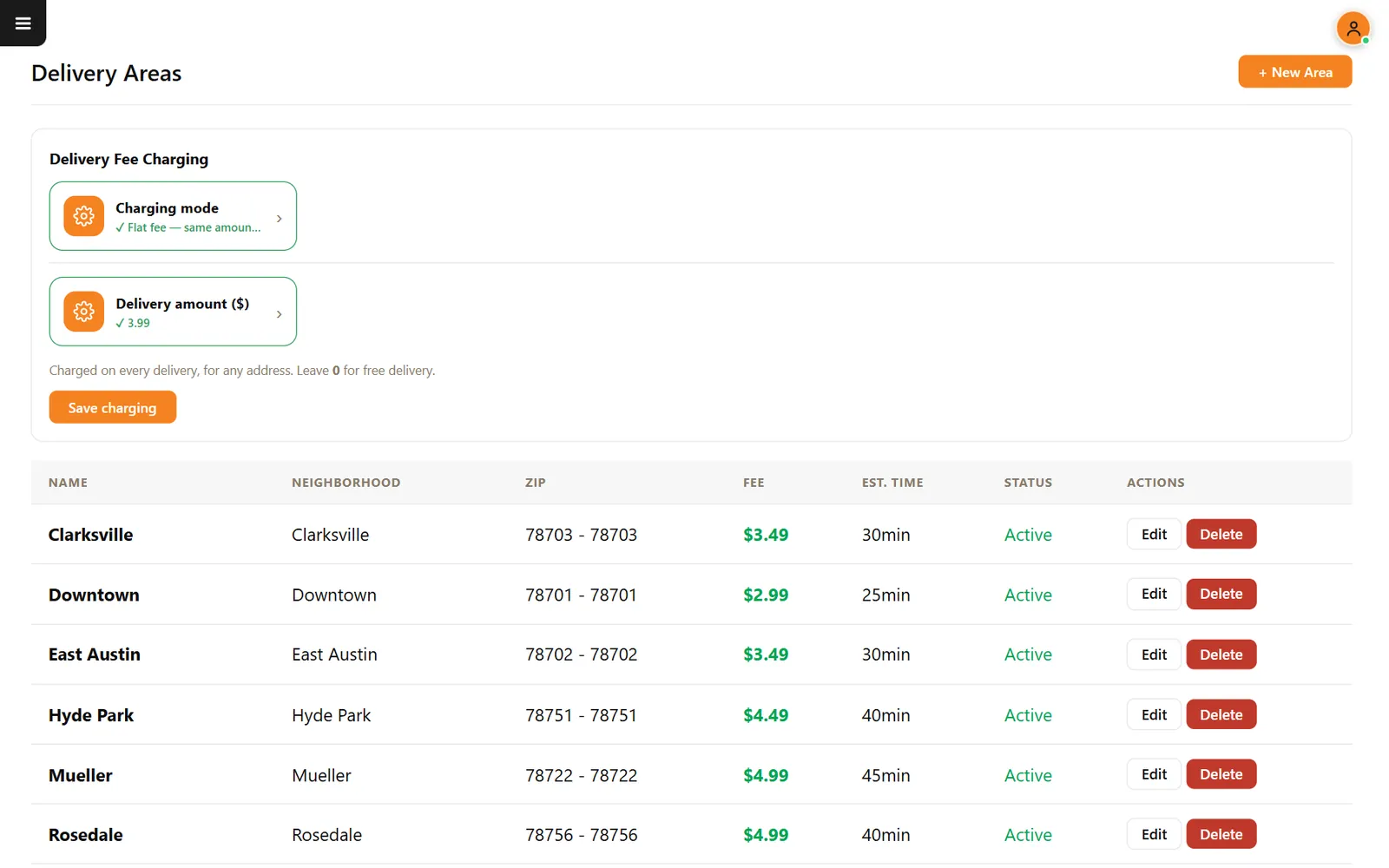
One fee rarely fits your whole map
A flat fee can overcharge the neighbor and lose money on the far side of town. Zones let you price by where the driver actually has to go.
How it works
-
Choose how you charge
Pick a flat fee for every address or charge by area. With a flat fee, entering 0 means delivery costs the guest nothing.
-
Add your areas
Use New Area to name the zone and enter its ZIP range, fee and estimated time. Edit or deactivate an area whenever your coverage changes.
Buttons and rules that matter
- Name and neighborhood
- What your team and guests recognize, such as Downtown or Hyde Park.
- ZIP range
- One ZIP or a range, such as 78703.
- Fee
- The amount charged for that area.
- Estimated time
- The time attached to that area, such as 25 or 40 minutes.
- Status
- Active areas can receive orders.
Austin, by ZIP
In the demo restaurant, Downtown 78701 costs $2.99 and takes 25 minutes. Mueller 78722 costs $4.99 and takes 45.
Connected to the rest of the system
Questions owners ask
Can I deliver to only a few ZIP codes?
Yes. Create areas only for the ZIP codes you serve.
Can I charge by distance?
CounterChef recommends ZIP code areas or a flat fee for US restaurants today.
See it with your own menu in mind
Tell us how your restaurant runs. We will walk you through the parts that matter to you.