
A kitchen display your whole line can read
Live tickets with timers, notes and stations, in English or Spanish with one tap.
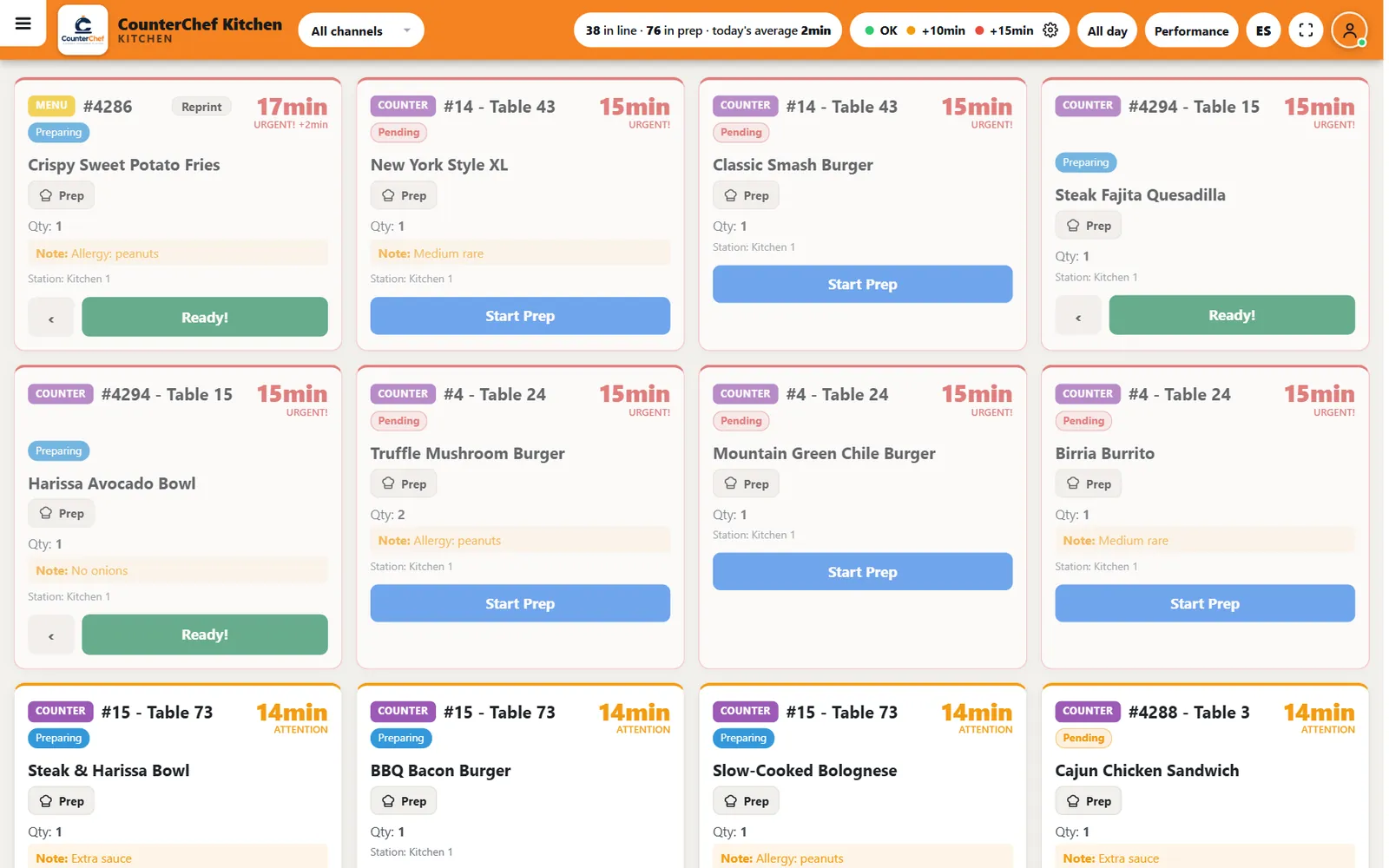
Paper tickets cannot tell you what is late
Tickets get lost, grease over and pile up on the rail. Nobody sees how long the oldest one has been waiting until the guest asks.
How it works
-
Tickets arrive by themselves
Each card shows the channel, check, table, item, quantity, station and note.
-
Work each item
Start Prep moves it to preparing, and Ready sends it onward. A back arrow fixes a mistaken tap.
-
Watch the clock
Timers change color at the limits you set, so late tickets stand out across the kitchen.
Buttons and rules that matter
- ES
- Switches the screen between English and Spanish.
- All day
- Shows how many of each item are in progress.
- Performance
- Shows prep time results.
- Channels
- Filters tickets by where the order came from.
- Prep
- Opens the item's preparation instructions.
- Reprint
- Prints the ticket again.
An allergy on the ticket
Table 24 orders a Truffle Mushroom Burger with "Allergy: peanuts". The note sits on the card in its own highlighted line, right under the item.
Connected to the rest of the system
Questions owners ask
Can each station see only its items?
Yes. Displays can be set up by station.
What screen do I need?
A tablet or computer screen with a browser works.
Is Spanish a separate setup?
No. The ES button switches the language.
See it with your own menu in mind
Tell us how your restaurant runs. We will walk you through the parts that matter to you.