
Settle up with every driver without a spreadsheet
Pick a period and see exactly what each driver delivered, collected and is owed.
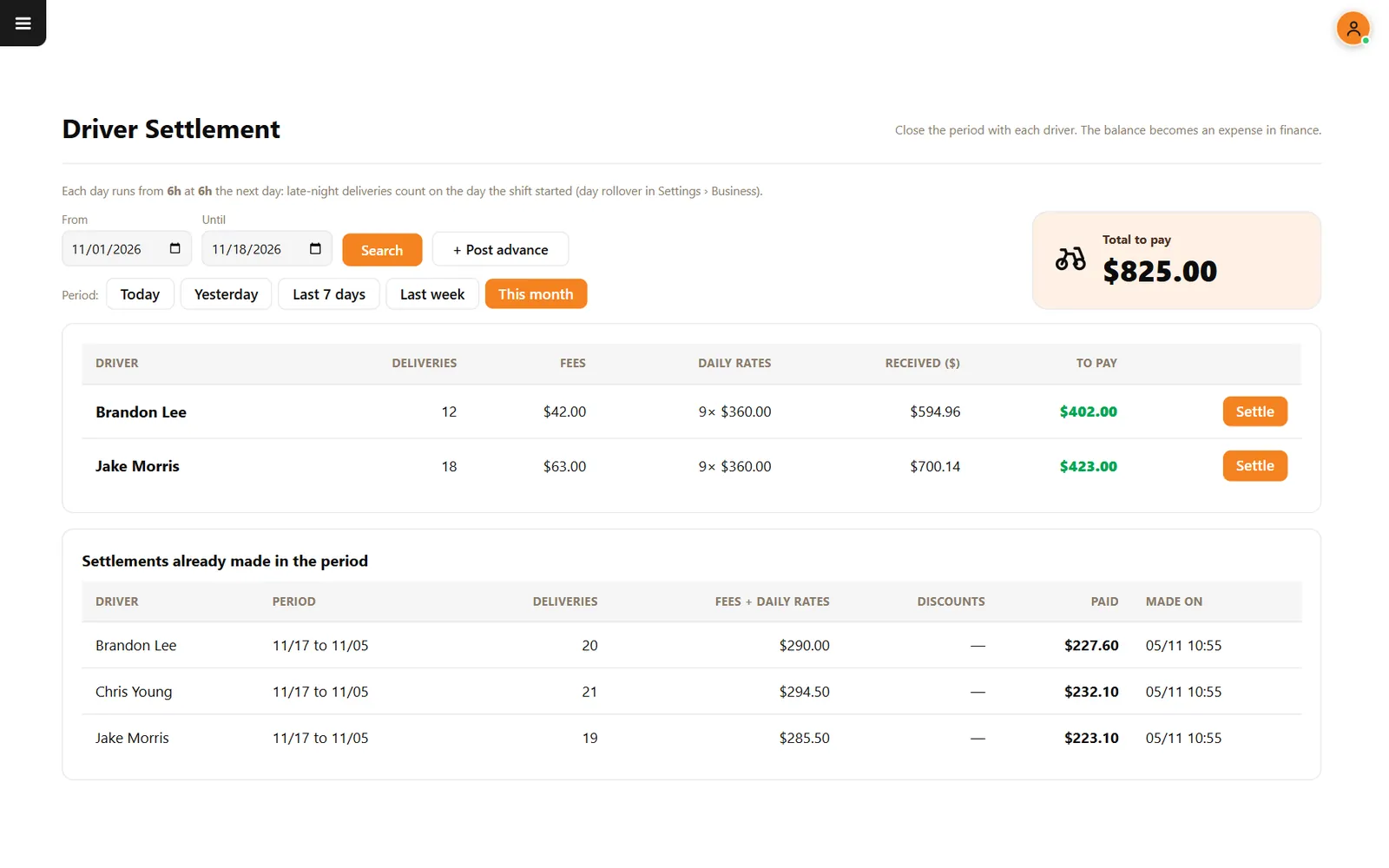
End-of-week math starts arguments
Fees, daily rates, advances and cash in a driver's pocket all pull in different directions. When they live in a notebook, nobody fully trusts the total.
How it works
-
Choose the period
Use Today, Yesterday, Last 7 days, Last week, This month or your own dates.
-
Settle each driver
Review deliveries, fees, daily rates, received amounts and the balance, then press Settle. The balance becomes an expense in finance.
Buttons and rules that matter
- Post advance
- Records money paid early, so it comes off the settlement.
- Business day
- Late-night deliveries count on the day the shift started.
- History
- Past settlements stay listed with the period, deliveries, discounts and amount paid.
This month in the demo
Jake Morris made 18 deliveries, earning $63.00 in fees plus 9 daily rates of $40. His balance is $423.00, ready to settle.
Connected to the rest of the system
Questions owners ask
Are drivers paid through CounterChef?
No. CounterChef calculates and records the settlement. You pay the driver your usual way.
Is this payroll?
No. It is a record of delivery fees, daily rates, advances and balances.
See it with your own menu in mind
Tell us how your restaurant runs. We will walk you through the parts that matter to you.