
A driver page that opens from one link
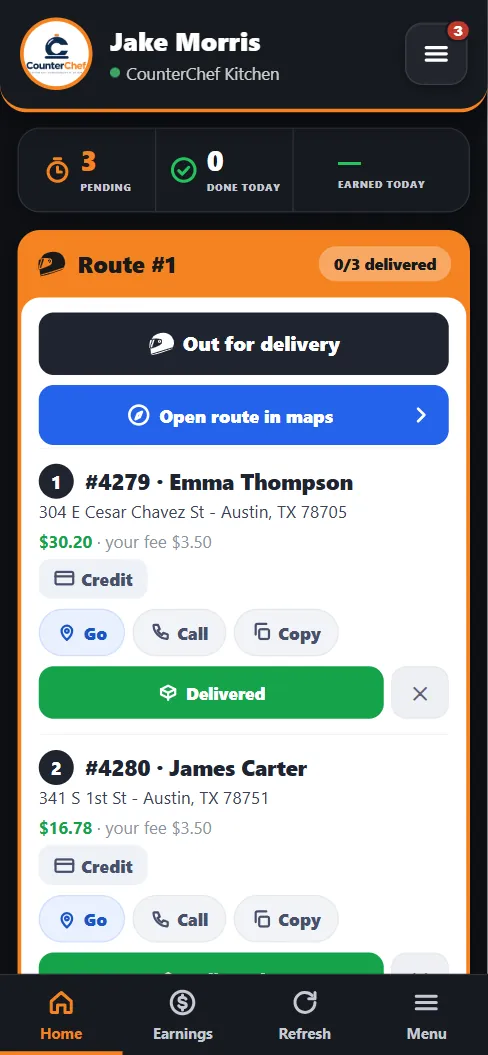
Every driver gets a personal page with the route, what to collect and their earnings. It runs in the phone browser.
Drivers should not have to ask what is next
If the address lives on a paper slip and the amount lives in someone's head, the driver keeps coming back to the counter with questions.
How it works
-
Add the driver
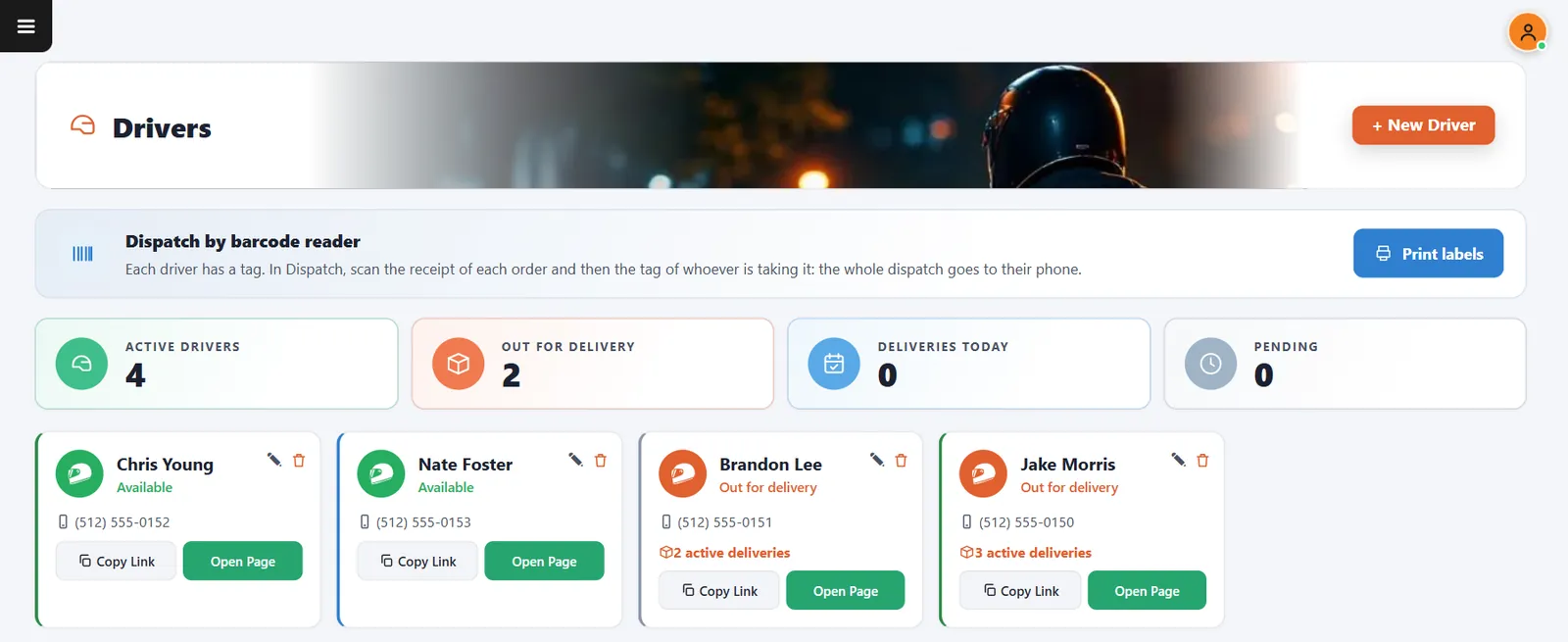
New Driver creates the profile. Copy Link gives you the page to send them.
-
The driver follows the route
Stops appear in order with the customer, address, amount, payment and fee. Buttons open navigation, call the guest, copy the address and confirm delivery.
Buttons and rules that matter
- Out for delivery
- Tells the system the run has started.
- Open route in maps
- Sends the stops, in order, to the map app.
- Delivered
- Closes that stop.
- Earnings
- Shows what the driver has earned.
Jake's first stop
#4279, Emma Thompson, 304 E Cesar Chavez St. $30.20 by credit, and a $3.50 fee for Jake. One tap opens the map, another calls Emma.
Connected to the rest of the system
Questions owners ask
Is there an app to install?
No. The page opens from a link in the phone browser.
Can I replace a lost link?
Yes. You can generate a new link for the driver.
See it with your own menu in mind
Tell us how your restaurant runs. We will walk you through the parts that matter to you.