
A restaurant POS built around how a shift really runs
Tables, counter sales, phone orders, open checks and delivery sit in one register, so your team stops jumping between screens.
Rush hour exposes every extra tap
A POS is judged at 7:30 on a Friday. If finding a check takes three screens, the line feels it.
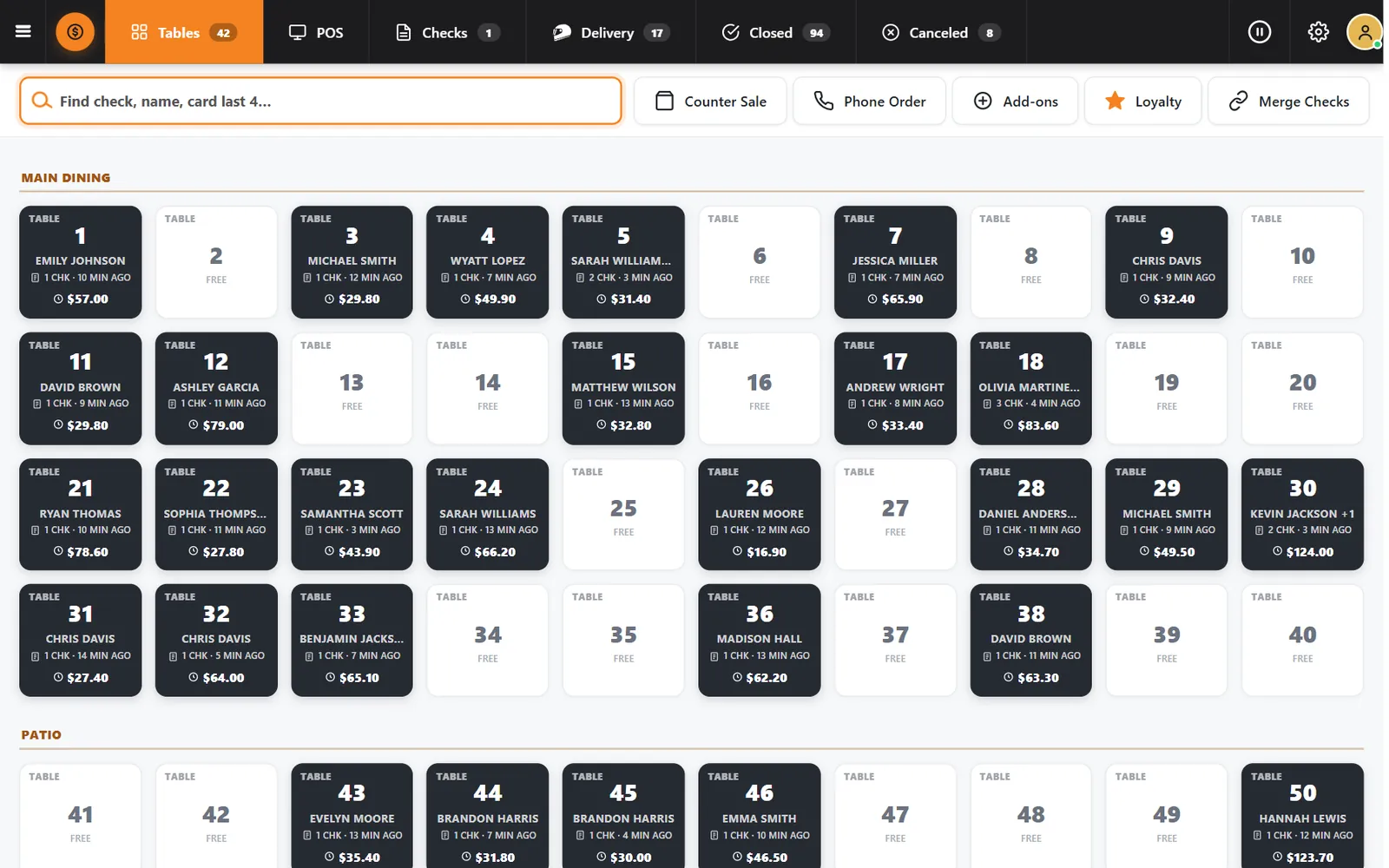
CounterChef opens on what is happening now: which tables are seated, how long they have been there and what each check totals.
How it works
-
Start from the room
The Tables tab shows every section with the guest name, number of checks, time seated and total.
-
Ring items by photo
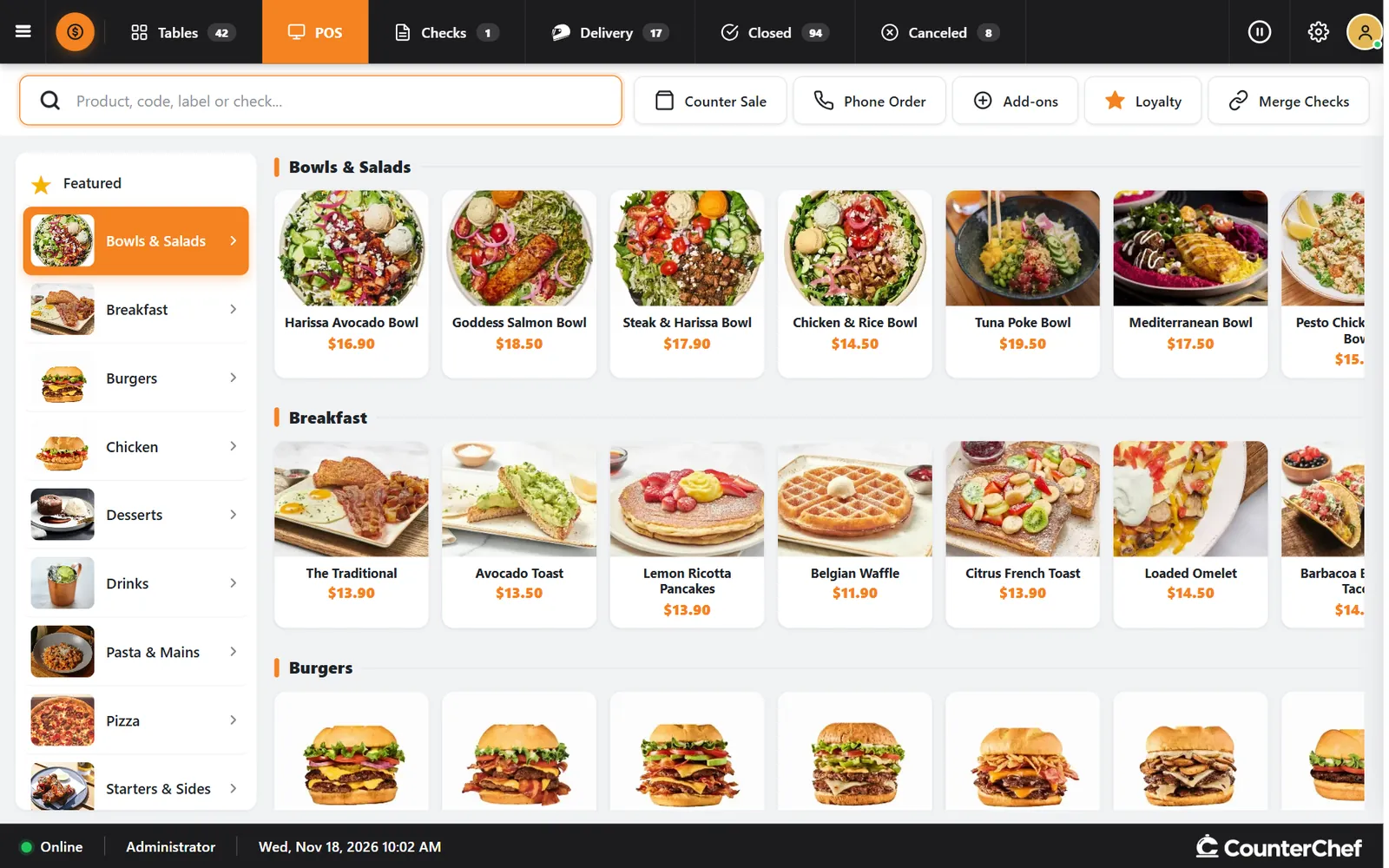
The POS tab groups your menu by category. Search finds a product, code, label or check.
-
Handle takeout and delivery here too
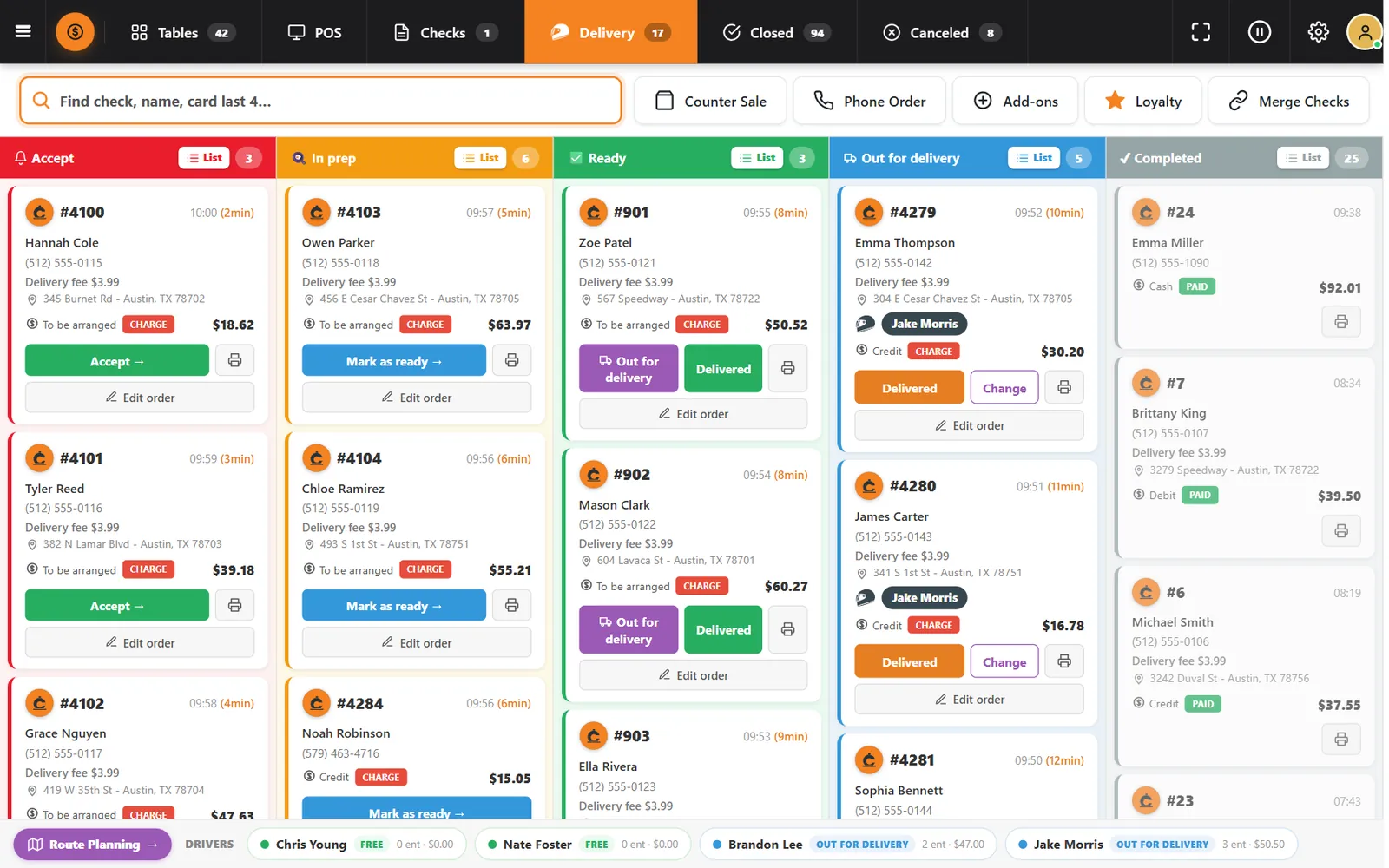
Counter Sale and Phone Order start from the top bar, and the Delivery tab opens the full order board.
Buttons and rules that matter
- Find check
- Searches by check, guest name or the last four digits of a card.
- Merge Checks
- Combines checks when a party decides to pay together.
- Add-ons
- Adds extra items to the sale.
- Closed and Canceled
- Keep the day's finished and canceled checks one tap away.
- Loyalty
- Identifies the guest at the register.
Table 30, two checks
Kevin Jackson's party has two open checks totaling $124.00. The server sees that from the table map and merges them when the group decides on one payment.
Questions owners ask
What devices does it run on?
iPad, Android tablet, iPhone and computer. You do not have to buy equipment from CounterChef.
Does it work without internet?
CounterChef does not promise offline operation. Plan on a reliable connection.
Does CounterChef charge a fee on card payments?
No. CounterChef does not add a fee on payments. Your card processor charges its own fee.
See it with your own menu in mind
Tell us how your restaurant runs. We will walk you through the parts that matter to you.