
Curbside pickup without a separate app
Turn it on once. Pickup guests can say they will wait in the car and describe it, so your runner knows where to go.
"Which car is yours?" should not be a phone call
Curbside falls apart when the person running the bag has no idea what to look for. A short description on the order fixes most of that.
How it works
-
Turn on curbside
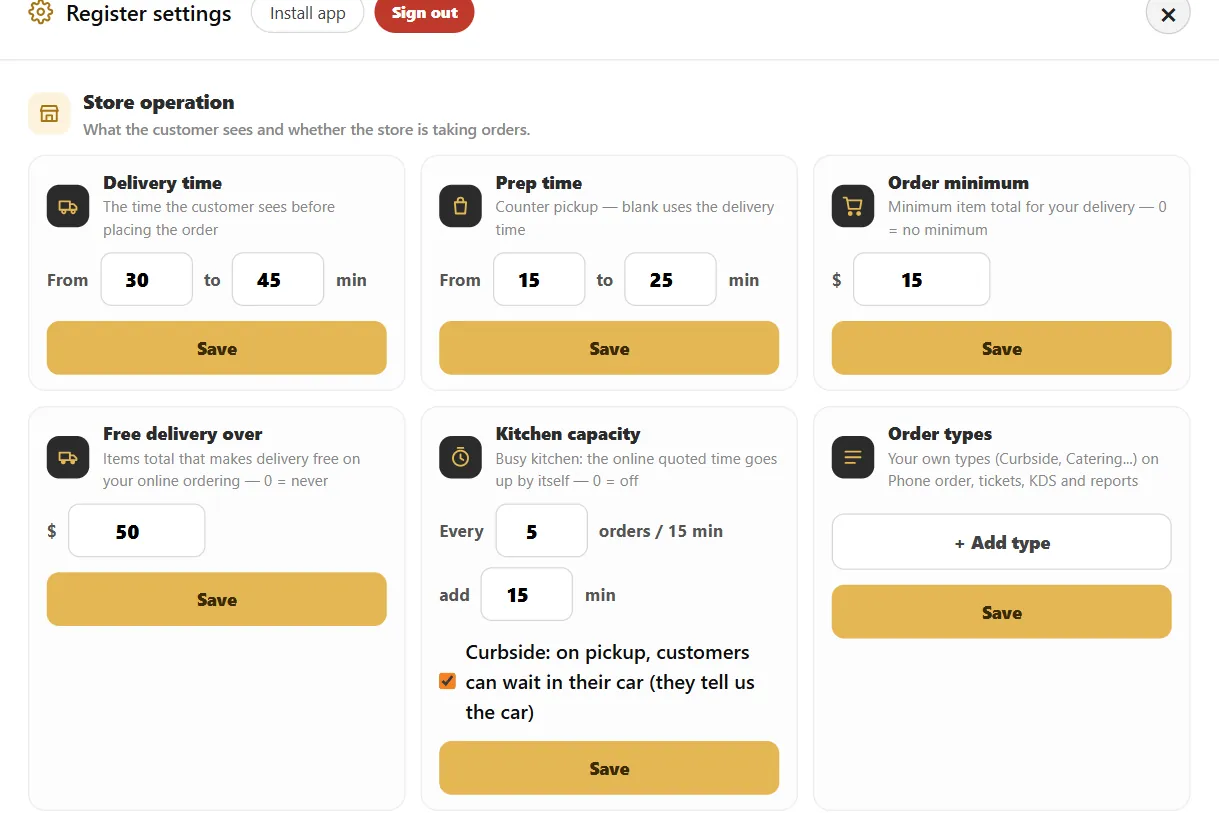
In the register settings, check the curbside option and save.
-
The guest describes the car
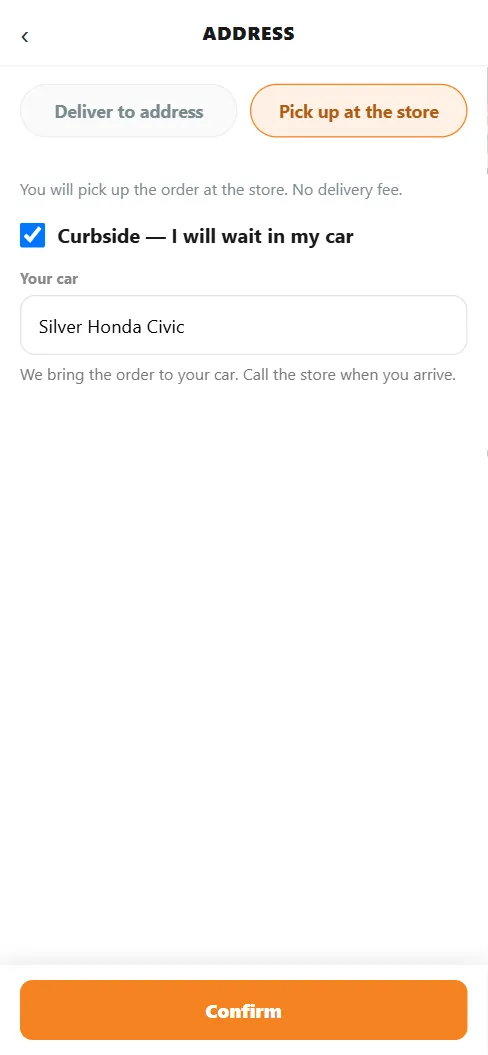
At pickup checkout, the guest checks Curbside and enters make, model and color. The page tells them to call the store when they arrive.
Buttons and rules that matter
- Arrival
- The guest calls the store when they arrive. There is no automatic arrival alert.
- Your car field
- Up to 80 characters for make, model and color.
A rainy Tuesday
The order says silver Honda Civic. The guest calls from the parking lot, your runner takes the bag out, and nobody has to come inside.
Connected to the rest of the system
Questions owners ask
Does the system detect when the guest arrives?
No. The guest calls the store on arrival.
Can I turn it off?
Yes. Uncheck the option in the register settings.
See it with your own menu in mind
Tell us how your restaurant runs. We will walk you through the parts that matter to you.