
Prep that keeps recipes and stock honest
Cooks see how to make it. The system records what was made.
The recipe lives in one cook's head
When that cook is off, consistency goes too. A shared recipe screen keeps the plate the same.
How it works
-
Open the recipe
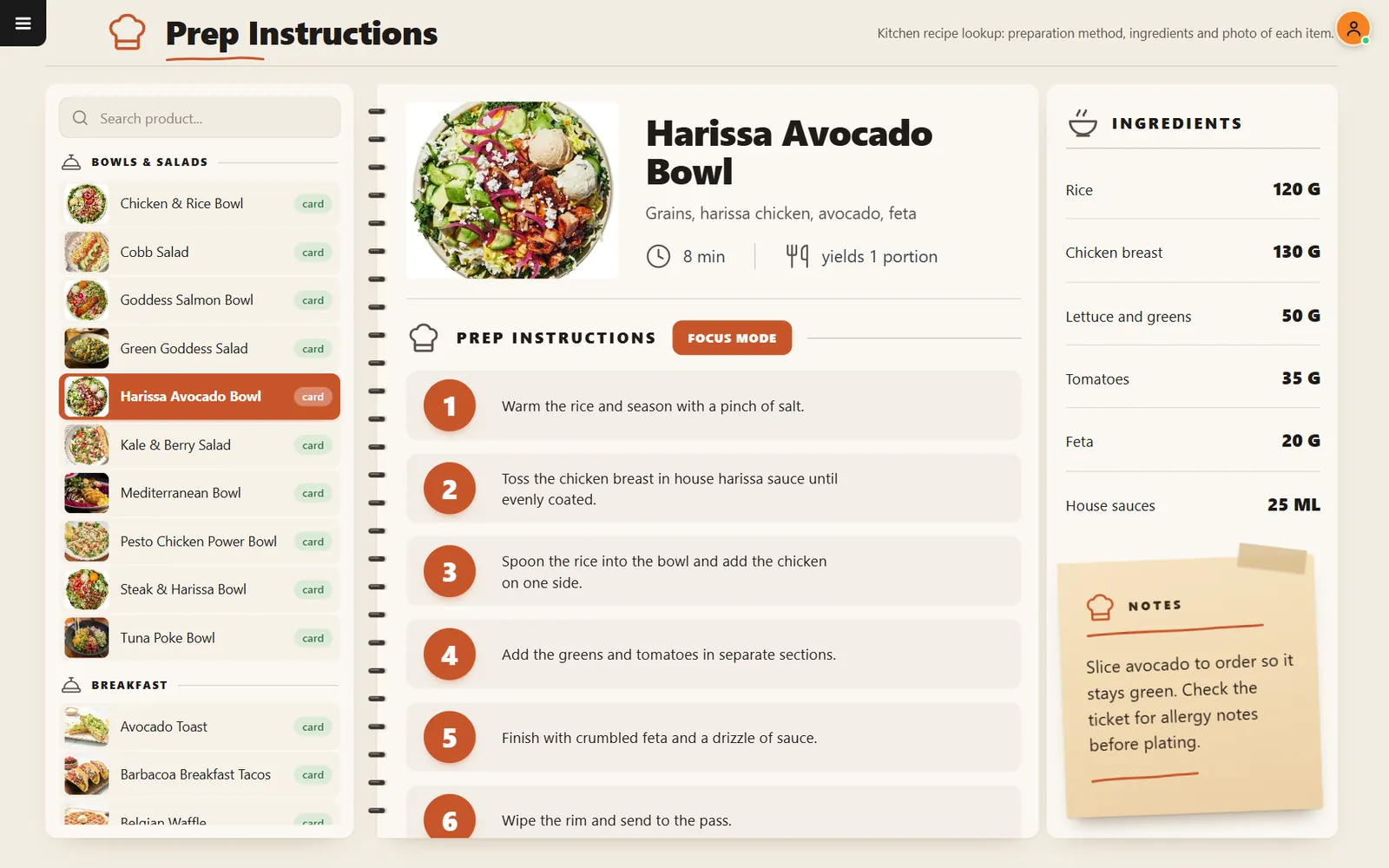
Pick a dish to see its photo, numbered steps, ingredients, time and notes.
-
Post production
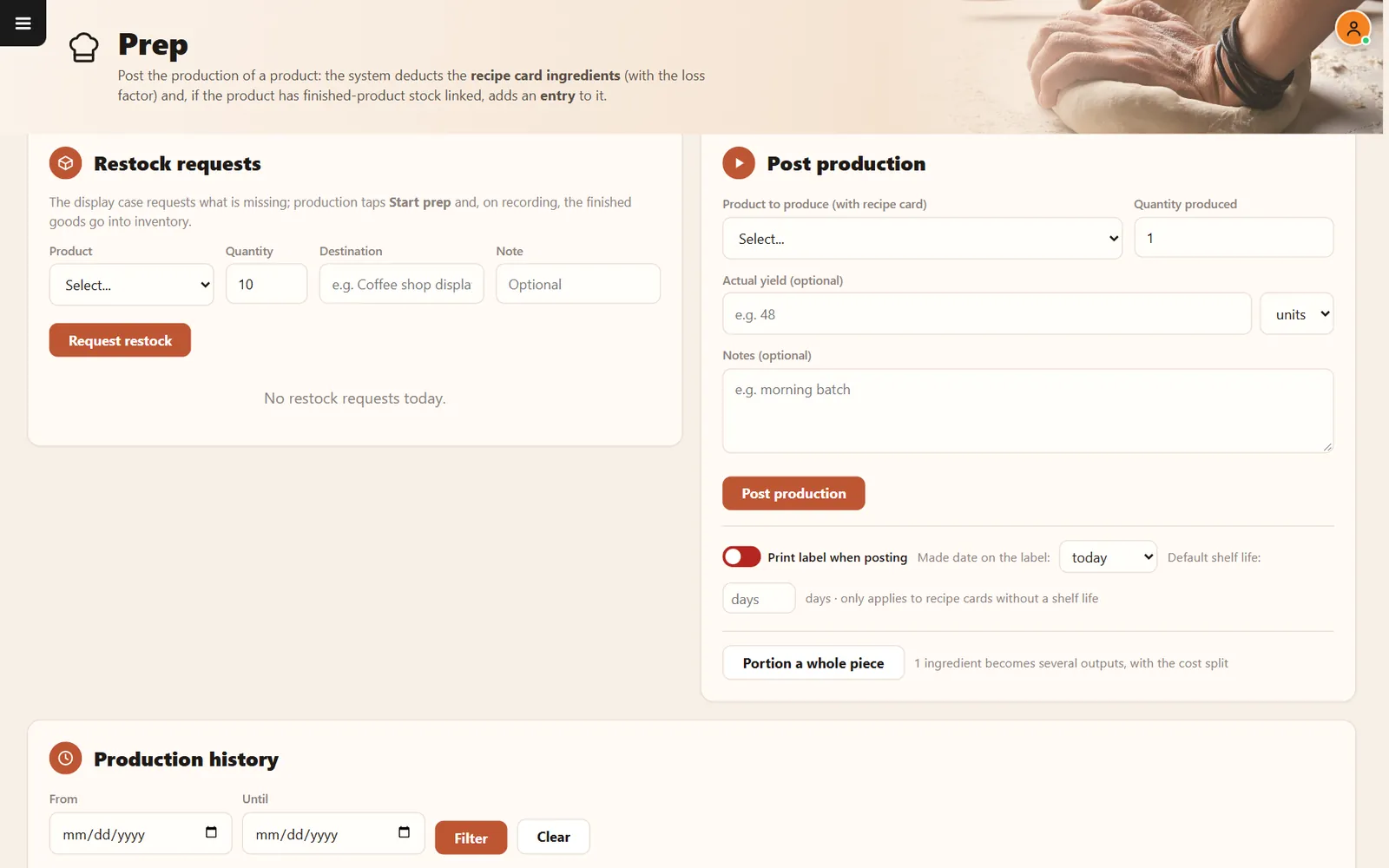
Record what was made. Ingredients are deducted, with the loss factor.
Buttons and rules that matter
- Focus mode
- Shows steps one at a time.
- Restock requests
- The display case asks production for more.
- Print label when posting
- Creates a label as you record the batch.
- Portion a whole piece
- Turns one ingredient into several outputs.
Harissa Avocado Bowl
Six numbered steps, the ingredient amounts and a note to slice avocado to order are on one screen.
Connected to the rest of the system
Questions owners ask
Can the KDS open a recipe?
Yes. The Prep button on a ticket opens the item's instructions.
Does it work on a tablet?
Yes. It runs in the browser.
See it with your own menu in mind
Tell us how your restaurant runs. We will walk you through the parts that matter to you.