
Food safety labels in a few taps
Choose the product and let the final date calculate itself.
Handwritten dates are hard to trust
Smudged tape and guessed dates cause waste and risk during inspection.
How it works
-
Fill in the label
Pick the type, product, storage and weight.
-
Check dates and print
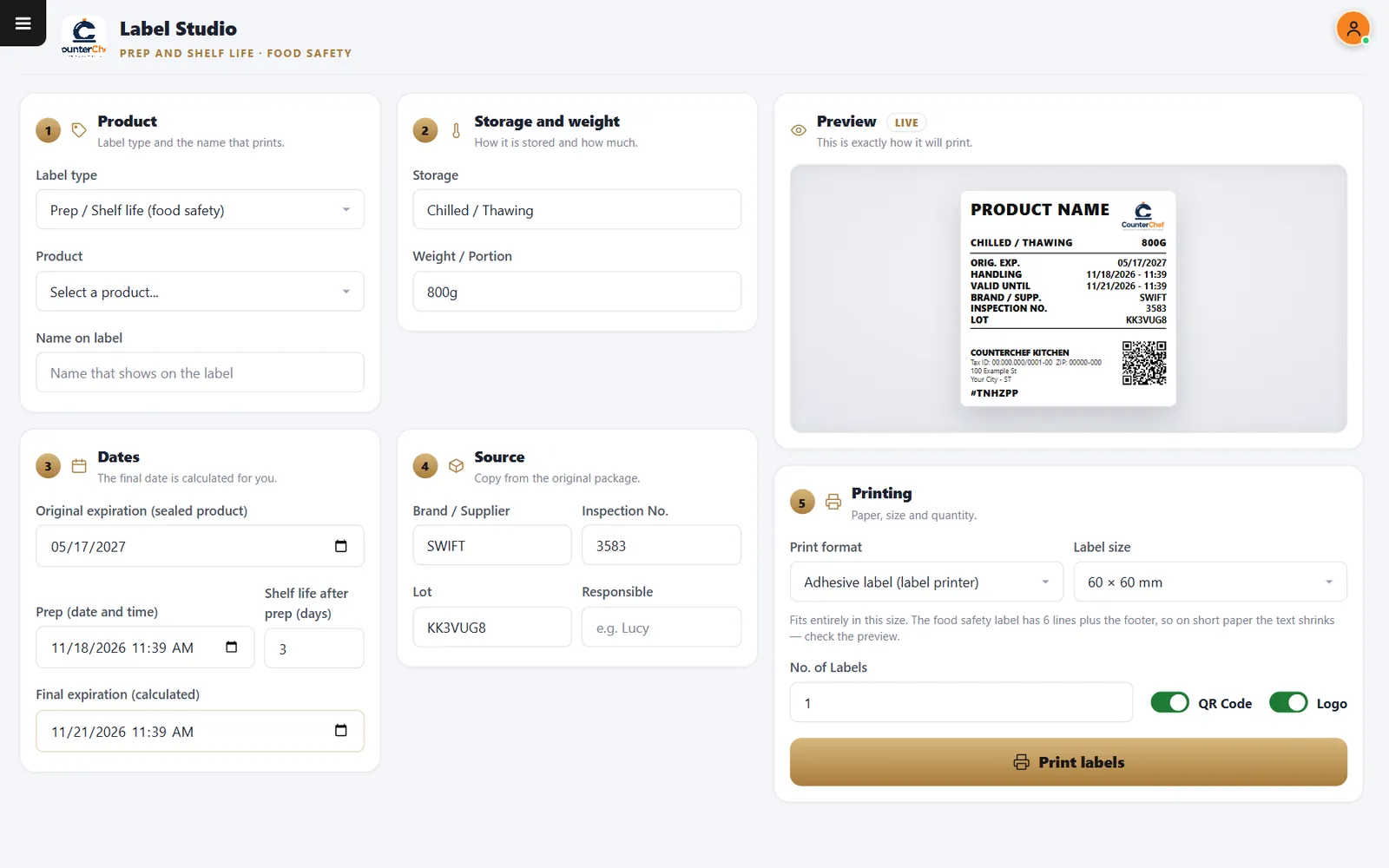
Enter the original expiration and prep time. The final date is calculated, and the preview shows the exact label.
Buttons and rules that matter
- Shelf life after prep
- Days used to calculate the date.
- Lot and inspection number
- Copied from the package.
- Label size
- Such as 60 x 60 mm.
- QR code and logo
- Turn each on or off.
Chilled, three days
Prepared on 11/18 with a three-day shelf life, the label shows 11/21.
Connected to the rest of the system
Questions owners ask
What printer do I need?
A label printer that works with your computer. Check your model with us.
Does it guarantee compliance?
No. Follow your local health code when setting shelf life.
See it with your own menu in mind
Tell us how your restaurant runs. We will walk you through the parts that matter to you.