
Seat numbers and coursing built into the check
Tell the kitchen who gets what and when it should start.
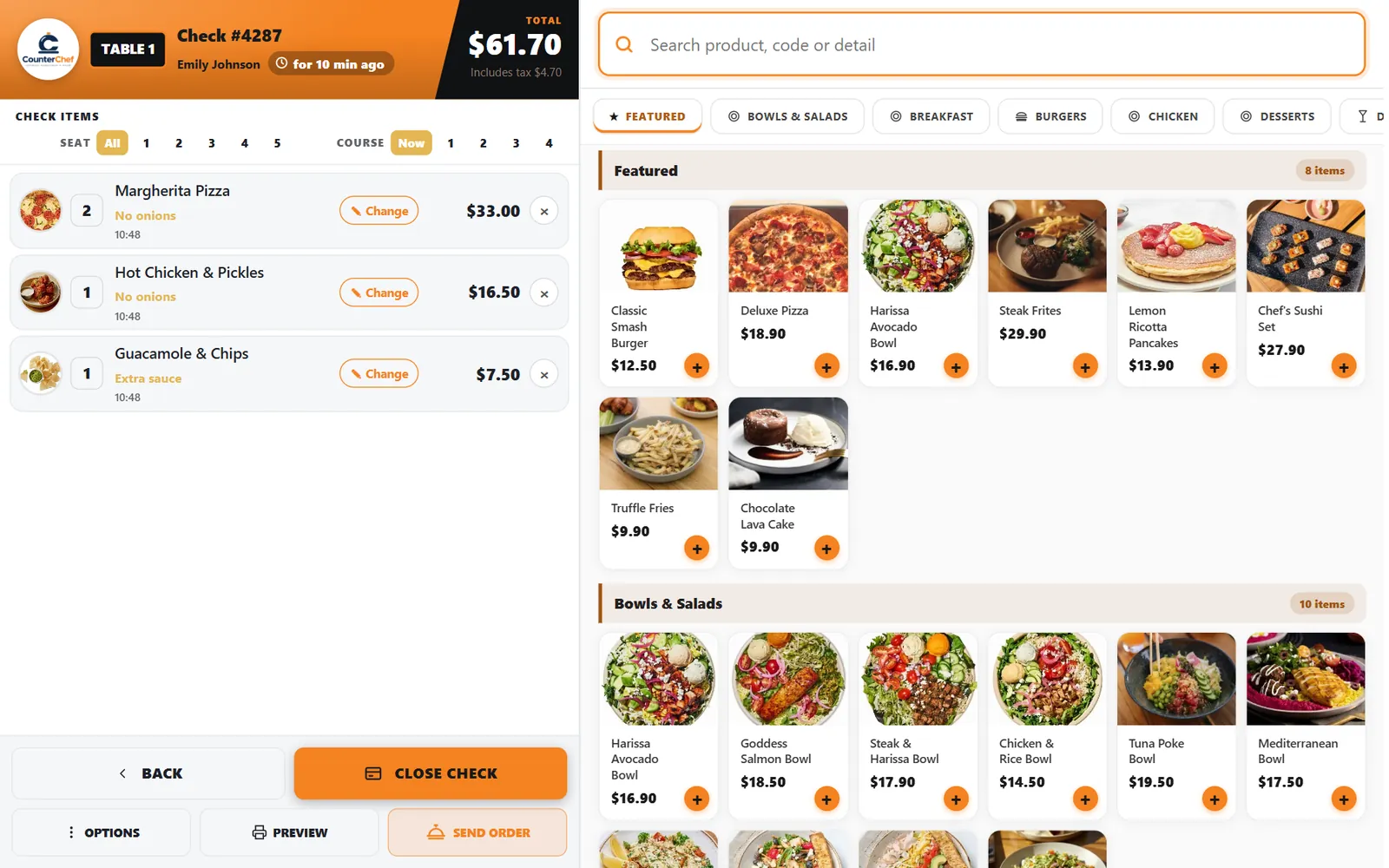
Entrees should not land on top of the appetizers
Without coursing, the kitchen sees one long ticket and guesses at the pace. Without seats, the runner stands at the table asking who had the salmon.
How it works
-
Pick the seat
At the top of the check, choose All or a seat number. The next items go to that seat.
-
Pick the course
Choose Now or a course number. Items in later courses are held back until you fire that course.
Buttons and rules that matter
- Seat
- Numbers from the check header apply to the next items you add.
- Now
- Sends items right away.
- Course 1 to 4
- Groups items into the order they should reach the table.
- Send order
- Sends what is ready to go to the kitchen.
A four-top on a date night
Seat 2 starts with soup, seat 3 skips it. Entrees sit in course 2 until the server sees the soup bowls are nearly empty and fires them.
Connected to the rest of the system
Questions owners ask
Can I use seats without courses?
Yes. Each control works by itself.
Do servers have this on the phone?
Course and seat tools are part of table service. We will show the exact flow for your setup in the demo.
See it with your own menu in mind
Tell us how your restaurant runs. We will walk you through the parts that matter to you.