
Run your own restaurant delivery from one screen
Take orders on your own menu, charge by ZIP code, send tickets to the kitchen, hand orders to your drivers and settle up at the end of the period.
Delivery gets messy where systems stop talking
Orders land in one place, the kitchen works from another, and someone at the counter keeps track of drivers on paper.
When a guest calls to ask where the food is, nobody has the answer in front of them. When a driver comes back with cash, the count starts from memory.
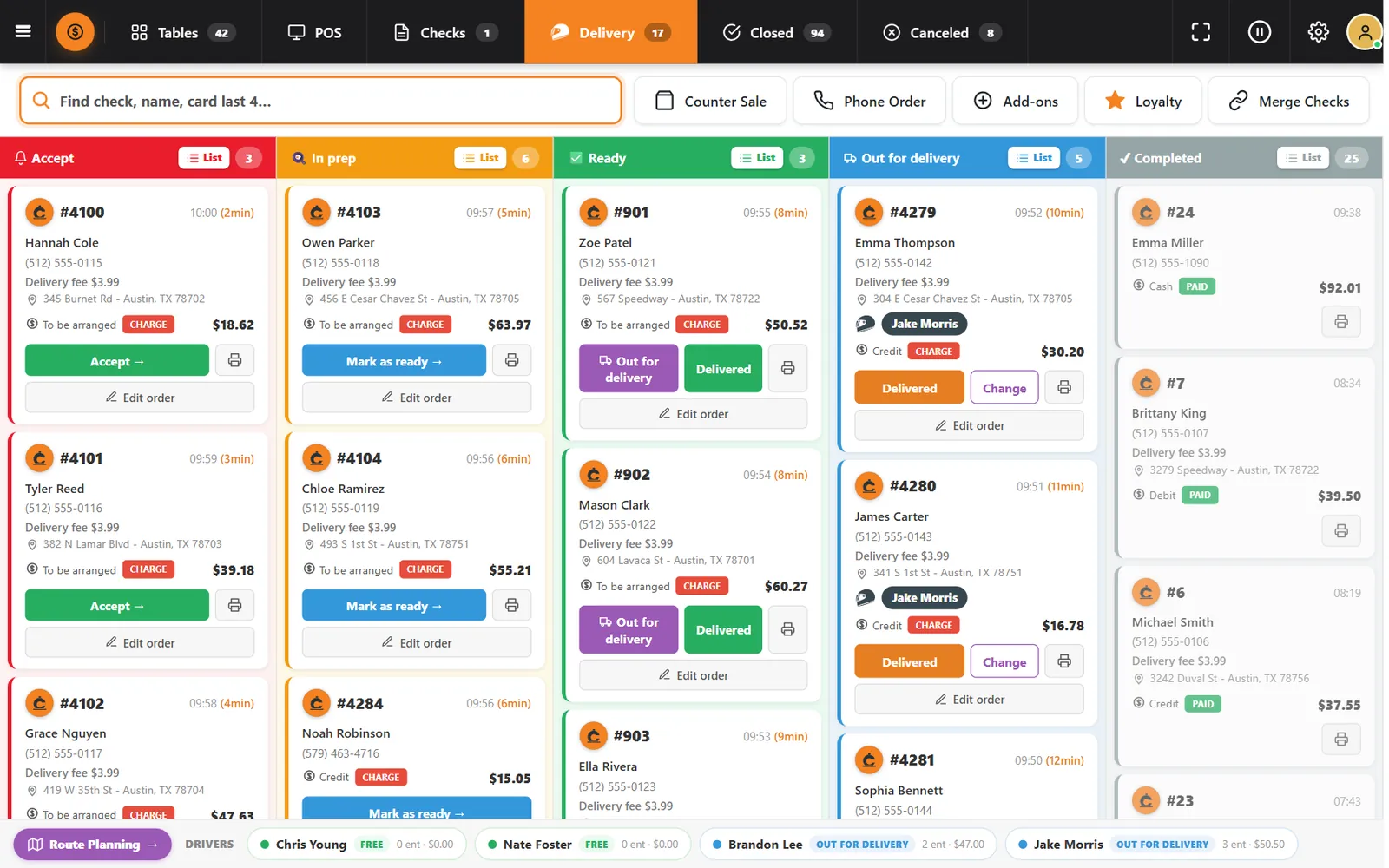
CounterChef keeps every step on the same check. The order, the kitchen ticket, the driver, the amount to collect and the driver fee stay connected from the first tap to the final settlement.
Every part of the delivery operation
Open any piece to see the screens and rules behind it.
How it works
-
The guest orders from your menu
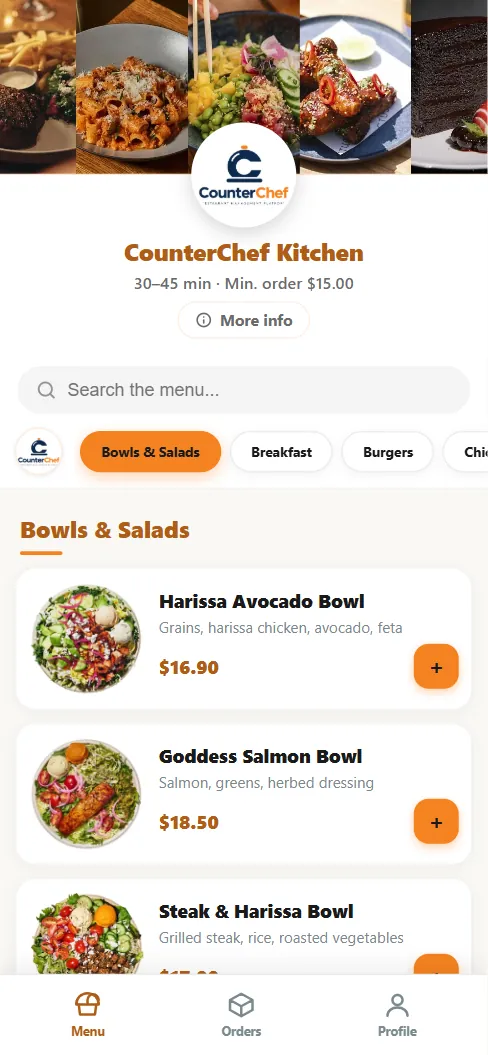
Guests browse your categories and photos, add notes, and choose delivery or pickup. The ZIP code decides whether you deliver there and what the fee is.
- Your prices and your menu
- Order minimum and delivery time you set
- Payment on delivery or at pickup
-
The order lands on the board
Your team sees it in Accept, moves it to In prep, and the kitchen gets the ticket. Every card shows the customer, address, fee, payment and total.
-
Dispatch hands it to a driver
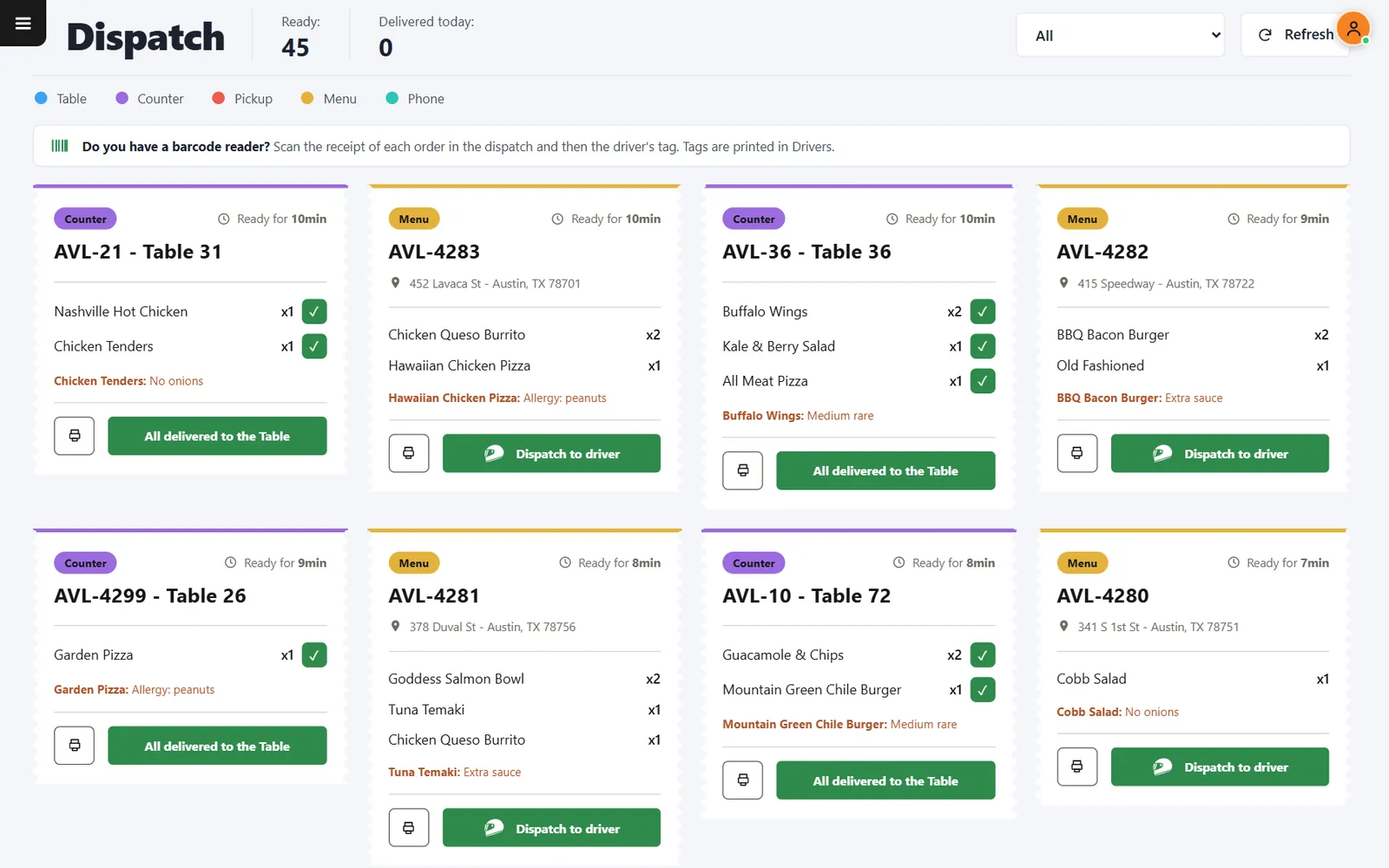
Ready orders wait in Dispatch. Pick the driver on screen, or scan each receipt and then the driver tag with a barcode reader.
-
The driver works from a phone
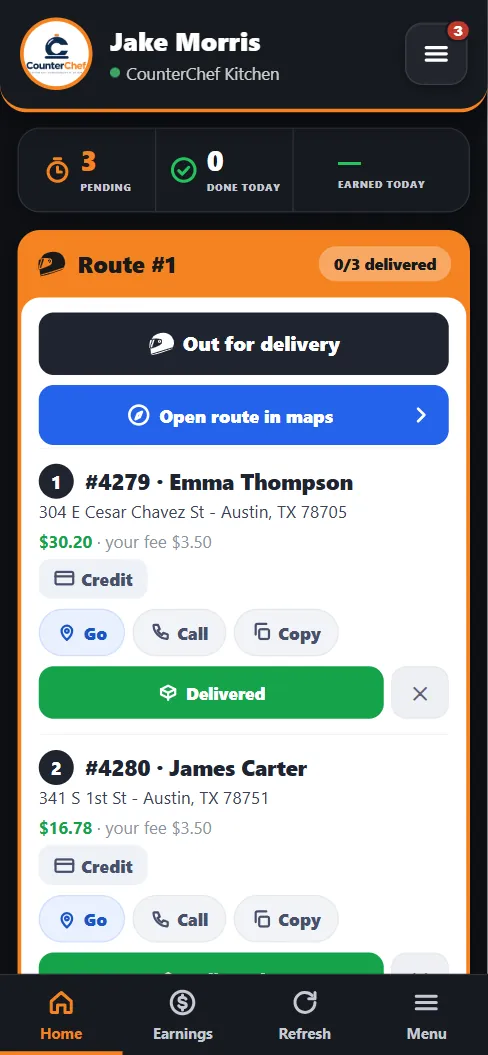
Each driver opens a personal link with the route in order, the address, the amount to collect, and buttons to navigate, call and confirm delivery.
-
Settle with each driver
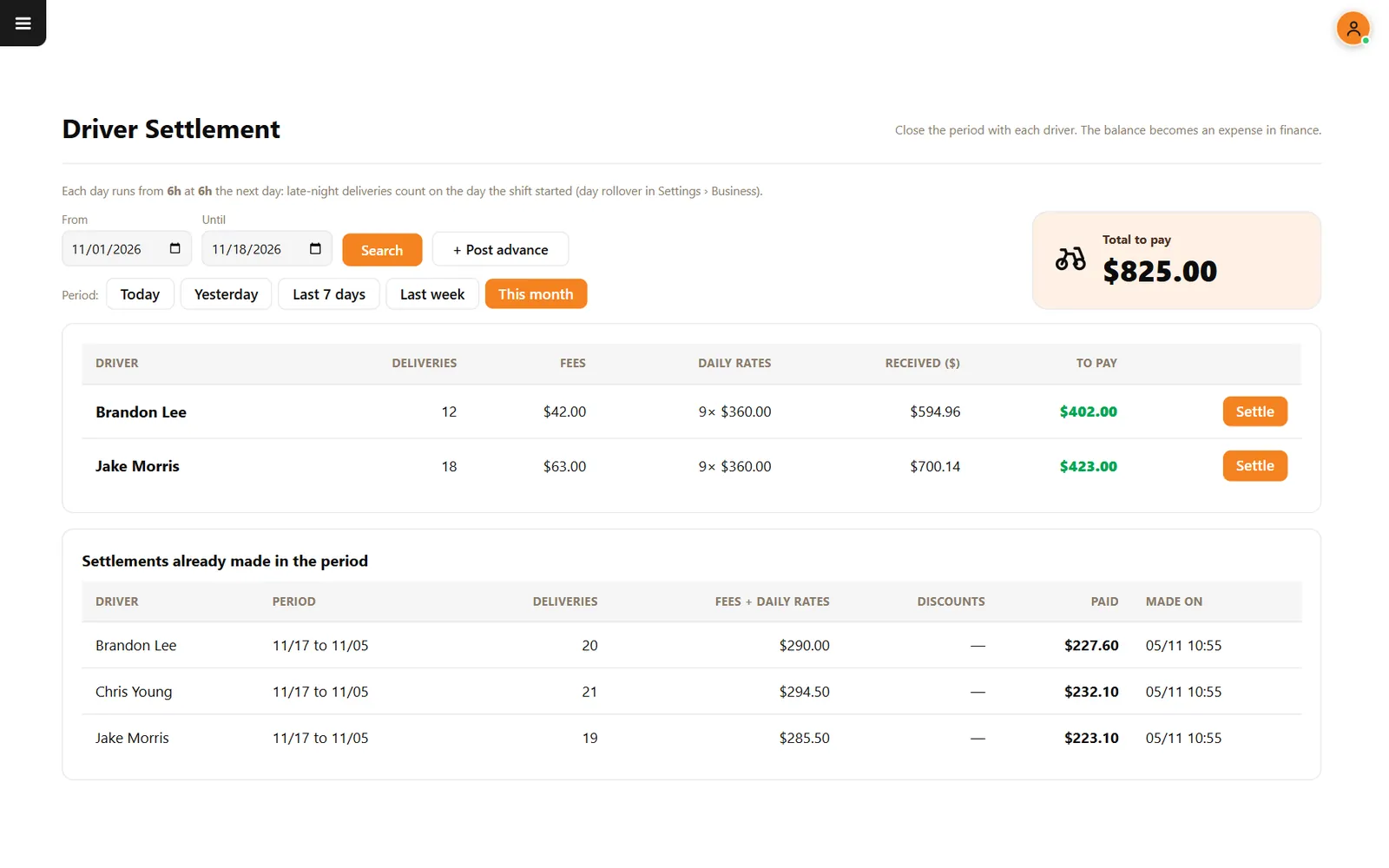
Choose the period and see deliveries, fees, daily rates and cash received per driver. Settle the balance and it becomes an expense in finance.
Buttons and rules that matter
- Delivery areas
- Each area has its own ZIP range, fee, estimated time and active status. You can also charge one flat fee for every address.
- Order minimum
- Set the smallest item total you accept for delivery. Zero means no minimum.
- Pause delivery only
- Stop taking delivery orders during a rush without closing the dining room or the register.
- Accept automatically
- Leave it off to review each order, or turn it on so orders go straight into production.
A Friday night at CounterChef Kitchen
Order #4279 comes in from ZIP 78705 with a $3.99 delivery fee. The kitchen starts it, the expo marks it ready, and it waits in Dispatch with two others headed the same way.
Jake scans three receipts and his tag. The route opens on his phone in that order, and each stop shows what to collect.
Questions owners ask
Do I need DoorDash or Uber Eats to use this?
No. This is for delivery you run with your own drivers. CounterChef does not promise a connection to third-party delivery apps.
Can customers pay online?
Not today. Customers order online and pay on delivery or at pickup with cash, credit or debit.
Do drivers need to install an app?
No. Each driver gets a personal link that opens in the phone browser.
Can I use it with only one driver?
Yes. Dispatch and the driver page work the same with one driver or several.
Bring delivery back under your roof
Tell us how your restaurant runs. We will walk you through the parts that matter to you.