
Catering orders from quote to delivery
Every job in one place, sorted by date, with what is still owed.
Big orders should not live in a text thread
A wedding for 120 has a date, a deposit, a menu and a shopping list. Miss one and the whole event feels it.
How it works
-
Create the order or quote
Record the customer, date, time, items and event details.
-
Move it forward
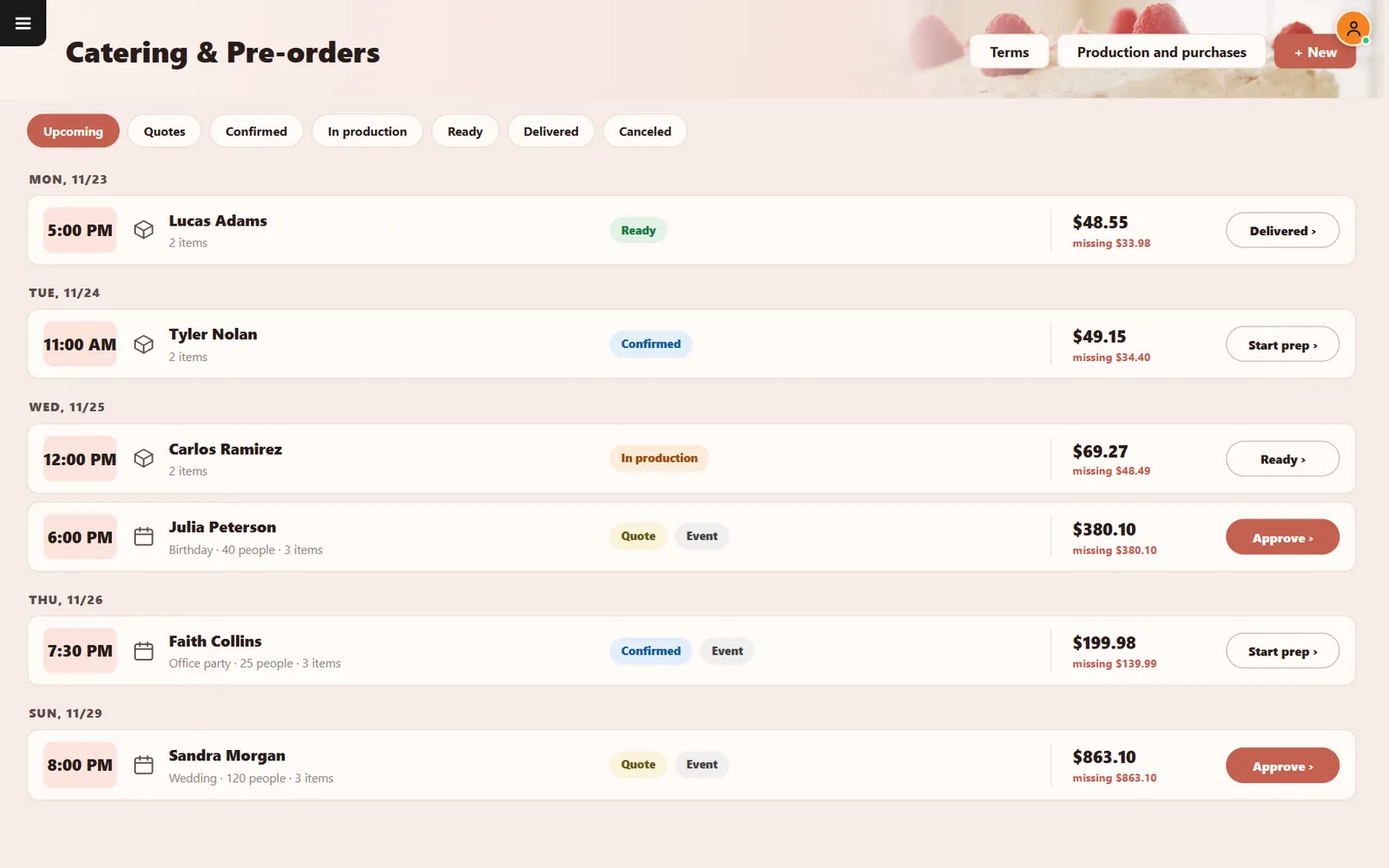
Approve quotes, start prep, mark ready and delivered. Production and purchases shows what you need.
Buttons and rules that matter
- Quotes
- Keep proposals apart from confirmed jobs.
- Missing amount
- Shows the balance still due.
- Event
- Adds type and number of guests.
- Terms
- Keeps your conditions in one place.
An office party for 25
Faith Collins confirms for 7:30. The order shows what is still due, and the team presses Start prep when the day arrives.
Connected to the rest of the system
Questions owners ask
Can I take a deposit?
Yes. You can record an amount paid and track the balance.
Is online payment included?
No. Payments are recorded by your team.
See it with your own menu in mind
Tell us how your restaurant runs. We will walk you through the parts that matter to you.