
See your whole dining room from one table map
Every section and table, with who is seated, for how long and how much is on the check.
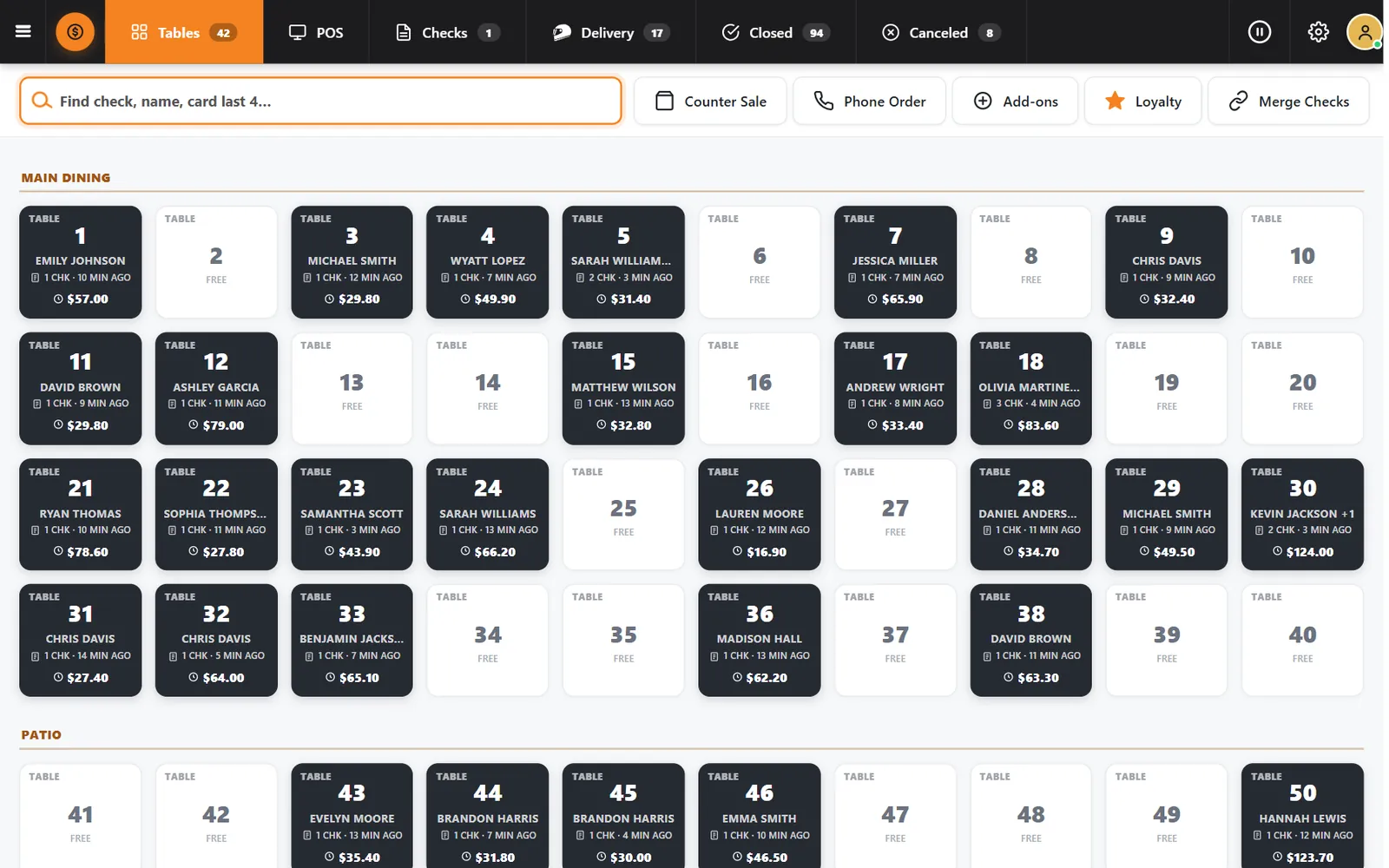
The host should not have to walk the floor to know
Which table has been sitting longest? Which one is open? When that knowledge lives in people's heads, tables stay empty and guests wait.
How it works
-
Organize by area
The map groups tables by section. The demo restaurant runs Main Dining, Patio and Bar & Lounge.
-
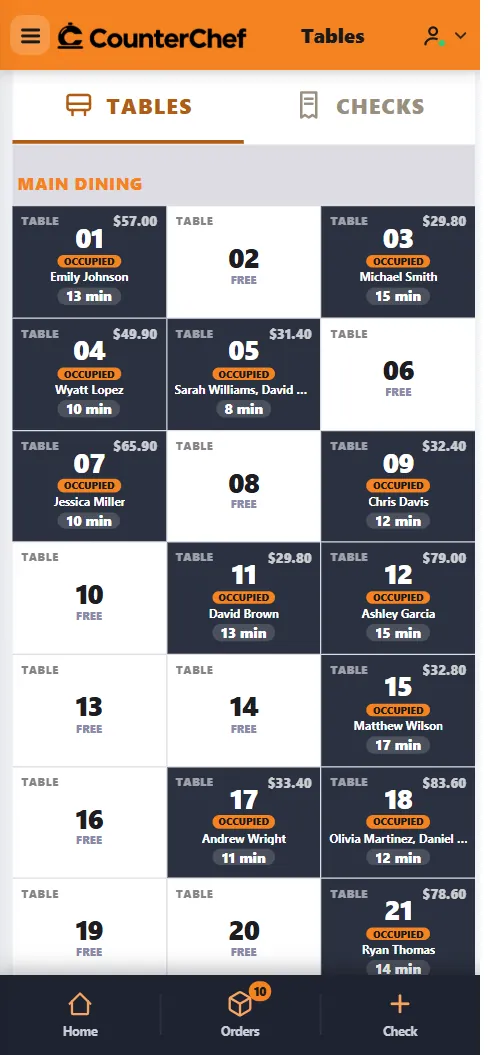
Servers carry the same map
The phone view shows occupied and free tables, guest names, minutes and totals.
Buttons and rules that matter
- Free
- The table is available.
- Occupied
- Shows guest, minutes seated and check total.
- Time alert
- Tables open for a long stretch stand out with a time badge.
A party of four at the door
The host sees tables 2, 6 and 8 free in Main Dining and seats the group without leaving the stand.
Connected to the rest of the system
Questions owners ask
Can I have more than one dining area?
Yes. Tables are grouped by the areas you set up.
Does the map update for everyone?
Yes. Register and server views read the same open checks.
See it with your own menu in mind
Tell us how your restaurant runs. We will walk you through the parts that matter to you.