
Pickup ordering that keeps your counter moving
Guests order ahead, see your pickup time, and pay when they arrive. Your team sees the order on the same board as everything else.
A pickup rush looks calm until the counter fills up
Pickup guests arrive expecting the food to be ready. If their order was written on a pad or buried in a tablet, they wait in the same line as everyone else.
CounterChef gives pickup its own option at checkout and its own prep time, so the promise matches what the kitchen can do.
How it works
-
The guest picks up instead
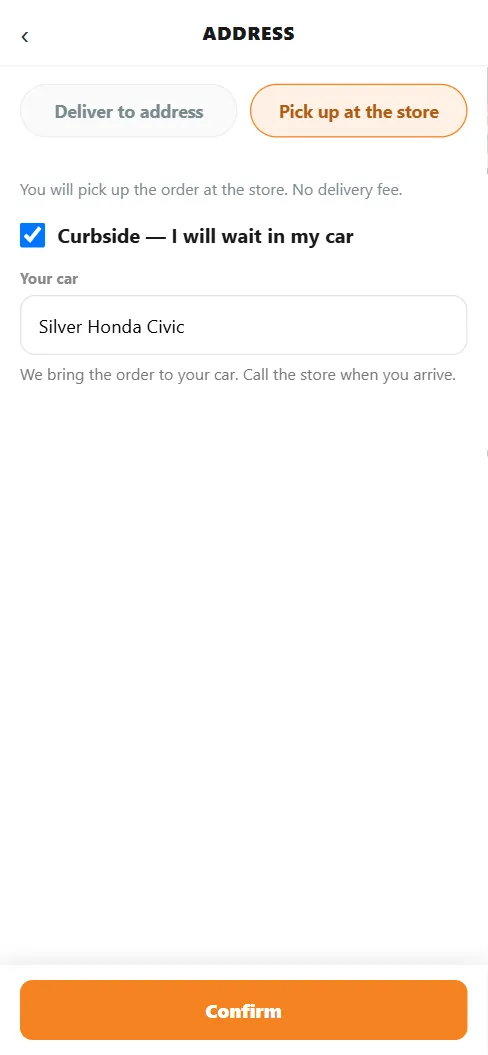
At checkout, Pick up at the store removes the delivery fee and the address form.
-
The team works the order
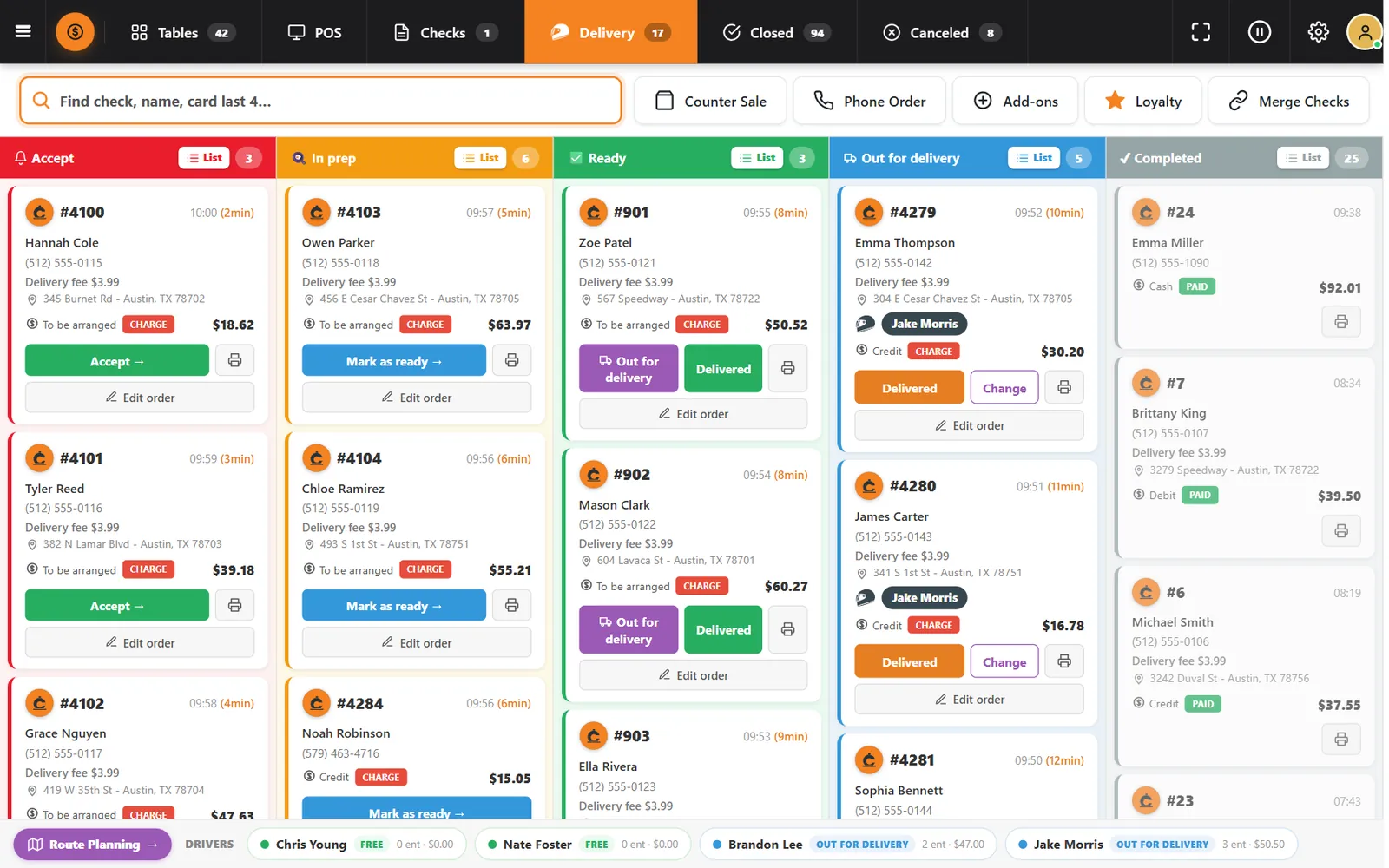
The order follows the same columns as delivery, from Accept to Ready, and the kitchen gets its ticket.
Buttons and rules that matter
- Prep time
- A separate range for counter pickup. Leave it blank to use the delivery time.
- No delivery fee
- Pickup orders never carry a delivery fee.
- Payment at pickup
- Guests pay at the store with cash, credit or debit.
Lunch, ordered from the office
A guest places a pickup order at 11:40 and sees your 15 to 25 minute window. When the order moves to Ready, the counter knows it can be handed over and paid.
Connected to the rest of the system
Questions owners ask
Is pickup a separate system?
No. It is an option in the same online ordering page and register.
Can guests pay in advance?
Not today. Pickup orders are paid at the store.
See it with your own menu in mind
Tell us how your restaurant runs. We will walk you through the parts that matter to you.