
Inventory counts that catch real differences
Count on a phone or tablet and compare with what should be there.
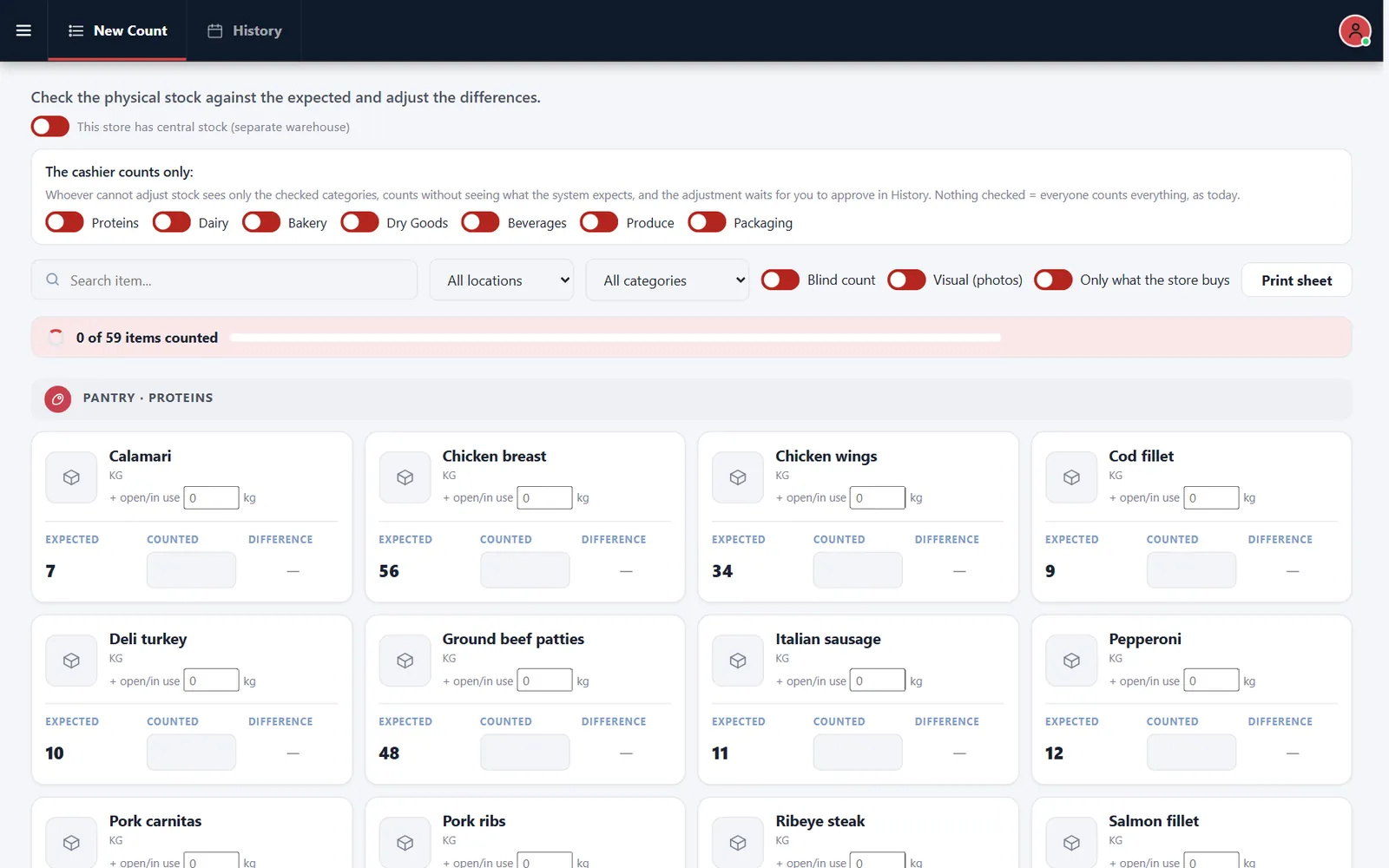
A count that shows the expected number invites guessing
If the counter can see the answer, the count stops being a check. Blind counts fix that.
How it works
-
Choose what to count
Filter by location and category, or print a count sheet.
-
Review the difference
Expected, counted and difference appear by item, and adjustments can wait for approval in History.
Buttons and rules that matter
- Blind count
- Hides the expected quantity.
- Visual
- Shows photos.
- Only what the store buys
- Shortens the list.
- Cashier categories
- Limits what cashiers count.
Sunday night proteins
The closer counts proteins without seeing expected amounts. The manager reviews the differences in the morning.
Connected to the rest of the system
Questions owners ask
Can cashiers count?
Yes, limited to the categories you choose.
Can I count on paper?
Yes. Print the sheet.
See it with your own menu in mind
Tell us how your restaurant runs. We will walk you through the parts that matter to you.