
Change your menu once, everywhere it appears
Items, photos, prices and categories feed the POS, online menu and kiosk.
Three menus drift apart quickly
When the register, website and printed menu are updated separately, somebody ends up selling yesterday's price.
How it works
-
Manage items
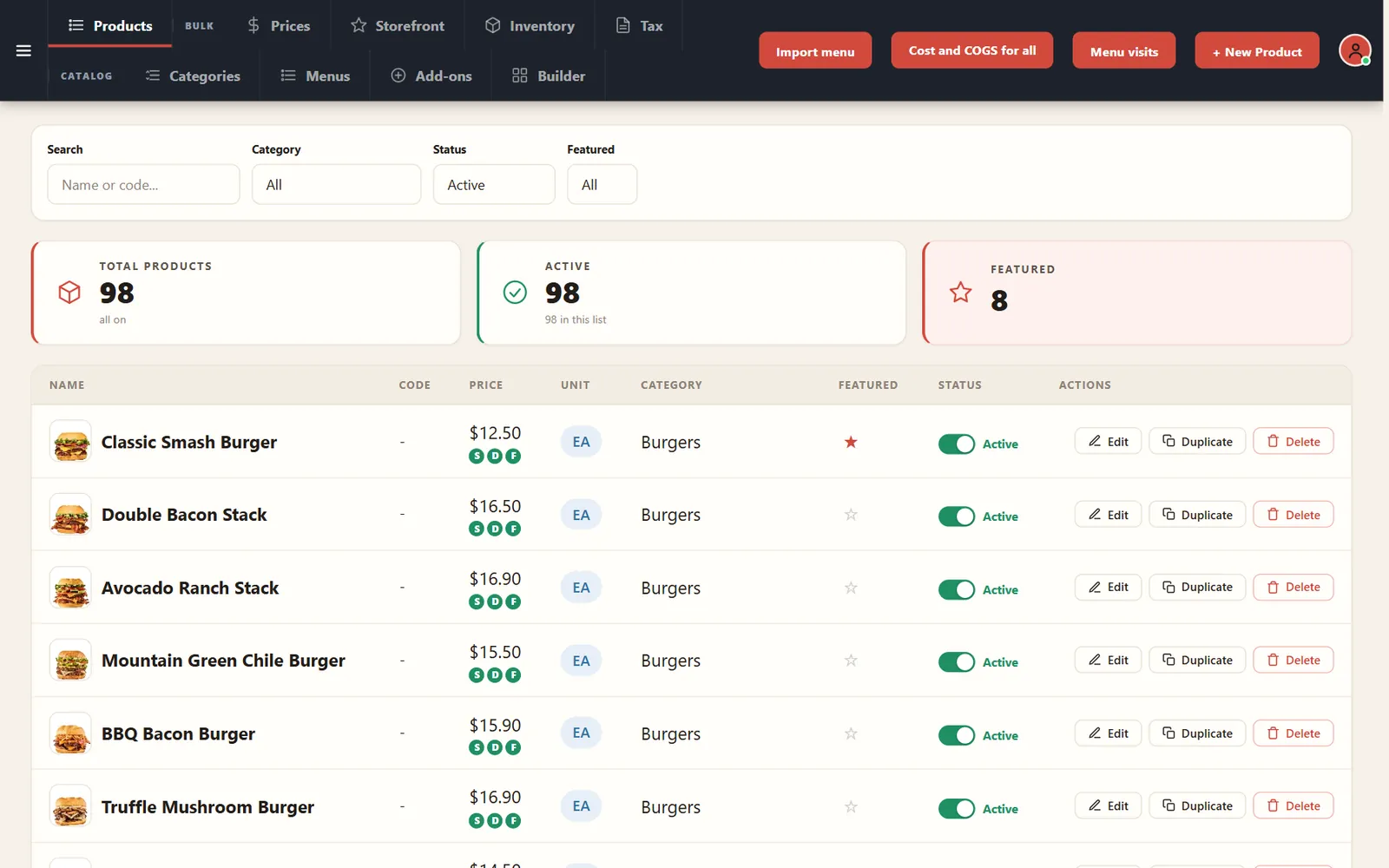
Search, feature, duplicate or turn off products from one list.
-
Organize categories
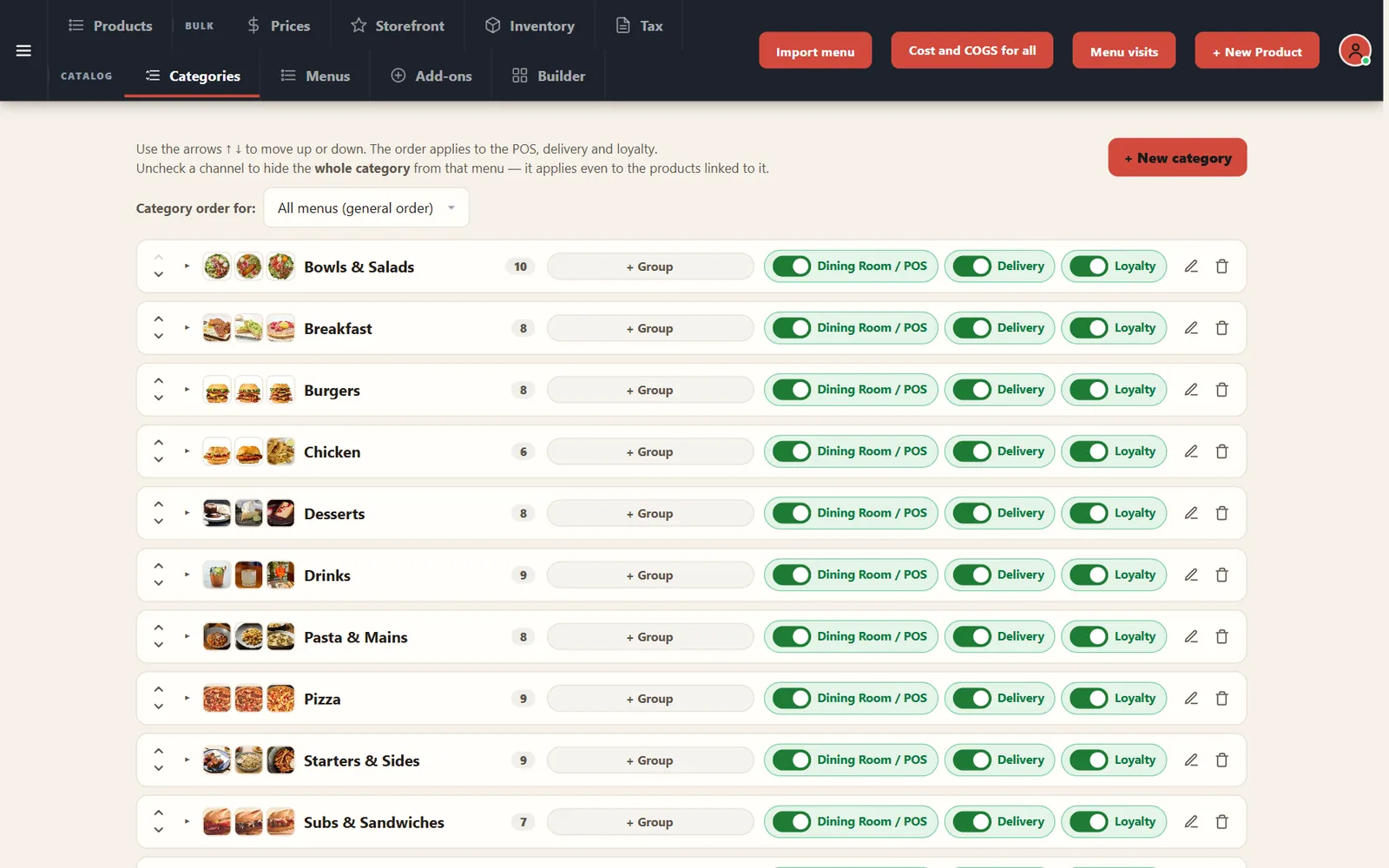
Set the order and switch each category on or off for dining room, delivery and loyalty.
Buttons and rules that matter
- New Product
- Creates an item.
- Duplicate
- Starts from an existing item.
- Featured
- Highlights an item.
- Import menu
- Brings in your menu.
- Menu visits
- Shows activity on your menu.
A new burger on Monday
Duplicate the Classic Smash Burger, change the name, photo and price, and it is ready to sell where you choose.
Connected to the rest of the system
Questions owners ask
Can a category appear only for delivery?
Yes. Each category has its own channel switches.
Can I import an existing menu?
Yes. Use Import menu, and we can review your file during onboarding.
See it with your own menu in mind
Tell us how your restaurant runs. We will walk you through the parts that matter to you.