
QR codes that do more than open a menu
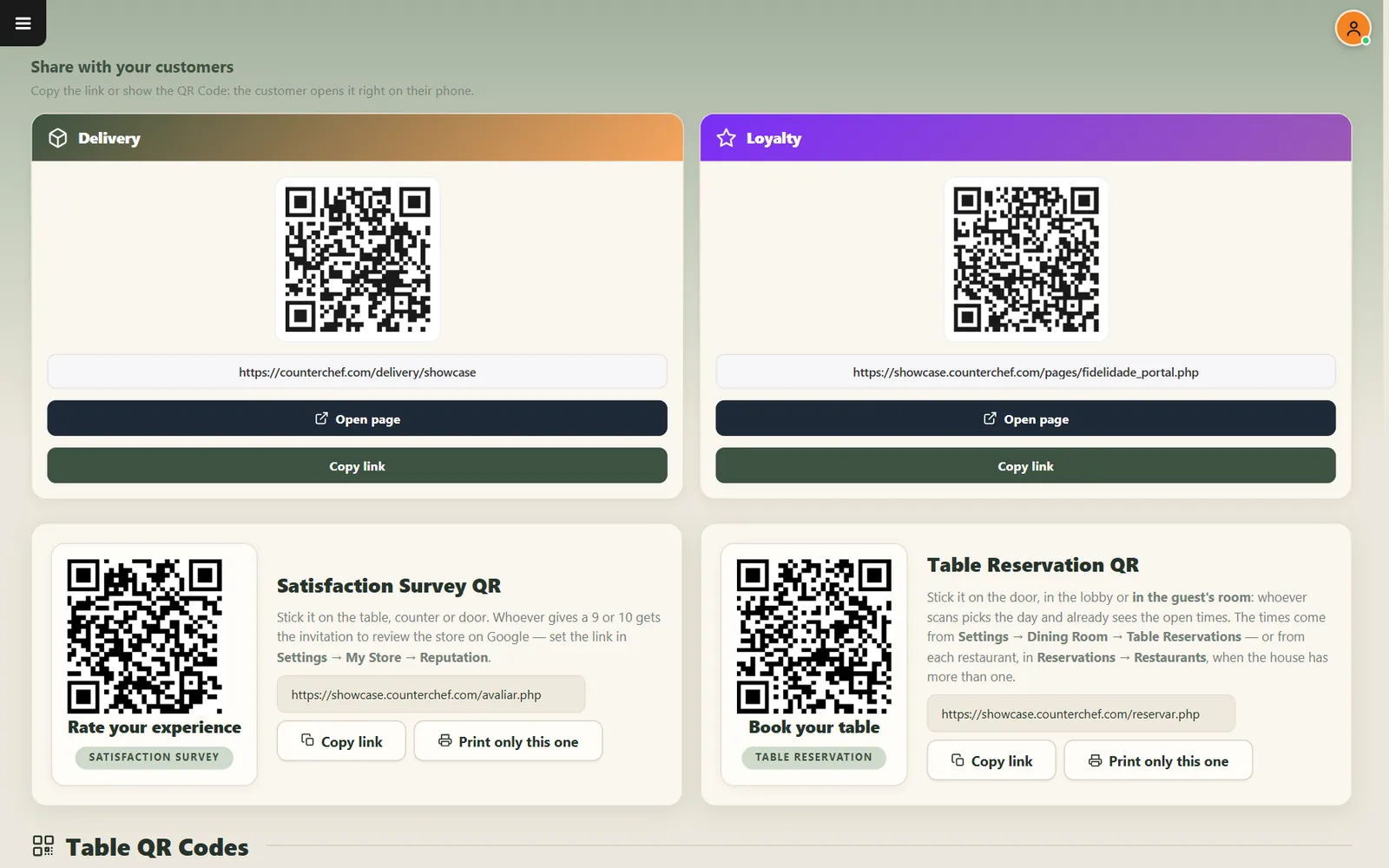
One screen for every code your restaurant needs, including a menu for each table.
Guests already have the screen in their hand
Paper menus get outdated, and guests wait to order one more drink. A table code puts your current menu in front of them right away.
How it works
-
Choose the code
Delivery, loyalty, satisfaction survey, reservations and table codes all live on one page.
-
Decide what the table can do
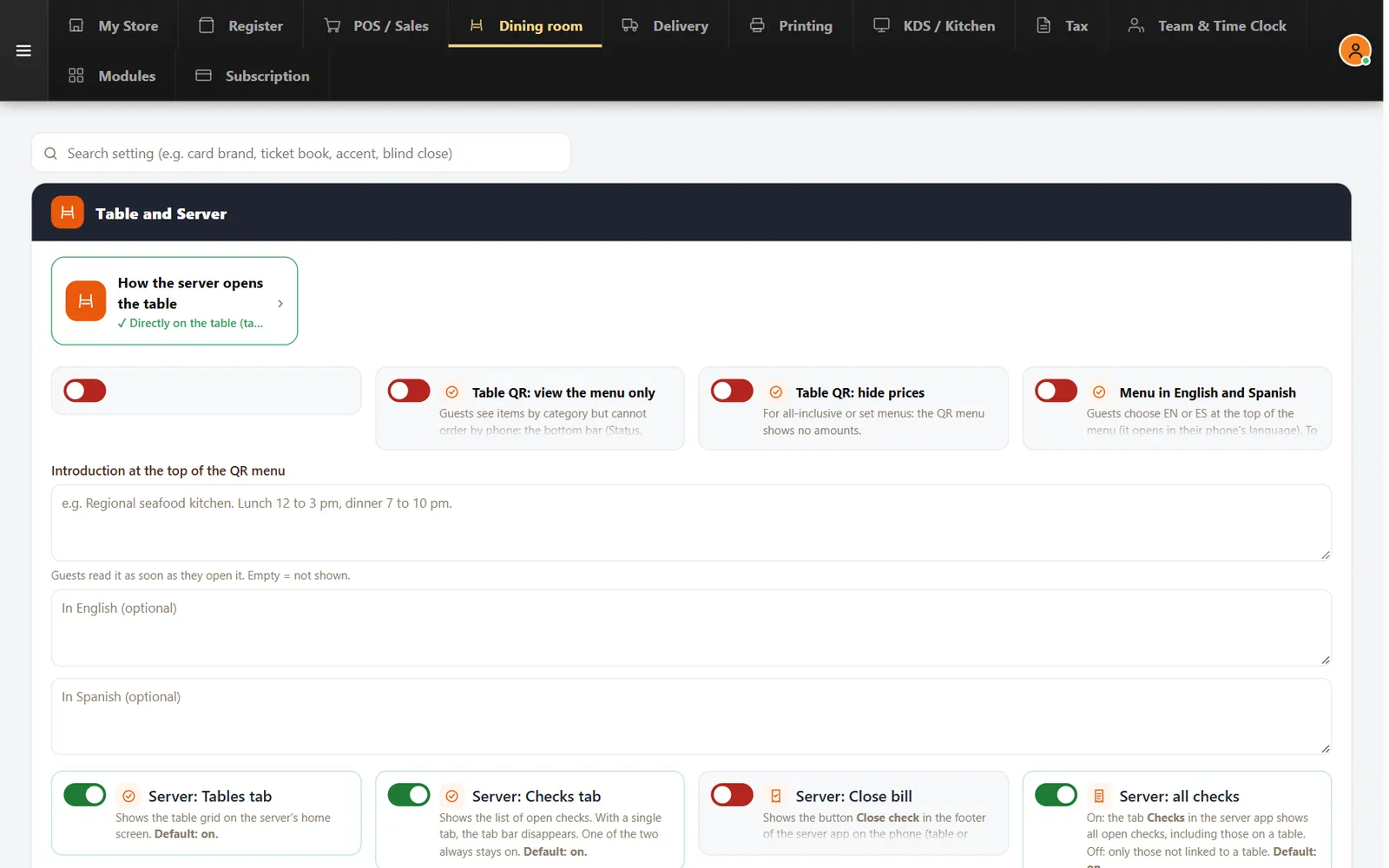
Let guests order, or set the menu to view-only so orders still go through the server.
Buttons and rules that matter
- View the menu only
- Removes the cart, Add button and bottom bar.
- Hide prices
- Useful for all-inclusive and set menus.
- English and Spanish
- Guests choose the language at the top of the menu.
- Print only this one
- Prints a single code.
Patio, table 45
The guest scans, adds a second round and calls the server from the phone. The order joins the table's check.
Connected to the rest of the system
Questions owners ask
Can guests pay through the QR menu?
Online card payment is not available today. Guests pay at the restaurant.
Can I use QR for the menu only?
Yes. Turn on the view-only setting.
See it with your own menu in mind
Tell us how your restaurant runs. We will walk you through the parts that matter to you.