
One board for every order on its way out
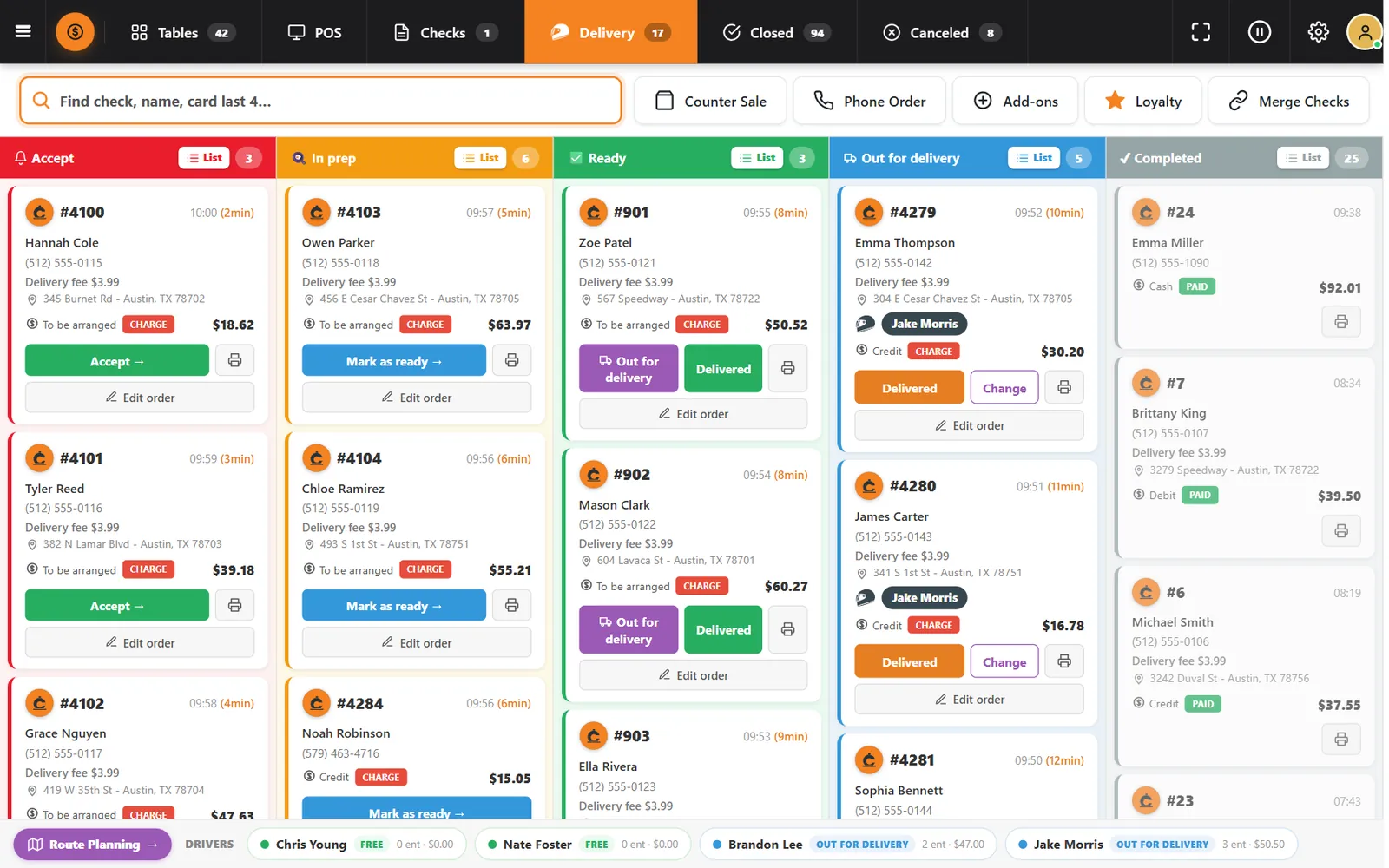
Accept, prep, ready, out for delivery, completed. Anyone at the register can see the whole operation at a glance.
You cannot manage what you cannot see
On a busy night the real questions are simple: what is waiting, what is late, and who has it? The board answers all three without opening a single order.
How it works
-
Accept the order
New orders wait in Accept, unless you turned on automatic acceptance. The card shows how many minutes it has been waiting.
-
Move it forward
Mark as ready, send it Out for delivery or confirm Delivered. Change reassigns the driver, and Edit order corrects the check.
Buttons and rules that matter
- Charge and Paid
- A tag on each card shows whether money is still due.
- Receive
- Takes payment for a pickup order directly from its card.
- List
- Switches a column to a compact list.
- Driver strip
- Shows each driver, status, deliveries and amounts at the bottom of the board.
- Route Planning
- Opens the routes screen.
Ten seconds to answer
Emma Thompson calls about order #4279. The card is in Out for delivery with Jake Morris, placed 10 minutes ago, $30.20 to collect by credit card.
Connected to the rest of the system
Questions owners ask
Can I see it full screen?
Yes. The board has a full-screen mode for a dedicated display.
Can pickup and delivery share the board?
Yes. Both appear in the same columns.
See it with your own menu in mind
Tell us how your restaurant runs. We will walk you through the parts that matter to you.