
Restaurant POS System in Jackson, MS
Restaurants in Jackson charge 9.00% in sales tax on meals and pay at least $7.25 an hour. Here is what that means for your POS setup.
JACKSON RESTAURANT NUMBERS
Checked 11/18/2026 against official sources
What these rules mean for Jackson restaurants
Restaurant sales in Jackson carry the 7% state rate plus a 1% Visit Jackson tax and a 1% convention center tax. The Department of Revenue says the city's separate 1% infrastructure tax does not apply to restaurant food, and voters rejected a further increase in November 2026.
Combined sales tax on restaurant meals: Visit Jackson business guide, sales tax rate overview.
Minimum wage: US Department of Labor, state tipped wage table.
Tipped minimum cash wage: US Department of Labor, state tipped wage table.
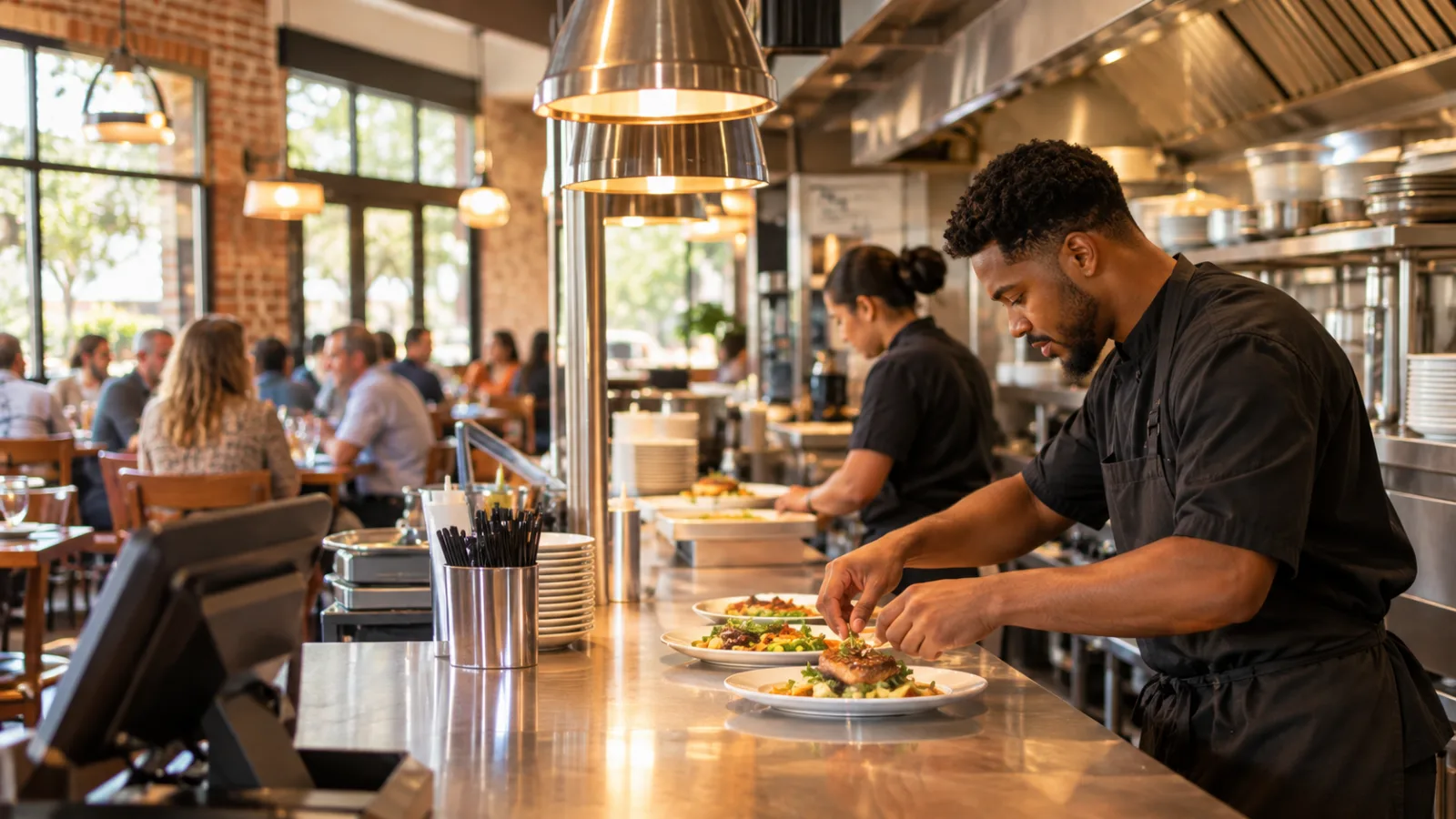
Restaurant POS System in Jackson: How to Get Orders Through the Kitchen Faster
A restaurant can have a full dining room, a capable kitchen crew, and a good menu and still lose control of service when orders stop moving smoothly from the front of house to the line. In Jackson, choosing the right restaurant POS system means looking beyond taking payments: it means understanding how tickets reach cooks, how long each stage takes, and how to use order data to make the next service run better.
Why does kitchen speed start at the POS?
Ask an experienced restaurant operator what slows down a kitchen, and the answer probably won't be that the cooks need to work faster. More often, the problem starts before a cook touches a pan.
An order gets entered incorrectly. A modification is missed. A server forgets to send a course. Two devices send duplicate tickets. The kitchen receives several orders at once without a clear indication of which items belong together.
These problems create interruptions, and interruptions cost time.
Your point-of-sale system should serve as the communication link between the dining room, counter, kitchen, and management. Every order needs to move through a predictable sequence:
- The employee enters the order.
- The POS records the items and modifications.
- The order reaches the appropriate kitchen station.
- The kitchen acknowledges and prepares the ticket.
- Completed items are checked and sent out.
- The order is closed and included in the restaurant's sales records.
The important thing is consistency. A kitchen should not depend on someone remembering to walk a handwritten ticket to the right person.
Before choosing a system, watch your current service. Follow an order from the moment a customer places it until the food leaves the kitchen. Write down every handoff, interruption, and point where information gets lost.
That exercise will tell you more about your actual POS requirements than a long list of software features.
How should orders reach the kitchen line?
The best kitchen workflow depends on the restaurant's menu and physical layout.
A small operation with a compact menu may need one kitchen ticket queue. A restaurant with separate preparation areas may need orders divided among stations.
For example, consider a hypothetical restaurant with three working areas:
- Grill: Burgers, grilled proteins, and hot sandwiches.
- Fry station: Fried sides and appetizers.
- Cold station: Salads, cold appetizers, and desserts.
When a server enters an order containing a burger, fries, and a salad, the POS should route the relevant items to their respective preparation areas.
The advantage is that each employee sees the work they are responsible for without having to interpret an entire restaurant ticket.
However, routing alone isn't enough. The kitchen needs to understand which items belong to the same customer order.
A ticket should retain a common order identity, even when its items appear at different stations. Otherwise, one station might finish its work while another is still preparing the same customer's meal.
Look for these capabilities when evaluating a restaurant POS system in Jackson:
- Separate routing for different kitchen stations.
- Clear item names and modifier information.
- Special instructions that remain attached to the correct item.
- A visible indication of the original order.
- A way to identify completed and outstanding items.
- Consistent handling of dine-in, takeout, and other order types.
Don't assume a system can do all of this simply because it advertises kitchen integration.
Ask for a practical demonstration using your actual menu. Enter an order with several items, remove an ingredient, add a special instruction, and send different items to different stations.
Then watch what the kitchen receives.
If the cook has to ask the server what the customer ordered, the communication process needs work.
Why do kitchen tickets need a clear timing system?
A ticket is more than a list of food to prepare. It is also a record of when work started, how long it took, and where delays occurred.
Without reliable timing, managers tend to judge kitchen performance by impression.
One evening, the kitchen seems fast. Another evening, it seems overwhelmed. But what actually changed?
Was the grill overloaded? Were too many complicated orders entered together? Did a particular menu item take longer than expected? Were orders delayed before reaching the kitchen?
A good POS workflow should make it possible to investigate those questions.
Start by defining what your restaurant considers the beginning and end of preparation.
For example:
- Order received: The customer order is submitted.
- Ticket received: The kitchen has the order available.
- Preparation started: The responsible station begins working.
- Preparation completed: The food is ready to leave the station.
- Order ready: All required items are ready for service.
These stages should not be confused.
If your system only records when an order was entered and when it was paid, you cannot reliably measure kitchen preparation time. Payment time is not necessarily the same as food completion time.
Ideally, the system should record meaningful kitchen status changes automatically or through simple employee actions.
The fewer manual steps required, the more likely your employees are to use the process consistently.
How should you set ticket-time targets?
Don't begin by imposing an arbitrary preparation target on every menu item.
A salad and a grilled entrée have different preparation requirements. A complicated order with several modifications may also need more attention than a simple one.
Instead, establish realistic expectations by category.
For example, divide the menu into:
- Items requiring little or no cooking.
- Items prepared primarily at one station.
- Items requiring multiple preparation steps.
- Items that depend on coordination between stations.
Observe normal service and record actual preparation times for each category.
Use those observations to establish internal targets. The targets should be realistic enough that employees can meet them without sacrificing food quality or safety.
It is also important to distinguish between average ticket time and unusually long tickets.
Suppose most orders move smoothly, but a handful take much longer. An average alone may hide those problems.
Review the distribution of preparation times and pay attention to the slowest orders.
Ask:
- Are certain menu items repeatedly delayed?
- Do delays happen during particular service periods?
- Does one station regularly hold up complete orders?
- Are special modifications creating confusion?
- Are completed items waiting for other items?
The objective isn't to make every ticket identical. It is to understand what normal looks like and recognize when something is going wrong.
How can ticket data reveal the real cause of slow service?
This is where a POS system becomes more valuable than a digital cash register.
It can turn everyday transactions into operational information.
Start with four measurements.
1. Average preparation time
Calculate how long orders take between the kitchen receiving them and the order being ready.
Break this down by menu category and order type where possible.
If takeout orders are consistently slower than dine-in orders, investigate whether packaging, order batching, or pickup coordination is creating the delay.
2. Long-ticket frequency
Look at how often orders exceed your internal preparation targets.
A kitchen that usually performs well but experiences repeated long delays needs a different solution from one that is consistently overloaded.
3. Station workload
Compare the number and complexity of items assigned to each station.
A grill station might be holding up service because it receives too many demanding items at once, while other employees have available capacity.
The answer may be better station assignments or menu preparation changes rather than additional labor.
4. Order accuracy
Track voids, corrections, remakes, and other order adjustments.
A slow kitchen isn't always a slow cooking operation. Sometimes employees are spending time correcting mistakes that originated at the POS terminal.
These measurements should be reviewed together.
For example, a longer ticket time combined with frequent order corrections suggests a communication problem. Longer ticket times with accurate orders may point toward workload, staffing, preparation methods, or menu complexity.
Data helps you choose the right intervention instead of blaming the kitchen for every delay.
What should you do when one kitchen station becomes a bottleneck?
A bottleneck is the stage of work that limits the speed of the entire operation.
In a restaurant, it might be a grill, fryer, oven, assembly counter, or even the person responsible for checking completed orders.
The first step is to identify the station where unfinished work accumulates.
Don't just count tickets. Look at the number of items waiting and the amount of preparation each requires.
A ticket with several simple items may be easier to complete than one with a single complicated entrée.
Once you've identified the bottleneck, try one operational change at a time.
Rebalance preparation. If one station has too much work, determine whether another employee can complete part of the preparation without creating confusion.
Improve prep organization. Check whether ingredients, utensils, packaging, and equipment are ready before service begins.
Simplify modifiers. Review whether menu options are creating unnecessary complexity. Some customizations may be better handled through a more standardized preparation process.
Adjust menu availability. If a particular item repeatedly overwhelms the kitchen, consider whether its preparation process or availability needs to change.
Improve order pacing. If the kitchen receives several large orders simultaneously, examine how servers and counter employees enter and release orders.
Make one change, observe the next services, and compare the results.
If ticket times improve but order accuracy declines, the change probably created a new problem.
The goal is balanced performance, not speed at any cost.
How should the kitchen handle dine-in, takeout, and delivery orders?
Different order types create different demands on the kitchen.
A dine-in order needs coordination with the dining room. A takeout order needs packaging and a clear handoff. A delivery order may need additional attention to preparation timing and the condition of food after transport.
The kitchen should know which type of order it is preparing.
That information should be visible on the ticket rather than left for employees to figure out.
Consider these practical distinctions:
- Dine-in: Coordinate the preparation of items so the table receives a complete meal.
- Takeout: Consider packaging time when deciding when an order should be marked ready.
- Delivery: Avoid preparing food so early that it sits waiting before pickup.
One common mistake is treating the moment an order is marked ready as the end of the entire workflow.
For takeout and delivery, there may still be packaging, checking, and handoff work.
Keep those stages visible in your operating procedure.
Also, don't let different order channels compete without a plan. If the kitchen receives several large orders at once, employees need a consistent method for prioritizing work.
That method should account for preparation requirements and promised customer timing, not simply which ticket is easiest to complete.
How does Jackson's sales tax affect kitchen and closing procedures?
Sales tax belongs in your financial workflow, even though it isn't a kitchen preparation expense.
For restaurant meals in Jackson, the combined sales tax rate is 9.00%. That consists of the 7% state rate, a 1% Visit Jackson tax, and a 1% convention center tax.
The Department of Revenue says the city's separate 1% infrastructure tax does not apply to restaurant food. Voters also rejected a further increase in November 2026.
Keep the distinction clear when configuring your POS. The rate applicable to restaurant meals should not be confused with taxes that may apply to other transactions or categories.
Hypothetical example:
A restaurant sells $48.00 in food.
- Food check: $48.00
- Sales tax at 9.00%: $4.32
- Customer total: $52.32
The sales tax collected is not restaurant revenue. Your closing reports should distinguish taxable sales, tax collected, discounts, refunds, and actual payments received.
This is especially important when comparing sales reports with cash and card settlement records.
Kitchen reports and financial reports serve different purposes, but they should originate from consistent transaction records.
Confirm applicable tax rates and classifications with the Mississippi Department of Revenue or a qualified tax professional. Do not assume that a rate or classification remains unchanged indefinitely.
How should labor costs influence kitchen scheduling?
Kitchen speed and labor costs are closely connected.
Adding employees may help during a genuine workload problem, but additional labor won't automatically solve poor routing, inaccurate orders, or an inefficient preparation process.
Start with the workload information available in your POS.
Compare order volume and preparation times across service periods. Identify when the kitchen needs more coverage and when it has excess capacity.
Then build schedules around the work that actually needs to be done.
For wage planning, the applicable general federal minimum wage is $7.25 per hour, while the federal tipped minimum cash wage is $2.13 per hour, subject to applicable requirements.
Hypothetical example:
One employee works a six-hour shift at $7.25 per hour.
- Hours worked: 6
- Base hourly wage: $7.25
- Base wages: $43.50
That $43.50 is before employer payroll taxes and other applicable employment costs.
For kitchen employees, don't confuse the tipped minimum cash wage with the wage requirements applicable to ordinary non-tipped work.
Keep accurate time records, including clock-in and clock-out information, and review applicable tip, overtime, and recordkeeping requirements with the appropriate agency or a qualified payroll professional.
Your POS should make it easier to compare labor hours with actual restaurant activity, not replace proper payroll oversight.
What should you look for when choosing a restaurant POS system in Jackson?
Evaluate a POS system by testing how it handles a real service rather than judging it by the appearance of its sales screen.
I would put kitchen operations at the center of the evaluation.
Use this checklist:
- Can employees enter orders quickly without navigating unnecessary screens?
- Can the system route different items to the correct kitchen stations?
- Are modifiers and special instructions easy to read?
- Can employees identify which items belong to the same order?
- Can the kitchen update preparation status?
- Can managers review ticket times?
- Can reports identify slow items and recurring delays?
- Can employees distinguish dine-in, takeout, and delivery orders?
- Can managers review sales and labor information together?
- Are the closing reports clear enough to reconcile transactions?
Test the system during a realistic simulated rush.
Enter multiple orders, including complicated meals, modifications, takeout requests, and orders containing items from different stations.
Then ask the kitchen employee to work from the resulting tickets without additional explanations.
If the employee cannot understand what to prepare, when to prepare it, and where the order belongs, the workflow needs improvement.
Also consider what happens when a device loses connectivity or an employee makes a mistake. Ask how the system handles interrupted orders, duplicate entries, corrections, and canceled tickets.
These situations are part of normal restaurant operations. They should not be treated as unusual exceptions.
Where does CounterChef fit into the kitchen workflow?
CounterChef runs on iPad, Android tablet, iPhone, and computer, with employees clocking in on a tablet or computer. Its sales tax settings allow you to enter the combined rate with up to three decimals and configure different rates by category. Delivery areas use ZIP codes with their own fee and estimated time, while tips can be shared by percentage or by hours worked.
For an owner evaluating a restaurant POS system in Jackson, the practical question is whether its order management, reporting, and device workflow fit the way the kitchen actually operates.
Test the complete process with your menu and employees before making an operational change.
Jackson restaurant questions
What is the most important POS feature for a restaurant kitchen?
Order routing is one of the most important features. The system should send each item to the correct preparation station while keeping the complete customer order identifiable. Clear modifiers, preparation status, and ticket timing are also essential.
How can a restaurant reduce kitchen ticket times?
Start by measuring preparation times and identifying where unfinished work accumulates. Review station workload, ingredient preparation, order accuracy, and communication between the dining room and kitchen. Make targeted changes and compare results rather than simply asking employees to work faster.
What sales tax rate should Jackson restaurants configure for restaurant meals?
The combined sales tax rate specified for Jackson restaurant meals is 9.00%, consisting of the 7% state rate, 1% Visit Jackson tax, and 1% convention center tax. The separate 1% infrastructure tax does not apply to restaurant food. Confirm current rates and classifications with the Mississippi Department of Revenue or a qualified tax professional.
Can a restaurant POS system help managers make better kitchen staffing decisions?
Yes. When a system provides reliable sales, labor, and order timing information, managers can compare workload with employee hours and identify periods when additional coverage may be necessary. However, POS reports should support, not replace, proper scheduling, payroll records, and compliance with applicable labor rules. Confirm wage and employment requirements with the appropriate official agency or a qualified professional.
How to set this up in CounterChef
Enter your tax rate
Set 9.00% in Settings, under Tax, then ring a test item and check the receipt. Confirm the rate for your exact address first.
Read about restaurant posPrice delivery by ZIP code
Create areas for the Jackson ZIP codes you can reach well, each with its own fee and estimated time.
Read about zones and fees by zipRun delivery yourself
Keep your own menu and drivers in one system, from the order to the driver settlement.
Read about delivery overviewMore for Jackson restaurant owners
Running a restaurant in Jackson?
Tell us how your restaurant runs. We will walk you through the parts that matter to you.