
Restaurant POS System in Detroit, MI
Restaurants in Detroit charge 6.00% in sales tax on meals and pay at least $13.73 an hour. Here is what that means for your POS setup.
DETROIT RESTAURANT NUMBERS
Checked 11/18/2026 against official sources
What these rules mean for Detroit restaurants
Michigan has a single 6% sales tax and no local sales taxes, so a Detroit receipt uses the same rate as the rest of the state. The state minimum wage is scheduled to reach $15.00 on January 1, 2027, and the tipped share keeps rising each year after that.
Combined sales tax on restaurant meals: Michigan Department of Treasury, sales and use tax.
Minimum wage: US Department of Labor, state tipped wage table.
Tipped minimum cash wage: US Department of Labor, state tipped wage table.
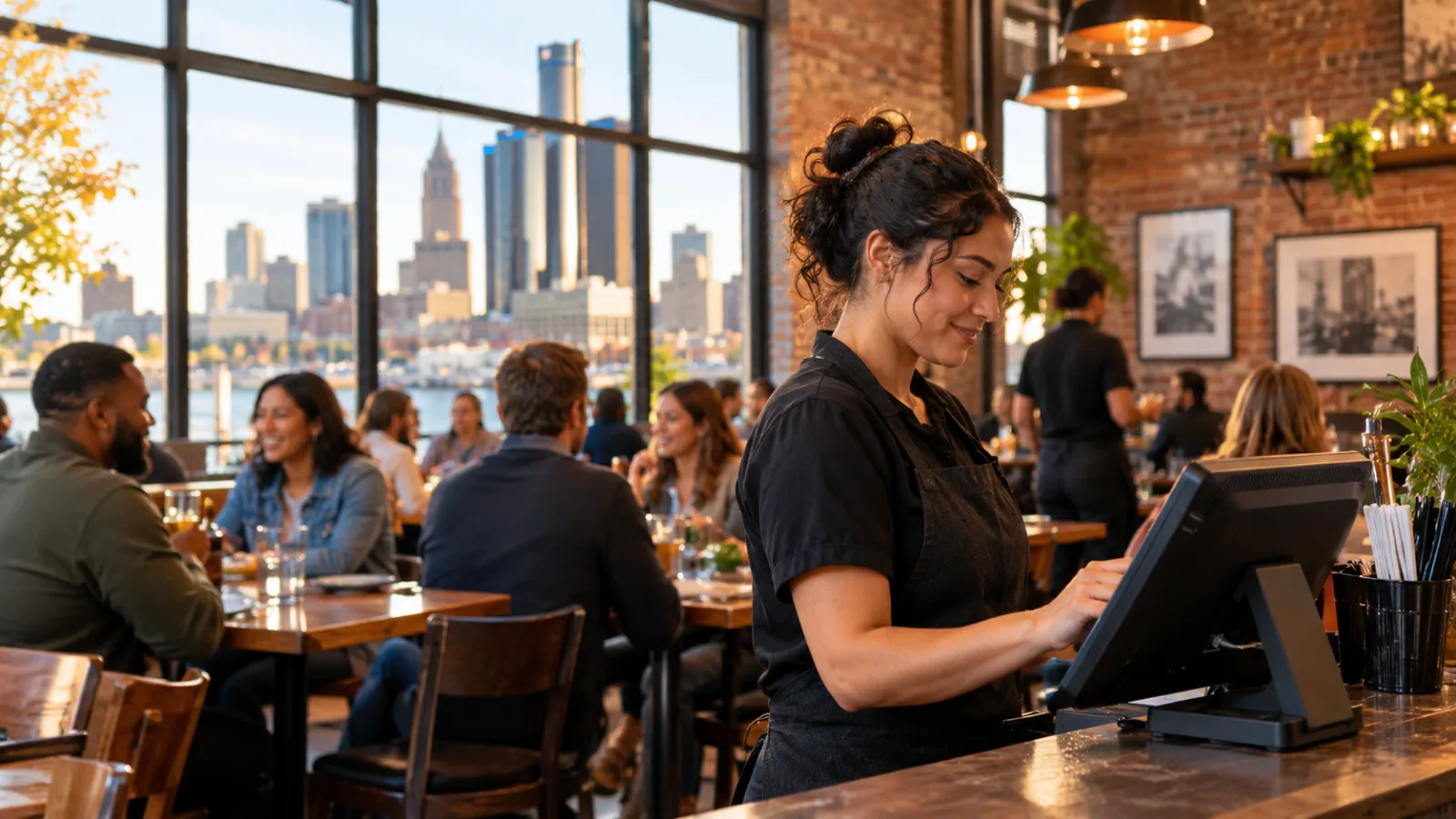
Restaurant POS System in Detroit: A Monthly Closing Routine for Sales Tax, Labor, and Restaurant Profits
Running a restaurant in Detroit means keeping a close eye on sales, labor, inventory, and the money that actually reaches your bank account. A reliable monthly closing routine, supported by the right restaurant POS system in Detroit, helps you reconcile those numbers, catch tax discrepancies, and understand whether the business is making money.
Start Every Month by Closing the Previous Month's Numbers
A restaurant's monthly close should be more than a quick look at total sales. It is the process of checking whether the money recorded by your restaurant matches what you collected, what you owe, what you paid, and what remains in the business.
The best time to start is after the final business day of the month, once all open checks have been closed and the day's transactions have been recorded.
Before running reports, establish a consistent cutoff. Decide which business date belongs to the month being closed, and make sure late-night transactions are assigned correctly. This matters for restaurants that operate past midnight.
Pull these reports from your POS system:
- Sales summary: Gross sales, discounts, complimentary items, voids, refunds, net sales, and sales tax collected.
- Payment summary: Cash, credit cards, debit cards, and other accepted payment methods.
- Tax summary: Taxable sales, applicable tax rates, and total tax collected.
- Labor summary: Hours worked, employee shifts, and recorded labor costs.
- Tips summary: Tips collected, tips distributed, and outstanding amounts.
- Product and category sales: Revenue by menu category and individual item.
- Cash drawer report: Opening cash, cash sales, paid-outs, expected closing cash, and actual closing cash.
Save copies of these reports before making adjustments. You want a record of what the system originally reported and what changed during the closing process.
A useful practice is to have one person prepare the reports and another review the totals. Even in a small independent restaurant, separating preparation from review makes it easier to catch mistakes.
Check Detroit's Sales Tax Before Reconciling Revenue
One important detail makes Michigan relatively straightforward for restaurant owners: the state has a single 6% sales tax, with no additional local sales taxes.
That means a Detroit restaurant uses the same 6.00% sales tax rate as the rest of Michigan. You do not need a separate Detroit city sales tax rate added to the state rate.
For restaurant owners, the important distinction is between the amount customers pay and the revenue the restaurant actually keeps.
Sales tax collected is not additional restaurant revenue. It is money collected from customers that must be accounted for separately.
Consider this hypothetical example:
Hypothetical example: A restaurant food check
| Description | Amount |
|---|---|
| Food check before tax | $48.00 |
| Sales tax rate | 6.00% |
| Sales tax collected | $2.88 |
| Customer's total payment | $50.88 |
The calculation is:
$48.00 × 6.00% = $2.88
The customer pays $50.88, but the restaurant's food sales remain $48.00 before considering any other applicable adjustments or expenses.
This distinction matters when reviewing monthly revenue, calculating operating margins, and comparing sales reports with accounting records.
If your POS system combines tax with sales revenue in a report, make sure you can also obtain a separate tax breakdown. Otherwise, your monthly revenue figures may give you a misleading picture of the business.
Always confirm the applicable tax treatment and current reporting requirements with the official Michigan tax agency or a qualified tax professional.
Reconcile Tax Collected Against Taxable Sales
Once you have your monthly sales report, calculate what the sales tax should have been.
Start with the taxable sales figure, not simply the total amount collected from customers.
Multiply taxable sales by 6.00%, then compare the result with the tax collected in your POS report.
For example, if the report shows $48,000 in taxable restaurant sales, the expected sales tax is $2,880.
Your closing worksheet should contain three important figures:
- Total taxable sales recorded during the month.
- Expected sales tax calculated at 6.00%.
- Actual sales tax recorded as collected by the POS.
The expected and recorded amounts should agree, subject to legitimate transaction-level rounding and properly documented adjustments.
If they do not match, do not immediately change the tax rate or make a manual adjustment. First, identify where the difference originated.
Check the following:
Incorrect tax configuration: Confirm that the POS is applying the correct combined rate of 6.00%. A system configured with an outdated or incorrect rate can create discrepancies across every transaction.
Incorrect product categories: Review whether menu items have been assigned to the appropriate tax categories. A product incorrectly classified in the system can produce an inaccurate tax calculation.
Discounts and complimentary items: Review how promotions, employee meals, discounts, and complimentary orders are reflected in taxable sales. Their treatment should be consistent with applicable tax rules.
Refunds and voids: Check whether canceled checks and refunds have been recorded correctly. A transaction removed from sales but not reflected in the tax report can create a difference.
Manual transactions: Look for checks entered outside the normal POS workflow, particularly transactions that were manually adjusted or corrected.
Rounding: Compare individual transaction calculations with the monthly summary. Small rounding differences can accumulate, depending on how the system calculates tax.
Keep a written record of every correction. Document the original amount, the reason for the adjustment, the corrected amount, and who approved it.
The objective is not simply to make the two totals match. It is to understand why they differed and prevent the same problem from recurring.
Match POS Payments Against Actual Deposits
Sales reports tell you what customers purchased. Payment reports tell you how those purchases were paid.
These are different numbers, and both need to be checked.
Start by separating monthly payments into their respective categories:
- Cash.
- Credit cards.
- Debit cards.
- Gift cards or other accepted stored-value payments.
- Other payment methods used by the restaurant.
Next, compare the POS payment totals with the corresponding cash records and payment processor statements.
For cash, compare the expected drawer balance with the actual cash counted. Account for opening cash, cash sales, authorized paid-outs, and any recorded cash drops.
For card payments, compare the POS totals with settlement records and bank deposits. Do not assume that the amount of card sales shown by the POS will equal the amount deposited in the bank on the same day.
Timing differences, refunds, processing adjustments, and other documented deductions can affect deposits.
Create a reconciliation worksheet showing:
| Payment method | POS total | Actual amount | Difference |
|---|---|---|---|
| Cash | |||
| Credit | |||
| Debit | |||
| Other | |||
| Total |
Investigate every unexplained difference.
A restaurant that consistently checks payment reconciliation is less likely to overlook missing deposits, duplicated entries, or incorrect payment classifications.
Review Detroit Restaurant Labor Costs Before Payroll Closes
Labor deserves its own section in the monthly closing routine because employee wages are among the restaurant's most important operating expenses.
For the verified current wage figures used in this guide, Michigan's minimum wage is $13.73 per hour, and the tipped minimum cash wage is $5.49 per hour.
Michigan's state minimum wage is scheduled to reach $15.00 on January 1, 2027. The tipped share also continues rising each year afterward.
These changes make accurate timekeeping and payroll configuration particularly important.
Consider this hypothetical example:
Hypothetical example: One employee working a six-hour shift
| Description | Amount |
|---|---|
| Hours worked | 6 |
| Hourly wage | $13.73 |
| Base wages | $82.38 |
The calculation is:
6 × $13.73 = $82.38
One employee working this shift costs $82.38 in base wages before payroll taxes.
This is not the complete cost of employing that person. Payroll taxes, applicable employer contributions, benefits, overtime where applicable, and other employment expenses must be considered separately.
At monthly closing, compare the employee time report from your POS system with the payroll records.
Look for:
- Employees who clocked in but have no recorded clock-out.
- Shifts with unusually long or short durations.
- Duplicate clock-ins.
- Hours that differ from approved schedules.
- Employees assigned to the wrong pay category.
- Differences between recorded hours and payroll hours.
- Tips that have not been properly allocated or recorded.
Pay special attention to tipped employees. The applicable cash wage, tip credit requirements, and employer obligations must be handled correctly.
Do not assume that tips automatically make an employee's wages compliant. Confirm current requirements with the official state agency or a qualified payroll professional.
Also review your payroll configuration before the scheduled January 2027 minimum wage change. Waiting until the first affected payroll creates unnecessary risk.
Compare Labor Costs With Sales Instead of Looking at Wages Alone
A payroll report tells you what you spent. It does not automatically tell you whether staffing levels were appropriate for the amount of business you handled.
Compare labor costs with net sales for the same period.
Then break the comparison down by day, shift, and, where possible, department.
For example, a restaurant may have strong sales during evening service but relatively quiet periods earlier in the day. Looking only at monthly totals can hide staffing imbalances.
Your POS reports should help answer practical questions:
- Which shifts generated the most sales?
- When did the restaurant have more employees than the workload required?
- Were there periods when staffing was insufficient?
- Which employees worked the most hours?
- Did increased sales justify additional labor?
Use these findings to improve scheduling rather than making staffing decisions based on assumptions.
Detroit's changing seasons can also influence restaurant operations. Weather, indoor dining patterns, and visitor activity may affect customer demand at different times of the year.
Comparing the same operating periods over time gives you a better basis for planning schedules and controlling costs.
Review Menu Performance and Inventory Before Declaring the Month Closed
Sales volume does not necessarily mean profitability.
A restaurant can sell many items and still struggle financially if ingredient costs, waste, portion sizes, and purchasing decisions are not controlled.
Use your monthly POS product report to identify the best-selling items and compare their sales performance with your inventory and recipe costs.
Pay attention to three areas.
Best-selling items: Identify the dishes and drinks that generated the most sales. Check whether their popularity translates into healthy margins.
Slow-moving items: Review products that sell infrequently. Consider whether they occupy valuable inventory space or create unnecessary purchasing complexity.
Unexpected changes: Look for sudden differences in product quantities sold. These may indicate menu changes, incorrect button usage, missing modifiers, or problems with sales recording.
Next, compare the theoretical ingredient consumption calculated from sales and recipes with the actual inventory count.
If your system supports inventory tracking, examine the differences between expected and actual quantities.
Investigate unexplained losses, preparation waste, incorrect portions, and unrecorded stock movements.
A monthly close should produce practical decisions: adjust purchasing, review recipes, improve portion control, or reconsider menu items that consistently underperform.
Choose a Restaurant POS System in Detroit That Supports Accurate Closing
When evaluating a restaurant POS system in Detroit, look beyond order entry and payment processing.
The system should help you produce reliable financial and operational reports without requiring you to combine information manually from several disconnected sources.
Prioritize these capabilities:
Tax configuration: You should be able to configure the correct sales tax rate and review the amount collected separately from sales revenue.
Detailed sales reporting: Look for reports covering gross sales, net sales, discounts, voids, refunds, product categories, and payment methods.
Employee timekeeping: Clock-in and clock-out records should be accessible for payroll review.
Tip management: Make sure the system can record tips and support the distribution method your restaurant uses.
Inventory control: Ideally, sales should connect with ingredient consumption so you can compare theoretical usage with actual stock.
Accessible reporting: You should be able to review closing reports from the devices your management team already uses.
Reliable daily operations: Your system needs to support the way your restaurant actually works, whether that means counter service, table service, takeout, or a combination.
A good POS system should make monthly closing easier, not create another complicated administrative process.
Before choosing, demonstrate the complete closing workflow. Enter sample transactions, apply discounts, process refunds, review tax reports, and check employee time records.
The important question is simple: can you trust the numbers it produces?
CounterChef Supports Everyday Restaurant Management and Closing
CounterChef lets restaurant operators enter the combined sales tax rate with up to three decimals and configure different rates by category. Delivery areas use ZIP codes with their own fee and estimated time, employees clock in on a tablet or computer, and tips can be shared by percentage or by hours worked. The system runs on iPad, Android tablet, iPhone, and computer.
Make Monthly Closing a Repeatable Management Routine
The best monthly closing process is one that your team can repeat consistently.
Create a fixed checklist and assign responsibility for each report. Establish a deadline for collecting the numbers, reviewing differences, and sending the final information to your accountant or payroll professional.
Keep supporting documents together, including sales summaries, tax reports, payment statements, cash reconciliation records, payroll reports, and inventory counts.
Most importantly, do not leave unexplained differences for the next month.
A small discrepancy that goes unnoticed can become a recurring accounting problem. Investigating it while the transactions are still recent makes corrections easier and improves the reliability of your records.
For Detroit restaurant owners, the 6.00% statewide sales tax provides a straightforward starting point for tax reconciliation. Wage changes, however, require continued attention, especially as the scheduled minimum wage increases approach.
Always confirm current tax rates, filing obligations, minimum wage requirements, tipped wage rules, and payroll obligations with the official government agency or a qualified professional. Your POS reports are management tools, not a substitute for professional tax or payroll advice.
A properly closed month gives you more than a set of financial statements. It gives you a clearer understanding of what happened in the restaurant and what needs to change before the next month begins.
Detroit restaurant questions
What is the sales tax rate for restaurant meals in Detroit?
The combined sales tax rate used for restaurant meals in this guide is 6.00%. Michigan has a single statewide 6% sales tax and no additional local sales taxes, so Detroit uses the same rate as the rest of the state. Confirm current tax requirements with the official Michigan tax agency.
What is Michigan's current minimum wage for restaurant employees?
The verified minimum wage figure used in this guide is $13.73 per hour, with a tipped minimum cash wage of $5.49 per hour. The state minimum wage is scheduled to reach $15.00 on January 1, 2027, and the tipped share continues rising annually afterward. Employers should confirm current requirements with the official state agency or a payroll professional.
How can a restaurant owner identify sales tax discrepancies in a POS report?
Compare taxable sales with the expected tax calculation at 6.00%, then compare that result with the tax actually recorded by the POS. Investigate incorrect tax settings, product categories, discounts, refunds, voids, manual adjustments, and rounding differences. Document every correction rather than simply changing the final total.
What reports should a Detroit restaurant POS system provide at monthly closing?
At a minimum, look for sales summaries, tax reports, payment breakdowns, cash reconciliation, employee time records, tip reports, and product sales reports. Inventory and labor-cost reporting are also valuable. Together, these reports help restaurant owners reconcile revenue, prepare for payroll, review operating expenses, and make better decisions for the following month.
How to set this up in CounterChef
Enter your tax rate
Set 6.00% in Settings, under Tax, then ring a test item and check the receipt. Confirm the rate for your exact address first.
Read about restaurant posPrice delivery by ZIP code
Create areas for the Detroit ZIP codes you can reach well, each with its own fee and estimated time.
Read about zones and fees by zipRun delivery yourself
Keep your own menu and drivers in one system, from the order to the driver settlement.
Read about delivery overviewMore for Detroit restaurant owners
Running a restaurant in Detroit?
Tell us how your restaurant runs. We will walk you through the parts that matter to you.