
Restaurant POS System in Chicago, IL
Restaurants in Chicago charge 11.00%, or 12.00% in the downtown MPEA district and at the airports in sales tax on meals and pay at least $17.05 an hour. Here is what that means for your POS setup.
CHICAGO RESTAURANT NUMBERS
Checked 11/18/2026 against official sources
What these rules mean for Chicago restaurants
Chicago adds a 0.5% city restaurant tax to the general sales tax, which rose by 0.25 points on August 1, 2026 when the regional transit tax went up. Inside the MPEA district, roughly downtown plus O'Hare and Midway, a further 1% applies. The city's tipped wage is $12.96 since July 1, 2026, well above the state figure.
Combined sales tax on restaurant meals: Civic Federation, Chicago consumer taxes 2026, taxes on prepared food.
Minimum wage: City of Chicago minimum wage.
Tipped minimum cash wage: City of Chicago minimum wage.
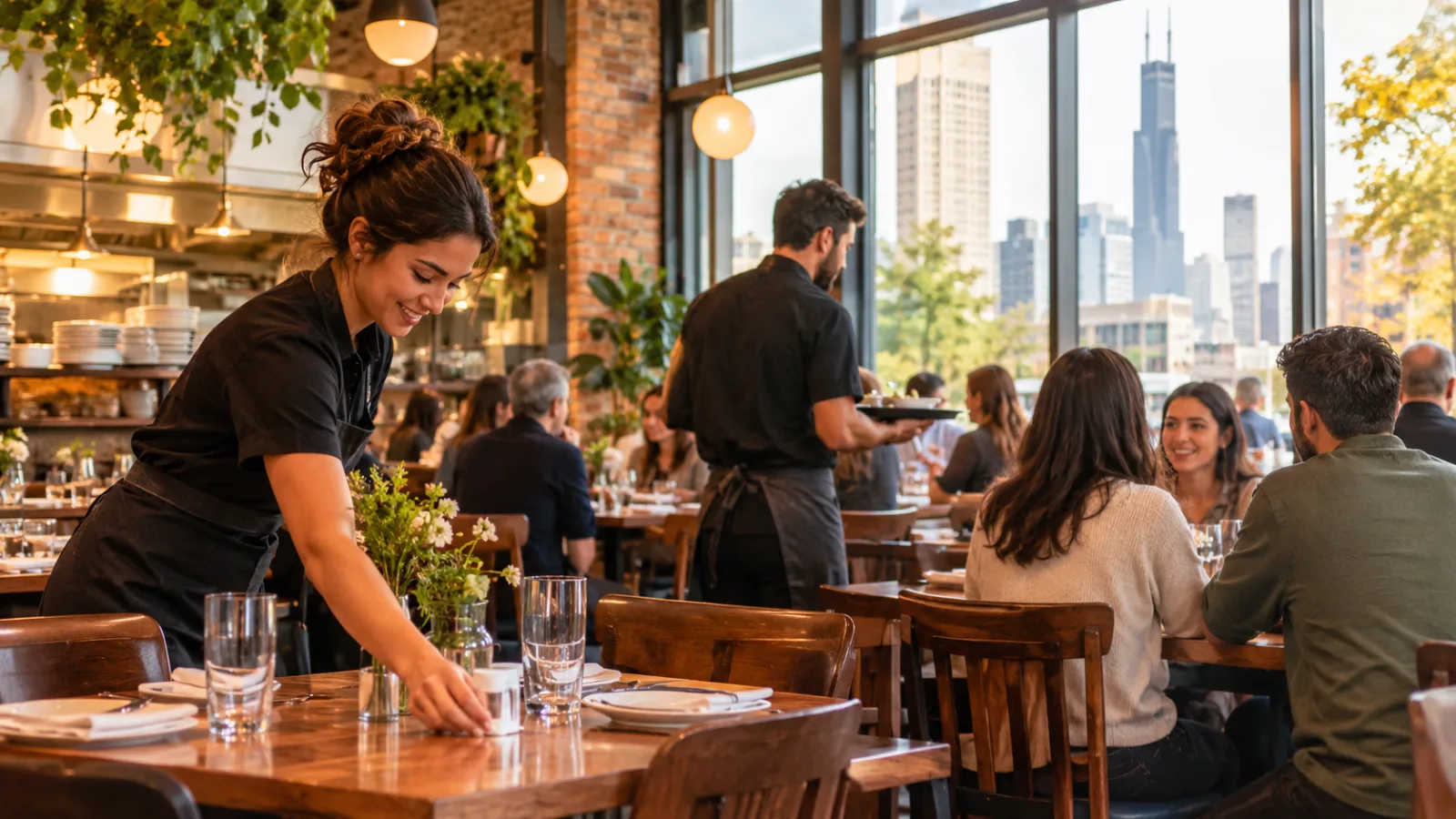
Restaurant POS System in Chicago: How to Run Smarter Through Slow and Busy Periods
Running a restaurant in Chicago means managing a business that can feel very different depending on the season, the weather, the day of the week, and the rhythm of customer traffic. Choosing the right restaurant POS system in Chicago is not just about processing payments; it is about controlling labor, adjusting food preparation, managing taxes, and keeping the operation profitable when business speeds up or slows down.
Why Chicago restaurants need two operating plans
A restaurant should not operate the same way during a quiet weekday afternoon as it does during a packed evening service. Yet many owners build their staffing schedules, purchasing routines, and menus around an average day that rarely exists.
Chicago makes this especially important. Seasonal weather changes influence how people move around the city, how often they dine out, and whether they prefer a quick meal or a longer dining experience. Warmer months can bring more outdoor activity and visitors, while colder periods can change customer routines and make demand less predictable.
There are also differences between weekday lunch, weekday dinner, and weekend service. A restaurant might experience a strong lunch period followed by a quiet afternoon, then another rush in the evening.
The practical solution is to create two operating plans:
- Slow-period operations: Protect cash flow, control labor hours, reduce unnecessary preparation, and focus on profitable menu items.
- Busy-period operations: Increase service capacity, prepare ingredients in advance, organize employee responsibilities, and keep orders moving without sacrificing accuracy.
Your POS system should support both plans without making daily management more complicated.
Slow periods: Reduce costs without weakening the operation
Quiet periods are not necessarily bad periods. They become expensive when the restaurant continues operating as if every hour were a peak service.
The first adjustment should be staffing.
Look at historical sales by hour and day, rather than scheduling everyone based on the total sales from the previous week. A restaurant that makes most of its revenue during dinner does not necessarily need a full team throughout the afternoon.
Build schedules around actual demand. During slower hours, consider whether certain responsibilities can be combined without overloading employees. A smaller team may be able to handle service, cleaning, basic preparation, and administrative tasks when customer volume permits.
However, reducing labor should not mean leaving employees unprepared for an unexpected rush. Keep enough coverage to maintain service quality and respond to changing demand.
Chicago's minimum wage is $17.05, and the tipped minimum cash wage is $12.96. The city's tipped wage has been $12.96 since July 1, 2026, above the state figure.
These figures make accurate labor planning particularly important. Owners should distinguish between scheduled hours, hours actually worked, and the total labor expense associated with each shift.
Hypothetical labor example: One employee working a six-hour shift at $17.05 per hour costs $102.30 in base wages before payroll taxes.
That calculation is straightforward, but the operating decision is more important: did those six hours generate enough business to justify the expense?
A POS system with employee time tracking can help owners compare labor hours against sales and identify shifts that consistently have more staff than the business needs.
Slow periods: Simplify the menu and control preparation
A large menu can become a liability when customer traffic drops.
Every additional menu item can require ingredients, storage space, preparation time, and inventory management. When sales are slower, ingredients may sit longer, creating more opportunities for spoilage and waste.
Start by identifying which items sell consistently and which contribute meaningful gross profit. Do not make decisions based on sales volume alone.
An item that sells frequently but has a high ingredient cost may contribute less to profitability than a less popular item with a better margin.
During slow periods:
- Reduce preparation quantities for ingredients with unpredictable demand.
- Prepare high-volume components in smaller, more frequent batches.
- Review ingredients that appear in only one or two menu items.
- Keep popular items available rather than cutting too aggressively.
- Use sales reports to identify products that are not moving.
- Review portion sizes and recipe costs.
Menu engineering should also consider preparation complexity. If a dish requires several ingredients that are difficult to use elsewhere, it may create unnecessary inventory pressure.
A POS system that connects product sales with inventory information makes these decisions easier. Owners can review which items are selling, compare their performance across periods, and adjust purchasing and preparation accordingly.
The goal is not to have the smallest menu possible. It is to have a menu that remains manageable and profitable even when the dining room is quiet.
Busy periods: Schedule for the rush, not the daily average
A packed restaurant creates a different set of problems.
The challenge is no longer minimizing labor hours. It is having enough trained employees in the right positions to handle orders efficiently.
A busy shift needs clear responsibilities. Depending on the operation, that might mean separating order taking, payment processing, food preparation, expediting, and customer service.
Avoid assigning everyone to everything. When responsibilities are unclear, employees interrupt each other, orders get delayed, and mistakes become more likely.
Build schedules around expected demand. If the restaurant regularly experiences a dinner rush, employees should be ready before that rush begins, not arrive after the first wave of orders.
A POS system can help managers understand when sales increase and which periods require additional coverage.
Pay attention to more than total revenue. Review:
- Number of transactions.
- Average check.
- Sales by hour.
- Sales by menu category.
- Sales by employee.
- Payment methods.
- Voids, discounts, and canceled orders.
These details help distinguish a busy shift with many small transactions from one with fewer, larger checks.
The distinction matters because both can create different demands on the kitchen and service team.
Busy periods: Prepare ingredients before orders arrive
Preparation is one of the most important differences between a smooth service and a chaotic one.
During a rush, employees should be assembling and finishing orders rather than performing every preparation task from the beginning.
Create preparation targets based on historical sales. If certain dishes consistently sell during particular periods, prepare their frequently used components ahead of time.
But avoid preparing everything in excessive quantities. Overproduction can erase the financial benefit of a strong sales period.
A practical preparation routine includes:
- Review sales from comparable shifts.
- Identify the most frequently ordered dishes.
- Calculate ingredient requirements using standardized recipes.
- Prepare components that can be safely stored.
- Check available inventory before starting additional batches.
- Assign responsibility for replenishment during service.
A good POS system should help identify which products generate demand. Inventory and recipe management can then translate sales activity into more informed purchasing and preparation decisions.
For example, if a particular combination of dishes consistently sells during dinner, the kitchen can plan its preparation around the ingredients those dishes share.
This reduces last-minute shortages without encouraging unnecessary production.
Chicago restaurant taxes: Configure the POS correctly
Sales tax is one area where restaurant owners should pay particular attention when choosing a POS system.
Chicago restaurant meals carry a combined sales tax rate of 11.00%, or 12.00% in the downtown MPEA district and at the airports.
Chicago adds a 0.5% city restaurant tax to the general sales tax. The general sales tax increased by 0.25 percentage points on August 1, 2026, when the regional transit tax went up.
Inside the MPEA district, which covers roughly downtown plus O'Hare and Midway, a further 1% applies.
These differences matter when a restaurant operates in an area subject to the additional district tax. The POS must apply the correct combined rate to the applicable transactions.
Hypothetical sales tax example: A $48.00 food check at 11.00% carries $5.28 in sales tax, producing a total of $53.28.
The arithmetic is simple. The configuration is where mistakes can happen.
Before choosing a system, check whether it allows you to enter the applicable combined rate and configure different tax treatments where necessary.
Also verify how the system handles different product categories, discounts, refunds, canceled transactions, and tax reporting.
Do not assume that a POS automatically knows which rate applies to your establishment. Confirm the applicable rates and requirements with the official agency or a qualified tax professional.
What to look for in a restaurant POS system in Chicago
The right POS should help owners manage both slow and busy periods from the same operating platform.
Rather than choosing a system based only on its checkout screen, evaluate the everyday management functions.
Sales reporting
Look for reports that break down sales by date, time, product, category, employee, and payment method. Hourly reporting is particularly useful when adjusting schedules around changing demand.
Employee time tracking
You should be able to record clock-in and clock-out times and compare actual working hours with scheduled hours. Accurate time records help identify staffing inefficiencies and support payroll administration.
Tip management
Restaurants with tipped employees need a clear way to record and distribute tips. Check whether the system supports the distribution method used by your business and produces understandable records.
Inventory and recipe control
A system that connects menu sales with ingredient usage can help reduce overproduction and identify purchasing needs. Recipe-level cost information also helps owners evaluate whether popular dishes are financially worthwhile.
Tax configuration
Confirm that the system supports the combined sales tax rates applicable to your operation and can handle differences between product categories when required.
Payment flexibility
A restaurant may need to handle different payment methods and maintain accurate transaction records. The POS should make payment reconciliation straightforward.
Ease of use
A complicated system can slow employees down precisely when the restaurant needs them to work efficiently. Ask whether new employees can learn the essential functions quickly and whether managers can find important reports without navigating complicated menus.
Build a weekly routine around slow and busy periods
The most useful POS reports are the ones that lead to operational decisions.
Set aside time each week to compare performance across different types of shifts.
Start with sales by hour. Identify which periods are consistently strong and which have lower demand.
Then compare those results with employee hours. If a shift has relatively low sales but consistently high labor hours, review the schedule and responsibilities.
Next, examine menu performance. Look for products that sell well during busy periods but barely move during quiet ones. Consider whether preparation quantities, menu availability, or purchasing routines should change.
Finally, review inventory and waste.
A weekly management routine might look like this:
- Beginning of the week: Review previous sales and adjust staffing.
- Before busy shifts: Check inventory, preparation targets, and employee assignments.
- After each shift: Review sales, employee hours, and operational problems.
- End of the week: Compare food costs, labor, and menu performance.
This approach turns the POS into a management tool rather than simply a payment terminal.
It also prevents owners from making decisions based on memory. A shift that felt extremely busy might not have been particularly profitable, while a quieter shift might have delivered a better financial result.
Where CounterChef fits into the operation
CounterChef provides restaurant management functions that address several practical requirements: you can enter the combined sales tax rate with up to three decimals and set different rates by category; delivery areas use ZIP codes with their own fee and estimated time; employees clock in on a tablet or computer; tips can be shared by percentage or by hours worked; and the system runs on iPad, Android tablet, iPhone, and computer.
Chicago restaurant questions
What should I prioritize when choosing a restaurant POS system in Chicago?
Start with accurate sales tax configuration, employee time tracking, tip management, sales reporting, and inventory control. These functions help manage both quiet shifts and peak service periods while giving owners better visibility into operating costs.
How can a POS system help reduce labor costs during slow periods?
It can provide sales-by-hour reports and employee time records. Managers can use that information to adjust schedules, identify consistently overstaffed periods, and organize responsibilities more efficiently without compromising service.
What sales tax rate should a Chicago restaurant configure?
The combined rate on restaurant meals is 11.00%, or 12.00% in the downtown MPEA district and at the airports. The applicable rate depends on the restaurant's location. Confirm the correct rate and any relevant tax requirements with the official agency or a qualified tax professional.
How should restaurant owners handle Chicago minimum wage and tipped wages?
Use the applicable minimum wage and tipped minimum cash wage when planning payroll, and maintain accurate employee time and tip records. Chicago's stated minimum wage is $17.05, and its tipped minimum cash wage is $12.96 as of July 1, 2026. Confirm current rates, eligibility, tip-credit requirements, and other labor rules with the official agency or a qualified employment professional.
How to set this up in CounterChef
Enter your tax rate
Set 11.00%, or 12.00% in the downtown MPEA district and at the airports in Settings, under Tax, then ring a test item and check the receipt. Confirm the rate for your exact address first.
Read about restaurant posPrice delivery by ZIP code
Create areas for the Chicago ZIP codes you can reach well, each with its own fee and estimated time.
Read about zones and fees by zipRun delivery yourself
Keep your own menu and drivers in one system, from the order to the driver settlement.
Read about delivery overviewMore for Chicago restaurant owners
Running a restaurant in Chicago?
Tell us how your restaurant runs. We will walk you through the parts that matter to you.