
Restaurant POS System in Salt Lake City, UT
Restaurants in Salt Lake City charge 9.45% in sales tax on meals and pay at least $7.25 an hour. Here is what that means for your POS setup.
SALT LAKE CITY RESTAURANT NUMBERS
Checked 11/18/2026 against official sources
What these rules mean for Salt Lake City restaurants
The Tax Commission lists Salt Lake City at 8.45% combined, plus the 1% restaurant tax every Utah county applies to food and beverage sales, for 9.45%. Grocery food is taxed differently, so keep packaged retail items in their own category.
Combined sales tax on restaurant meals: Utah State Tax Commission sales and use tax rates.
Minimum wage: US Department of Labor, state tipped wage table.
Tipped minimum cash wage: US Department of Labor, state tipped wage table.
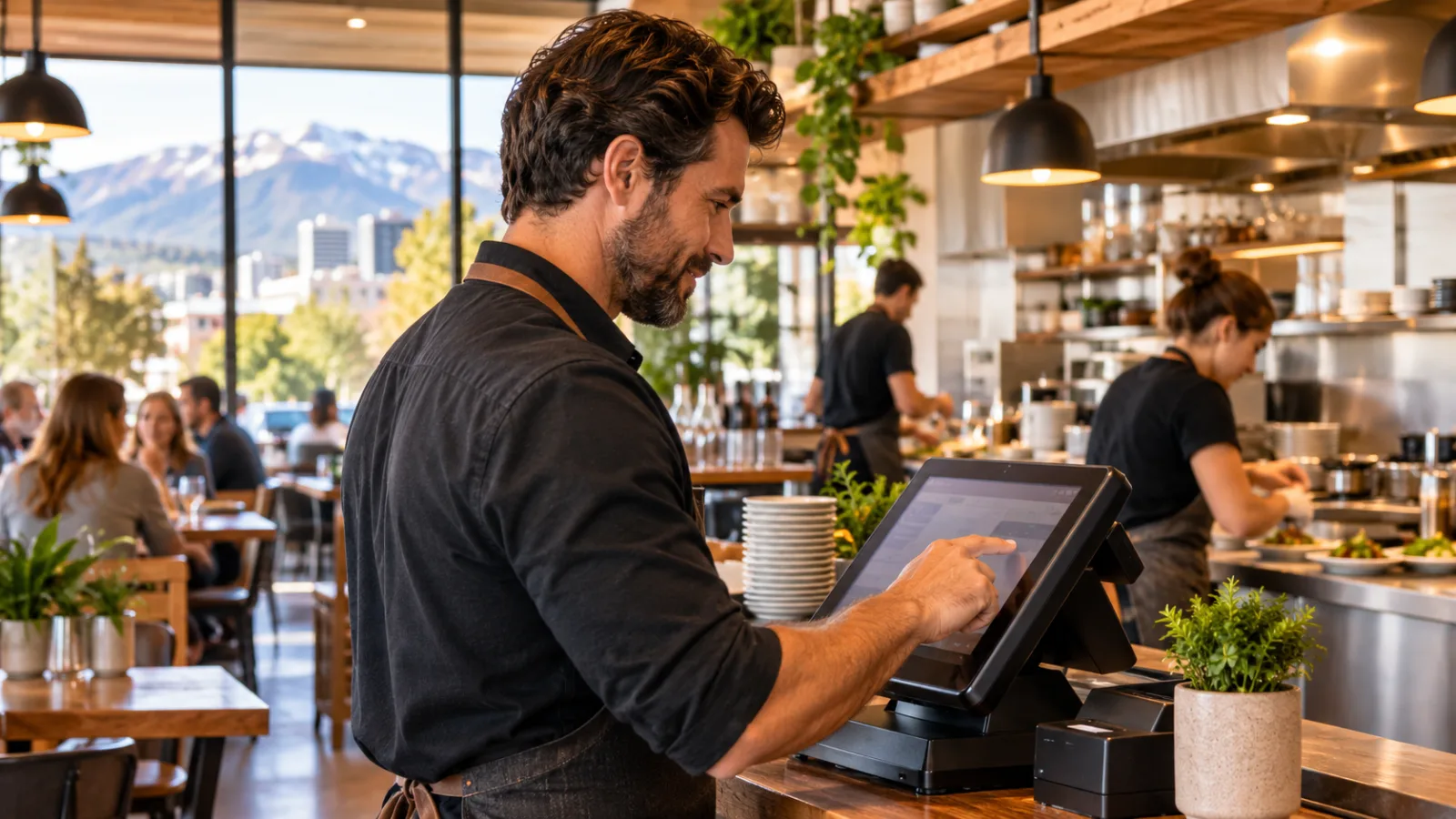
A Restaurant Owner's Week in Salt Lake City: Using POS Data to Make Better Decisions
Running a restaurant in Salt Lake City means making a series of small decisions every day, from how much food to prep to when to schedule staff and whether a busy shift is actually profitable. A restaurant POS system in Salt Lake City should help turn those daily transactions into useful information, so the owner can make better decisions throughout the week instead of relying on memory.
Monday: Start with the numbers from last week, not a guess
Monday is the day to look backward before making decisions for the coming week. Pull the POS report for the previous seven days and review gross sales, net sales, discounts, voids, refunds, average check, item counts and sales by hour.
Do not begin with a complicated spreadsheet. Start with three questions:
- Which days were busiest?
- Which hours brought in the most orders?
- Which menu items were selling consistently, and which barely moved?
A restaurant can feel busy while still having weak sales during certain periods. A Saturday dinner may look successful, but if Monday lunch is consistently quiet, the owner needs to understand whether Monday is worth opening, whether staffing is excessive or whether the menu and service need to change.
Look at hourly sales rather than daily totals. If the register shows a consistent rush at a certain time, that is useful for scheduling, prep and assigning responsibilities. If the last hour of service produces very few orders, compare the revenue with the costs of keeping the restaurant open.
The POS should make these patterns easy to see without manually combining receipts.
Tuesday: Use sales patterns to plan inventory and prep
Tuesday is a good day to translate sales data into kitchen decisions.
Look at the quantities sold for each menu item over the previous week. Sales by item help determine how much chicken, beef, vegetables, bread and other ingredients need to be prepared. Without this information, the kitchen may prep too much of something that sells slowly and run out of an item that sells frequently.
Start with your most important ingredients. Identify the dishes that use them, estimate the quantities needed for the coming days and compare that estimate with what is already in stock.
A useful POS report should let you see:
- Quantity sold for each menu item.
- Sales by category.
- Items that are frequently discounted.
- Items that are frequently voided.
- Changes in sales from one day to another.
The decision: prep according to actual demand, not the kitchen's memory.
For a restaurant with a limited storage area, this can make a meaningful difference in purchasing and waste. You do not need to make the entire kitchen dependent on software. A manager can still check the refrigerator, freezer and shelves manually. The register provides a better starting point for estimating what needs to be prepared and purchased.
Wednesday: Adjust staffing to the actual workload
Midweek is a good time to review the labor schedule and compare it with the sales recorded during each shift.
The schedule should not simply repeat the same staffing pattern every week. If the register shows that a particular lunch period regularly has fewer transactions than expected, consider whether the shift needs fewer people, a different start time or a more flexible assignment.
Labor decisions require care. A quiet period still requires someone to receive deliveries, clean, prepare food, handle customers and complete closing tasks. Reducing staffing without considering those responsibilities can create problems later.
For a simple hypothetical example, one employee on a 6-hour shift at $7.25 costs $43.50 in base wages before payroll taxes.
That example is a calculation using the specified wage figure, not a complete estimate of employment costs. Payroll taxes, applicable overtime, other wage requirements and the employee's actual duties may change the total.
The minimum wage specified for this guide is $7.25, and the tipped minimum cash wage is $2.13. Restaurant owners should confirm applicable labor rules, wage requirements, tip treatment and any relevant exceptions with the official agency or a qualified payroll or employment professional before using these figures to establish a payroll policy.
The POS clock-in records can help compare hours worked with sales during those hours. If the restaurant consistently schedules more labor than a shift requires, the owner has an opportunity to revise the schedule without relying entirely on intuition.
Thursday: Check taxes, discounts and the accuracy of every ticket
Thursday is a good day to review the accuracy of the register before a weekend rush.
For Salt Lake City, the verified combined sales tax on restaurant meals used in this guide is 9.45%. The Salt Lake City sales tax figure is 8.45%, with the additional 1% restaurant tax applied to food and beverage sales in Utah counties.
Hypothetical tax example
| Calculation | Amount |
|---|---|
| Food check | $48.00 |
| Sales tax at 9.45% | $4.54 |
| Total customer payment | $52.54 |
The tax calculation should be reflected accurately in the POS. Owners should verify the applicable rate and tax treatment of individual products instead of assuming every item is handled identically.
Grocery food is taxed differently, so packaged retail items should be kept in their own category. If a restaurant sells packaged products alongside prepared meals, separating them in the register helps avoid mixing tax treatments and simplifies reporting.
Also check discounts and voids. A discount should have a clear reason, and a void should be traceable to the transaction. Review whether employees are applying discounts consistently and whether mistakes are being corrected properly.
The goal is not to assume that every unusual transaction represents a problem. It is to make sure the register records what actually happened, with enough detail to investigate when something does not make sense.
Friday: Prepare for the rush before it starts
Friday is about readiness.
Look at the previous Friday's sales by hour, menu item and order type. This report can help determine what needs to be prepared before service, when staff should arrive and which stations are likely to become busy.
An owner should not wait until the kitchen is overwhelmed to discover that the most popular items require extra prep.
Use the register's previous sales to make a practical prep list. Identify the quantities of ingredients required, check inventory and assign tasks before service begins.
The same data can help determine whether the restaurant needs additional staff during a specific period. If transactions increase sharply during dinner, the owner can plan coverage around the rush rather than adding people for the entire day.
Friday is also a useful day to test the operational flow of the POS:
- Can employees find menu items quickly?
- Are modifiers easy to enter?
- Are orders reaching the correct kitchen station?
- Can staff split a check without confusion?
- Can the manager correct an order efficiently?
- Are payment and receipt procedures working?
These are practical questions, not technical ones. A register that is difficult to use during a rush can slow down the restaurant even if its reports are excellent.
Saturday: Watch the service flow while the restaurant is busy
Saturday is not the day to spend an hour staring at dashboards. It is the day to observe what the numbers cannot fully explain.
The register data can show how many orders are being entered, when they arrive and which items are selling. The owner should use those numbers alongside direct observation of the kitchen and dining room.
If orders accumulate at the kitchen during a particular hour, determine whether the problem is prep, staffing, order entry or the time required to cook certain dishes. If checks are taking longer to close, examine whether the bottleneck is payment, table turnover or employee workflow.
Look for patterns rather than isolated incidents.
A POS system with useful operational reports can help you review order timing and identify recurring slow periods. However, the numbers alone do not explain every delay. A manager still needs to observe the service and talk to employees.
The decision on Saturday should be immediate and practical: what can be changed before the next rush?
Perhaps a station needs better organization. Perhaps a popular item requires more prep. Perhaps employees need a clearer way to enter modifiers. Small corrections made during the week can reduce the likelihood of repeating the same problem during the next busy shift.
Sunday: Decide what to change for the next week
Sunday is the day to summarize what happened and turn it into a short plan.
Compare the week with the previous one. Review sales, transaction counts, average check, labor hours, discounts and the items that sold most frequently. Avoid making several major changes at once. If you change staffing, menu prices, prep quantities and opening hours simultaneously, it becomes harder to understand which adjustment made a difference.
Choose a few priorities for the coming week.
- Menu: Are some items selling too slowly to justify their prep requirements?
- Staffing: Are scheduled hours aligned with the actual workload?
- Inventory: Are purchasing and prep quantities consistent with sales?
- Service: Are recurring order delays being addressed?
- Reporting: Are sales, tax and payment records accurate?
A restaurant owner does not need to spend Sunday producing an elaborate business report. A short review with clear decisions is more valuable than a dashboard full of numbers that nobody uses.
The point is to create a weekly operating rhythm. Monday identifies the problem, the following days test adjustments, and Sunday determines whether the adjustments worked.
What to look for in a restaurant POS system in Salt Lake City
The best restaurant POS system in Salt Lake City is one that fits the way your restaurant operates, rather than one that simply offers the largest number of features.
Start by evaluating the essentials:
- Sales reporting: Can you review sales by hour, day, item and category?
- Tax configuration: Can the system handle the applicable restaurant tax and separate product categories correctly?
- Employee time tracking: Can you review clock-in records and compare scheduled hours with actual work?
- Order management: Can the system handle dine-in, counter orders, modifiers and different service workflows?
- Kitchen communication: Does it help get orders to the right station without unnecessary delays?
- Inventory and menu decisions: Does it provide information that helps you plan prep, purchasing and menu adjustments?
- Ease of use: Can new employees learn the register without making service unnecessarily complicated?
A restaurant with a small team may prioritize simplicity and speed. A larger operation may need more detailed reporting, stronger kitchen coordination and more control over employee permissions.
Evaluate the system during realistic scenarios, not just a demonstration. Enter an order, modify an item, split a check, process a payment and review the resulting report. You want to see whether the software supports the decisions you make every day.
A practical option for restaurant operations
CounterChef offers a restaurant management system with configurable combined sales tax rates entered to up to three decimals and different rates by category, delivery areas defined by ZIP codes with their own fee and estimated time, employee clock-in on a tablet or computer, tip sharing by percentage or hours worked, and operation on iPad, Android tablet, iPhone and computer.
Salt Lake City restaurant questions
What should a restaurant owner review in POS reports every week?
Start with sales by hour, sales by item, average check, transaction counts, discounts, voids, refunds and employee hours. These reports help identify opportunities to adjust staffing, prep, purchasing and service.
How should a restaurant handle sales tax in Salt Lake City?
The combined restaurant meal sales tax figure used in this guide is 9.45%. Owners should verify current rates and product-specific tax treatment with the official Utah Tax Commission before configuring the register or filing taxes.
How can POS data help reduce restaurant labor costs?
Review sales by hour alongside the employee hours recorded for each shift. This can help identify periods where schedules need adjustments, while ensuring the restaurant still has sufficient staff for prep, cleaning, service and other responsibilities. Confirm wage and labor rules with the official agency or a qualified professional.
Is a restaurant POS system useful for a small independent restaurant?
Yes. Even a small restaurant can use sales and time records to improve prep planning, scheduling, menu decisions and transaction accuracy. The most useful system is one that employees can operate comfortably and that provides information the owner actually uses to run the business. A restaurant's week is full of decisions that may seem minor individually but have a meaningful effect on how it operates. A good register helps make those decisions with evidence rather than guesswork, giving the owner a clearer view of what is working and what needs attention.
How to set this up in CounterChef
Enter your tax rate
Set 9.45% in Settings, under Tax, then ring a test item and check the receipt. Confirm the rate for your exact address first.
Read about restaurant posPrice delivery by ZIP code
Create areas for the Salt Lake City ZIP codes you can reach well, each with its own fee and estimated time.
Read about zones and fees by zipRun delivery yourself
Keep your own menu and drivers in one system, from the order to the driver settlement.
Read about delivery overviewMore for Salt Lake City restaurant owners
Running a restaurant in Salt Lake City?
Tell us how your restaurant runs. We will walk you through the parts that matter to you.