
Restaurant POS System in Portland, ME
Restaurants in Portland charge 8.00% in sales tax on meals and pay at least $16.75 an hour. Here is what that means for your POS setup.
PORTLAND RESTAURANT NUMBERS
Checked 11/18/2026 against official sources
What these rules mean for Portland restaurants
Maine taxes prepared food at 8%, above its 5.5% general rate. Portland sets its own minimum wage, $16.75 since January 1, 2026, with an $8.38 direct wage for service employees; if wages plus tips average less than $16.75 in a week, the employer pays the difference.
Combined sales tax on restaurant meals: Maine Revenue Services tax rates.
Minimum wage: City of Portland minimum wage.
Tipped minimum cash wage: City of Portland minimum wage.
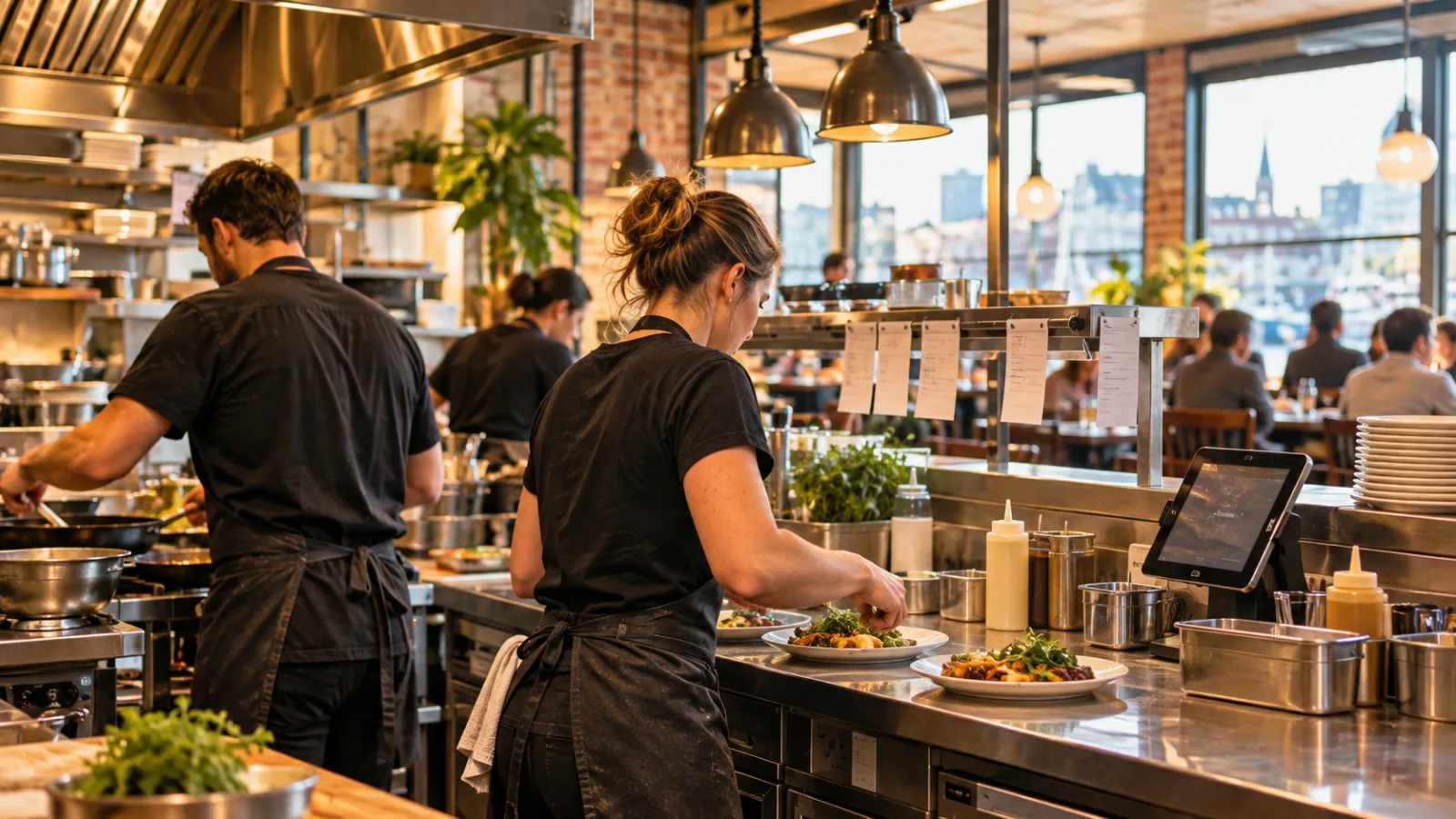
Running a Restaurant in Portland, ME: How to Keep the Kitchen Moving
Running a restaurant in Portland, Maine, means balancing the guest experience with the realities of a busy kitchen, changing demand, and the work required to get every order out correctly. Choosing a restaurant POS system in Portland should start with the kitchen itself: how orders arrive, how cooks see what needs to be prepared, how tickets are timed, and how managers identify the bottlenecks that make service slower than it should be.
Start with the order, not the checkout screen
A restaurant's POS system is often evaluated by how quickly a cashier can ring up a sale. That matters, but it is only the beginning of the process. Once an order is entered, it has to reach the right station, make sense to the cook, fit into the workload already in progress, and return to the front of the house at the right time.
For a restaurant with a busy lunch service, a full dinner rush, or a menu that requires several stations, the kitchen workflow should be one of the first things you evaluate.
Walk through a typical order before looking at software features:
- How does a dine-in order reach the kitchen?
- How does a takeout order reach the appropriate station?
- Are modifications and allergy notes clearly visible?
- Can the kitchen tell which orders are waiting, being prepared, or ready?
- Can the server see when an order is ready without interrupting the cooks?
If these steps rely on verbal communication, paper slips that are difficult to read, or someone repeatedly walking between the kitchen and front counter, a POS system can help organize the process.
The goal isn't to put more screens in the restaurant. It's to make the next action clear to everyone working.
Route each item to the station responsible for making it
A kitchen ticket should not become a list of everything the restaurant sells. It should become a working instruction for the people preparing the food.
If a guest orders a burger, fries, and a drink, the burger may belong to the grill station, fries to the fryer, and the drink to the beverage station. A properly configured POS system routes each item according to the restaurant's setup instead of requiring the kitchen to interpret a complete order and divide it manually.
This is especially useful when different stations are working at different speeds.
Consider how routing should work:
- Grill: burgers, sandwiches, grilled proteins, and other grill items.
- Fryer: fries, fried appetizers, and other fried products.
- Cold station: salads, cold sides, and items requiring assembly.
- Bar or beverage station: drinks that need independent preparation.
The exact arrangement depends on the menu. A small kitchen may need only two stations, while a larger operation may divide preparation more precisely.
The important part is that the kitchen receives the information it needs, without unnecessary details obscuring the work. Modifiers should appear directly alongside the item they change. A substitution, cooking preference, or special instruction should not be buried at the bottom of a long ticket.
Before selecting a POS system, test it with a realistic order that contains multiple items, modifiers, and different preparation stations. Watch how the order appears at each station. If staff need to interpret or reorganize it manually, the configuration needs improvement.
Use ticket timing to understand where service slows down
A kitchen can feel busy without being productive. Cooks may be working continuously while orders still take too long to reach guests.
Ticket timing helps separate perception from reality.
When an order enters the kitchen, the system should make it possible to track how long it takes to move through preparation. Depending on the POS and kitchen configuration, managers may be able to review when orders were sent, when preparation began, and when items or orders were marked ready.
These timestamps become more useful when reviewed consistently.
For example, imagine that orders are moving quickly through the cold station but waiting longer at the grill. The problem may not be the entire kitchen. It may be a particular station, an overloaded menu, an inefficient preparation sequence, or a staffing arrangement that needs adjustment.
Look for patterns rather than reacting to a single difficult shift.
- Are certain items consistently taking longer?
- Do tickets accumulate at one station?
- Does the kitchen become slower when orders contain many modifiers?
- Are some orders ready while other components of the same ticket remain unfinished?
- Does the backlog begin at a predictable point during service?
A manager who can identify where time is being lost has a better chance of correcting the problem than a manager who simply tells the kitchen to move faster.
Make ticket times useful instead of turning them into pressure
Ticket times are operational information, not a scoreboard for criticizing employees.
A longer preparation time may reflect a complicated order, an unusually large ticket, a legitimate preparation requirement, or a temporary imbalance between stations. It is important to understand what the numbers represent before using them to make decisions.
Start by comparing similar orders. A simple item and a complicated order should not automatically be treated as equivalent. Review the same type of service, comparable menu items, and recurring patterns.
Use the information to ask practical questions.
If a station repeatedly becomes overloaded, could preparation be reorganized? Could some ingredients be prepared earlier within appropriate food-safety procedures? Could the menu be simplified during a particular service? Could the order routing be changed so that tickets are easier to manage?
The POS data should help you find a workable answer.
A useful review doesn't end with the report. Make one operational adjustment, observe the next comparable service, and determine whether the change helped. That process is more useful than making several changes simultaneously and not knowing which one improved the kitchen.
Coordinate the kitchen so an entire order finishes together
One of the frustrating parts of restaurant service is having an order partially ready. The fries are finished, the burger is still on the grill, and the drink has been sitting at the counter. The guest expects everything together, but the kitchen is working across different preparation times.
Order coordination matters.
The POS and kitchen display workflow should give staff a way to see the complete order and its progress, even when individual items are assigned to different stations. Depending on the kitchen setup, the team may need to prioritize the longer preparation items so that shorter items finish closer to the same time.
For example, a grilled item that takes longer to prepare may need to begin before a quick side. The kitchen should not have to discover that difference only after the first item is finished.
A few operating practices help:
- Review the menu and identify items with noticeably different preparation times.
- Train staff to understand the sequence in which items should be started.
- Keep the full order visible, even when individual stations only see their assigned items.
- Establish a clear signal for when an order is ready for pickup or delivery to the table.
- Avoid sending staff to the kitchen to ask about tickets that are already visible on a screen.
A well-organized kitchen display can reduce interruptions, but it cannot replace clear responsibilities. Staff still need to know who checks completed orders, who assembles them, and who communicates that they are ready.
Prepare for seasonal changes without guessing
Portland's restaurant environment changes with the seasons. A restaurant may experience different rhythms during colder months, warmer weather, and periods when visitors are more prevalent. That makes historical order data valuable when planning preparation, scheduling, and inventory.
Rather than relying only on memory, compare sales patterns from your own operation. Look at the days and service periods when demand tends to change. Examine which menu items move together and which items become less popular during particular periods.
The POS should make it straightforward to review sales by item, date, and service period, where those reporting capabilities are available.
That information can help managers plan ingredient preparation, make better-informed purchasing decisions, and avoid preparing more than the kitchen can reasonably use. It can also help identify menu items that complicate the kitchen without contributing enough to sales.
Keep the analysis practical. The objective is to make decisions based on your own restaurant's activity, not to assume that every business in the city experiences the same demand.
Account for Maine's prepared-food tax and Portland's wage rules
Taxes and labor costs should be part of the POS setup, not an afterthought.
Maine taxes prepared food at 8%, above its 5.5% general sales tax rate. The combined sales tax on restaurant meals used in this guide is 8.00%.
Hypothetical sales-tax example: A $48.00 food check at 8.00% carries $3.84 in sales tax for a total of $51.84.
The tax configuration should be tested before the system is used for actual sales. Confirm how the system handles taxable items, rounding, discounts, and any applicable exceptions. Do not assume every item or transaction must be treated identically without checking the applicable tax rules.
Portland also sets its own minimum wage. The minimum wage is $16.75 since January 1, 2026, with an $8.38 direct wage for service employees. If wages plus tips average less than $16.75 in a week, the employer pays the difference.
Hypothetical labor-cost example: One employee on a 6-hour shift at $16.75 costs $100.50 in base wages before payroll taxes.
These figures are useful when planning shifts and reviewing operating expenses, but base wages alone do not represent the full cost of employment.
Confirm tax rates and labor rules with the official agency or a qualified professional before configuring your system or making payroll decisions. Rules and interpretations can change, and your restaurant's circumstances may require additional guidance.
Choose a POS that makes the kitchen easier to manage
When evaluating a restaurant POS system in Portland, the kitchen should be part of the demonstration. Do not limit the evaluation to the checkout process or the appearance of the sales screen.
Ask the provider to demonstrate a complete order from entry to preparation and completion. Include multiple items, modifiers, different stations, and an order that needs to be assembled before it is handed to the guest.
Evaluate the system against the everyday work of the restaurant.
| Kitchen requirement | What to evaluate |
|---|---|
| Order routing | Can items reach the correct station automatically? |
| Modifiers | Are changes clearly displayed beside the relevant item? |
| Ticket visibility | Can kitchen staff see what is waiting and what is in progress? |
| Order coordination | Can the team track the complete order across stations? |
| Ticket timing | Can managers review order times and identify recurring delays? |
| Reporting | Can sales and operational information be reviewed without complicated workarounds? |
| Usability | Can employees learn the workflow without unnecessary steps? |
| Hardware | Can the system be used comfortably in the restaurant's actual environment? |
The best system is the one that supports the way your restaurant operates while making it easier to improve that operation. A long feature list is less valuable than a reliable workflow that staff can use during a busy shift.
What CounterChef supports
CounterChef allows you to enter the combined sales tax rate with up to three decimals and set different rates by category. Delivery areas use ZIP codes with their own fee and estimated time. Employees clock in on a tablet or computer, tips can be shared by percentage or by hours worked, and the system runs on iPad, Android tablet, iPhone and computer.
Portland restaurant questions
What should a restaurant POS system in Portland prioritize?
Order routing, kitchen ticket visibility, preparation timing, reliable sales reporting, and accurate tax configuration. Start with the kitchen workflow because it directly affects how orders are prepared and completed.
How can a POS system help reduce slow service?
It can make order routing more consistent, reduce communication interruptions, track ticket times, and help managers identify stations or menu items that repeatedly slow down service. The data is most useful when managers turn it into specific operational changes.
What sales tax should I use for prepared restaurant meals in Portland?
The prepared-food sales tax rate used in this guide is 8.00%. Maine's prepared-food tax is 8%, above its 5.5% general rate. Confirm the applicable tax treatment with Maine Revenue Services or a qualified tax professional before setting up your POS.
What is Portland's minimum wage in 2026?
Portland's minimum wage is $16.75 since January 1, 2026. The direct wage for service employees is $8.38, and if wages plus tips average less than $16.75 in a week, the employer pays the difference. Confirm current requirements with the official agency or a payroll professional.
How to set this up in CounterChef
Enter your tax rate
Set 8.00% in Settings, under Tax, then ring a test item and check the receipt. Confirm the rate for your exact address first.
Read about restaurant posPrice delivery by ZIP code
Create areas for the Portland ZIP codes you can reach well, each with its own fee and estimated time.
Read about zones and fees by zipRun delivery yourself
Keep your own menu and drivers in one system, from the order to the driver settlement.
Read about delivery overviewMore for Portland restaurant owners
Running a restaurant in Portland?
Tell us how your restaurant runs. We will walk you through the parts that matter to you.