
CounterChef
Request a demo

How to set up online ordering for your restaurant

Get your own ordering page ready for guests.

1. Clean up the menu

Check photos, names, prices and which categories appear for delivery.
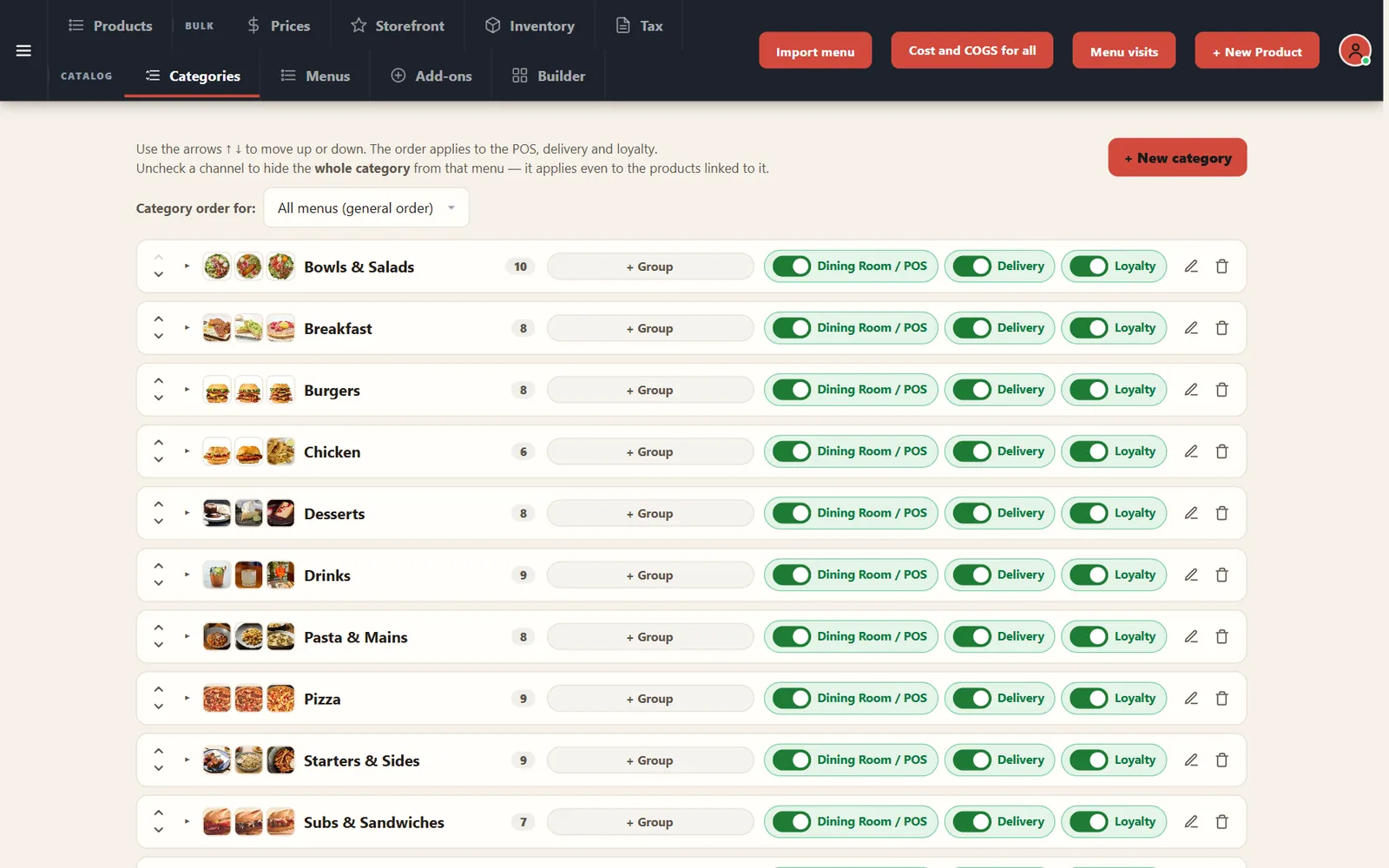
Menu categories with sales channels for each one

2. Set times and limits

Enter the delivery time, prep time, order minimum and kitchen capacity.
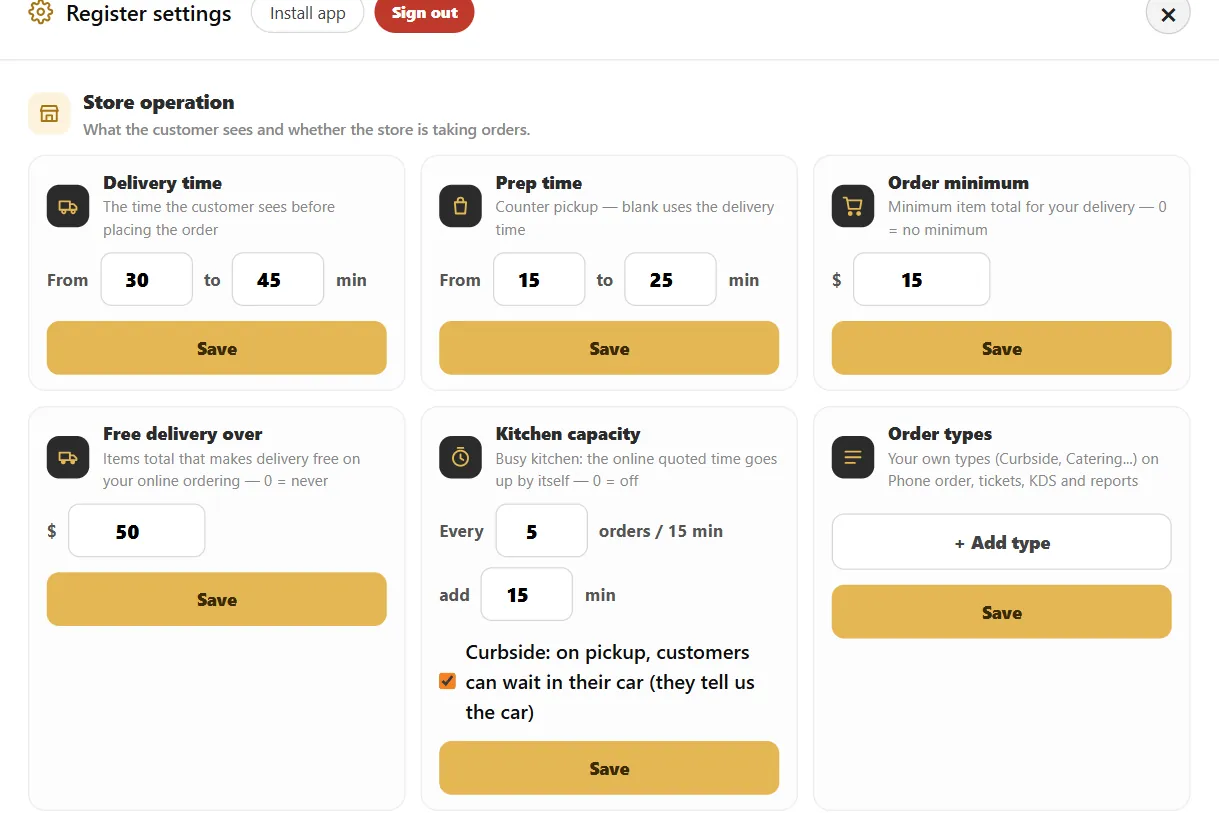
Register settings with kitchen capacity, added minutes, curbside option and free delivery threshold

3. Decide on pickup options

Turn on curbside if you can run orders to cars.
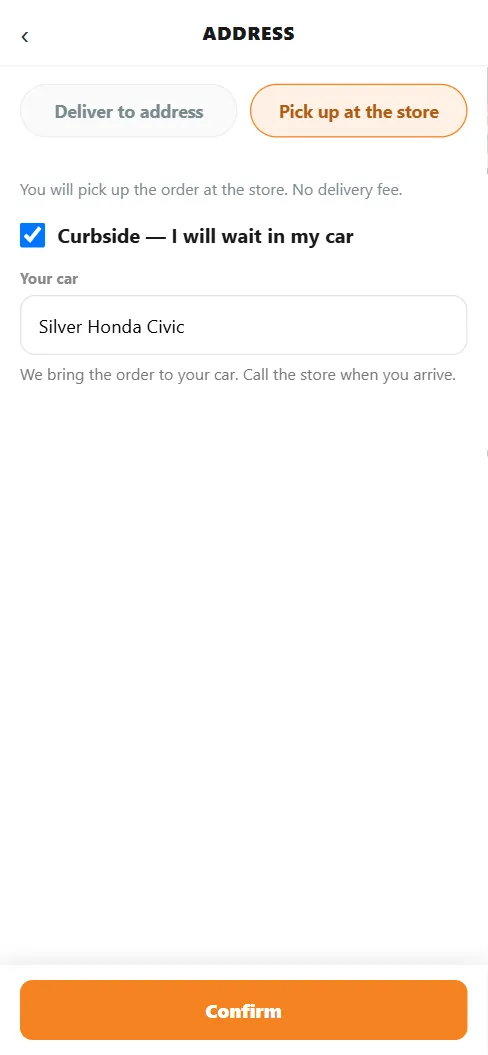
Online checkout on a phone with Pickup selected, curbside checked and the car description filled in

4. Share the link

QR Codes has the link and code for your delivery page.
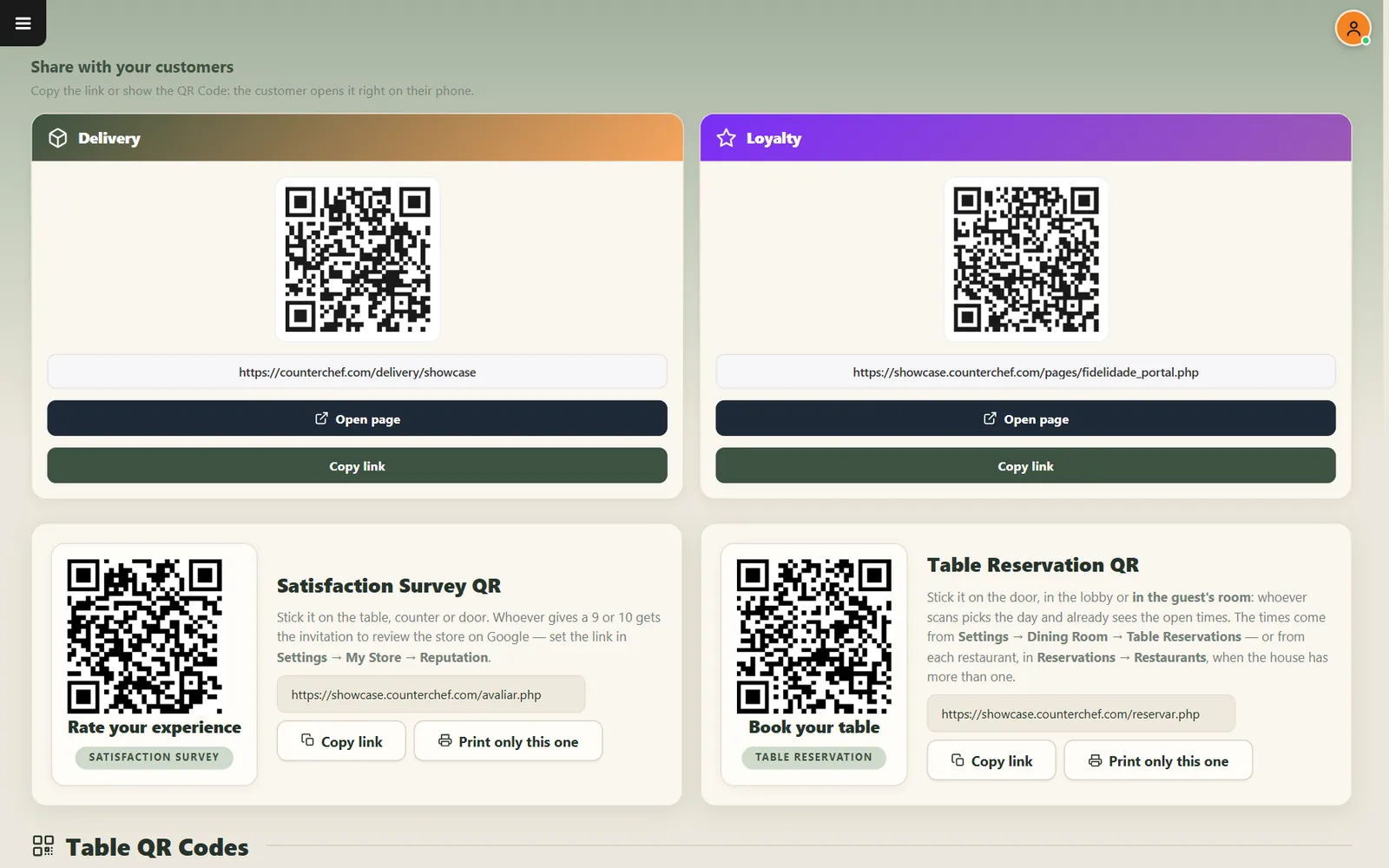
QR codes for online ordering, loyalty, feedback and table reservations

Related feature: Online ordering.

See it with your own menu in mind

Tell us how your restaurant runs. We will walk you through the parts that matter to you.

Request a demo