
How to Build a Restaurant Staff Schedule That Matches Your Sales
A good restaurant staff schedule starts with the sales you expect to make each hour, not with the days employees want to work or the shifts you used last week. Once you understand when the business needs people, you can assign positions, build the week, control labor costs, and give employees a schedule they can rely on.
Start with sales by hour before assigning shifts
Before opening your scheduling spreadsheet, pull sales reports from your point-of-sale system. Look at hourly sales for each day of the week rather than relying on total daily revenue.
A restaurant that makes $5,000 on a Saturday might generate most of that revenue between 6 p.m. and 9 p.m. Another restaurant with the same daily sales might have a strong lunch service and a steady dinner. Those businesses need different staffing plans.
Start with four to eight weeks of historical sales, if available. Compare similar weekdays and account for unusual circumstances, such as holidays, private events, severe weather, temporary closures, or promotions.
Build a simple hourly picture:
- Monday through Friday: Identify the lunch and dinner peaks.
- Saturday: Check whether brunch, afternoon service, or dinner drives demand.
- Sunday: Look for differences in opening patterns and closing traffic.
- Late evening: Identify when sales fall enough to reduce staffing.
- Seasonal periods: Note predictable changes in customer traffic.
Do not treat last week's sales as a perfect forecast. A quiet Tuesday might have been caused by bad weather, while an unusually busy Friday might have included a private event.
For each day, estimate sales by hour and identify the operational work behind those sales. A busy hour with mostly drinks and appetizers creates different demands from an hour with large dine-in parties and complicated entrees.
The goal is to forecast workload, not simply revenue.
Convert hourly sales into positions the restaurant needs
Once you have the sales forecast, translate it into people and positions.
Do not begin by deciding that you need eight employees on Friday. Decide what jobs must be covered during each service period.
A basic position list might include:
| Area | Positions to consider |
|---|---|
| Kitchen | Line cook, prep cook, dishwasher, kitchen lead |
| Front of house | Server, host, food runner, busser |
| Bar | Bartender, barback |
| Management | Opening manager, closing manager, shift supervisor |
Your actual list will depend on your menu, service style, layout, equipment, and employee capabilities.
For each position, ask three questions:
- What work must this person complete?
- During which hours is that work necessary?
- Can another employee handle part of that work without compromising service or safety?
For example, a dishwasher might need to arrive before the first customers to prepare the station, stay through the dinner rush, and leave before the kitchen closes if the closing team can finish the remaining work safely.
A prep cook might be more valuable from 9 a.m. to 2 p.m. than during dinner. A host might be essential during the evening rush but unnecessary during a slow afternoon.
Build staffing around these actual responsibilities.
Separate coverage requirements from preferred staffing. Coverage requirements are the minimum positions needed to operate properly. Preferred staffing adds capacity for unusually busy periods, training, breaks, and unexpected problems.
This distinction helps you avoid scheduling too many people during slow periods while leaving critical positions uncovered during peak hours.
Create a position-by-hour staffing grid
A staffing grid makes your forecast easier to use.
Put the hours across the top and positions down the side. Enter the number of employees required for each position during each hour.
For example, a hypothetical independent restaurant might use this Friday dinner grid:
| Position | 4-5 p.m. | 5-6 p.m. | 6-7 p.m. | 7-8 p.m. | 8-9 p.m. |
|---|---|---|---|---|---|
| Manager | 1 | 1 | 1 | 1 | 1 |
| Line cooks | 2 | 2 | 3 | 3 | 3 |
| Dishwasher | 1 | 1 | 1 | 1 | 1 |
| Servers | 2 | 3 | 4 | 4 | 3 |
| Host | 1 | 1 | 1 | 1 | 1 |
| Food runner | 0 | 1 | 1 | 1 | 1 |
| Bartender | 1 | 1 | 1 | 1 | 1 |
These are hypothetical staffing requirements, not industry benchmarks or recommended minimums.
The grid exposes gaps that a simple headcount misses. You might have enough total employees scheduled but still lack a qualified line cook or a manager during the busiest hour.
It also helps identify opportunities for staggered start times.
Instead of scheduling every server from 4 p.m. until closing, you might schedule one at 3:30 p.m., two at 4:30 p.m., and another at 5:30 p.m. This brings labor into the building as demand increases.
Build shifts around the workload, not convenient blocks
With your staffing grid complete, turn the requirements into shifts.
Think about four types of shifts:
- Opening shifts: Preparation, receiving, setup, and early service.
- Mid shifts: Lunch coverage, handoffs, and preparation for dinner.
- Peak shifts: Additional employees during the busiest service periods.
- Closing shifts: Final service, cleaning, reconciliation, and shutdown.
A common scheduling mistake is using identical shift lengths for everyone. That can create unnecessary labor hours before and after the rush.
Consider a restaurant that needs four servers during dinner but only two during the afternoon. Scheduling four servers for the entire afternoon and evening creates excess coverage during the slower period.
Staggering arrivals solves part of that problem.
However, do not make shifts so short or fragmented that employees cannot plan their lives around them. A schedule that saves a small amount of labor but creates constant employee frustration can become expensive in other ways.
Build realistic shifts that cover the work from setup through closing.
Also account for tasks that happen outside customer service hours. Deliveries, prep, inventory, cleaning, cash handling, and equipment shutdown all require time.
Work out the labor cost before publishing the week
A restaurant staff schedule should be checked against both forecasted sales and projected payroll.
Use this formula:
Scheduled labor cost = Sum of scheduled hours × applicable hourly wage
For a more complete estimate, include applicable payroll taxes, employer contributions, benefits, and other labor-related costs. Confirm the appropriate treatment with your payroll professional.
Here is a fully hypothetical example.
A restaurant forecasts $24,000 in sales for the week.
| Position | Employees | Hours per employee | Hourly wage | Weekly wages |
|---|---|---|---|---|
| Manager | 1 | 40 | $24 | $960 |
| Line cooks | 3 | 30 | $19 | $1,710 |
| Servers | 4 | 25 | $10 | $1,000 |
| Dishwashers | 2 | 25 | $16 | $800 |
| Host | 1 | 25 | $15 | $375 |
| Total | 11 | 270 combined hours | , | $4,845 |
All figures in this example are hypothetical. The server wage is an illustrative figure, not a statement of applicable minimum wage or tipped-wage requirements.
The scheduled wage cost is:
$4,845 ÷ $24,000 × 100 = 20.1875%
<em>Hypothetical scheduled wage cost: 20.19% of forecast sales.</em>
This calculation is a planning tool, not a complete labor-cost calculation. It excludes additional employer labor expenses and assumes the listed hours and wages are accurate.
If the projected labor cost looks too high, do not immediately remove shifts. Check whether the sales forecast is realistic, whether opening and closing tasks are taking longer than expected, and whether shifts overlap unnecessarily.
If the schedule looks unusually lean, check whether you have left enough coverage for breaks, preparation, cleaning, and unexpected demand.
A schedule that looks inexpensive on paper but cannot deliver the expected service is not a good schedule.
Build the week in an order that prevents coverage gaps
Now you can assemble the actual weekly schedule.
Work through the following sequence.
1. Schedule managers and required supervisors first.
Every operating period needs appropriate leadership. Check opening and closing responsibilities, manager availability, and any internal requirements for supervision.
2. Assign employees to specialist positions.
Schedule qualified cooks, experienced bartenders, and other employees whose responsibilities cannot easily be transferred to someone else.
3. Fill the core kitchen positions.
Make sure prep, line coverage, dishwashing, and closing responsibilities are covered.
4. Add front-of-house coverage.
Use the hourly staffing grid to stagger servers, hosts, bussers, and food runners.
5. Review employee availability and requested days off.
Compare the draft against approved time-off requests, availability, and any commitments already communicated.
6. Check total hours and overtime exposure.
Review each employee's expected hours across the applicable workweek, not just the number of shifts.
7. Add a small amount of operational flexibility.
If the restaurant has a history of unpredictable rushes, identify employees who can be called in or offered additional hours when appropriate. Do not rely on an informal backup plan as a substitute for adequate scheduled coverage.
Finally, review the entire week as one operation. A schedule can look balanced on individual days but create problems when the same employees work consecutive demanding shifts.
Check overtime and predictive scheduling requirements locally
Scheduling decisions have legal consequences, and the rules are not identical across the United States.
Before publishing your restaurant staff schedule, check applicable federal, state, and city labor requirements.
In particular, review:
- Overtime rules and how the workweek is defined.
- Applicable minimum wage requirements.
- Tipped employee wage and tip-credit rules, where relevant.
- Required meal and rest periods.
- Reporting-time or call-in pay requirements, where applicable.
- Predictive scheduling laws and advance-notice requirements.
- Rules covering schedule changes, cancellations, and additional compensation.
- Restrictions affecting minors, where relevant.
Predictive scheduling requirements can apply to certain employers and locations, with rules covering advance notice, schedule changes, and employee rights. Coverage and exemptions vary.
Do not assume that a rule in one city applies to your restaurant in another city. Confirm the current requirements with your state or city labor department, an employment attorney, or a qualified payroll professional.
Build compliance checks into your scheduling routine rather than trying to fix violations after the schedule is published.
Use three practical checks to make the schedule more accurate
A spreadsheet can tell you how many employees are scheduled. It cannot automatically tell you whether the restaurant will run smoothly.
Try these three operating methods this week.
1. Track the difference between scheduled and actual workload.
At the end of each shift, have the manager record three things:
- Which position was overloaded?
- Which position had unused capacity?
- At what time did the workload change?
For example, your restaurant might consistently need an extra food runner between 6:30 p.m. and 7:30 p.m., even though the overall number of scheduled employees is sufficient.
That is a position-specific scheduling problem. Adding another server will not necessarily solve it.
Collect these observations for several weeks and adjust the staffing grid.
2. Schedule a deliberate handoff overlap.
One overlooked source of wasted labor is the gap between outgoing and incoming employees.
A cook leaves without explaining which prep items are running low. The next cook spends time checking inventory. A server finishes a shift without explaining an unresolved guest request. The manager has to reconstruct what happened.
Try building a short, paid handoff period into shifts where continuity matters.
Give employees a simple handoff checklist covering:
- Prep items running low.
- Equipment or station problems.
- Reservations or large parties approaching.
- Cleaning tasks still outstanding.
- Customer issues requiring follow-up.
The overlap should have a defined purpose and duration. Do not add unnecessary hours just to make employees stand around together.
3. Use a schedule stress test before publishing.
Take your proposed schedule and imagine three situations:
- One experienced line cook calls out.
- Sales are higher than forecast during dinner.
- A closing employee cannot stay beyond the scheduled end time.
Ask whether the remaining team can operate safely and effectively.
Identify which employees can cover additional responsibilities, who has the necessary training, and which positions cannot be combined.
This exercise often reveals that the real problem is not the number of employees but the lack of cross-training.
Choose one coverage weakness each week and train someone to handle it.
These three methods turn scheduling into an ongoing management process instead of a weekly administrative chore.
Give employees a schedule they can understand and trust
A schedule is only useful if employees receive it, understand it, and know how changes will be communicated.
Set a consistent weekly publication deadline. Employees should know when to expect the next schedule and how to request time off.
When publishing, make sure every shift includes:
- Employee name.
- Workday and date.
- Start time.
- End time.
- Assigned position.
- Location or station, if relevant.
- Any special instructions.
Use one official communication channel. Avoid having different versions of the schedule circulating through text messages, printed sheets, and verbal instructions.
Establish a clear process for shift swaps. Employees should know whether manager approval is required and who is responsible for checking qualifications, hours, and overtime before approving a change.
Never assume that an employee has seen a schedule change simply because someone sent a message.
Ask employees to confirm significant changes and keep an accurate record of the final published schedule.
Also, avoid treating employee availability as unlimited. Giving people reasonable notice and respecting approved days off makes it easier to retain a dependable team.
Review last week's schedule before creating the next one
The best time to improve next week's schedule is immediately after the current week ends.
Compare forecasted sales with actual sales by hour. Then compare scheduled hours with actual hours worked.
Look for patterns:
- Did the kitchen have too many employees during slow periods?
- Did servers consistently stay late?
- Were opening employees arriving before their work was ready?
- Did managers repeatedly need to call employees in?
- Were breaks difficult to cover?
- Did certain positions have more workload than expected?
Do not make changes based on one unusual shift. Look for recurring problems.
A useful practice is to maintain a weekly scheduling adjustment log.
| Problem observed | Likely cause | Next week's adjustment |
|---|---|---|
| Dinner servers overwhelmed | Arrivals were too late | Move one start time earlier |
| Excess kitchen hours before lunch | Prep workload was overestimated | Review prep assignments |
| Closing consistently runs late | Closing duties were underestimated | Adjust closing coverage |
| Frequent manager call-ins | No backup coverage | Cross-train another employee |
This creates a record of why scheduling decisions were made. It also prevents managers from repeatedly solving the same problem without addressing its cause.
Use a simple weekly scheduling checklist
Copy this checklist into your manager's weekly routine.
Before building the schedule
- Review hourly sales from previous weeks.
- Identify upcoming events, holidays, and reservations.
- Forecast sales by day and hour.
- Build the position-by-hour staffing grid.
- Review employee availability and approved time off.
While building the schedule
- Assign managers and supervisors.
- Cover specialist positions.
- Schedule opening and closing responsibilities.
- Stagger shifts around expected demand.
- Check employee hours and projected payroll.
- Review overtime and local scheduling requirements.
- Confirm that qualified employees cover every required position.
Before publishing
- Check every employee's dates and shift times.
- Confirm opening and closing coverage.
- Check handoffs and break coverage.
- Review potential staffing problems.
- Publish the final schedule through the official channel.
- Confirm employees know where to find it.
After the week ends
- Compare forecasted and actual hourly sales.
- Compare scheduled and actual hours.
- Record recurring coverage problems.
- Identify one improvement for next week.
Where CounterChef fits into the weekly scheduling routine
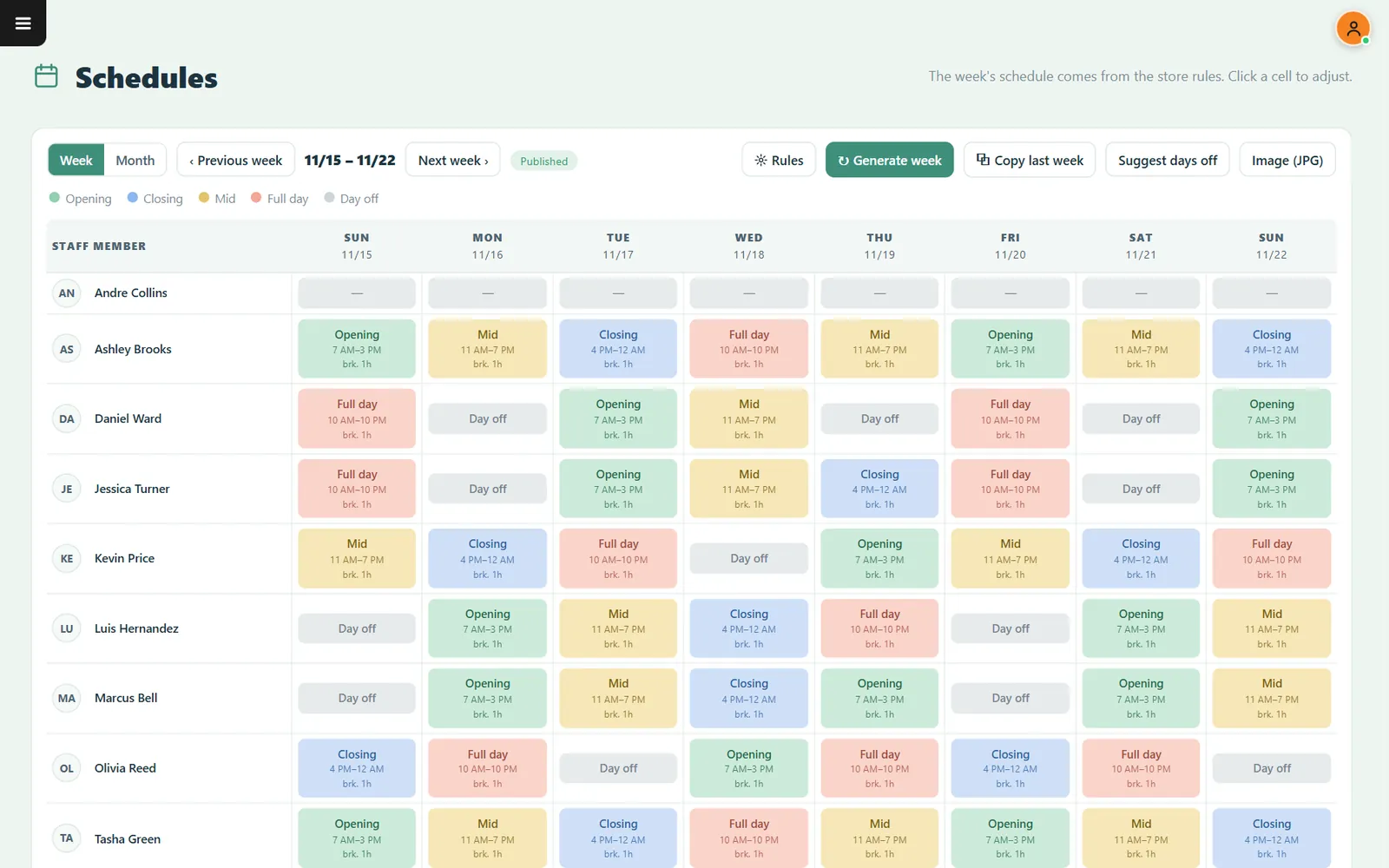
CounterChef can generate a weekly schedule from store rules, copy the previous week's schedule, suggest days off, and share the schedule as an image. Employees clock in on a tablet or computer.
These capabilities can fit into the administrative part of your weekly scheduling process. The important management work still starts with accurate sales forecasts, clear position requirements, and a review of the finished schedule.
Frequently asked questions
How far in advance should a restaurant publish its staff schedule?
Choose a consistent publication day that gives employees reasonable notice to plan their personal commitments. The appropriate lead time depends on your operation and applicable local predictive scheduling requirements. Check your jurisdiction before setting a policy.
How many employees should a restaurant schedule per shift?
There is no universal number. Staffing depends on hourly sales, restaurant layout, menu complexity, service style, preparation requirements, and the positions that must be covered. Start with the work that needs to be done, then calculate the employees required to do it.
How do I reduce labor costs without hurting service?
Start by comparing hourly sales with scheduled hours. Look for unnecessary overlaps, poorly timed arrivals, and positions that have more coverage than their workload requires. Avoid cutting essential kitchen, cleaning, management, or customer-service coverage simply to improve a percentage.
Should restaurant employees be allowed to swap shifts?
Shift swaps can give employees flexibility, but establish an approval process. Check that the replacement employee is qualified for the position, that the change does not create overtime or scheduling-law problems, and that management has an accurate record of who is working. Employees should never assume a swap is approved until the manager confirms it.
Related feature: Scheduling.