
How to dispatch delivery orders with a barcode reader
Turn the handoff at the door into a few quick scans.
1. Print driver tags
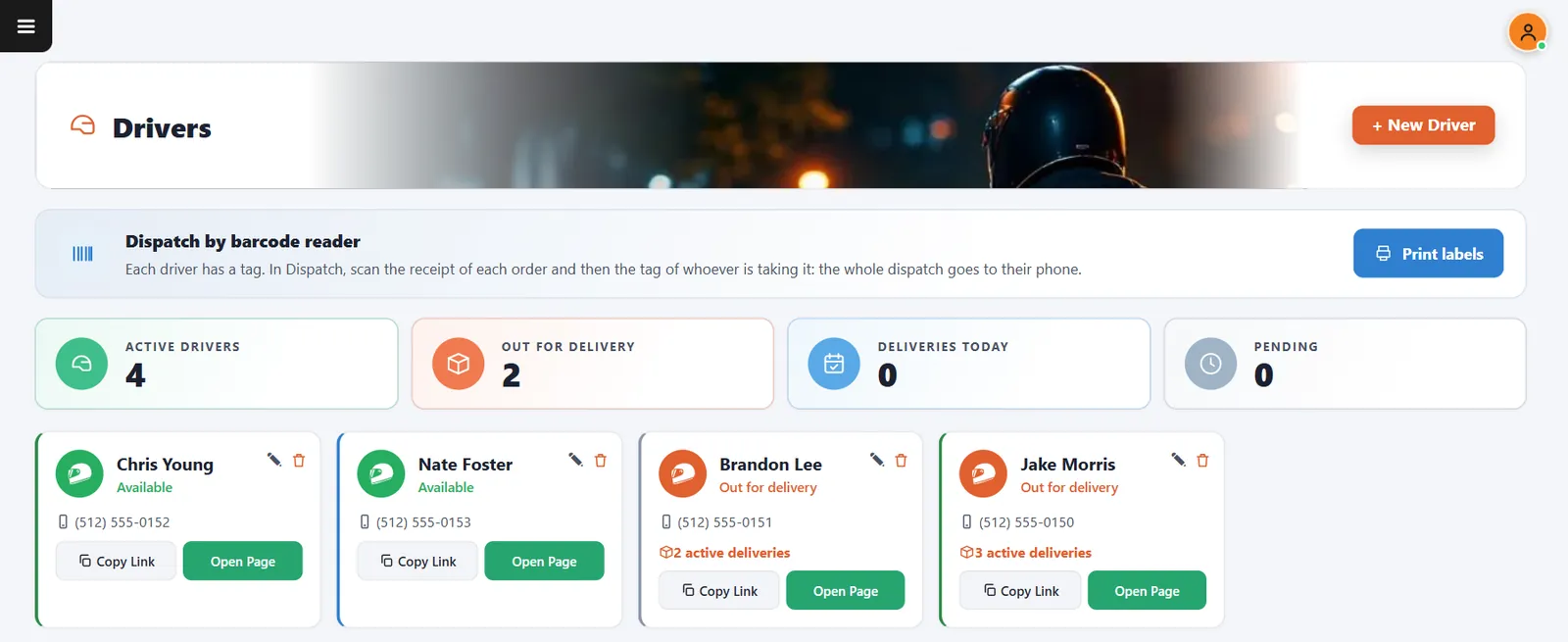
Open Drivers and press Print labels. Each driver gets a barcode tag.
2. Open Dispatch
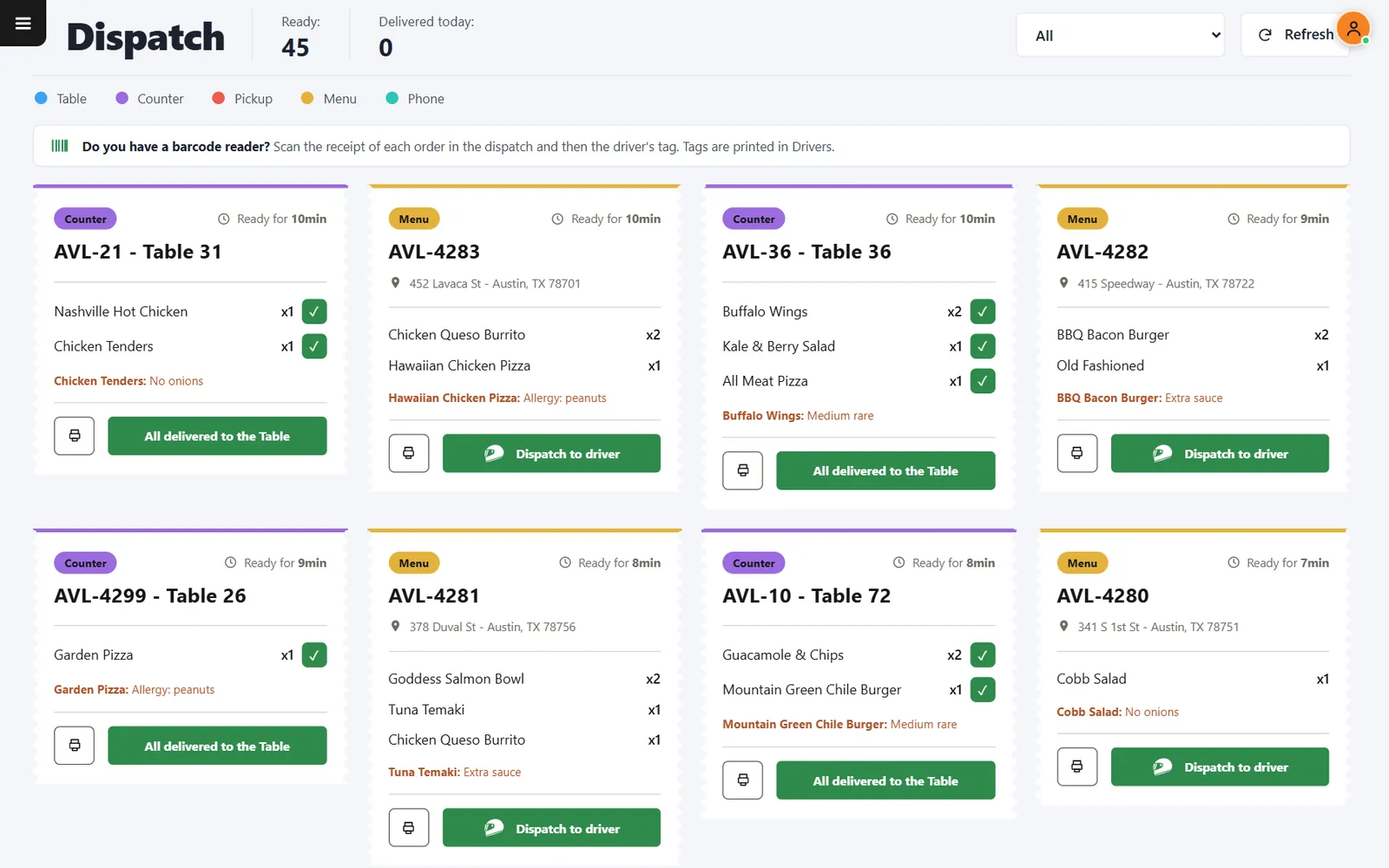
Ready orders appear with their items and addresses. No reader? Press Dispatch to driver instead.
3. Scan receipts, then the tag
Scan each order receipt in the sequence the driver should follow, then scan the driver tag.
4. The driver follows the route
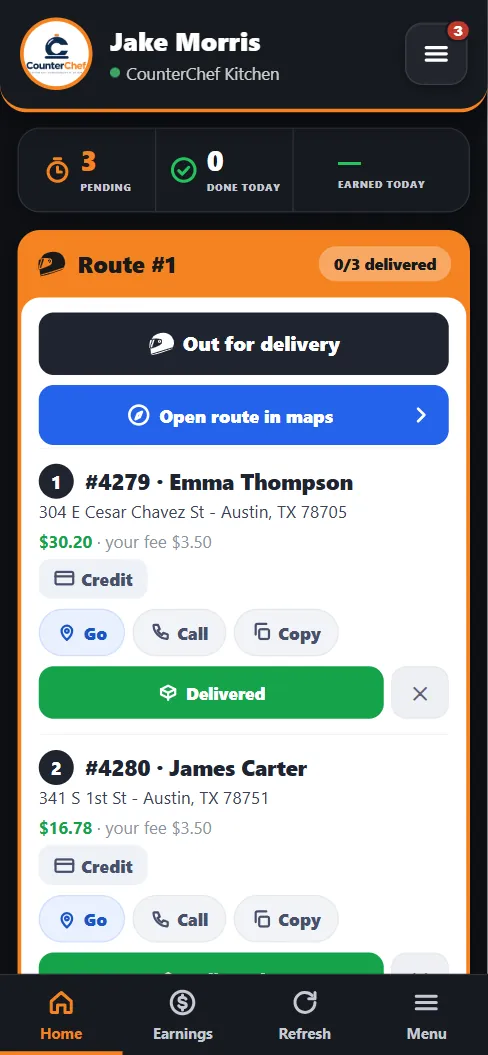
The stops appear on the driver page in that order.
Related feature: Barcode dispatch.