
How to set delivery zones and fees by ZIP code
Charge for the distance your drivers really cover.
1. Map your real coverage
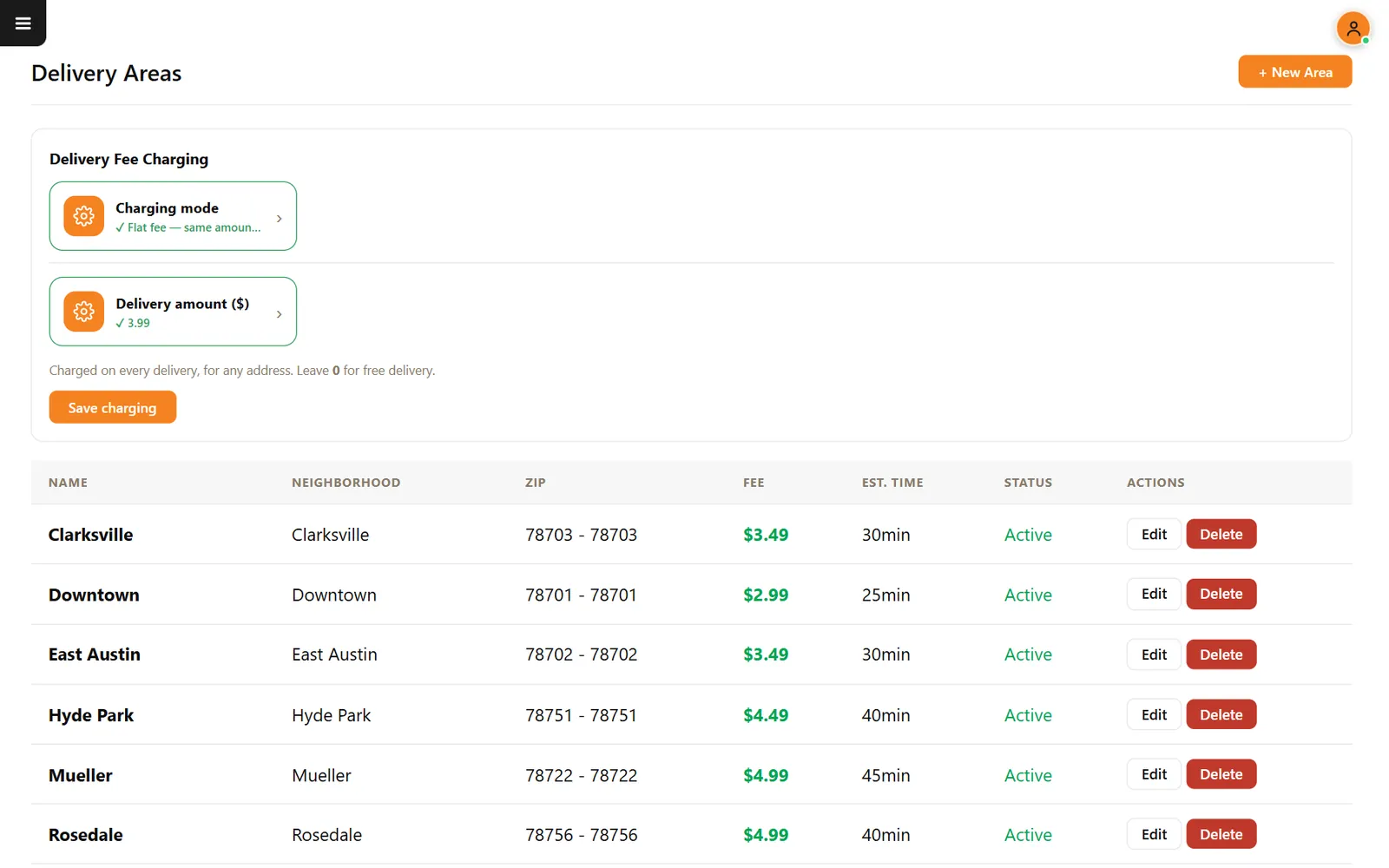
List the ZIP codes your drivers can reach while the food is still good. Group nearby ones at the same price.
2. Create each area
In Delivery Areas, press New Area and enter the name, ZIP range, fee and estimated time.
3. Set your order rules
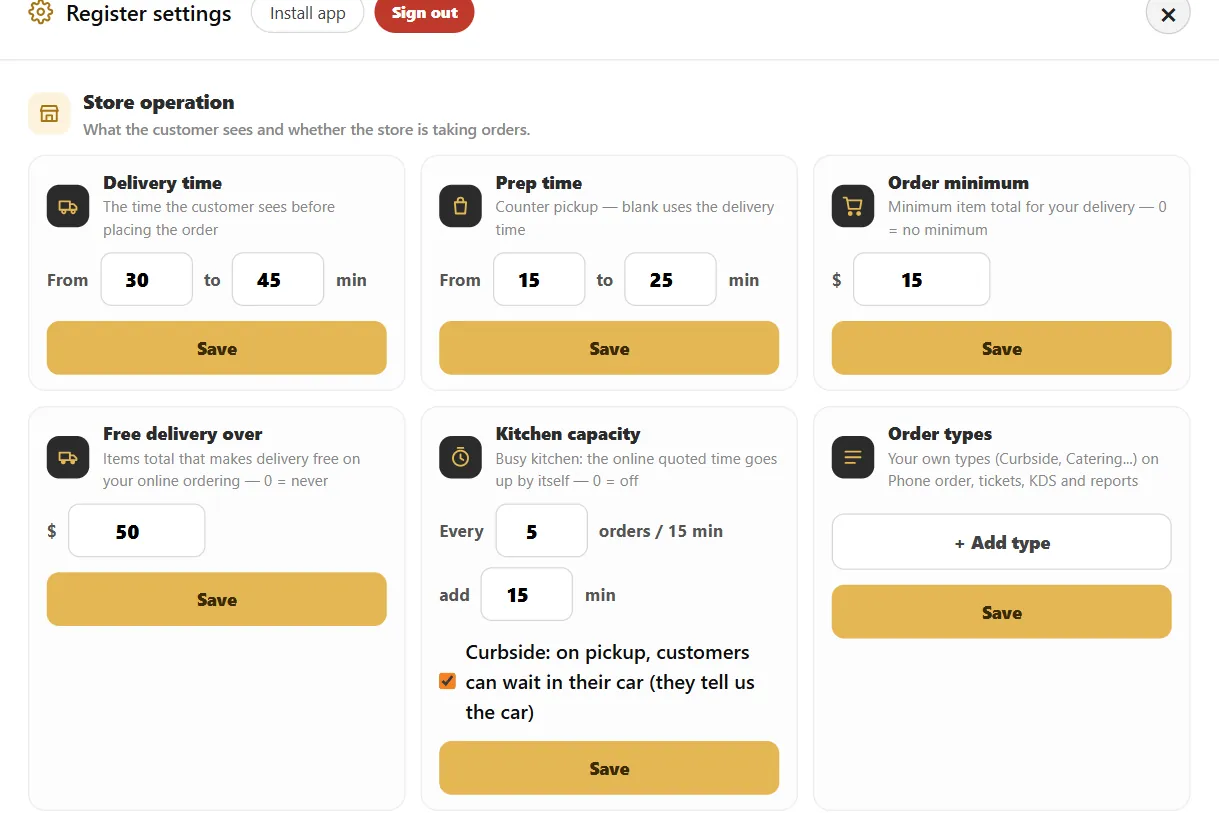
In the register settings, set the delivery time, order minimum and, if you want, a free delivery amount.
4. Place a test order
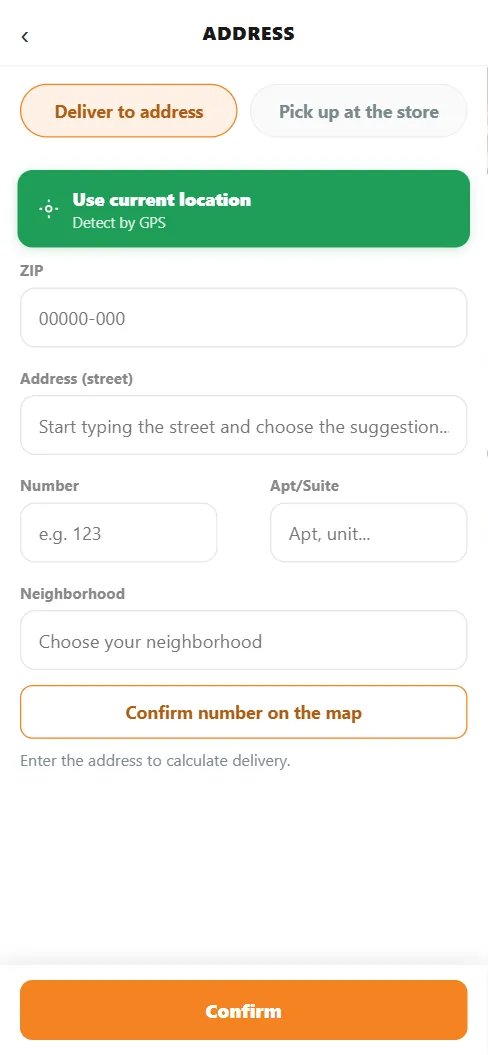
Open your online menu, enter an address in a zone and confirm the fee.
Related feature: Zones and fees by ZIP.